


One feed for everything
Workflows, credentials, members, folders - one Activity feed, not an export per item type.


WEXTL® Audit log records every change across your organization - workflow edits in the builder [4], credential rotations, member invites and removals. Each change is one readable row: who did it, what they did, to which item, and when.
WEXTL® keeps the Audit log next to the rest of your features. When a workflow starts failing, run history [1] shows what the run did, Analytics [2] shows when usage moved, and the Audit log shows what changes were applied to automations recently.

Video slide shows the organization Activity feed listing recent audit events on WEXTL®.
Built to answer "who changed this?" in one place - while run history [1] answers "what did it do?". Here are 4 things customers value [3] it for.
Workflows, credentials, members, folders - one Activity feed, not an export per item type.
Every row names the teammate - or WEXTL Support - who made the change.
Open the workflow, credential, or invite straight from the row.
Admins see the full feed; members only see items their role already allows.
Every change goes through the same 3 steps - from a teammate's click to a row an admin can find later. Nothing to turn on: the Audit log starts filling in with your team's first edits [3].
Publishing a workflow, rotating a shared credential, revoking an invite, moving a folder - any change to the organization is stored.
Each record has the same immutable shape - who, what action, which item, and when - whether the change came from a person from your team, or from WEXTL support handling your request.
Request entries by item type or action, search by name, then open the linked workflow, credential, or invite straight from the row.
A workflow that ran fine for weeks fails at 6am. Run history [1] shows which node broke. Audit log can show why - a shared credential was rotated at 11pm the night before, or the workflow was updated by somebody from the team. Two records, one answer [3].
Every row reads as a sentence - "John rotated the Stripe credential", "Max moved Onboarding Workflow to other folder" - clear, visible data. Timestamp is displayed correct time in your organization timezone - this give you info to align timestamp in an incident ticket.
The same trick works for cost. When the Analytics [2] chart jumps on a Tuesday, filter the Audit log to workflows and look for that day - a shorter schedule interval or a newly published workflow usually [3] are the root cause.

Video shows Activity rows with who, what action and which item on WEXTL®.
Membership removal, invite revocation, and credential rotation are each their own row with a name and a timestamp. When a teammate leaves, you can show the order things happened in - instead of trusting memory.
When WEXTL support works inside your org with your permission - restarting a stuck run, fixing a misconfigured webhook - that row is marked as WEXTL Support, never merged into a teammate's history. Vendor actions and your own team's actions stay apart.
A busy org has a long feed. Tabs for workflows and members, a filter for other item types and actions, and a search box get you to the one change that mattered - older activity loads on demand, so a year of history stays fast.
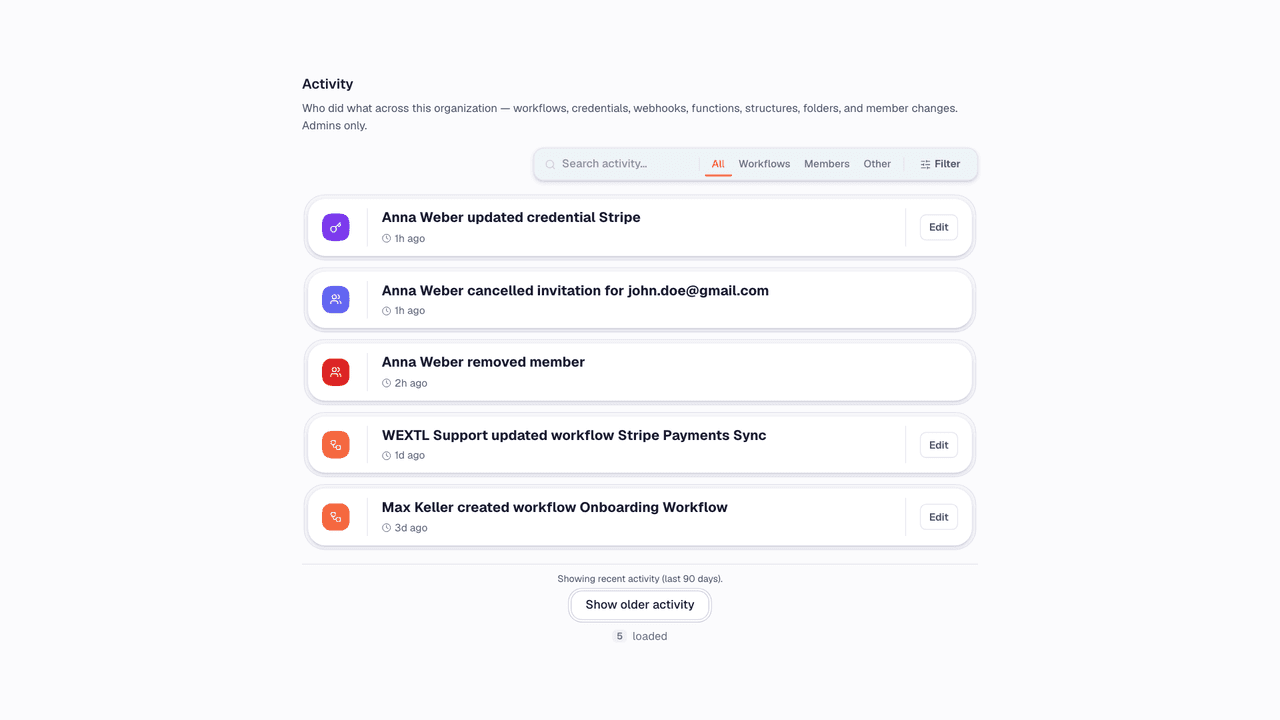
How Activity filters narrow the feed to one credential or workflow on WEXTL®.
List of resources used for writing page about Audit Logs feature on WEXTL®.

