Order routing
VIP orders ping fulfillment and capture payment in the same run.


High-value orders, low stock, abandoned carts, and returns each need a different playbook — and they all touch Shopify, payments, and support. WEXTL runs those playbooks on the canvas so nothing waits on someone checking admin.
Deploys this workflow into your workspace — you'll connect your own accounts.
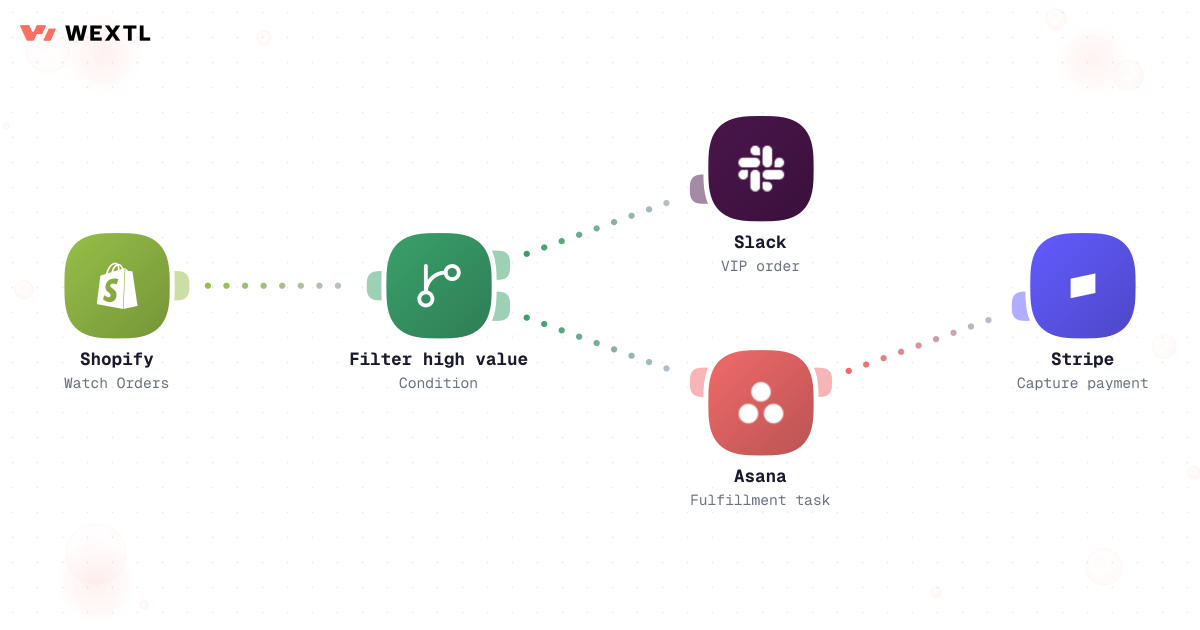
Shopify order workflow with Slack alert and fulfillment task
* Illustrative example, not measured customer data.
VIP orders ping fulfillment and capture payment in the same run.
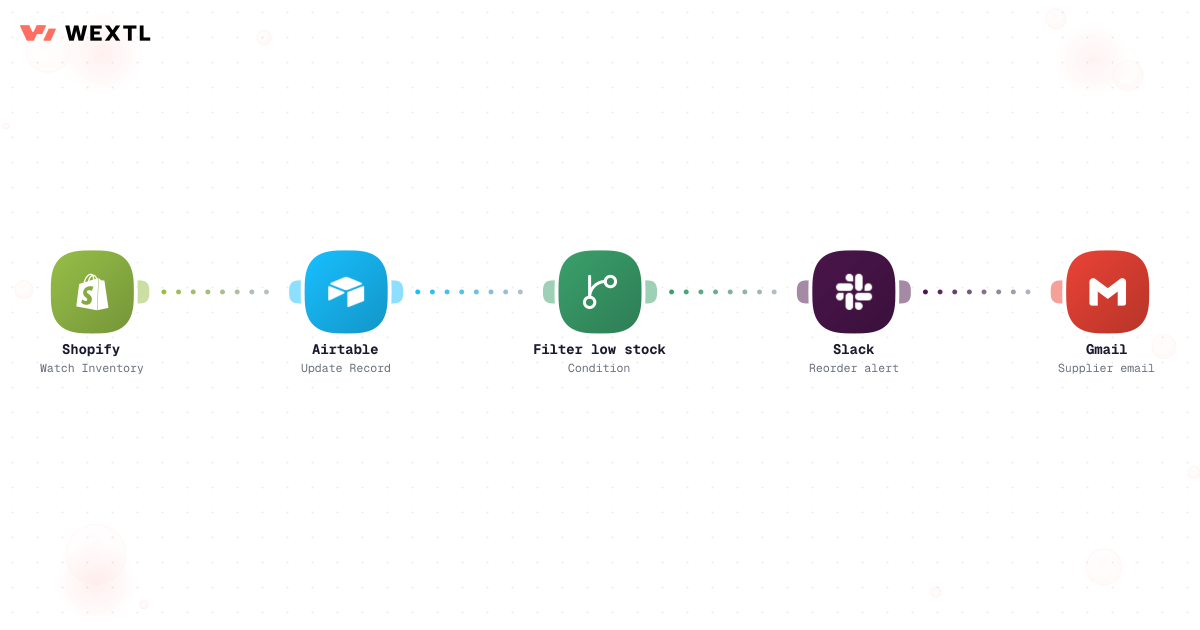
Shopify stock updates your ops sheet and alerts before you sell air.
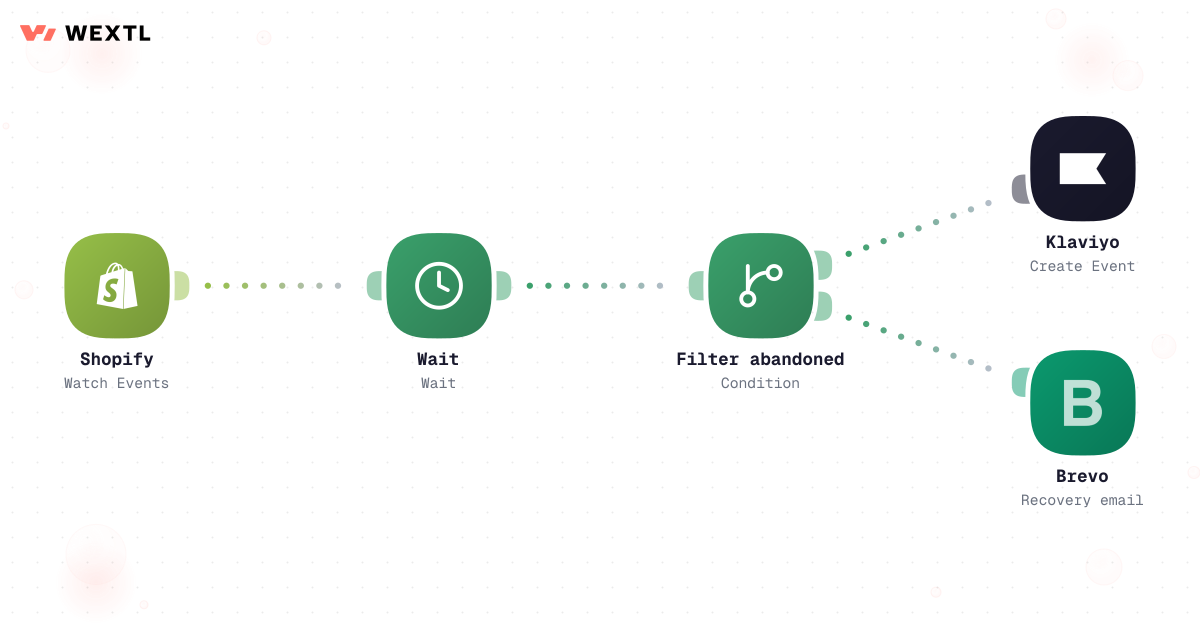
Wait, branch, and send recovery email when carts stall.
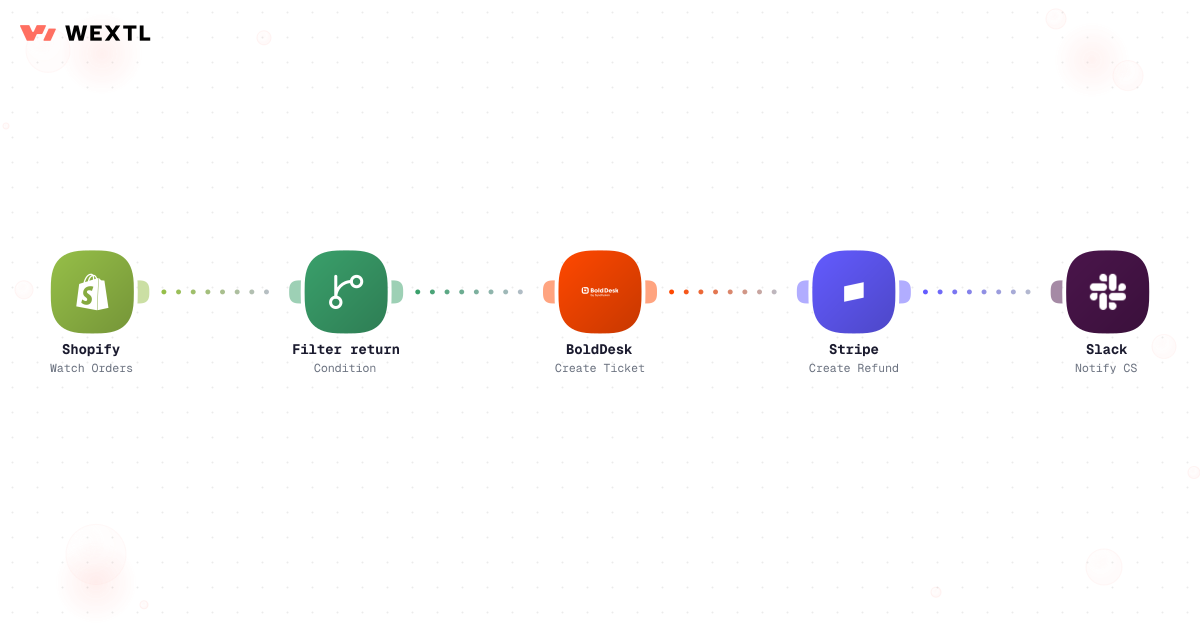
Return requests become support tickets and refunds with logs.
Filter order value, notify Slack, create fulfillment tasks, and capture payment.
Shopify order workflow with Slack alert and fulfillment task
Watch inventory, update ops records, alert on low stock, email suppliers.
Wait after checkout events, branch on abandonment, trigger email flows.
Detect return requests, open tickets, issue refunds, notify CS.
None of it is hard. It's just relentless, and it never happens on one screen. A SKU sells out on the storefront twenty minutes before the warehouse feed catches up, and three more orders land for stock that's already gone. A return request drops into a shared inbox and sits for two days because nobody owns Friday triage. A cart abandons at 11pm and either gets three emails in an hour or none at all, depending on who remembers to check.
Three sales channels, one stock count, and a support inbox that doesn't know which order a customer means until someone looks it up.
Storefront and warehouse disagree for twenty minutes and three orders land for stock that's already gone.
With no wait logic it's either three emails in an hour or none at all.
A return request with no owner sits for two days before anyone opens it.
WEXTL is not trying to replace the ops team — it handles the repetitive routing and reconciliation work so ops can spend more time on the exceptions, the supplier relationships, and the decisions that actually need a person.
A concrete run, start to finish — the kind of order-routing workflow a store clones from the template library and tunes to its own fraud tolerance and warehouse footprint, routing to the right warehouse in under a minute.
Trigger: a new order completes checkout on Shopify, WooCommerce, or Squarespace and payment authorizes.
WEXTL checks: order value against the VIP threshold, whether billing and shipping addresses match, order velocity from the same card or device, which connected warehouse or 3PL (ShipBob, ShipMonk, or ShipEdge) actually holds the SKU, and whether any line item is backordered.
Human judgment
A fraud-score flag, an address mismatch, or a split shipment that needs a customer explanation routes to a person instead of auto-capturing. The workflow proposes the routing; a person clears the exceptions.
Cart items added, checkout started, payment step never reached.
Waits a set window — say, one hour — then stops here if the order completed in the meantime.
Picks email or SMS based on real opt-in, and suppresses the recovery code for carts that already redeemed one more than once.
AI writes the subject line and product copy from what's actually in the cart, not a template.
Carts above a value threshold notify a person for a direct follow-up instead of an automated send.
Sends through Klaviyo or Brevo, logs the touch, and cancels remaining steps the moment the order completes.
The same logic, tuned for timing instead of routing: wait long enough to be sure, check before every send, and stop the moment the customer converts.
Trigger: a checkout starts and stalls — cart items added, payment step never completed.
Signals checked: whether the order completed since, marketing opt-in and channel (email or SMS), and whether this cart has already redeemed a recovery discount code more than once.
Human judgment
A high-value cart or a customer with a discount-abuse pattern routes to a person instead of getting an automatic code. The workflow drafts and waits; a person decides the edge cases.
Not every store needs this on day one. It's built for the parts of running commerce that repeat across a lot of orders, a lot of SKUs, or a lot of channels.
Fraud-flagged orders, refunds above a set amount, chargebacks, and any decision to discontinue or mark down a SKU are exactly where automation should stop and hand back to a person — not because the tooling can't attempt them, but because getting them wrong costs more than a slower, correct answer.
Where a human stays on
Anything that captures payment on a fraud-flagged order, any refund past the auto-approve limit, any chargeback response, and any call to write off inventory. The workflow flags and proposes for these — it does not decide.
Standard orders, standard returns, and standard recovery sends run without a person touching them.
Fraud scoring and return classification surface the exception; a person makes the call.
Anything past the auto-approve threshold stays a human decision.
A store doesn't get to pick its stack from scratch. The storefront, the payment processor, and whichever warehouse ships the orders are already fixed — automation has to meet them where they are.
These are the integrations most ecommerce workflows actually use. An HTTP step reaches a custom checkout or in-house WMS with no native connector.
Integrate Ecommerce workflows with the tools your team already uses.
| Task | By hand | With WEXTL |
|---|---|---|
Order routing | Someone watches admin all day | Supported |
Inventory sync | Weekly CSV exports | Live sync with low-stock alerts |
Cart recovery | Batch blast to everyone | Supported |
Returns | Shared inbox triage | Ticket + refund in one logged run |