


JS Code on the canvas
Write JavaScript inline as a normal workflow step - same flow as any other node.


WEXTL® JS Code [1] node lets you write custom JavaScript directly on the visual workflow canvas [3] - between any of 1,300+ app integrations [2]. Reshape payloads, normalize responses, or strip PII before data reaches the next step. Curated modules like lodash, dayjs, zod, uuid come baked in [5] - no package.json or lockfile required.
WEXTL® runs your code in a secure V8 isolate with per-run limits [5]. Return values, console logs, and errors show on the run history [4] - just like every other native workflow node.

Video slide shows how JS Code node reshapes payloads on WEXTL® canvas.
Write JavaScript inline as a normal workflow step - same flow as any other node.
Rename fields, transform payloads, and hand a clean object to the next connector.
Import lodash, dayjs, zod, uuid, papaparse - no package.json, no lockfile to maintain.
Redact PII or reject bad rows before the next step fires - visible on run history.
There are only 3 main steps to plug a JS Code node [1] into your workflow. Under 5 minutes [5] setup - from picking where to insert it to a live JavaScript transform running in a V8 isolate between your apps.
Select and drop JS Code node inside the workflow where you expect it to work. Same drag and drop experience as any regular node [4] - no separate approach, right inside the workflow canvas [3].
Reference upstream data using field mapping [1] and return the exact response next nodes expect. Plain JavaScript with curated modules - just like a regular node [5].
// map form payload → CRM shapeconst form = input.nodes["webhook_1"];
return {
phone: form.cell_phone,
company: form.co ?? null,
};
Use a Condition or Merge nodes after to branch based on JS code node response. Output values and console logs stream to run history [4]. In case of any errors, JS node acts exactly as regular - no specific behavior.
JS Code [1] is just a regualr workflow node as 1,300+ others - same inputs and outputs connections, run history supported, same drag and drop experience you get with WEXTL native nodes.
Custom JS code can be placed in any part of the workflow - between two apps to convert their inputs and outputs, or before an app - to validate incomind data, or after - to normalize responses [5]. You can edit JavaScript code directly on the canvas [3] - no separate interface required.
Automator has access to a set of libraries to import in JS: lodash, dayjs, date-fns, zod, uuid, nanoid, papaparse, fast-xml-parser, jsonpath-plus, slugify [1]. This helps push JS code capabilities inside WEXTL even further.
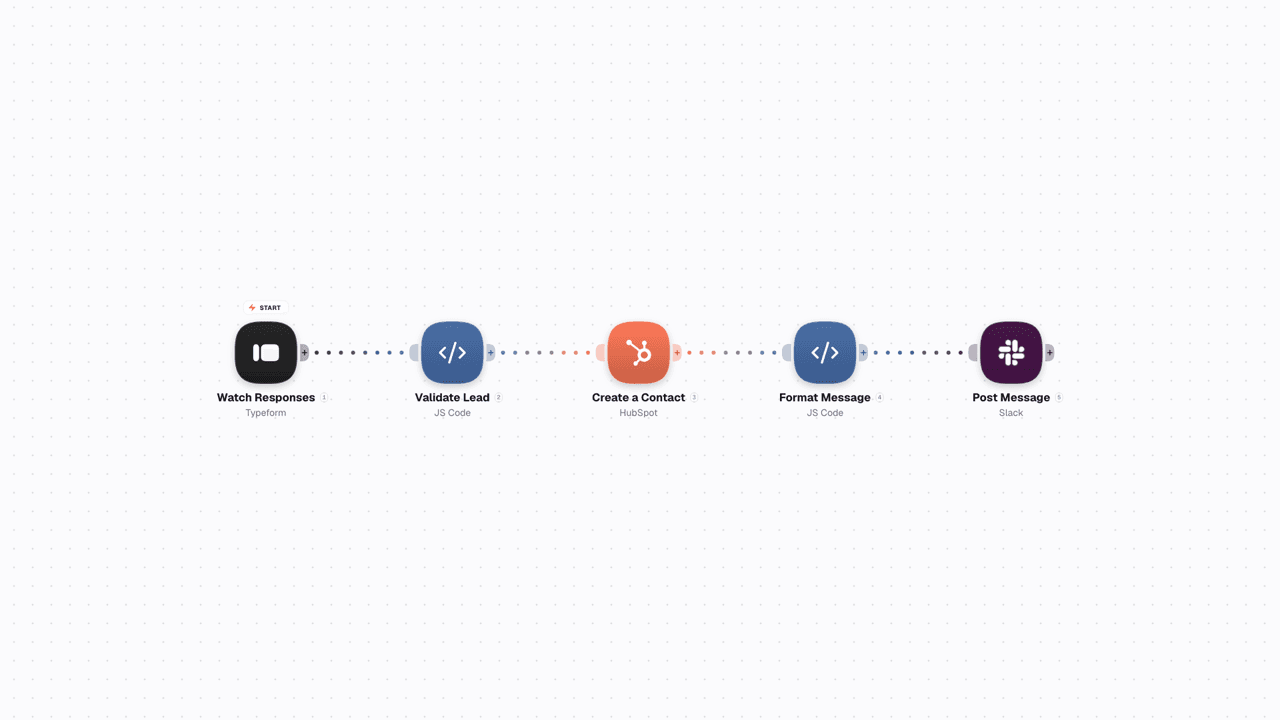
Video shows JS Code settings inside workflow on WEXTL®.
Each JS Code run has limit 300 seconds of execution time by default, and your plan [6] may set a different limit. This helps to avoid the situations when non intentional loop fails to exit and prevents the workflow automation from hanging for a long time.
Uncaught errors inside JS functions will mark the node as failed with the stack trace attached. Error handler can be used though, or Condition or Merge node after - can branch on failure to send a failure altert.
Any console.log, warn, and error calls inside function code will be streamed to the node results panel in the run viewer - builders see exactly what the transform decided, and why [4].

JS Code settings panel WEXTL®.
List of resources used for writing this documentation page on WEXTL®. Follow a citation to jump straight to the source.


