


Requirements
Connecting LogMeln takes an active account plus an API access token from your account settings — no other setup is required.[3]
Get your LogMeln credentials
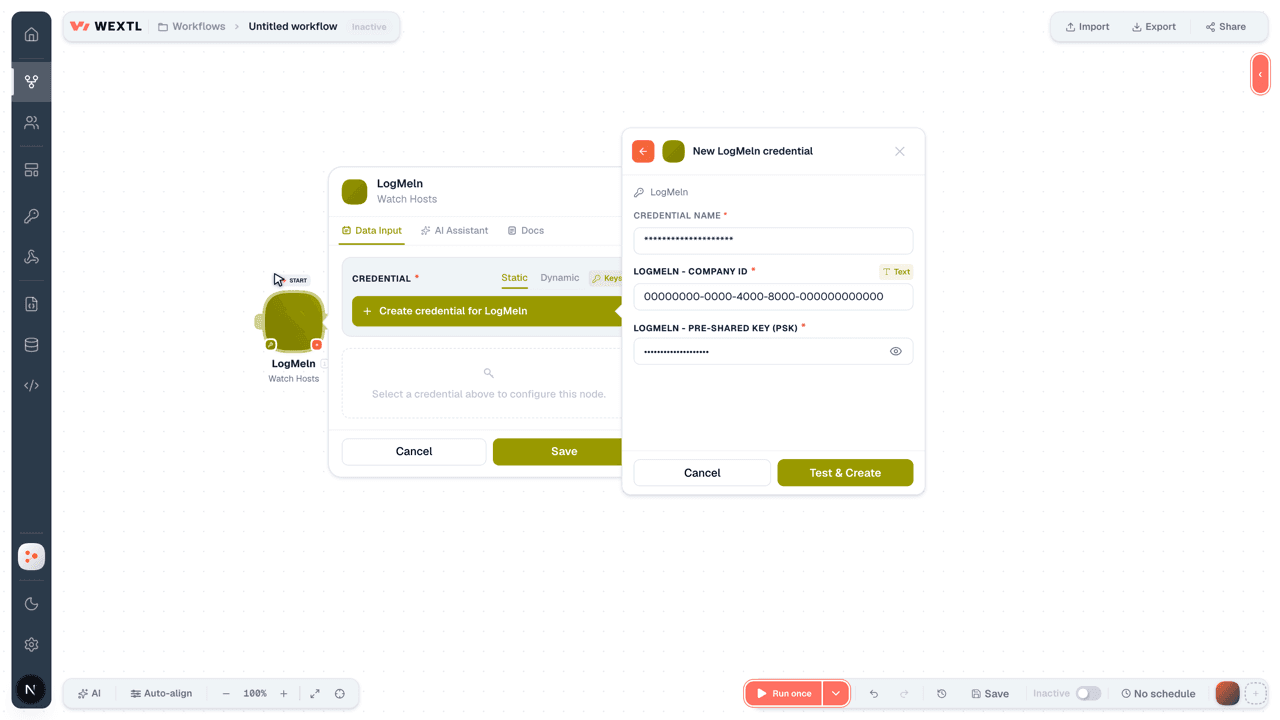
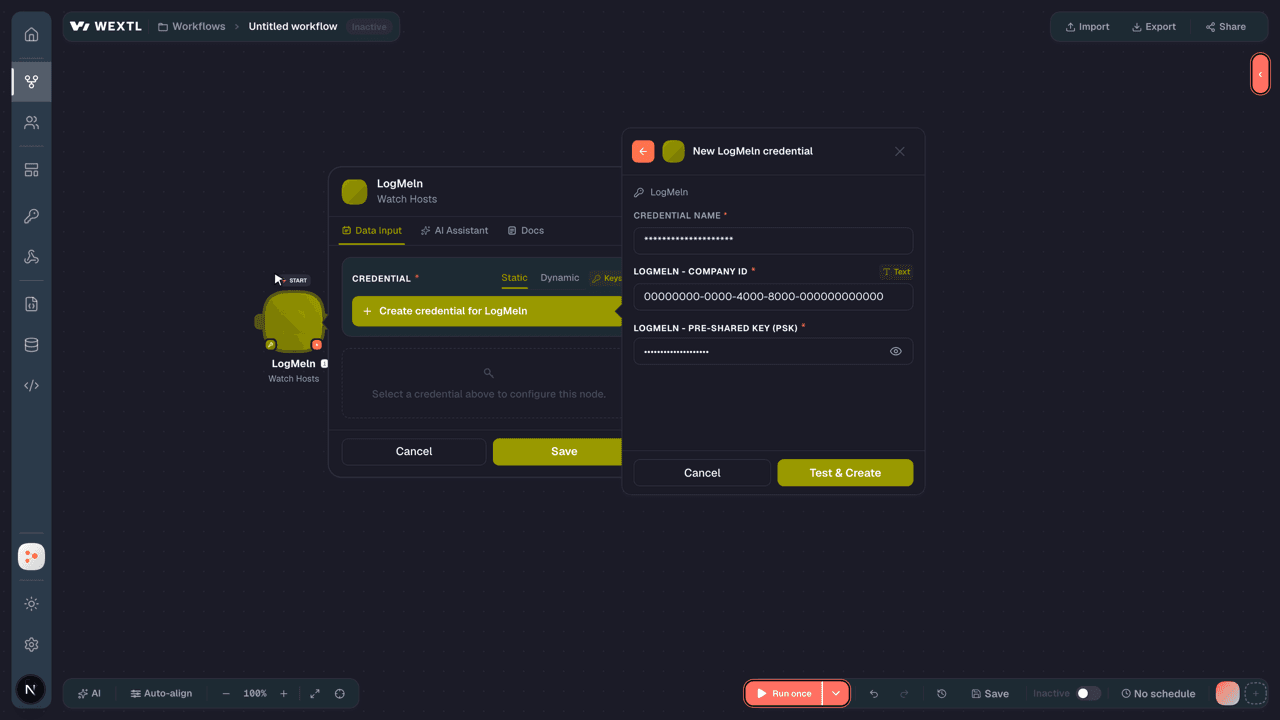
- Company IDtextRequired
- Pre-Shared Key (PSK)passwordRequired
Connect LogMeln in WEXTL
- Log in to your WEXTL account, add the LogMeln node module to your workflow, and click Create new credential.
- Optional: In the Credential name field, enter a name for the credential.
- Enter the authentication credentials you copied from your LogMeln account, or follow the on-screen instructions to create the credential.
- If prompted, authenticate your account and confirm access.
- If you want to make changes to your credential in the future, follow the steps in Manage credentials →
Notes
Credentials are org-scoped; share them with teammates from the Credentials picker on any of its nodes.For detailed information on connecting an application, see Connect an application →
LogMeln node modules
The list below is a reference of every LogMeln node module the integration supports. You will be able to pick any of them on the workflow canvas while building automations.
Expand any LogMeln node module below to see exactly what it takes in, what it returns, and what connection it needs.
Watch HostsTrigger
Output fields[3]
| Field | Type |
|---|---|
| Description | text |
| Host name | text |
| Host state change date | date |
| ID | text |
| Is host online | boolean |
Watch User GroupsTrigger
Output fields[3]
| Field | Type |
|---|---|
| Group ID | number |
| Is enabled | boolean |
| Group name | text |
| User list | array |
Watch UsersTrigger
Output fields[3]
| Field | Type |
|---|---|
| Is pending | boolean |
| ID | number |
| text | |
| First name | text |
| Last name | text |
| Is enabled | boolean |
| Last login date | date |
Get a Computer Status ReportSearch
Input fields[3]
| Field | Type |
|---|---|
Group IDsRequired | choice |
Host IDsRequired | choice |
Output fields[3]
| Field | Type |
|---|---|
| Host ID | number |
| Group ID | text |
| Computer description | text |
| Product type | text |
| Subscription type | number |
| Start date | date |
| Renewal date | date |
| Status | number |
| Last online | date |
| Last remote session | date |
| Last known IP address | text |
| Install date | date |
| Software version | number |
Get a Deleted Host ReportSearch
Get a Generated Hardware Inventory ReportAction
Get a Generated System Inventory ReportAction
Get a Remote Access ReportSearch
Get a Remote Access Report by GroupsSearch
Get a User GroupAction
Get Active Hardware Inventory Report TokenAction
Output fields[3]
| Field | Type |
|---|---|
| Expires | text |
| Token | text |
Get Active System Inventory Report TokenAction
Output fields[3]
| Field | Type |
|---|---|
| Expires | text |
| Token | text |
Get Hosts and Computer GroupsAction
Output fields[3]
| Field | Type |
|---|---|
| Groups | array |
| Hosts | array |
Get User DetailsAction
List Hardware Inventory FieldsSearch
Input fields[3]
| Field | Type |
|---|---|
| Limit | number |
List HostsSearch
List System Inventory FieldsSearch
Input fields[3]
| Field | Type |
|---|---|
| Limit | number |
List User GroupsSearch
List UsersSearch
Assign a Custom Field Value to a HostAction
Input fields[3]
| Field | Type |
|---|---|
Host IDRequired | choice |
Custom Category IDRequired | choice |
ValueRequired | text |
Create a Hardware Inventory ReportAction
Create a Host ConnectionAction
Input fields[3]
| Field | Type |
|---|---|
Host IDRequired | choice |
| Direct Link | boolean |
| Fail When RA Session In Progress | boolean |
Create a System Inventory ReportAction
Create a User GroupAction
Input fields[3]
| Field | Type |
|---|---|
NameRequired | text |
PermissionsRequired | object |
| Grant All | boolean |
| Central Permissions | object |
| Management Permissions | object |
| Interface | choice |
| Group and Computer Permissions | object |
| Network Permissions | object |
Delete a Custom Field Value from a HostAction
Input fields[3]
| Field | Type |
|---|---|
Host IDRequired | choice |
Custom Category IDRequired | choice |
Delete a User GroupAction
Input fields[3]
| Field | Type |
|---|---|
User Group IDRequired | choice |
Delete HostsAction
Input fields[3]
| Field | Type |
|---|---|
Host IDsRequired | choice |
Delete UsersAction
Input fields[3]
| Field | Type |
|---|---|
EmailsRequired | choice |
Disable a User GroupAction
Input fields[3]
| Field | Type |
|---|---|
User Group IDRequired | choice |
Disable UsersAction
Input fields[3]
| Field | Type |
|---|---|
EmailsRequired | choice |
Enable a User GroupAction
Input fields[3]
| Field | Type |
|---|---|
User Group IDRequired | choice |
Enable UsersAction
Input fields[3]
| Field | Type |
|---|---|
EmailsRequired | choice |
Invite UsersAction
Make an API Calluniversal
Move Hosts to GroupsAction
Input fields[3]
| Field | Type |
|---|---|
Groups IDRequired | choice |
Host IDsRequired | choice |
Rename a User GroupAction
Input fields[3]
| Field | Type |
|---|---|
User Group IDRequired | choice |
New Group NameRequired | text |
Update a Host DescriptionAction
Input fields[3]
| Field | Type |
|---|---|
Host IDRequired | choice |
New DescriptionRequired | text |
Update User Group MembershipAction
Input fields[3]
| Field | Type |
|---|---|
User Group IDRequired | choice |
EmailsRequired | choice |
Update User Group SettingsAction
Input fields[3]
| Field | Type |
|---|---|
User Group IDRequired | choice |
NameRequired | text |
PermissionsRequired | object |
| Grant All | boolean |
| Central Permissions | object |
| Management Permissions | object |
| Interface | choice |
| Group and Computer Permissions | object |
| Network Permissions | object |
Update User SettingsAction
Input fields[3]
| Field | Type |
|---|---|
EmailRequired | |
Group IDRequired | choice |
| Permissions | object |
Grant AllRequired | boolean |
| Central | object |
| Management | object |
| Interface | choice |
| Group and Computer Permissions | object |
| Network | object |
| Enforce Two-Factor Authentication | boolean |
Templates
Look for LogMeln templates in the WEXTL template library.
Browse templates →Explore alternative apps
- Clerk[2]Authentication and user management with sign-in, sign-up, and MFA.
- AWS CognitoAmazon Cognito User Pools — manage users, groups, app clients, and identity providers with SigV4.
- Azure StorageManage containers and blobs in Azure Blob Storage.
- AssemblyAISpeech AI APIs for transcription, understanding, and voice-powered applications.
- AdafruitAdafruit IO cloud for IoT feeds, groups, and device data streams.


References
- WEXTL® LogMeln Source Code connector implementation.
- Our users use cases and automations.
- Official API Documentation for LogMeln.
- WEXTL® visual workflow builder data.
Last updated: Jul 24, 2026 18:12