


Requirements
Microsoft Entra ID requires an active account and OAuth client credentials, granted by signing in with your account to connect — both are set up on its own site.[3]
Get your Microsoft Entra ID credentials
Microsoft Entra ID - Primary
You’ll be redirected to sign in and approve access — your password is never shared with WEXTL.
- Microsoft - TenanttextRequired
Your Microsoft Entra tenant ID (GUID) or tenant domain (for example contoso.onmicrosoft.com). Find it at https://entra.microsoft.com under Overview. The app-only flow does not accept common, organizations or consumers.
[1] - Microsoft - Client IDtextRequired
Register your application in the Microsoft Entra admin center, then copy the Application (client) ID from the app's Overview page
[1] - Microsoft - Client SecretpasswordRequired
In your app registration, go to Certificates & secrets → Client secrets, create a new client secret, and copy its value immediately after it's generated.
[1]
Microsoft Entra ID - Secondary
You’ll be redirected to sign in and approve access — your password is never shared with WEXTL.
- Microsoft - TenantselectRequired
Go to
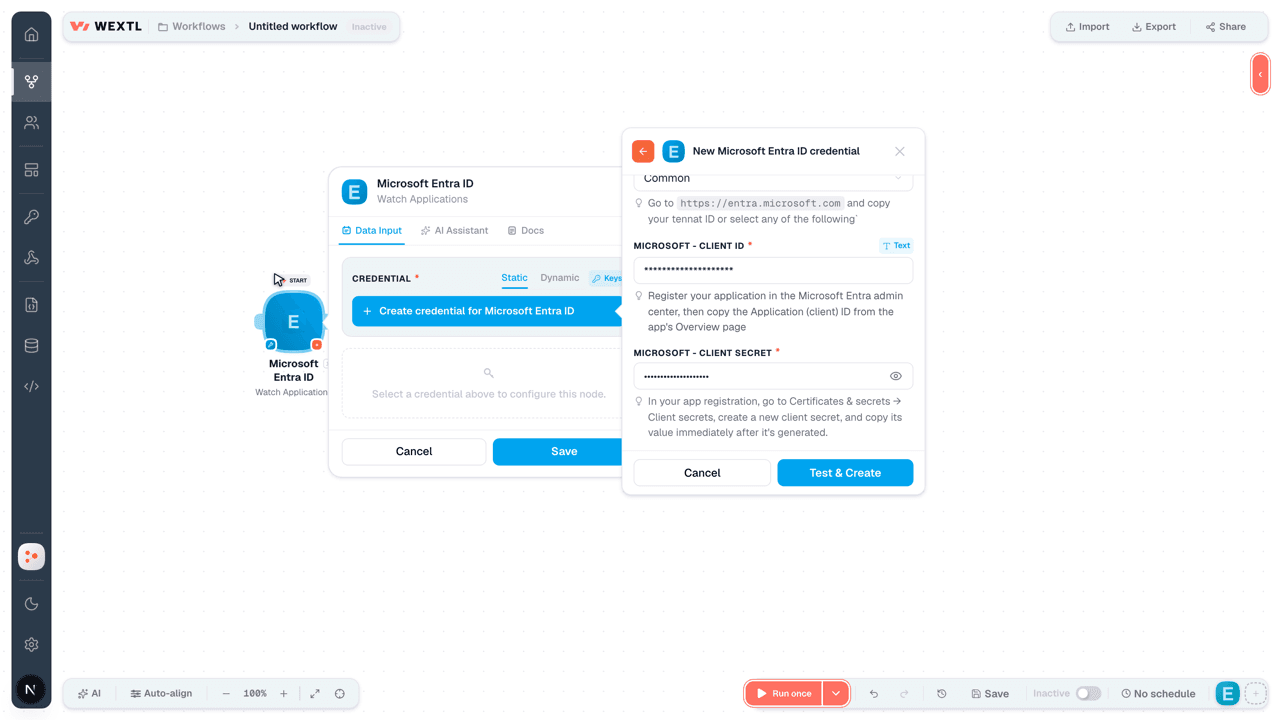
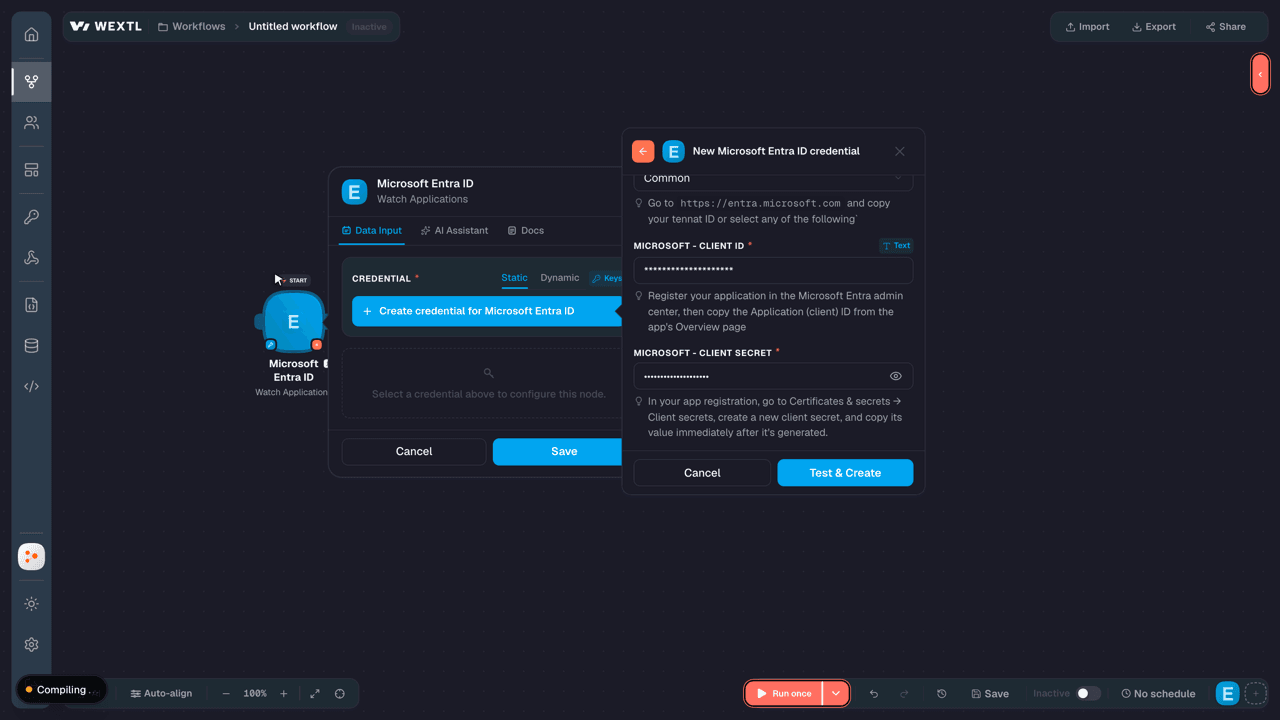
[1]https://entra.microsoft.comand copy your tennat ID or select any of the following` - Microsoft - Client IDtextRequired
Go to the Microsoft Entra admin center → Entra ID → App registrations and select New registration. → enter a description and expiration → Add, then immediately copy your Client ID
[1] - Microsoft - Client SecretpasswordRequired
Copy you client Secret from the previously created app
[1]
Connect Microsoft Entra ID in WEXTL
- Log in to your WEXTL account, add the Microsoft Entra ID node module to your workflow, and click Create new credential.
- Optional: In the Credential name field, enter a name for the credential.
- Enter the authentication credentials you copied from your Microsoft Entra ID account, or follow the on-screen instructions to create the credential.
- If prompted, authenticate your account and confirm access.
- If you want to make changes to your credential in the future, follow the steps in Manage credentials →
Notes
Credentials are org-scoped; share them with teammates from the Credentials picker on any of its nodes.For detailed information on connecting an application, see Connect an application →
Microsoft Entra ID node modules
The list below is a reference of every Microsoft Entra ID node module the integration supports. You will be able to pick any of them on the workflow canvas while building automations.
Browse every Microsoft Entra ID node module below — each one opens to show its input parameters, outputs, and connection requirements.
Watch ApplicationsTrigger
| Field | Type |
|---|---|
| Add ins | array |
| API | object |
| @odata type | text |
| App ID | text |
| Application template ID | text |
| App roles | array |
| Authentication behaviors | object |
| @odata type | text |
| Certification | object |
| @odata type | text |
| Created date time | date |
| Created by app ID | text |
| Deleted date time | date |
| Disabled by microsoft status | text |
| Display name | text |
| Group membership claims | text |
| ID | text |
| Identifier uris | array |
| Info | object |
| @odata type | text |
| Is device only auth supported | boolean |
| Is disabled | text |
| Is fallback public client | boolean |
| Key credentials | array |
Watch GroupsTrigger
| Field | Type |
|---|---|
| ID | text |
| Deleted date time | date |
| Classification | text |
| Created date time | date |
| Description | text |
| Display name | text |
| Expiration date time | date |
| Group types | array |
| Is assignable to role | text |
| Mail enabled | boolean |
| Mail nickname | text |
| Membership rule | text |
| Membership rule processing state | text |
| On premises last sync date time | text |
| On premises security identifier | text |
| On premises sync enabled | text |
| Preferred data location | text |
| Preferred language | text |
| Proxy addresses | array |
Watch UsersTrigger
| Field | Type |
|---|---|
| About me | text |
| Account enabled | text |
| Age group | text |
| Assigned licenses | array |
| Assigned plans | array |
| Authorization info | object |
| @odata type | text |
| Birthday | date |
| Business phones | array |
| City | text |
| Cloud licensing | object |
| @odata type | text |
| Cloud realtime communication info | object |
| @odata type | text |
| Company name | text |
| Consent provided for minor | text |
| Country | text |
| Created date time | date |
| Creation type | text |
| Custom security attributes | object |
| @odata type | text |
| Deleted date time | date |
| Department | text |
| Display name | text |
List ApplicationsSearch
| Field | Type |
|---|---|
| Limit | number |
| Field | Type |
|---|---|
| Add ins | array |
| API | object |
| @odata type | text |
| App ID | text |
| Application template ID | text |
| App roles | array |
| Authentication behaviors | object |
| @odata type | text |
| Certification | object |
| @odata type | text |
| Created date time | date |
| Created by app ID | text |
| Deleted date time | date |
| Disabled by microsoft status | text |
| Display name | text |
| Group membership claims | text |
| ID | text |
| Identifier uris | array |
| Info | object |
| @odata type | text |
| Is device only auth supported | boolean |
| Is disabled | text |
| Is fallback public client | boolean |
| Key credentials | array |
List GroupsSearch
| Field | Type |
|---|---|
| Limit | number |
| Field | Type |
|---|---|
| ID | text |
| Deleted date time | date |
| Classification | text |
| Created date time | date |
| Description | text |
| Display name | text |
| Expiration date time | date |
| Group types | array |
| Is assignable to role | text |
| Mail enabled | boolean |
| Mail nickname | text |
| Membership rule | text |
| Membership rule processing state | text |
| On premises last sync date time | text |
| On premises security identifier | text |
| On premises sync enabled | text |
| Preferred data location | text |
| Preferred language | text |
| Proxy addresses | array |
List UsersSearch
| Field | Type |
|---|---|
| Limit | number |
| Field | Type |
|---|---|
| About me | text |
| Account enabled | text |
| Age group | text |
| Assigned licenses | array |
| Assigned plans | array |
| Authorization info | object |
| @odata type | text |
| Birthday | date |
| Business phones | array |
| City | text |
| Cloud licensing | object |
| @odata type | text |
| Cloud realtime communication info | object |
| @odata type | text |
| Company name | text |
| Consent provided for minor | text |
| Country | text |
| Created date time | date |
| Creation type | text |
| Custom security attributes | object |
| @odata type | text |
| Deleted date time | date |
| Department | text |
| Display name | text |
Retrieve a GroupAction
| Field | Type |
|---|---|
Group IDRequired | choice |
| Field | Type |
|---|---|
| ID | text |
| Deleted date time | date |
| Classification | text |
| Created date time | date |
| Description | text |
| Display name | text |
| Expiration date time | date |
| Group types | array |
| Is assignable to role | text |
| Mail enabled | boolean |
| Mail nickname | text |
| Membership rule | text |
| Membership rule processing state | text |
| On premises last sync date time | text |
| On premises security identifier | text |
| On premises sync enabled | text |
| Preferred data location | text |
| Preferred language | text |
| Proxy addresses | array |
Retrieve a UserAction
| Field | Type |
|---|---|
User Principal NameRequired | choice |
| Field | Type |
|---|---|
| About me | text |
| Account enabled | text |
| Age group | text |
| Assigned licenses | array |
| Assigned plans | array |
| Authorization info | object |
| @odata type | text |
| Birthday | date |
| Business phones | array |
| City | text |
| Cloud licensing | object |
| @odata type | text |
| Cloud realtime communication info | object |
| @odata type | text |
| Company name | text |
| Consent provided for minor | text |
| Country | text |
| Created date time | date |
| Creation type | text |
| Custom security attributes | object |
| @odata type | text |
| Deleted date time | date |
| Department | text |
| Display name | text |
Retrieve an ApplicationAction
| Field | Type |
|---|---|
Application Object IDRequired | choice |
| Field | Type |
|---|---|
| @odata context | text |
| ID | text |
| Deleted date time | date |
| Is fallback public client | text |
| App ID | text |
| Application template ID | text |
| Identifier uris | array |
| Created date time | date |
| Display name | text |
| Is device only auth supported | text |
| Group membership claims | text |
| Optional claims | text |
| Add ins | array |
| Publisher domain | text |
| Saml metadata URL | text |
| Sign in audience | text |
| Tags | array |
| Token encryption key ID | text |
| API | object |
| Requested access token version | number |
| Accept mapped claims | text |
| Known client applications | array |
| Oauth 2permission scopes | array |
| Pre authorized applications | array |
| App roles | array |
Change a User PasswordAction
| Field | Type |
|---|---|
User Principal NameRequired | choice |
Current PasswordRequired | text |
New PasswordRequired | text |
Create a GroupAction
| Field | Type |
|---|---|
Display NameRequired | text |
| Mail Nickname | text |
| Security Enabled | boolean |
| Visibility | choice |
| Allow External Senders | boolean |
| Auto Subscribe New Members | boolean |
| Welcome Message Enabled | boolean |
| Description | text |
| Preferred Data Location | text |
| Unique Name | text |
| Assigned Labels | array |
| Writeback Configuration | object |
| Is Enabled | boolean |
| On Premises Group Type | choice |
| Field | Type |
|---|---|
| ID | text |
| Deleted date time | date |
| Classification | text |
| Created date time | date |
| Description | text |
| Display name | text |
| Expiration date time | date |
| Group types | array |
| Is assignable to role | text |
| Mail enabled | boolean |
| Mail nickname | text |
| Membership rule | text |
| Membership rule processing state | text |
| On premises last sync date time | text |
| On premises security identifier | text |
| On premises sync enabled | text |
| Preferred data location | text |
| Preferred language | text |
| Proxy addresses | array |
Create a UserAction
| Field | Type |
|---|---|
User Principal NameRequired | text |
Password ProfileRequired | object |
| Force Change Password Next Sign-In | boolean |
| Password | text |
Account EnabledRequired | boolean |
Display NameRequired | text |
| Mail Nickname | text |
| On-Premises Immutable ID | text |
| Identity Parent ID | text |
| Field | Type |
|---|---|
| About me | text |
| Account enabled | text |
| Age group | text |
| Assigned licenses | array |
| Assigned plans | array |
| Authorization info | object |
| @odata type | text |
| Birthday | date |
| Business phones | array |
| City | text |
| Cloud licensing | object |
| @odata type | text |
| Cloud realtime communication info | object |
| @odata type | text |
| Company name | text |
| Consent provided for minor | text |
| Country | text |
| Created date time | date |
| Creation type | text |
| Custom security attributes | object |
| @odata type | text |
| Deleted date time | date |
| Department | text |
| Display name | text |
Create an ApplicationAction
| Field | Type |
|---|---|
Display NameRequired | text |
Sign-In AudienceRequired | choice |
| Sign-In Audience Restrictions | object |
Is Home Tenant AllowedRequired | boolean |
Allowed Tenant IDsRequired | array |
| Password Credentials | array |
| Field | Type |
|---|---|
| @odata context | text |
| ID | text |
| Deleted date time | date |
| Is fallback public client | text |
| App ID | text |
| Application template ID | text |
| Identifier uris | array |
| Created date time | date |
| Display name | text |
| Is device only auth supported | text |
| Group membership claims | text |
| Optional claims | text |
| Add ins | array |
| Publisher domain | text |
| Saml metadata URL | text |
| Sign in audience | text |
| Tags | array |
| Token encryption key ID | text |
| API | object |
| Requested access token version | number |
| Accept mapped claims | text |
| Known client applications | array |
| Oauth 2permission scopes | array |
| Pre authorized applications | array |
| App roles | array |
Delete a GroupAction
| Field | Type |
|---|---|
Group IDRequired | choice |
Delete a UserAction
| Field | Type |
|---|---|
User Principal NameRequired | choice |
Delete an ApplicationAction
| Field | Type |
|---|---|
Application Object IDRequired | choice |
Make an API Calluniversal
Update a GroupAction
| Field | Type |
|---|---|
Group IDRequired | choice |
| Display Name | text |
| Mail Nickname | text |
| Security Enabled | boolean |
| Visibility | choice |
| Allow External Senders | boolean |
| Auto Subscribe New Members | boolean |
| Welcome Message Enabled | boolean |
| Description | text |
| Preferred Data Location | text |
| Unique Name | text |
| Assigned Labels | array |
| Writeback Configuration | object |
| Is Enabled | boolean |
| On Premises Group Type | choice |
| Field | Type |
|---|---|
| ID | text |
| Deleted date time | date |
| Classification | text |
| Created date time | date |
| Description | text |
| Display name | text |
| Expiration date time | date |
| Group types | array |
| Is assignable to role | text |
| Mail enabled | boolean |
| Mail nickname | text |
| Membership rule | text |
| Membership rule processing state | text |
| On premises last sync date time | text |
| On premises security identifier | text |
| On premises sync enabled | text |
| Preferred data location | text |
| Preferred language | text |
| Proxy addresses | array |
Update a UserAction
| Field | Type |
|---|---|
User Principal NameRequired | choice |
| Account Enabled | boolean |
| Display Name | text |
| Password Profile | object |
| Password | text |
| Force Change Password Next Sign-In | boolean |
| Force Change Password Next Sign-In with MFA | boolean |
| Usage Location | text |
| User Principal Name | |
| Age Group | choice |
| Assigned Licenses | array |
| Birthday | date |
| Business Phones | array |
| Phone Number | text |
| City | text |
| Company Name | text |
| Consent Provided For Minor | choice |
| Country | text |
| Department | text |
| Employee ID | text |
| Employee Type | text |
| Given Name | text |
| Employee Hire Date | date |
| Employee Leave Date Time | date |
| Field | Type |
|---|---|
| About me | text |
| Account enabled | text |
| Age group | text |
| Assigned licenses | array |
| Assigned plans | array |
| Authorization info | object |
| @odata type | text |
| Birthday | date |
| Business phones | array |
| City | text |
| Cloud licensing | object |
| @odata type | text |
| Cloud realtime communication info | object |
| @odata type | text |
| Company name | text |
| Consent provided for minor | text |
| Country | text |
| Created date time | date |
| Creation type | text |
| Custom security attributes | object |
| @odata type | text |
| Deleted date time | date |
| Department | text |
| Display name | text |
Update an ApplicationAction
| Field | Type |
|---|---|
Application Object IDRequired | choice |
| Display Name | text |
| Sign-In Audience | choice |
| Sign-In Audience Restrictions | object |
| Is Home Tenant Allowed | boolean |
| Allowed Tenant IDs | array |
| Password Credentials | array |
| Field | Type |
|---|---|
| @odata context | text |
| ID | text |
| Deleted date time | date |
| Is fallback public client | text |
| App ID | text |
| Application template ID | text |
| Identifier uris | array |
| Created date time | date |
| Display name | text |
| Is device only auth supported | text |
| Group membership claims | text |
| Optional claims | text |
| Add ins | array |
| Publisher domain | text |
| Saml metadata URL | text |
| Sign in audience | text |
| Tags | array |
| Token encryption key ID | text |
| API | object |
| Requested access token version | number |
| Accept mapped claims | text |
| Known client applications | array |
| Oauth 2permission scopes | array |
| Pre authorized applications | array |
| App roles | array |
Templates
Look for Microsoft Entra ID templates in the WEXTL template library.
Browse templates →Explore alternative apps
- Bitwarden[2]Manage organization members, groups, collections, and policies in Bitwarden.
- BoxStore, share, and automate files and folders in Box.
- BitbucketBitbucket Cloud REST 2.0 — repositories, pull requests, pipelines, commits, and webhooks.
- Browse AINo-code web scraping and website monitoring.
- AWS CognitoAmazon Cognito User Pools — manage users, groups, app clients, and identity providers with SigV4.


References
- WEXTL® Microsoft Entra ID Source Code connector implementation.
- Our users use cases and automations.
- Official API Documentation for Microsoft Entra ID.
- WEXTL® visual workflow builder data.
Last updated: Jul 24, 2026 18:12