


Requirements
Connecting Microsoft OneNote takes an active account plus OAuth client credentials, granted by signing in with your account — no other setup is required.[3]
Get your Microsoft OneNote credentials
Microsoft OneNote - Secondary
You’ll be redirected to sign in and approve access — your password is never shared with WEXTL.
- Microsoft - TenantselectRequired
Go to
[1]https://entra.microsoft.comand copy your tennat ID or select any of the following` - Microsoft - Client IDtextRequired
Go to the Microsoft Entra admin center → Entra ID → App registrations and select New registration. → enter a description and expiration → Add, then immediately copy your Client ID
[1] - Microsoft - Client SecretpasswordRequired
Copy you client Secret from the previously created app
[1]
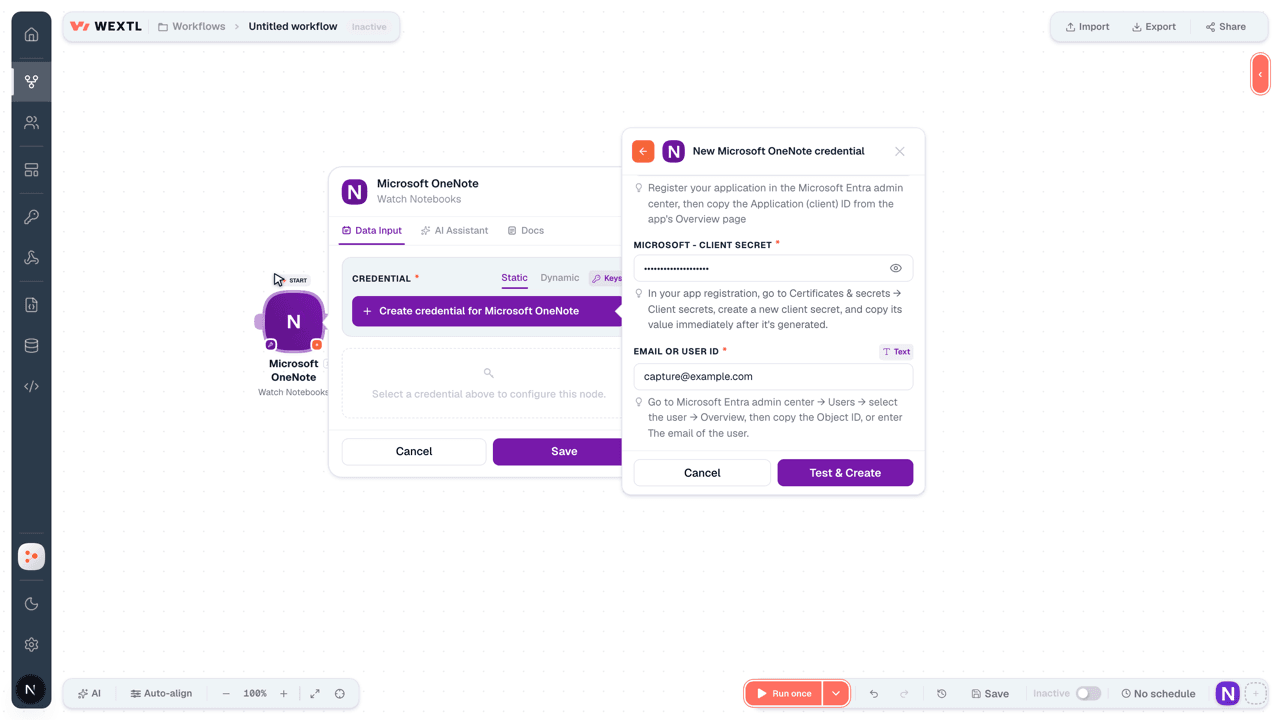
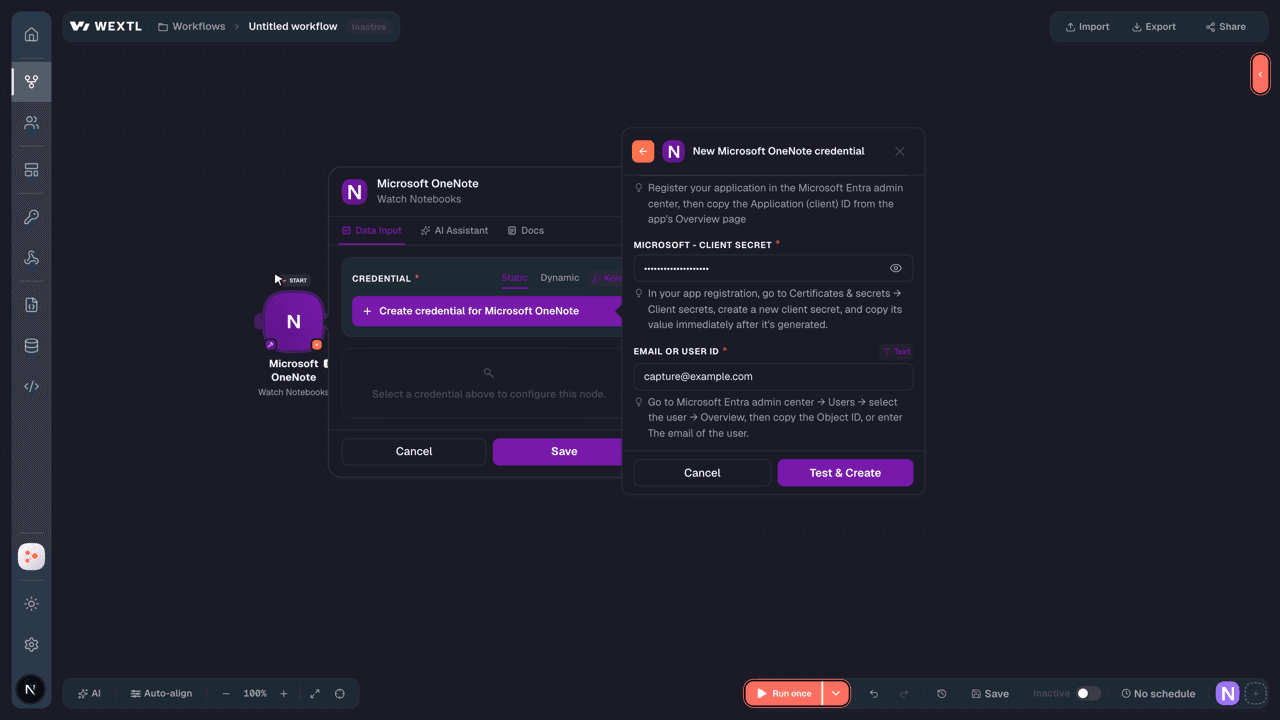
Microsoft OneNote - Primary
You’ll be redirected to sign in and approve access — your password is never shared with WEXTL.
- Microsoft - TenanttextRequired
Directory (tenant) ID or verified domain, e.g. contoso.onmicrosoft.com. common/organizations/consumers are not valid for app-only.
[1] - Microsoft - Client IDtextRequired
Register your application in the Microsoft Entra admin center, then copy the Application (client) ID from the app's Overview page
[1] - Microsoft - Client SecretpasswordRequired
In your app registration, go to Certificates & secrets → Client secrets, create a new client secret, and copy its value immediately after it's generated.
[1] - Email or User IDtextRequired
Go to Microsoft Entra admin center → Users → select the user → Overview, then copy the Object ID, or enter The email of the user.
[1]
Connect Microsoft OneNote in WEXTL
- Log in to your WEXTL account, add the Microsoft OneNote node module to your workflow, and click Create new credential.
- Optional: In the Credential name field, enter a name for the credential.
- Enter the authentication credentials you copied from your Microsoft OneNote account, or follow the on-screen instructions to create the credential.
- If prompted, authenticate your account and confirm access.
- If you want to make changes to your credential in the future, follow the steps in Manage credentials →
Notes
Credentials are org-scoped; share them with teammates from the Credentials picker on any of its nodes.For detailed information on connecting an application, see Connect an application →
Microsoft OneNote node modules
The list below is a reference of every Microsoft OneNote node module the integration supports. You will be able to pick any of them on the workflow canvas while building automations.
Expand any Microsoft OneNote node module below to see exactly what it takes in, what it returns, and what connection it needs.
Watch Note PagesTrigger
| Field | Type |
|---|---|
| Title | text |
| Created by app ID | text |
| Links | object |
| One note client URL | object |
| One note web URL | object |
| Content URL | url |
| Last modified date time | date |
| Created date time | date |
Watch NotebooksTrigger
| Field | Type |
|---|---|
| Created by | object |
| @odata type | text |
| Created date time | date |
| ID | text |
| Is default | boolean |
| Is shared | boolean |
| Last modified by | object |
| @odata type | text |
| Last modified date time | date |
| Links | object |
| @odata type | text |
| Display name | text |
| Section groups URL | url |
| Sections URL | url |
| Self | text |
| User role | text |
Watch Section GroupsTrigger
| Field | Type |
|---|---|
| Created by | object |
| @odata type | text |
| Created date time | date |
| ID | text |
| Last modified by | object |
| @odata type | text |
| Last modified date time | date |
| Display name | text |
| Section groups URL | url |
| Sections URL | url |
| Self | text |
Watch SectionsTrigger
| Field | Type |
|---|---|
| Created by | object |
| @odata type | text |
| Created date time | date |
| ID | text |
| Is default | boolean |
| Last modified by | object |
| @odata type | text |
| Last modified date time | date |
| Links | object |
| @odata type | text |
| Display name | text |
| Pages URL | url |
| Self | url |
List Note BooksSearch
| Field | Type |
|---|---|
| Limit | number |
| Field | Type |
|---|---|
| Created by | object |
| @odata type | text |
| Created date time | date |
| ID | text |
| Is default | boolean |
| Is shared | boolean |
| Last modified by | object |
| @odata type | text |
| Last modified date time | date |
| Links | object |
| @odata type | text |
| Display name | text |
| Section groups URL | url |
| Sections URL | url |
| Self | text |
| User role | text |
List Note PagesSearch
List Note SectionsSearch
List Note Sections GroupsSearch
List Recent Note BooksSearch
Retrieve a Note BookAction
| Field | Type |
|---|---|
Notebook IDRequired | choice |
| Field | Type |
|---|---|
| Created by | object |
| @odata type | text |
| Created date time | date |
| ID | text |
| Is default | boolean |
| Is shared | boolean |
| Last modified by | object |
| @odata type | text |
| Last modified date time | date |
| Links | object |
| @odata type | text |
| Display name | text |
| Section groups URL | url |
| Sections URL | url |
| Self | text |
| User role | text |
Retrieve a Onenote PageAction
Retrieve a Section GroupAction
Copy a Onenote PageAction
| Field | Type |
|---|---|
OneNote Page IDRequired | choice |
Group IDRequired | choice |
Copy a Section to GroupAction
| Field | Type |
|---|---|
Section IDRequired | choice |
Destination Notebook IDRequired | choice |
Group IDRequired | choice |
| Rename As | text |
| Field | Type |
|---|---|
| Created by | object |
| @odata type | text |
| Created date time | date |
| ID | text |
| Is default | boolean |
| Last modified by | object |
| @odata type | text |
| Last modified date time | date |
| Links | object |
| @odata type | text |
| Display name | text |
| Pages URL | url |
| Self | url |
Copy a Section to NotebookAction
| Field | Type |
|---|---|
Section IDRequired | choice |
Destination Notebook IDRequired | choice |
Group IDRequired | choice |
| Rename As | text |
| Field | Type |
|---|---|
| Created by | object |
| @odata type | text |
| Created date time | date |
| ID | text |
| Is default | boolean |
| Last modified by | object |
| @odata type | text |
| Last modified date time | date |
| Links | object |
| @odata type | text |
| Display name | text |
| Pages URL | url |
| Self | url |
Create a Note BookAction
| Field | Type |
|---|---|
| Display Name | text |
| Field | Type |
|---|---|
| Created by | object |
| @odata type | text |
| Created date time | date |
| ID | text |
| Is default | boolean |
| Is shared | boolean |
| Last modified by | object |
| @odata type | text |
| Last modified date time | date |
| Links | object |
| @odata type | text |
| Display name | text |
| Section groups URL | url |
| Sections URL | url |
| Self | text |
| User role | text |
Create a PageAction
Create a Section GroupAction
Delete a Onenote PageAction
| Field | Type |
|---|---|
OneNote Page IDRequired | choice |
Make an API Calluniversal
Update a Onenote PageAction
| Field | Type |
|---|---|
OneNote Page IDRequired | choice |
OneNote Page ItemsRequired | array |
| Field | Type |
|---|---|
| Created by | object |
| @odata type | text |
| Created date time | date |
| ID | text |
| Is default | boolean |
| Is shared | boolean |
| Last modified by | object |
| @odata type | text |
| Last modified date time | date |
| Links | object |
| @odata type | text |
| Display name | text |
| Section groups URL | url |
| Sections URL | url |
| Self | text |
| User role | text |
Templates
Look for Microsoft OneNote templates in the WEXTL template library.
Browse templates →Explore alternative apps
- Bitwarden[2]Manage organization members, groups, collections, and policies in Bitwarden.
- BoxStore, share, and automate files and folders in Box.
- BitbucketBitbucket Cloud REST 2.0 — repositories, pull requests, pipelines, commits, and webhooks.
- Azure StorageManage containers and blobs in Azure Blob Storage.
- AssemblyAISpeech AI APIs for transcription, understanding, and voice-powered applications.


References
- WEXTL® Microsoft OneNote Source Code connector implementation.
- Our users use cases and automations.
- Official API Documentation for Microsoft OneNote.
- WEXTL® visual workflow builder data.
Last updated: Jul 24, 2026 18:12