


Requirements
To use Padlet on WEXTL you need an active account and an API access token from your account settings.[3]
Get your Padlet credentials
- API KeypasswordRequired
API key that can be generated on the developer settings page.
[1]
Connect Padlet in WEXTL
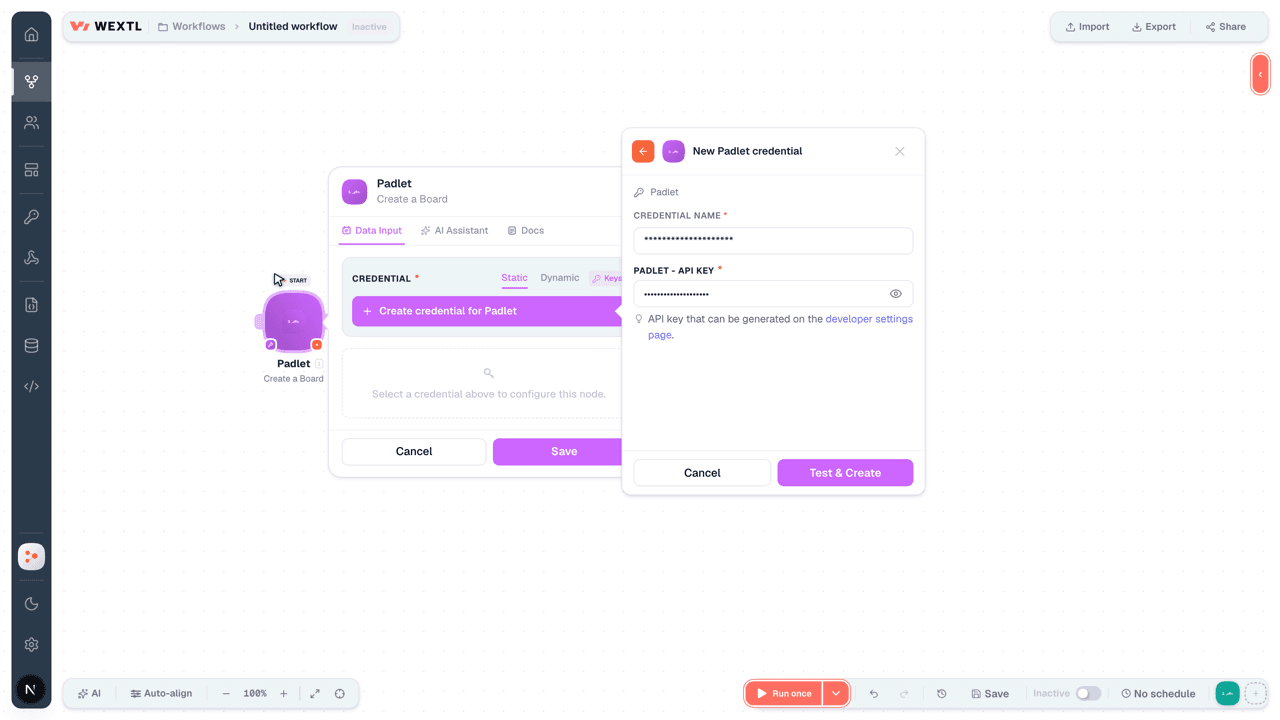
- Log in to your WEXTL account, add the Padlet node module to your workflow, and click Create new credential.
- Optional: In the Credential name field, enter a name for the credential.
- Enter the authentication credentials you copied from your Padlet account, or follow the on-screen instructions to create the credential.
- If prompted, authenticate your account and confirm access.
- If you want to make changes to your credential in the future, follow the steps in Manage credentials →
Notes
Credentials are org-scoped; share them with teammates from the Credentials picker on any of its nodes.For detailed information on connecting an application, see Connect an application →
Padlet node modules
The list below is a reference of every Padlet node module the integration supports. You will be able to pick any of them on the workflow canvas while building automations.
Open any Padlet node module below to inspect its input parameters, outputs, and connection requirements.
Get a BoardAction
Get a Board's StatusAction
Get Post DataAction
Create a BoardAction
Create a CommentAction
Create a PostAction
Templates
Look for Padlet templates in the WEXTL template library.
Browse templates →Explore alternative apps
- Bitly[2]Shorten, retrieve, and manage Bitly links.
- BrandfetchLook up company logos, colors, fonts, and firmographic data with Brandfetch.
- APITemplate.ioGenerate PDFs and images from templates with APITemplate.io.
- BannerbearGenerate images and PDFs from templates with Bannerbear.
- Action NetworkManage people, events, petitions, signatures, and tags on Action Network.


References
- WEXTL® Padlet Source Code connector implementation.
- Our users use cases and automations.
- Official API Documentation for Padlet.
- WEXTL® visual workflow builder data.
Last updated: Jul 24, 2026 18:12