Bluesky icon

Bluesky Integration

Open social network built on the AT Protocol. Use Bluesky as a communication layer for triggering workflows and sending context where it belongs. Start from Watch Account Posts, then follow with Download a Blob or Download a Record Proof.
3-day trialCancel anytimeUp to 10 minutes quick set up
  • GDPR
  • Data Encryption
  • 2FA
  • Local Data Region

Supported triggers and actions for Bluesky integration

Triggers can detect changes in Bluesky and run actions that can create, search or modify data inside Bluesky automatically [3] — exactly how you set them.

  • Bluesky icon
    Watch Account PostsTriggers when an account publishes a new post or repost. Leave the account empty to watch the signed-in account.
  • Bluesky icon
    Watch List PostsTriggers when a member of a list publishes a new post or repost.
  • Bluesky icon
    Watch MessagesTriggers when a new message arrives in a conversation. Needs an app password with the "Allow access to your direct messages" option, or your main password.
  • Bluesky icon
    Watch New FollowersTriggers when someone follows the signed-in account.
  • Bluesky icon
    Watch New Mentions and RepliesTriggers when someone mentions the signed-in account or replies to one of its posts.
  • Bluesky icon
    Watch NotificationsTriggers when the signed-in account gets a new notification, such as a like, repost, follow, mention, reply or quote. It does not mark notifications as read.
  • Bluesky icon
    Watch Post SearchTriggers when a new post matches a search query.
  • Bluesky icon
    Watch TimelineTriggers when a new post or repost appears in the home timeline of the signed-in account. A busy timeline triggers often, so filter the rows in the workflow.
  • Bluesky icon
    Download a BlobDownloads a file that an account uploaded, such as an image, as it was uploaded.
  • Bluesky icon
    Download a Record ProofDownloads the data blocks that prove a record exists, or does not exist, in the current version of a repository, as a CAR file.
  • Bluesky icon
    Download a RepositoryDownloads a whole repository, or only the changes since a revision, as a CAR file.
  • Bluesky icon
    Download Chat DataDownloads all of your direct-message data from the Bluesky chat service as a JSON Lines file. Needs an app password with the "Allow access to your direct messages" option, or your main password.
  • Bluesky icon
    Download Repository BlocksDownloads data blocks of a repository by CID, as a CAR file.
  • Bluesky icon
    Get a ConversationRetrieves a conversation by its ID. Needs an app password with the "Allow access to your direct messages" option, or your main password.
  • Bluesky icon
    Get a Conversation by MembersRetrieves the one-to-one conversation with the given accounts, creating it if it does not exist. Needs an app password with the "Allow access to your direct messages" option, or your main password.
  • Bluesky icon
    Get a DID from a HandleRetrieves the DID that a handle points to. The result is not checked against the identity document of the account.
  • Bluesky icon
    Get a Feed GeneratorRetrieves the details of a feed generator.
  • Bluesky icon
    Get a PostRetrieves a post together with its replies and parent posts.
  • Bluesky icon
    Get a ProfileRetrieves the profile of an account.
  • Bluesky icon
    Get a RecordRetrieves a single record from an account's repository.

How to integrate Bluesky in automation workflow?

3 simple steps to make your Bluesky connected with other apps in automation workflows on WEXTL. Up to 10 minutes integration set up.

How Bluesky connects and integrates with WEXTL

Save and approve your credentials once — WEXTL® stores authorization information encrypted and reuses the authentication whenever Bluesky app is called in workflows. That allows your communication automations to run without your attention, per defined schedule [7]. Explore documentation [6] for a detailed list of fields that Bluesky supports.

The following table illustrates what fields Bluesky integration require during authorization flow inside our workflow builder [4].

Video slide demonstrates how Bluesky is connected in WEXTL builder.

Video slide demonstrates how Bluesky is connected in WEXTL builder [4].

FieldTypeHelp
Identifier (Handle)Required
text

Your handle, such as acme.bsky.social, without the @.

PasswordRequired
password

An app password from Settings, App Passwords in Bluesky. Do not use your account password. Direct messages need an app password created with the access-to-direct-messages option.

PDS HostRequired
text

The server that holds your account, with https and no trailing slash. Use https://bsky.social for accounts hosted by Bluesky, or your own server address.

Connect Bluesky to popular apps on WEXTL

Enter a name of the other app you want to sync with Bluesky below. Click on selected app to explore integration options with Bluesky. If the app you search for is not available in WEXTL yet, you can use HTTP node [10] instead to integrate it directly.

Example automation with Bluesky integration

Select Watch Account Posts trigger from Bluesky - this will be a starting point in your automation. Whenever event happens in Bluesky, workflow will start [7] from Watch Account Posts node.

Search for Add an Account to a List, connect it as the next step of integration sequence. You can use filters between Watch Account Posts and Add an Account to a List, so only important data pass from Watch Account Posts to the next step. WEXTL gives you full control over the process of Bluesky automation. All parts of workflow are visible on the canvas [4].

Bluesky on WEXTL has 230 modules for combining communication automations. Explore Bluesky documentation for more.
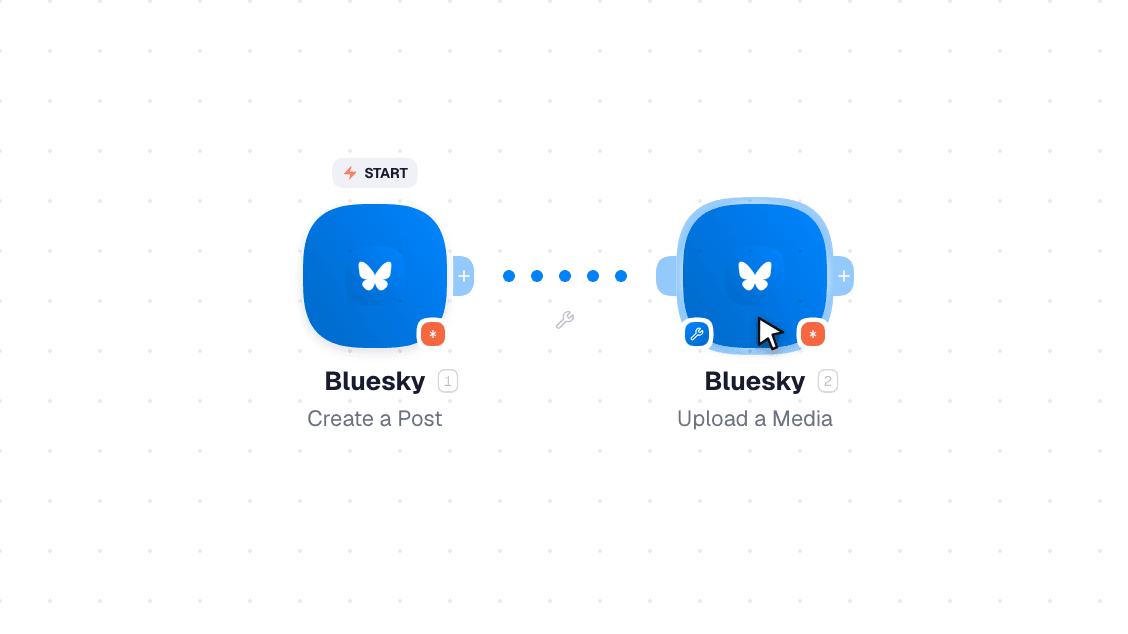
Video slide demonstrates how Watch Account Posts and Add an Account to a List nodes are used in Bluesky workflow.

Video slide demonstrates how Watch Account Posts and Add an Account to a List [6] nodes are used in Bluesky workflow.

Frequently asked questions

Common questions about automating Bluesky in your workflows.

Try Bluesky on WEXTL®

Claim your 3-day trial to build Bluesky integrations and access every WEXTL® feature.

Cancel anytime.

References

List of sources used to gather information about the Bluesky integration.

  1. Bluesky integration source code, module specs and credentials implementation.
  2. Internal Bluesky integration documentation, structured input and output parameters, scopes, and authentication methods.
  3. Official Bluesky vendor API documentation — used to verify field meanings, authentication flows, and anything our own specs don't fully capture.
  4. WEXTL® Visual Workflow Builder, anonymized data from our technical support team.
  5. WEXTL® Apps Library
  6. WEXTL® Bluesky App Documentation
  7. WEXTL® Workflow Scheduler
  8. WEXTL® HTTP node documentation