


Requirements
Connecting Lindo AI takes an active account plus an API access token from your account settings — no other setup is required.[3]
Get your Lindo AI credentials
- API KeypasswordRequired
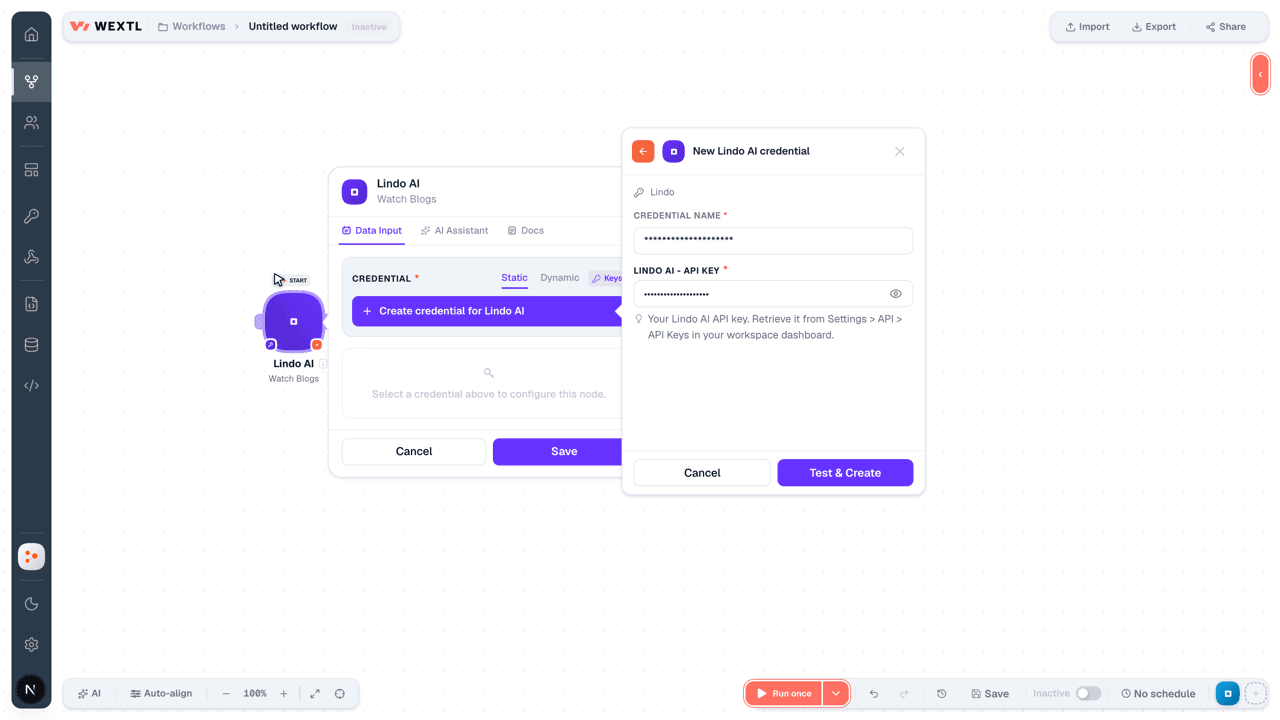
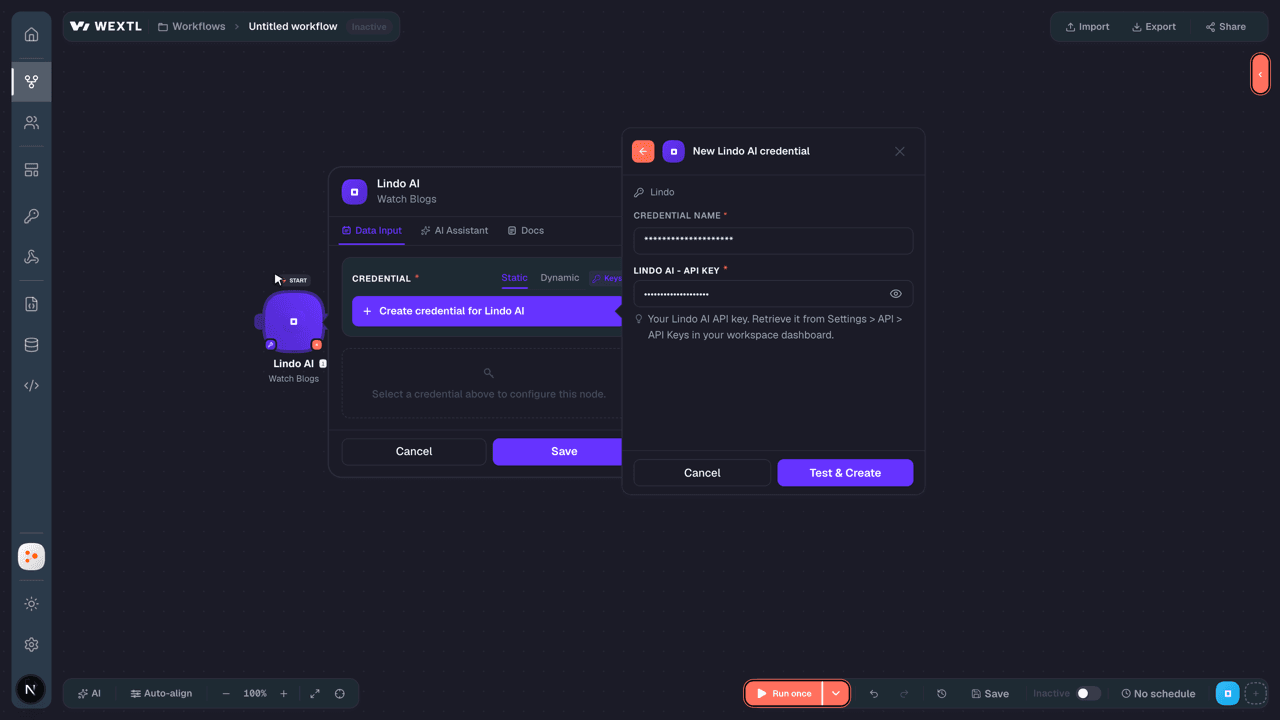
Your API key. Retrieve it from Settings > API > API Keys in your workspace dashboard.
[1]
Connect Lindo AI in WEXTL
- Log in to your WEXTL account, add the Lindo AI node module to your workflow, and click Create new credential.
- Optional: In the Credential name field, enter a name for the credential.
- Enter the authentication credentials you copied from your Lindo AI account, or follow the on-screen instructions to create the credential.
- If prompted, authenticate your account and confirm access.
- If you want to make changes to your credential in the future, follow the steps in Manage credentials →
Notes
Credentials are org-scoped; share them with teammates from the Credentials picker on any of its nodes.For detailed information on connecting an application, see Connect an application →
Lindo AI node modules
The list below is a reference of every Lindo AI node module the integration supports. You will be able to pick any of them on the workflow canvas while building automations.
Expand any Lindo AI node module below to see exactly what it takes in, what it returns, and what connection it needs.
Watch BlogsTrigger
| Field | Type |
|---|---|
| Blog ID | text |
| Name | text |
| Path | text |
| Status | text |
| Language | text |
| Publish date | number |
| Blog settings | object |
| Featured | boolean |
| Category | text |
| Created date | date |
Watch ClientsTrigger
| Field | Type |
|---|---|
| Client ID | text |
| Created date | date |
| Full name | text |
| Website limit | number |
| Suspended | boolean |
Watch PagesTrigger
| Field | Type |
|---|---|
| Page ID | text |
| Name | text |
| Path | text |
| Status | text |
| Language | text |
| Publish date | number |
| Created date | date |
Watch TeamsTrigger
| Field | Type |
|---|---|
| Member ID | text |
| Role | text |
| Created date | date |
Watch WebsitesTrigger
| Field | Type |
|---|---|
| Website ID | text |
| Website name | text |
| Domain | url |
| Activated | boolean |
| Created date | date |
| Language | text |
Watch Workspace TeamTrigger
| Field | Type |
|---|---|
| Member ID | text |
| Role | text |
| Created date | date |
Get a BlogAction
Get a PageAction
Get a WebsiteAction
Get a WorkspaceAction
| Field | Type |
|---|---|
| Success | boolean |
| Result | object |
| Workspace ID | text |
| Workspace name | text |
| Workspace language | text |
| Plan | text |
| Integrations | array |
| Webhook URL | url |
| Created date | text |
Get AI CreditsAction
| Field | Type |
|---|---|
| Success | boolean |
| Data | object |
| Type | text |
| Workspace ID | text |
| Balance | object |
| Client ID | text |
Get Client AI CreditsAction
Get Website AnalyticsAction
| Field | Type |
|---|---|
WebsiteRequired | choice |
| From (Start Date) | date |
| To (End Date) | date |
| Field | Type |
|---|---|
| Success | boolean |
| Result | object |
| Total requests | number |
| Total visitors | number |
| Avg response time | number |
| Total pages | number |
| Total blogs | number |
| Traffic over time | array |
| Top pages | array |
| Top countries | array |
| Top browsers | array |
| Top devices | array |
Get Workspace AnalyticsAction
| Field | Type |
|---|---|
| From (Start Date) | date |
| To (End Date) | date |
| Field | Type |
|---|---|
| Success | boolean |
| Result | object |
| Total requests | number |
| Total visitors | number |
| Avg response time | number |
| Total pages | number |
| Total blogs | number |
| Total websites | number |
| Total clients | number |
| Traffic over time | array |
| Top websites | array |
| Top countries | array |
List BlogsSearch
List ClientsSearch
List PagesSearch
List TeamSearch
List WebsitesSearch
List Workspace TeamsSearch
Add a Custom DomainAction
Add a Workspace Team MemberAction
Add Members to a TeamAction
Allocate Client CreditsAction
Assign a WebsiteAction
Batch Upload MediaAction
Create a BlogAction
Create a BlogAction
| Field | Type |
|---|---|
WebsiteRequired | choice |
URL PathRequired | url |
Blog Content (Markdown)Required | text |
| SEO | object |
| Page Title | text |
| Meta Description | text |
| Social Title | text |
| Social Description | text |
| Social Image URL | url |
| Blog Settings | object |
| Author | text |
| Excerpt | text |
| Category | text |
| Publish Date | text |
| Read Time | text |
| Author Image URL | url |
| Settings | object |
| Theme | object |
| Field | Type |
|---|---|
| Success | boolean |
| Result | object |
| Message | text |
| Blog ID | text |
| Publish date | number |
| Published URL | url |
Create a ClientAction
Create a Magic LinkAction
Create a PageAction
Create a PageAction
| Field | Type |
|---|---|
WebsiteRequired | choice |
HTML ContentRequired | text |
URL PathRequired | url |
| Page Title / Name | text |
| Settings | object |
| Theme | object |
| Custom Codes | object |
| Header Code | text |
| Footer Code | text |
| SEO | object |
| Page Title | text |
| Meta Description | text |
| Field | Type |
|---|---|
| Success | boolean |
| Result | object |
| Message | text |
| Page ID | text |
| Publish date | number |
| Published URL | url |
Create a WebsiteAction
Delete a BlogAction
Delete a ClientAction
Delete a PageAction
Delete a WebsiteAction
Make an API Calluniversal
Remove a Custom DomainAction
Remove a TeamAction
Remove a Workspace Team MemberAction
Unpublish a BlogAction
Unpublish a PageAction
Update a BlogAction
| Field | Type |
|---|---|
WebsiteRequired | choice |
| Blog Name | text |
| URL Path | text |
| Language Code | text |
| SEO | object |
| Title | text |
| Description | text |
| Keywords | text |
| Blog Settings | object |
| Featured | boolean |
| Category | text |
| Author | text |
| Excerpt | text |
| Read Time | text |
| Author Image URL | url |
| Publish Date | text |
| Data | object |
| Content | array |
| Author | text |
| Field | Type |
|---|---|
| Success | boolean |
| Result | object |
| Message | text |
| Blog ID | text |
| Name | text |
| Path | text |
| Language | text |
Update a ClientAction
Update a PageAction
| Field | Type |
|---|---|
WebsiteRequired | choice |
| Page Name | text |
| URL Path | text |
| Language Code | text |
| SEO | object |
| Title | text |
| Description | text |
| Keywords | text |
| Settings | object |
| Layout | text |
| Data | object |
| Sections | array |
Update a WebsiteAction
| Field | Type |
|---|---|
WebsiteRequired | choice |
| Business Name | text |
| Business Description | text |
| Custom Code Header | text |
| Custom Code Footer | text |
| Robots.txt Content | text |
| Language Code | text |
| Activated | boolean |
| Field | Type |
|---|---|
| Success | boolean |
| Result | object |
| Message | text |
| Website ID | text |
| Business name | text |
| Business description | text |
| Custom code header | text |
| Custom code footer | text |
| Robots | text |
| Language | text |
| Activated | boolean |
Update a WorkspaceAction
Update Website SettingsAction
| Field | Type |
|---|---|
WebsiteRequired | choice |
| Business Name | text |
| Business Description | text |
| Language Code | text |
| Theme | object |
| Primary Color | text |
| Font | text |
| Title Font | text |
| Robots.txt Content | text |
| Custom Code Header | text |
| Custom Code Footer | text |
| Socials | object |
| Twitter URL | url |
| Facebook URL | url |
| Instagram URL | url |
| LinkedIn URL | url |
| Fonts | object |
| Heading Font | text |
| Body Font | text |
| Field | Type |
|---|---|
| Success | boolean |
| Result | object |
| Message | text |
| Website ID | text |
| Business name | text |
| Business description | text |
| Language | text |
| Theme | object |
| Robots | text |
| Custom code header | text |
| Custom code footer | text |
| Socials | object |
Templates
Look for Lindo AI templates in the WEXTL template library.
Browse templates →Explore alternative apps
- Airtop[2]Run cloud browser sessions and extract or interact with web pages using Airtop.
- BotsonicNo-code AI chatbot builder for customer support, FAQs, and automated conversations on websites.
- Alibaba Cloud (Qwen)Alibaba Cloud's Model Studio platform for Qwen language, vision, and media models.
- AgentXHosted AI agents — start conversations, send messages, and read traces.
- AWS ComprehendAmazon's natural language processing service for finding insights in text.


References
- WEXTL® Lindo AI Source Code connector implementation.
- Our users use cases and automations.
- Official API Documentation for Lindo AI.
- WEXTL® visual workflow builder data.
Last updated: Jul 24, 2026 18:12