Connect OKX integrations
VerifiedCryptocurrency exchange API for spot and derivatives trading, orders, and market data — connect OKX to WEXTL workflows and AI agents. Sync OKX invoices, payments and records with your CRM, billing and operations tools. When Cancel Multiple Orders arrives, continue with Get an Order or Get Funding Rate.
- 3-day trial
- Cancel anytime
- Up to 10 minutes quick set up
- GDPR
- Data Encryption
- 2FA
- Local Data Region


Supported triggers and actions for OKX integration
Triggers can detect changes in OKX and run actions that can create, search or modify data inside OKX automatically[3] — exactly how you set them.
- Cancel Multiple Orders Cancel incomplete orders in batches.
- Get an Order Retrieves an order detail.
- Get Funding Rate Retrieves funding rate.
- Get Market Tickers Retrieves Market Tickers.
- Get Open Interest Retrieves the total open interest for contracts on OKX.
- Get Order Book Retrieves Order Book of the Instrument.
- Amend an Order Amends an incomplete order.
- Cancel an Order Cancels an incomplete order.
- Make an API Call Performs an arbitrary authorized API call.
- Place an Order Places an order.
How to integrate OKX in automation workflow?
3 simple steps to make your OKX connected with other apps in automation workflows on WEXTL. Up to 10 minutes integration set up.
STEP 1
Select OKX in workflow
Pick OKX app in the workflow builder[4] - just one click to select the app.
STEP 2
Connect OKX
When prompted, authorize access to OKX in WEXTL once. OKX credentials are encrypted and never shared with WEXTL. Authorization will be reused in any future API calls[3].
STEP 3
Build a workflow
Build your workflow with OKX yourself or with WEXTL® AI Builder. Connect OKX to any available integrations[5], or use HTTP node to go beyond them.


How OKX connects and integrates with WEXTL
Save and approve your credentials once — WEXTL® stores authorization information encrypted and reuses the authentication whenever OKX app is called in workflows. That allows your finance automations to run without your attention, per defined schedule[7]. See the integration guide[6] for a detailed list of fields that OKX supports.
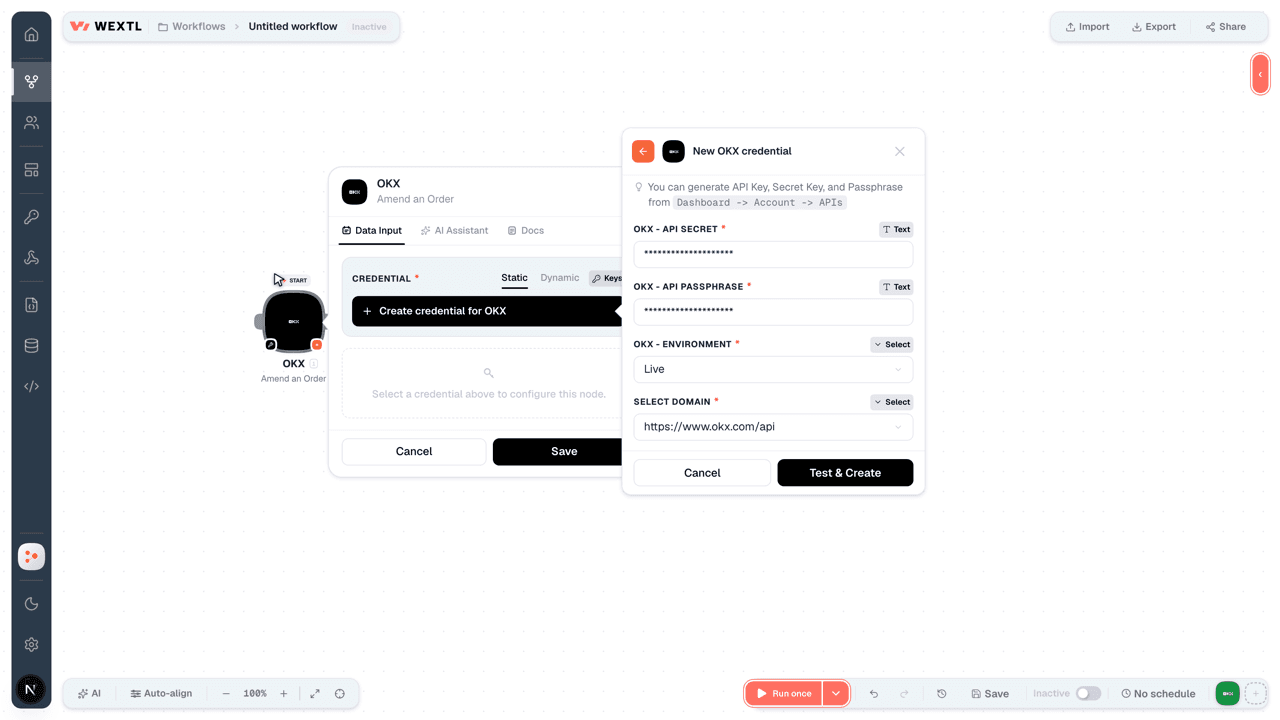
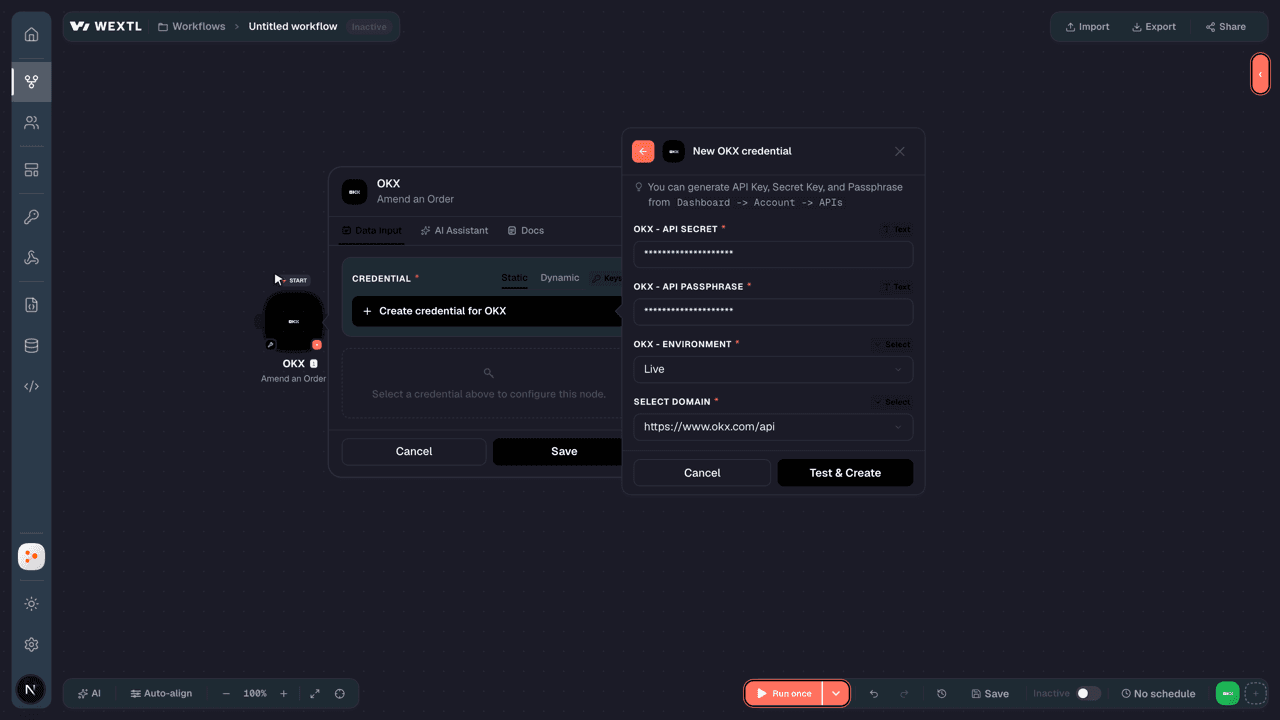
Full OKX API documentationThe following table illustrates what fields OKX integration require during authorization flow inside our workflow builder[4].
| Field | Type | Help |
|---|---|---|
API KeyRequired | text | You can generate API Key, Secret Key, and Passphrase from |
API SecretRequired | text | — |
API PassphraseRequired | text | — |
EnvironmentRequired | select | — |
Connect OKX to popular apps on WEXTL
Enter a name of the other app you want to sync with OKX below. Click on selected app to explore integration options with OKX. If the app you search for is not available in WEXTL yet, you can use HTTP node[10] instead to integrate it directly.


Example automation with OKX integration
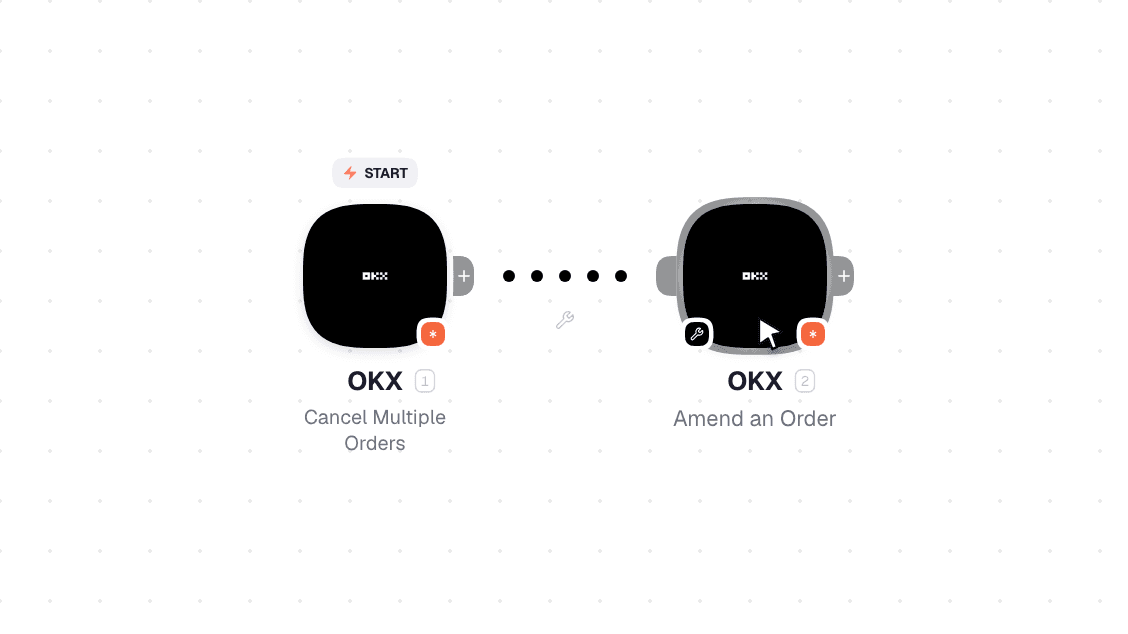
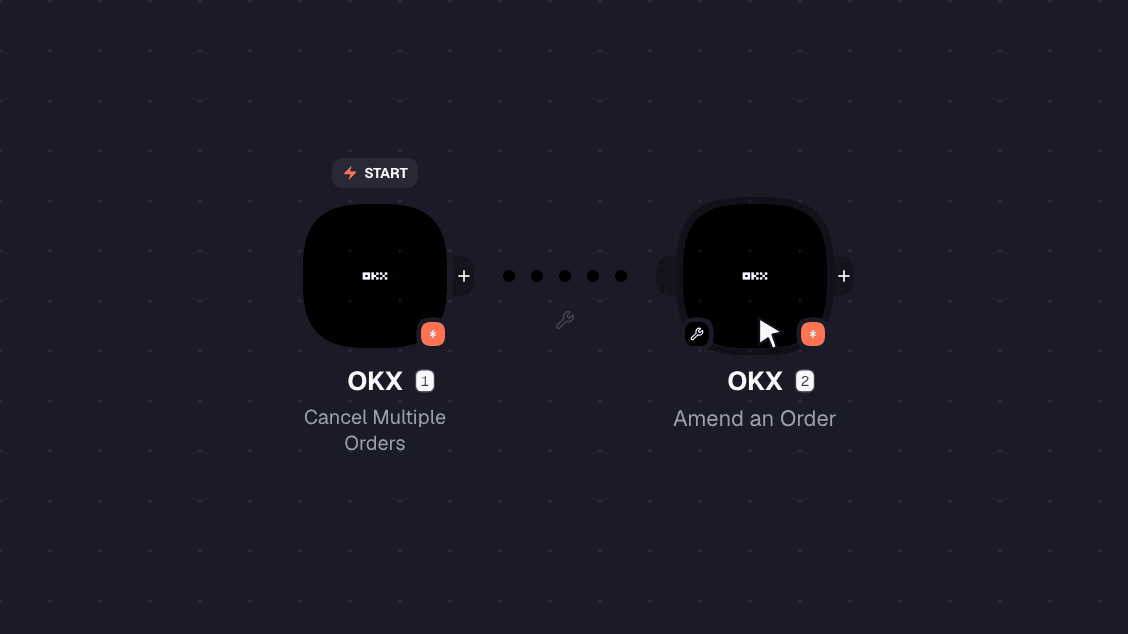
Select Cancel Multiple Orders action from OKX - this will be a starting point in your automation. Whenever event happens in OKX, workflow will start[7] from Cancel Multiple Orders node.
Search for Get an Order, connect it as the next step of integration sequence. You can use filters between Cancel Multiple Orders and Get an Order, so only important data pass from Cancel Multiple Orders to the next step. WEXTL gives you full control over the process of OKX automation. All parts of workflow are visible on the canvas[4].
OKX on WEXTL has 10 modules for building finance automations. Explore OKX documentation for more.
Frequently asked questions
Common questions about automating OKX in your workflows.
What triggers does OKX support?
OKX has no triggers, but it provides 10 actions including "Cancel Multiple Orders", "Get an Order", and "Get Funding Rate". Pair them with triggers from other apps to automate OKX tasks.
What actions can I run in OKX?
Integration has 10 actions, including "Cancel Multiple Orders", "Get an Order", and "Get Funding Rate", and more. Refer to our OKX Documentation for detailed inputs and outputs.
Do I need to write code to build automations?
No. Most automations are built visually on the canvas by picking triggers, actions, and mapping fields. You can add custom JavaScript with Functions when advanced logic is needed — but our customers do that in rare cases[4].
Is the integration secure?
Yes. Connections are authenticated per account, credentials are encrypted at rest, and you can enforce approvals and team-level access controls on any automation.
How does WEXTL integrate with OKX?
The OKX integration on WEXTL runs directly on its vendor public API — every field name, authentication method, and rate limit is controlled by OKX official API and covered in documentation[3]. WEXTL handles the request signing and pagination for you.
Can I use webhooks with OKX?
Absolutely. Where OKX provides native webhooks, you can use instant triggers to eliminate polling delay. For custom webhooks, WEXTL offers Custom Webhook node, so you can start automation whenever OKX or any other service sends event to webhook URL.
Why use WEXTL platform for OKX automation?
WEXTL is an AI-first visual canvas. The platform allows you to describe automation in plain text — and AI will wire nodes for OKX inside the workflow builder[4]. You can also use built-in workflow nodes (AI Agent, Human in the Loop, Condition, Aggregate Results) in pair with OKX modules to craft complex integration flows with branches, filtering, and conditional logic. There are absolutely no limits of what you can build.
References
List of sources used to gather information about the OKX integration.
- OKX integration source code, module specs and credentials implementation.
- Internal OKX integration documentation, structured input and output parameters, scopes, and authentication methods.
- Official OKX vendor API documentation — used to verify field meanings, authentication flows, and anything our own specs don't fully capture.
- WEXTL® Visual Workflow Builder, anonymized data from our technical support team.
- WEXTL® Apps Library
- WEXTL® OKX App Documentation
- WEXTL® Workflow Scheduler
- WEXTL® HTTP node documentation
How we write and maintain OKX app documentation
Explore how WEXTL® crafted OKX integration page documentation. Used sources, AI's role, and how the team validates the result.