


STEP 1
Select Softland in workflow
Pick Softland app in the workflow builder [4] - just one click to select the app.


Triggers can detect changes in Softland and run actions that can create, search or modify data inside Softland automatically [3] — exactly how you set them.

3 simple steps to make your Softland connected with other apps in automation workflows on WEXTL. Up to 10 minutes integration set up.
Pick Softland app in the workflow builder [4] - just one click to select the app.
When prompted, authorize access to Softland in WEXTL once. Softland credentials are encrypted and never shared with WEXTL. Authorization will be reused in any future API calls [3].

WEXTL wants to integrate with your Softland account. Approve?
Build your workflow with Softland yourself or with WEXTL® AI Builder. Connect Softland to any available integrations [5], or use HTTP node to go beyond them.


Save and approve your credentials once — WEXTL® stores authorization information encrypted and reuses the authentication whenever Softland app is called in workflows. That allows your finance automations to run without your attention, per defined schedule [7]. Explore documentation [6] for a detailed list of fields that Softland supports.
The following table illustrates what fields Softland integration require during authorization flow inside our workflow builder [4].
Demonstration of Softland connection step inside WEXTL Workflow Builder [4].
| Field | Type | Help |
|---|---|---|
Base URLRequired | url | Contact Softland Support team to obtain your base URL, example |
UsernameRequired | text | Your User name |
PasswordRequired | password | Your password |
CompanyRequired | text | Contact Softland Support team to obtain your company ID |
Enter a name of the other app you want to sync with Softland below. Click on selected app to explore integration options with Softland. If the app you search for is not available in WEXTL yet, you can use HTTP node [10] instead to integrate it directly.
Select Watch Bank Documents trigger from Softland - this will be a starting point in your automation. Whenever event happens in Softland, workflow will start [7] from Watch Bank Documents node.
Search for Get a CC Document, connect it as the next step of integration sequence. You can use filters between Watch Bank Documents and Get a CC Document, so only important data pass from Watch Bank Documents to the next step. WEXTL gives you full control over the process of Softland automation. All parts of workflow are visible on the canvas [4].
Softland on WEXTL has 90 modules for building finance automations. Explore Softland documentation for more.
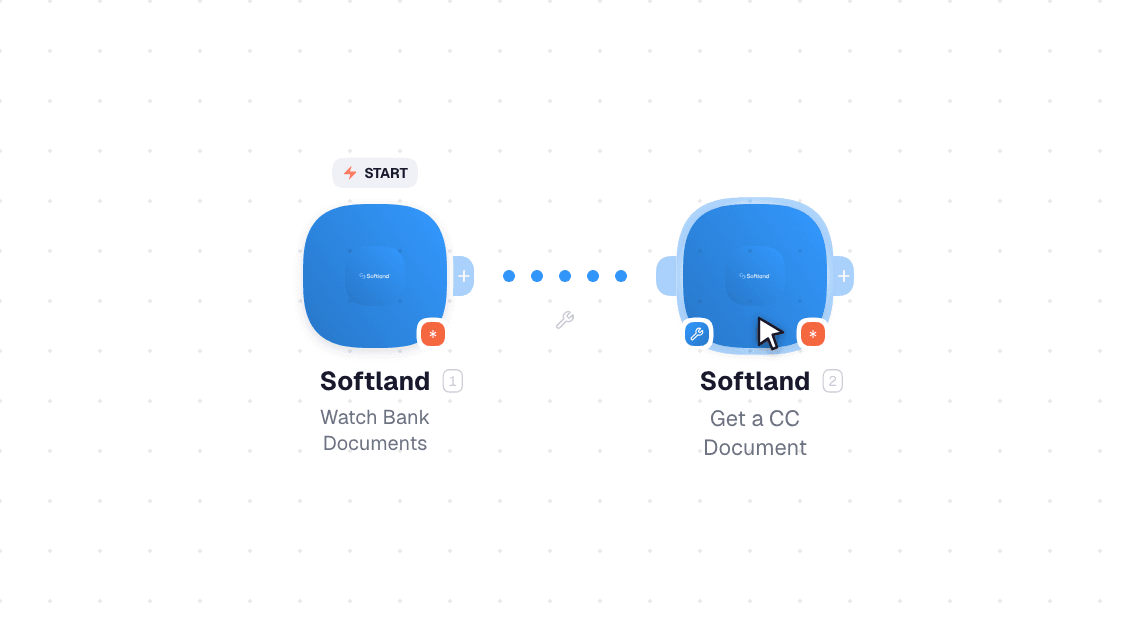
Video slide demonstrates how Watch Bank Documents and Get a CC Document [6] nodes are used in Softland workflow.
Common questions about automating Softland in your workflows.
List of sources used to gather information about the Softland integration.


