Wolters Kluwer icon

Wolters Kluwer Integration

Professional information services for legal, tax, and compliance workflows. Bring Wolters Kluwer into visual workflows that connect everyday workflow work with the rest of your stack. Start from Get a Company Excluded Concept Group and automatically follow up with Get a Company Organigram or Get a Holiday Absenteeism.
3-day trialCancel anytimeUp to 10 minutes quick set up
  • GDPR
  • Data Encryption
  • 2FA
  • Local Data Region

Supported triggers and actions for Wolters Kluwer integration

Triggers can detect changes in Wolters Kluwer and run actions that can create, search or modify data inside Wolters Kluwer automatically [3] — exactly how you set them.

  • Wolters Kluwer icon
    Get a Company Excluded Concept GroupRetrieves an excluded concept group for a company.
  • Wolters Kluwer icon
    Get a Company OrganigramRetrieves the organigram of a company.
  • Wolters Kluwer icon
    Get a Holiday AbsenteeismRetrieves a holiday absenteeism for an employee.
  • Wolters Kluwer icon
    Get a Status MonitorRetrieves the status monitor of an accounting link process.
  • Wolters Kluwer icon
    Get a Strike AbsenteeismRetrieves a strike absenteeism for an employee.
  • Wolters Kluwer icon
    Get a Training CenterRetrieves the details of a training center.
  • Wolters Kluwer icon
    Get a Training GroupRetrieves the details of a training group.
  • Wolters Kluwer icon
    Get a Training Group ParticipantRetrieves a participant of a training group.
  • Wolters Kluwer icon
    Get a Workplace AddressRetrieves the address of a workplace.
  • Wolters Kluwer icon
    Get a Workplace Bank AccountRetrieves the details of a workplace bank account.
  • Wolters Kluwer icon
    Get an AbsenteeismRetrieves the details of an employee absenteeism.
  • Wolters Kluwer icon
    Get an Accounting Link DocumentRetrieves an accounting link document by process ID.
  • Wolters Kluwer icon
    Get an AgreementRetrieves the details of an agreement.
  • Wolters Kluwer icon
    Get an Employee AddressRetrieves the address of an employee.
  • Wolters Kluwer icon
    Get an Employee CalendarRetrieves the calendar of an employee for a given month.
  • Wolters Kluwer icon
    Get an Employee Company Bank AccountRetrieves the company bank account assigned to an employee.
  • Wolters Kluwer icon
    Get an Employee Contract AgreementRetrieves the contract agreement of an employee.
  • Wolters Kluwer icon
    Get an Employee Contract TimetableRetrieves the contract timetable of an employee.
  • Wolters Kluwer icon
    Get an Employee Education LevelRetrieves the education level of an employee.
  • Wolters Kluwer icon
    Get an Employee Hiring DateRetrieves the hiring date information of an employee.

How to integrate Wolters Kluwer in automation workflow?

3 simple steps to make your Wolters Kluwer connected with other apps in automation workflows on WEXTL. Up to 10 minutes integration set up.

How Wolters Kluwer connects and integrates with WEXTL

Save and approve your credentials once — WEXTL® stores authorization information encrypted and reuses the authentication whenever Wolters Kluwer app is called in workflows. That allows your other automations to run without your attention, per defined schedule [7]. Explore documentation [6] for a detailed list of fields that Wolters Kluwer supports.

The following table illustrates what fields Wolters Kluwer integration require during authorization flow inside our workflow builder [4].

Demonstration of Wolters Kluwer connection step inside WEXTL Workflow Builder [4].

FieldTypeHelp
a3innuva Payroll- Client IDRequired
text

Fill the form to obtain your client ID https://forms.office.com/r/0jdxS8vyWN

a3innuva Payroll- Client SecretRequired
password

Fill the form to obtain your client Secret https://forms.office.com/r/0jdxS8vyWN

Connect Wolters Kluwer to popular apps on WEXTL

Enter a name of the other app you want to sync with Wolters Kluwer below. Click on selected app to explore integration options with Wolters Kluwer. If the app you search for is not available in WEXTL yet, you can use HTTP node [10] instead to integrate it directly.

Example automation with Wolters Kluwer integration

Select List Absenteeisms by Employee and Year action from Wolters Kluwer - this will be a starting point in your automation. Whenever event happens in Wolters Kluwer, workflow will start [7] from List Absenteeisms by Employee and Year node.

Search for Create a Holiday Absenteeism, connect it as the next step of integration sequence. You can use filters between List Absenteeisms by Employee and Year and Create a Holiday Absenteeism, so only important data pass from List Absenteeisms by Employee and Year to the next step. WEXTL gives you full control over the process of Wolters Kluwer automation. All parts of workflow are visible on the canvas [4].

Wolters Kluwer on WEXTL has 142 modules for building other automations. Explore Wolters Kluwer documentation for more.
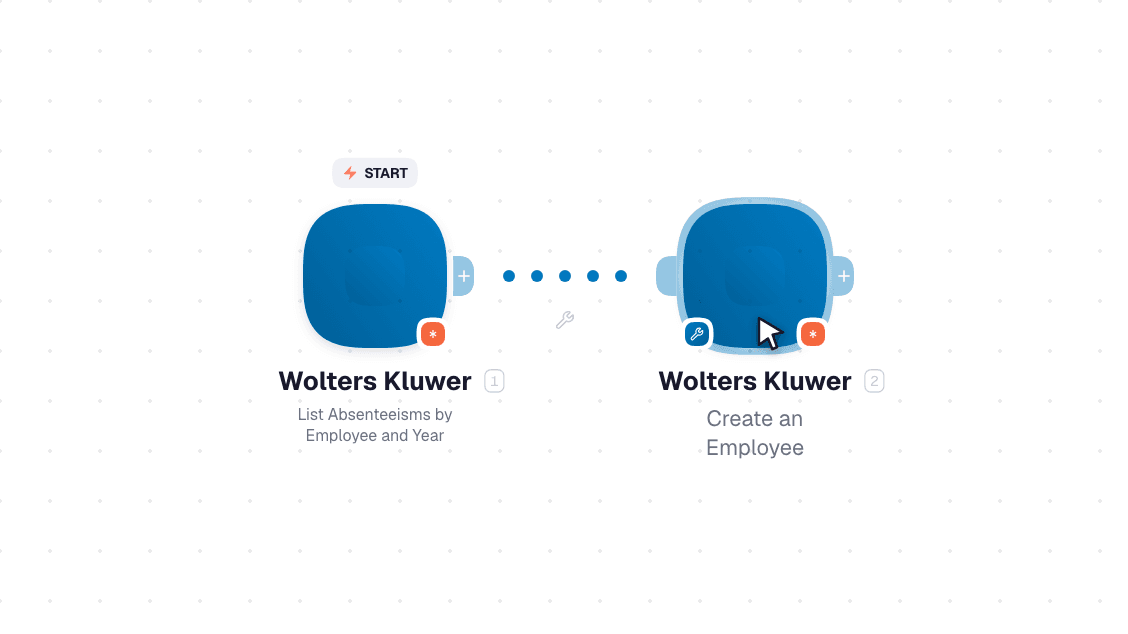
Video slide demonstrates how List Absenteeisms by Employee and Year and Create a Holiday Absenteeism nodes are used in Wolters Kluwer workflow.

Video slide demonstrates how List Absenteeisms by Employee and Year and Create a Holiday Absenteeism [6] nodes are used in Wolters Kluwer workflow.

Frequently asked questions

Common questions about automating Wolters Kluwer in your workflows.

Try Wolters Kluwer on WEXTL®

Claim your 3-day trial to build Wolters Kluwer integrations and access every WEXTL® feature.

Cancel anytime.

References

List of sources used to gather information about the Wolters Kluwer integration.

  1. Wolters Kluwer integration source code, module specs and credentials implementation.
  2. Internal Wolters Kluwer integration documentation, structured input and output parameters, scopes, and authentication methods.
  3. Official Wolters Kluwer vendor API documentation — used to verify field meanings, authentication flows, and anything our own specs don't fully capture.
  4. WEXTL® Visual Workflow Builder, anonymized data from our technical support team.
  5. WEXTL® Apps Library
  6. WEXTL® Wolters Kluwer App Documentation
  7. WEXTL® Workflow Scheduler
  8. WEXTL® HTTP node documentation