


Requirements
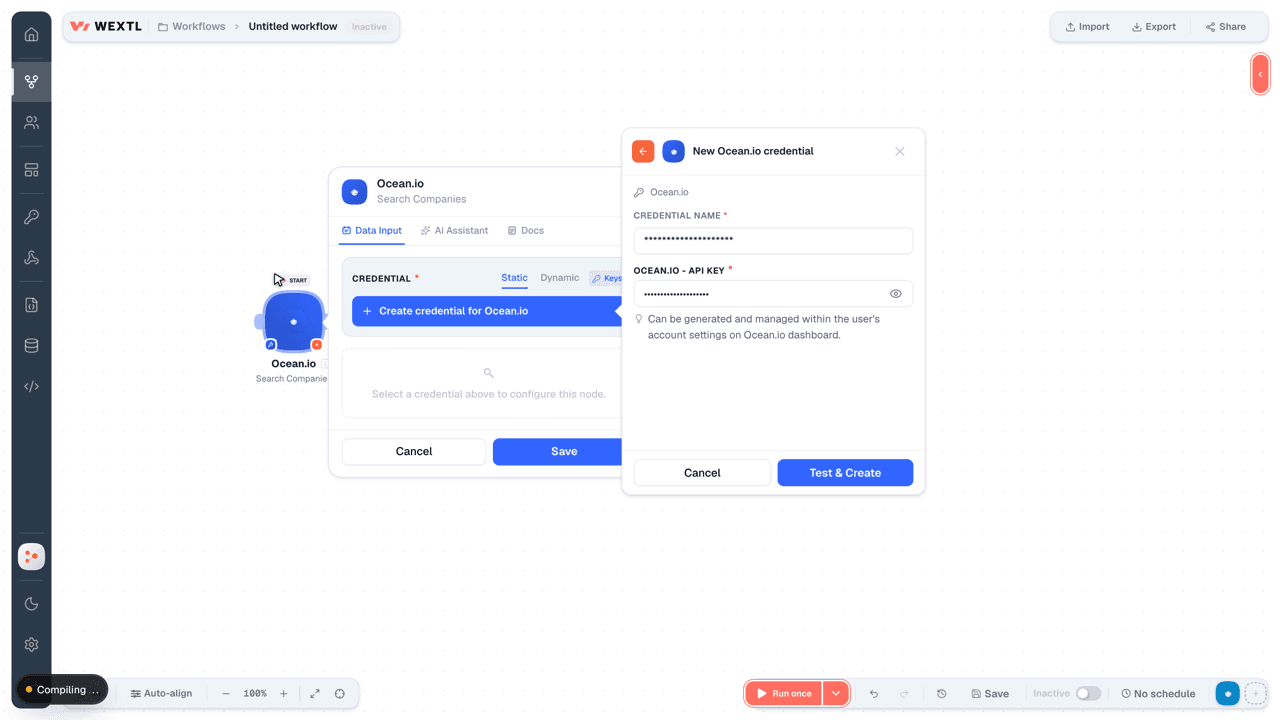
Connecting Ocean.io takes an active account plus an API access token from your account settings — no other setup is required.[3]
Get your Ocean.io credentials
- API KeypasswordRequired
Can be generated and managed within the user's account settings on dashboard.
[1]
Connect Ocean.io in WEXTL
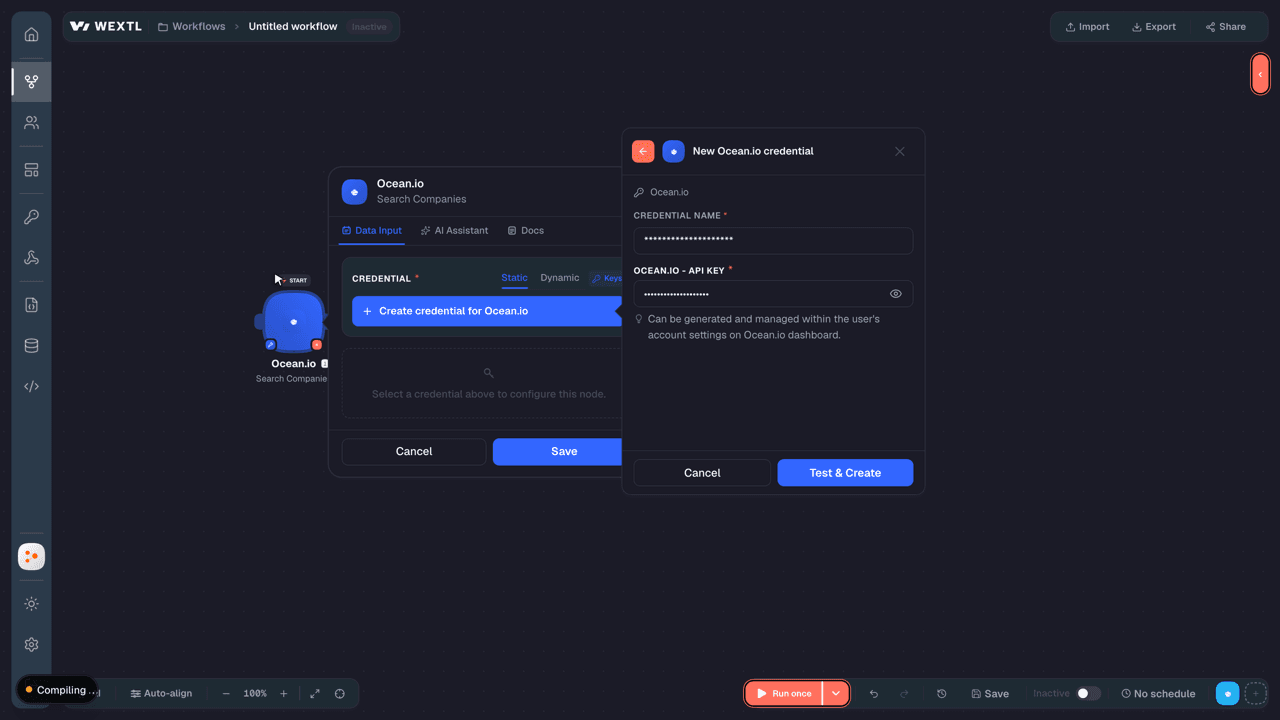
- Log in to your WEXTL account, add the Ocean.io node module to your workflow, and click Create new credential.
- Optional: In the Credential name field, enter a name for the credential.
- Enter the authentication credentials you copied from your Ocean.io account, or follow the on-screen instructions to create the credential.
- If prompted, authenticate your account and confirm access.
- If you want to make changes to your credential in the future, follow the steps in Manage credentials →
Notes
Credentials are org-scoped; share them with teammates from the Credentials picker on any of its nodes.For detailed information on connecting an application, see Connect an application →
Ocean.io node modules
The list below is a reference of every Ocean.io node module the integration supports. You will be able to pick any of them on the workflow canvas while building automations.
Expand any Ocean.io node module below to see exactly what it takes in, what it returns, and what connection it needs.
Autocomplete Job TitlesSearch
Autocomplete KeywordsSearch
Get Person EmailsAction
Get Person PhonesAction
Lookup Companies by DomainSearch
| Field | Type |
|---|---|
DomainsRequired | array |
| Domain | text |
| Limit | number |
| Field | Type |
|---|---|
| Domain | text |
| Countries | array |
| Primary country | text |
| Company size | text |
| Industry categories | array |
| Industries | array |
| Linkedin industry | text |
| Ecommerce | boolean |
| Keywords | array |
| Employee count ocean | number |
| Employee count linkedin | number |
| Revenue | text |
| Year founded | number |
| Description | text |
| Emails | array |
| Phones | array |
| Logo | text |
| Technologies | array |
| Technology categories | array |
| Mobile apps | array |
Lookup People by LinkedInSearch
| Field | Type |
|---|---|
| LinkedIn Handles | array |
| LinkedIn Handle | text |
| Ocean.io Person IDs | array |
| Ocean.io Person ID | text |
| Limit | number |
| Field | Type |
|---|---|
| ID | text |
| Domain | text |
| Name | text |
| First name | text |
| Last name | text |
| Country | text |
| State | text |
| Location | text |
| Linkedin URL | url |
| Seniorities | array |
| Departments | array |
| Photo | text |
| Job title | text |
| Job title english | text |
| Current job description | text |
| Experiences | array |
| Summary | text |
| Skills | array |
| Phone | object |
| Numbers | array |
| Status | text |
| object | |
| Address | text |
| Status | text |
Search CompaniesSearch
Search LocationsSearch
Search Lookalike PeopleSearch
| Field | Type |
|---|---|
| People Filters | object |
| Lookalike LinkedIn Handles | array |
| Countries | array |
| Include People IDs | array |
| Include LinkedIn Handles | array |
| Exclude People IDs | array |
| Exclude LinkedIn Handles | array |
| Seniorities | array |
| Skills | object |
| Job Title Keywords | object |
| All Job Descriptions | object |
| People Per Company | number |
| Job Title Threshold | number |
| Companies Filters | object |
| Lookalike Domains | array |
| Include Domains | array |
| Exclude Domains | array |
| Company Sizes | array |
| E-commerce | boolean |
| Year Founded | object |
| Countries Count | object |
| Revenues | array |
| Employee Count Ocean | object |
| Mobile Apps | object |
| People Filters | object |
| Lookalike LinkedIn Handles | array |
| Countries | array |
| Include People IDs | array |
| Include LinkedIn Handles | array |
| Exclude People IDs | array |
| Exclude LinkedIn Handles | array |
| Seniorities | array |
| Skills | object |
| Job Title Keywords | object |
| All Job Descriptions | object |
| Fields | array |
| Limit | number |
| Field | Type |
|---|---|
| ID | text |
| Domain | text |
| Name | text |
| First name | text |
| Last name | text |
| Country | text |
| State | text |
| Location | text |
| Linkedin URL | text |
| Seniorities | array |
| Departments | array |
| Photo | text |
| Job title | text |
| Job title english | text |
| Current job description | text |
| Experiences | array |
| Summary | text |
| Skills | array |
| Phone | object |
| Numbers | array |
| Status | text |
| object | |
| Address | text |
| Status | text |
Search Similar CompaniesSearch
| Field | Type |
|---|---|
| Companies Filters | object |
| Lookalike Domains | array |
| Include Domains | array |
| Exclude Domains | array |
| Company Sizes | array |
| E-commerce | boolean |
| Year Founded | object |
| Countries Count | object |
| Revenues | array |
| Employee Count Ocean | object |
| Mobile Apps | object |
| People Filters | object |
| Lookalike LinkedIn Handles | array |
| Countries | array |
| Include People IDs | array |
| Include LinkedIn Handles | array |
| Exclude People IDs | array |
| Exclude LinkedIn Handles | array |
| Seniorities | array |
| Skills | object |
| Job Title Keywords | object |
| All Job Descriptions | object |
| Fields | array |
| Limit | number |
| Field | Type |
|---|---|
| Company | object |
| Domain | text |
| Countries | array |
| Primary country | text |
| Company size | text |
| Industry categories | array |
| Industries | array |
| Linkedin industry | text |
| Ecommerce | boolean |
| Keywords | array |
| Employee count ocean | number |
| Relevance | text |
Search SkillsSearch
Check Available CompaniesAction
Enrich a CompanyAction
| Field | Type |
|---|---|
| Company | object |
| Company Name | text |
| Registration Number | text |
| Company Email | |
| Company Phone | text |
| Country Code | text |
| State | text |
| City | text |
| Street Address | text |
| Postal Code | text |
| Full Address | text |
| People | array |
| Field | Type |
|---|---|
| Domain | text |
| Countries | array |
| Primary country | text |
| Company size | text |
| Industry categories | array |
| Industries | array |
| Linkedin industry | text |
| Ecommerce | boolean |
| Keywords | array |
| Employee count ocean | number |
| Employee count linkedin | number |
| Revenue | text |
| Year founded | number |
| Description | text |
| Emails | array |
| Phones | array |
| Logo | text |
| Technologies | array |
| Technology categories | array |
| Mobile apps | array |
Enrich a PersonAction
| Field | Type |
|---|---|
| Person | object |
| Ocean ID | text |
| Full Name | text |
| First Name | text |
| Last Name | text |
| Job Title | text |
| Email Address | |
| Phone Number | text |
| url | |
| url | |
| url | |
| Company | object |
| Name | text |
| Registration Number | text |
| Phone Number | text |
| Country Code | text |
| State | text |
| City | text |
| Street Address | text |
| Postal Code | text |
| Address | text |
| Reveal Emails | object |
| Include Emails | boolean |
| Webhook URL | url |
| Reveal Phones | object |
| Include Phones | boolean |
| Webhook URL | url |
| Field | Type |
|---|---|
| ID | text |
| Domain | text |
| Name | text |
| First name | text |
| Last name | text |
| Country | text |
| State | text |
| Location | text |
| Linkedin URL | text |
| Seniorities | array |
| Departments | array |
| Photo | text |
| Job title | text |
| Job title english | text |
| Current job description | text |
| Experiences | array |
| Summary | text |
| Skills | array |
| Phone | object |
| Numbers | array |
| Status | text |
| object | |
| Address | text |
| Status | text |
Enrich CompaniesAction
Enrich PeopleAction
Templates
Look for Ocean.io templates in the WEXTL template library.
Browse templates →Explore alternative apps
- AmpleMarket[2]Sales engagement platform for prospecting, sequencing, and outreach.
- DropcontactB2B contact enrichment that verifies emails and completes company, role, and legal-entity data.
- Autobound AIAI sales content platform that personalizes outreach with account and contact insights.
- AvomaAI meeting assistant for recording, transcription, notes, and revenue insights.
- ClariRevenue intelligence platform for pipeline visibility, forecasting, and deal insights.


References
- WEXTL® Ocean.io Source Code connector implementation.
- Our users use cases and automations.
- Official API Documentation for Ocean.io.
- WEXTL® visual workflow builder data.
Last updated: Jul 24, 2026 18:12