


Requirements
Connecting Appointedd takes an active account plus an API access token from your account settings — no other setup is required.[3]
Get your Appointedd credentials
- API KeypasswordRequired
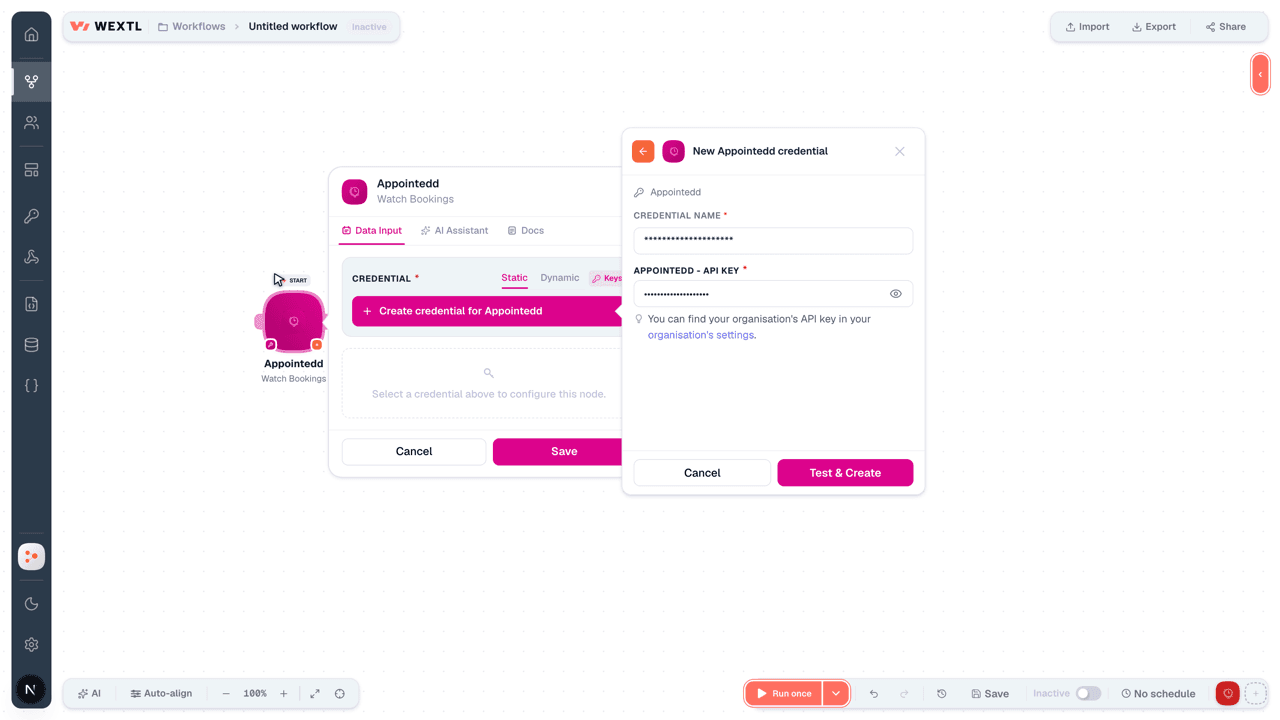
You can find your organisation's API key in your organisation's settings.
[1]
Connect Appointedd in WEXTL
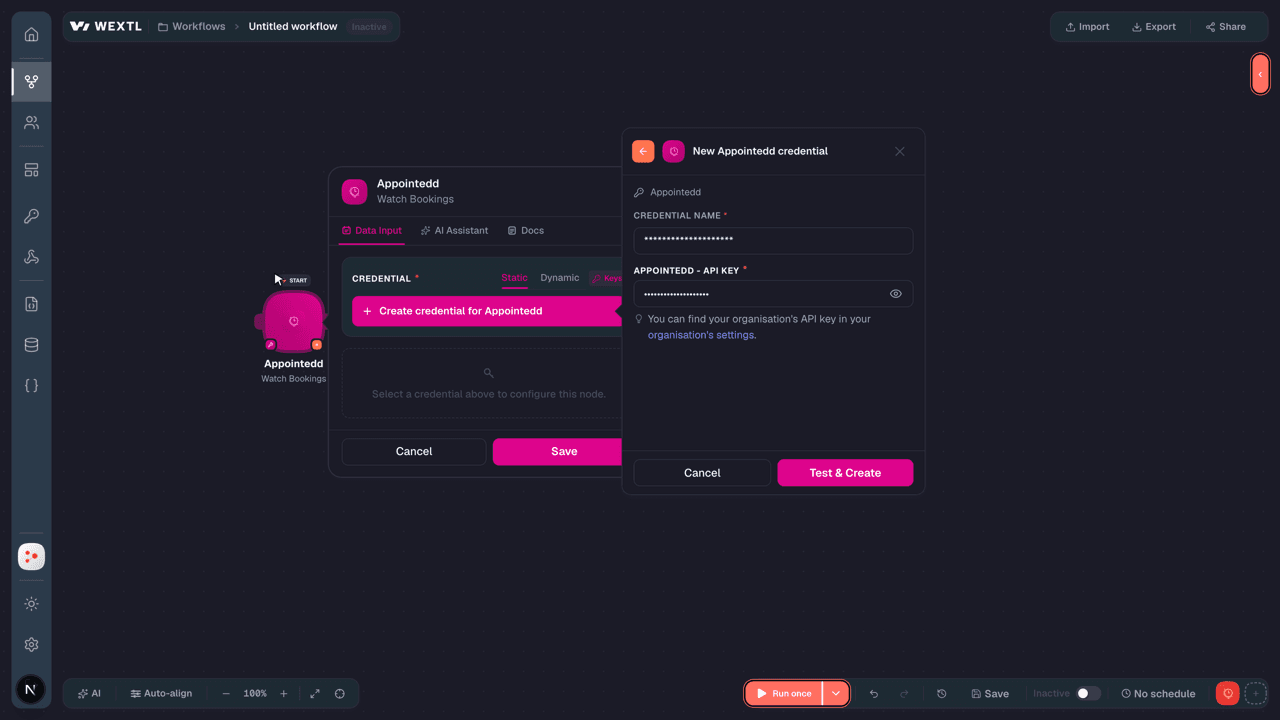
- Log in to your WEXTL account, add the Appointedd node module to your workflow, and click Create new credential.
- Optional: In the Credential name field, enter a name for the credential.
- Enter the authentication credentials you copied from your Appointedd account, or follow the on-screen instructions to create the credential.
- If prompted, authenticate your account and confirm access.
- If you want to make changes to your credential in the future, follow the steps in Manage credentials →
Notes
Credentials are org-scoped; share them with teammates from the Credentials picker on any of its nodes.For detailed information on connecting an application, see Connect an application →
Appointedd node modules
The list below is a reference of every Appointedd node module the integration supports. You will be able to pick any of them on the workflow canvas while building automations.
Expand any Appointedd node module below to see exactly what it takes in, what it returns, and what connection it needs.
Watch BookingsTrigger
| Field | Type |
|---|---|
| ID | text |
| Service | text |
| Resource | text |
| Customers | array |
| Start | date |
| End | date |
| Start buffer | date |
| End buffer | date |
| Price | number |
| Total spaces | number |
| Status | text |
| Updated | date |
| Created | date |
| Created source | text |
| Video conference link | text |
| Video conference type name | text |
Watch CustomersTrigger
| Field | Type |
|---|---|
| ID | text |
| Profile | object |
| Firstname | text |
| Lastname | text |
| Mobile | text |
| Phone | text |
| text | |
| Address 1 | text |
| Address 2 | text |
| City | text |
| Postcode | text |
| Created | date |
| Custom fields | object |
| Test text | text |
| Test date | number |
| Marketing opt in | boolean |
| Tags | array |
| Updated | date |
Watch ResourcesTrigger
| Field | Type |
|---|---|
| Created | date |
| Updated | date |
| ID | text |
| Services | array |
| Profile | object |
| Name | text |
| Phone | text |
| text | |
| Address | object |
| Description | text |
| Resource group ids | array |
Find Available DatesSearch
| Field | Type |
|---|---|
Service IDRequired | choice |
RangesRequired | array |
| Resource IDs | choice |
| Resource Group IDs | choice |
| Buffers | object |
| Before | number |
| After | number |
| Duration | number |
| Parts | array |
| Spaces | number |
| Timezone | time |
| Ignore Past Restriction | boolean |
| Ignore Notice Restriction | boolean |
| Ignore Bookings | array |
| Ignore Service Assignment | boolean |
| Ignore Service Schedule | boolean |
| Ignore Group Setting | boolean |
| Limit | number |
| Field | Type |
|---|---|
| Start | date |
| Resource ids | array |
| Group bookings | array |
Get a CustomerAction
Get a ReservationAction
Get a ServiceAction
Get a Service CategoryAction
List BookingsSearch
| Field | Type |
|---|---|
| Sort By | choice |
| Order By | choice |
| Before | text |
| After | text |
| Created Before | text |
| Created After | text |
| Updated Before | text |
| Updated After | text |
| IDs | choice |
| Categories | choice |
| Services | choice |
| Customers | choice |
| Resources | choice |
| Timezone | time |
| Statuses | choice |
| Return Matching Customers Only | boolean |
| Limit | number |
| Field | Type |
|---|---|
| ID | text |
| Service | text |
| Resource | text |
| Customers | array |
| Start | date |
| End | date |
| Start buffer | date |
| End buffer | date |
| Price | number |
| Total spaces | number |
| Status | text |
| Updated | date |
| Created | date |
| Created source | text |
| Video conference link | text |
| Video conference type name | text |
List CustomersSearch
| Field | Type |
|---|---|
| Sort By | choice |
| Order By | choice |
| IDs | choice |
| Limit | number |
| Field | Type |
|---|---|
| ID | text |
| Profile | object |
| Firstname | text |
| Lastname | text |
| Mobile | text |
| Phone | text |
| text | |
| Address 1 | text |
| Address 2 | text |
| City | text |
| Postcode | text |
| Created | date |
| Custom fields | object |
| Test text | text |
| Test date | number |
| Marketing opt in | boolean |
| Tags | array |
| Updated | date |
List Resource GroupsSearch
List ResourcesSearch
List Service CategoriesSearch
List ServicesSearch
Search Available Booking IntervalsSearch
| Field | Type |
|---|---|
RangesRequired | array |
Service IDRequired | choice |
| Resource IDs | choice |
| Resource Group IDs | choice |
| Buffers | object |
| Before | number |
| After | number |
| Duration | number |
| Parts | array |
| Spaces | number |
| Timezone | time |
| Ignore Past Restriction | boolean |
| Ignore Notice Restriction | boolean |
| Ignore Bookings | array |
| Booking ID | text |
| Ignore Service Assignment | boolean |
| Ignore Service Schedule | boolean |
| Ignore Group Setting | boolean |
| Ignore Block Restriction | boolean |
| Limit | number |
| Field | Type |
|---|---|
| Start | date |
| Resource ids | array |
| Group bookings | array |
Cancel a BookingAction
| Field | Type |
|---|---|
Booking IDRequired | choice |
| Source | text |
Cancel a Booking for a CustomerAction
| Field | Type |
|---|---|
Booking IDRequired | choice |
Customer Booking IDRequired | choice |
Create a BookingAction
| Field | Type |
|---|---|
Slot IDRequired | text |
| Created Source | text |
| Customers | choice |
| Label | text |
| Send Payment Request | boolean |
| Timezone | time |
| Field | Type |
|---|---|
| ID | text |
| Service ID | text |
| Resource ID | text |
| Allow external customers | boolean |
| Customers | array |
| Created source | text |
| Created | date |
| Updated | date |
| Location | text |
| Start | date |
| Start buffer | date |
| End | date |
| End buffer | date |
| Buffers | object |
| Before | text |
| After | text |
| Parts | array |
| Status | text |
| Price | number |
| Total spaces | number |
| Resources | array |
Create a Booking Customer InvoiceAction
| Field | Type |
|---|---|
Booking IDRequired | choice |
Customer Booking IDRequired | choice |
Create a CustomerAction
| Field | Type |
|---|---|
| Tags | array |
| Tag | text |
| Profile | object |
First NameRequired | text |
Last NameRequired | text |
| Mobile | text |
| Phone | text |
| Field | Type |
|---|---|
| ID | text |
| Tags | array |
| Profile | object |
| Firstname | text |
| Lastname | text |
| Address 1 | text |
| Address 2 | text |
| City | text |
| Postcode | text |
| text | |
| Mobile | text |
| Phone | text |
| Gender | text |
| Created | date |
| Updated | date |
Create a ReservationAction
| Field | Type |
|---|---|
DataRequired | object |
Service IDRequired | choice |
StartRequired | text |
| Resource ID | choice |
| Resource Group IDs | choice |
| Parts | array |
| Timezone | time |
| Expires After | number |
| Allow Additional Spaces | boolean |
| Required Spaces | number |
| Max Spaces | number |
| Ignore Past Restriction | boolean |
| Ignore Notice Restriction | boolean |
| Ignore Block Restriction | boolean |
| Ignore Service Schedule | boolean |
| Ignore Group Setting | boolean |
| Timezone | time |
| Field | Type |
|---|---|
| ID | text |
| Asset ids | array |
| Resource ID | text |
| Service ID | text |
| Start | date |
| Start buffer | date |
| End | date |
| End buffer | date |
| Parts | array |
| Expiry | date |
| Max spaces | number |
| Reserved spaces | number |
| Allow additional spaces | boolean |
| Created | date |
| Updated | date |
Delete a CustomerAction
| Field | Type |
|---|---|
Customer IDRequired | choice |
Delete a ReservationAction
| Field | Type |
|---|---|
Reservation IDRequired | choice |
Delete a ResourceAction
| Field | Type |
|---|---|
Resource IDRequired | choice |
Make an API Calluniversal
Update a ResourceAction
Update BookingAction
| Field | Type |
|---|---|
Booking IDRequired | choice |
| Service ID | choice |
| Resource ID | choice |
| Total Spaces | number |
| Label | text |
| Buffers | object |
| Before | number |
| After | number |
| Parts | array |
| Modified Source | text |
| Ignore Service Assignment | boolean |
| Ignore Service Schedule | boolean |
| Send Notifications | boolean |
| Timezone | time |
| Field | Type |
|---|---|
| ID | text |
| Service ID | text |
| Resource ID | text |
| Allow external customers | boolean |
| Customers | array |
| Created source | text |
| Created | date |
| Updated | date |
| Location | text |
| Start | date |
| Start buffer | date |
| End | date |
| End buffer | date |
| Buffers | object |
| Before | text |
| After | text |
| Parts | array |
| Status | text |
| Price | number |
| Total spaces | number |
| Resources | array |
Update Booking CustomerAction
Update CustomerAction
| Field | Type |
|---|---|
Customer IDRequired | choice |
| Tags | array |
| Tag | text |
| Profile | object |
| First Name | text |
| Last Name | text |
| Mobile | text |
| Phone | text |
| Field | Type |
|---|---|
| ID | text |
| Tags | array |
| Profile | object |
| Firstname | text |
| Lastname | text |
| Address 1 | text |
| Address 2 | text |
| City | text |
| Postcode | text |
| text | |
| Mobile | text |
| Phone | text |
| Gender | text |
| Created | date |
| Updated | date |
Templates
Look for Appointedd templates in the WEXTL template library.
Browse templates →Explore alternative apps
- Acuity Scheduling[2]Online appointment scheduling for service businesses and calendars.
- AgendizeOnline appointment scheduling and customer engagement platform for businesses.
- AddEventCalendar event sharing and add-to-calendar links for websites and campaigns.
- AmeliaWordPress booking and appointment scheduling for services and events.
- AgendaProSalon and clinic booking, payments, and client management.


References
- WEXTL® Appointedd Source Code connector implementation.
- Our users use cases and automations.
- Official API Documentation for Appointedd.
- WEXTL® visual workflow builder data.
Last updated: Jul 23, 2026 22:38