


Requirements
To use Djubo on WEXTL you need an active account and an API access token from your account settings.[3]
Get your Djubo credentials
Connect Djubo in WEXTL
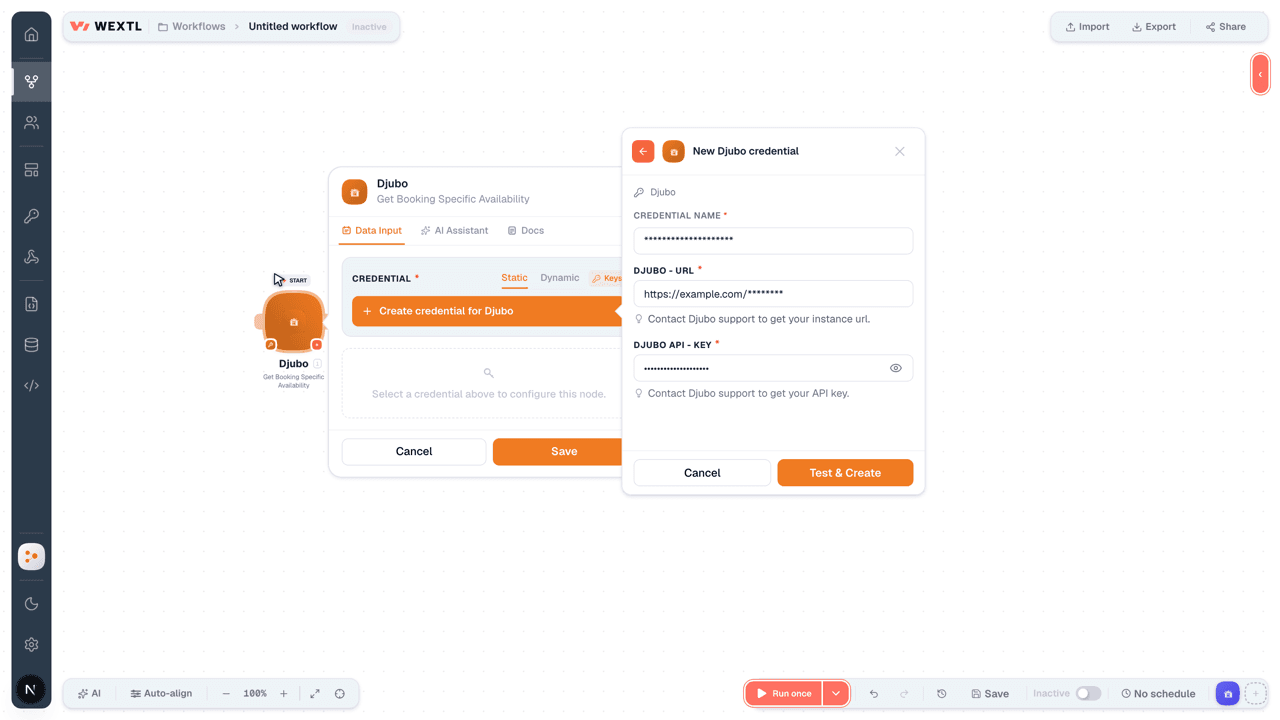
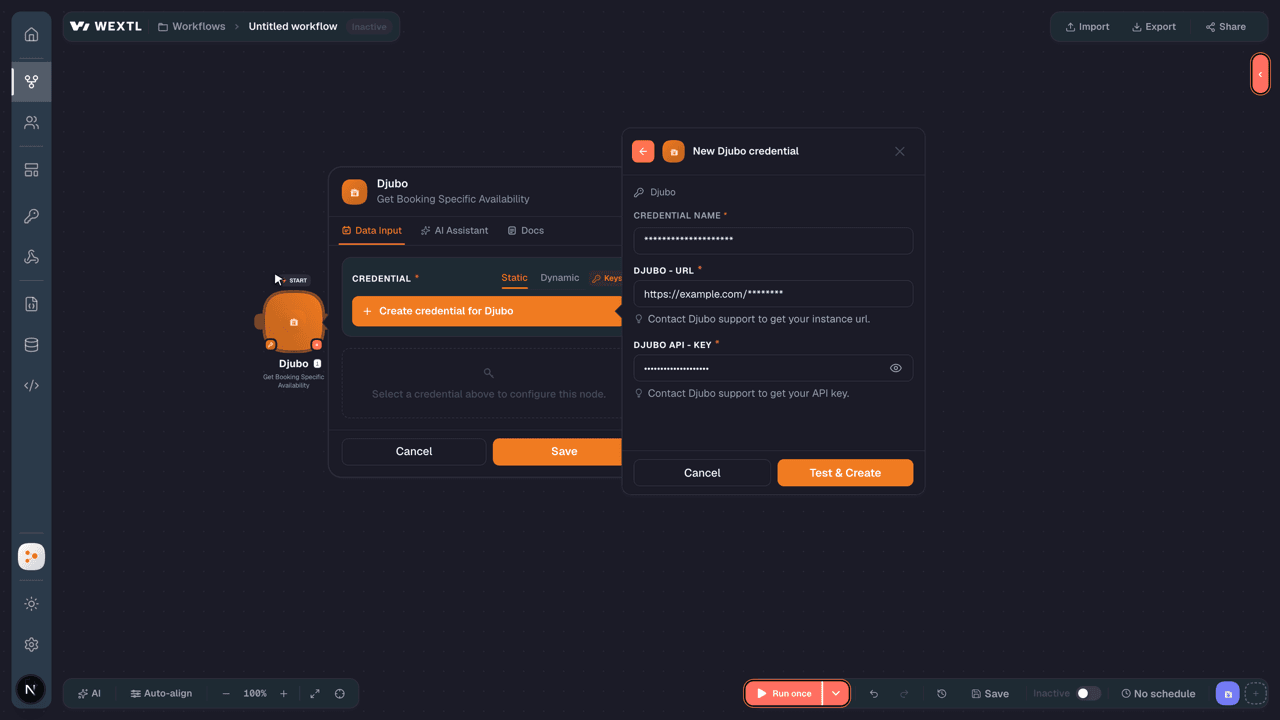
- Log in to your WEXTL account, add the Djubo node module to your workflow, and click Create new credential.
- Optional: In the Credential name field, enter a name for the credential.
- Enter the authentication credentials you copied from your Djubo account, or follow the on-screen instructions to create the credential.
- If prompted, authenticate your account and confirm access.
- If you want to make changes to your credential in the future, follow the steps in Manage credentials →
Notes
Credentials are org-scoped; share them with teammates from the Credentials picker on any of its nodes.For detailed information on connecting an application, see Connect an application →
Djubo node modules
The list below is a reference of every Djubo node module the integration supports. You will be able to pick any of them on the workflow canvas while building automations.
Open any Djubo node module below to inspect its input parameters, outputs, and connection requirements.
Get Booking Specific AvailabilityAction
Input fields[3]
| Field | Type |
|---|---|
Start DateRequired | date |
End DateRequired | date |
PartyRequired | array |
LanguageRequired | text |
Query KeyRequired | text |
CurrencyRequired | text |
User CountryRequired | text |
| Device Type | text |
| Availability ID | text |
| Requested Payload | object |
| Categories | object |
| Category Modifiers | object |
| Hotels | array |
Output fields[3]
| Field | Type |
|---|---|
| API version | number |
| Language | text |
| Availability request | object |
| API version | number |
| Start date | date |
| End date | date |
| Party | array |
| Language | text |
| Query key | text |
| Currency | text |
| User country | text |
| Device type | text |
| Availability ID | text |
| Response payload | object |
| Categories | object |
| Category modifiers | object |
| Hotels | object |
| A123 | object |
Get Booking StatusAction
Input fields[3]
| Field | Type |
|---|---|
Partner Hotel CodeRequired | text |
Reservation IDRequired | text |
Reference IDRequired | text |
Output fields[3]
| Field | Type |
|---|---|
| API version | number |
| Reference ID | text |
| Status | text |
| Reservation | object |
| Reservation ID | text |
| Status | text |
| Confirmation URL | text |
| Start date | date |
| End date | date |
| Partner hotel code | text |
| Hotel | object |
| Customer | object |
| Rooms | array |
| Legal text | text |
| Customer support | object |
| Phone numbers | object |
Get Hotel AvailabilityAction
Input fields[3]
| Field | Type |
|---|---|
API VersionRequired | number |
Start DateRequired | date |
End DateRequired | date |
| Party | array |
LanguageRequired | text |
Query KeyRequired | text |
CurrencyRequired | text |
| User Country | text |
| Device Type | choice |
| Availability ID | text |
| Requested Payload | object |
| Categories | object |
| Category Modifiers | object |
| Hotels | array |
Sync a BookingSearch
Cancel a BookingAction
Make an API Calluniversal
Request Expanded AvailabilityAction
Input fields[3]
| Field | Type |
|---|---|
API VersionRequired | number |
Start DateRequired | date |
End DateRequired | date |
PartyRequired | array |
LanguageRequired | text |
Query KeyRequired | text |
CurrencyRequired | text |
User CountryRequired | text |
Device TypeRequired | text |
Availability IDRequired | text |
| Requested Payload | object |
| Categories | object |
| Category Modifiers | object |
| Hotels | array |
Output fields[3]
| Field | Type |
|---|---|
| API version | number |
| Language | text |
| Availability request | object |
| API version | number |
| Start date | date |
| End date | date |
| Party | array |
| Language | text |
| Query key | text |
| Currency | text |
| User country | text |
| Device type | text |
| Availability ID | text |
| Response payload | object |
| Categories | object |
| Category modifiers | object |
| Hotels | object |
| A123 | object |
Submit a BookingAction
Input fields[3]
| Field | Type |
|---|---|
API VersionRequired | number |
Start DateRequired | date |
End DateRequired | date |
Partner Hotel CodeRequired | text |
Reference IDRequired | text |
IP AddressRequired | text |
| Customer | object |
First NameRequired | text |
Last NameRequired | text |
Phone NumberRequired | text |
EmailRequired | |
CountryRequired | text |
| Rooms | array |
| Special Requests | text |
| Payment Method | object |
Card TypeRequired | text |
Card NumberRequired | text |
Cardholder NameRequired | text |
Expiration MonthRequired | text |
Expiration YearRequired | text |
CVVRequired | text |
| Billing Address | object |
| Final Price at Booking | object |
AmountRequired | number |
CurrencyRequired | text |
| Final Price at Checkout | object |
AmountRequired | number |
CurrencyRequired | text |
| Partner Data | object |
Hotel CodeRequired | text |
Room CodeRequired | text |
RateRequired | number |
Output fields[3]
| Field | Type |
|---|---|
| API version | number |
| Reference ID | text |
| Status | text |
| Reservation | object |
| Reservation ID | text |
| Status | text |
| Confirmation URL | text |
| Start date | date |
| End date | date |
| Partner hotel code | text |
| Hotel | object |
| Customer | object |
| Rooms | array |
| Legal text | text |
| Customer support | object |
| Phone numbers | object |
Templates
Look for Djubo templates in the WEXTL template library.
Browse templates →Explore alternative apps
- Amenitiz[2]All-in-one hotel management platform for bookings, channels, and guests.
- Appointment ReminderCreate, retrieve and manage appointments and their automated phone, SMS and email reminders in Appointment Reminder.
- AviratoHotel property management and channel booking for rates, availability, and reservations.
- AxisRoomsHotel channel manager for OTA inventory, rates, restrictions, and booking distribution.
- BetterezPassenger ticketing and operations platform for bus and coach carriers — routes, fares, and bookings.


References
- WEXTL® Djubo Source Code connector implementation.
- Our users use cases and automations.
- Official API Documentation for Djubo.
- WEXTL® visual workflow builder data.
Last updated: Jul 23, 2026 22:39