Gingr integration guide
VerifiedHow to connect Gingr to WEXTL and use its 35 actions in your workflows. About Gingr: Pet care business management platform for boarding, daycare, grooming, and training facilities.
- 33 searches
- 2 actions
- Polling
- Auth: API key
AI-assisted documentation6 min read
This documentation is compiled from our integration source code, internal specs for Gingr, its official API documentation and anonymized requests logs we collect from our support team[2].


Requirements
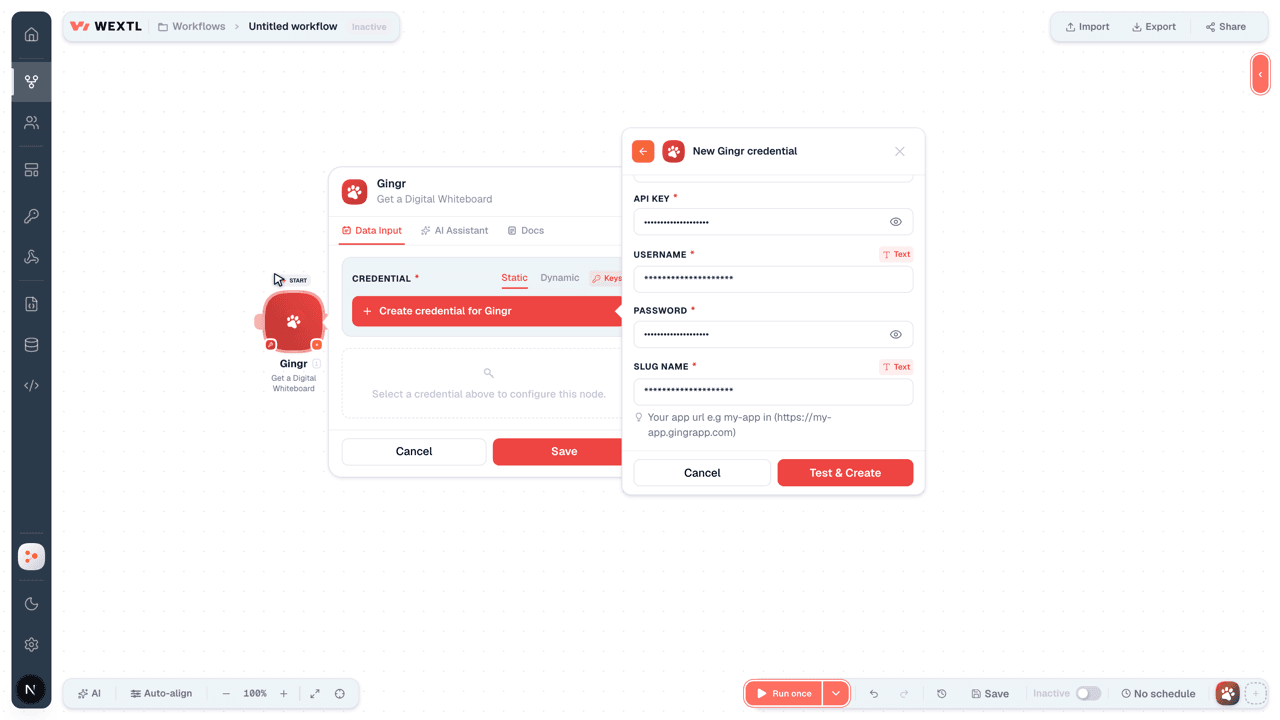
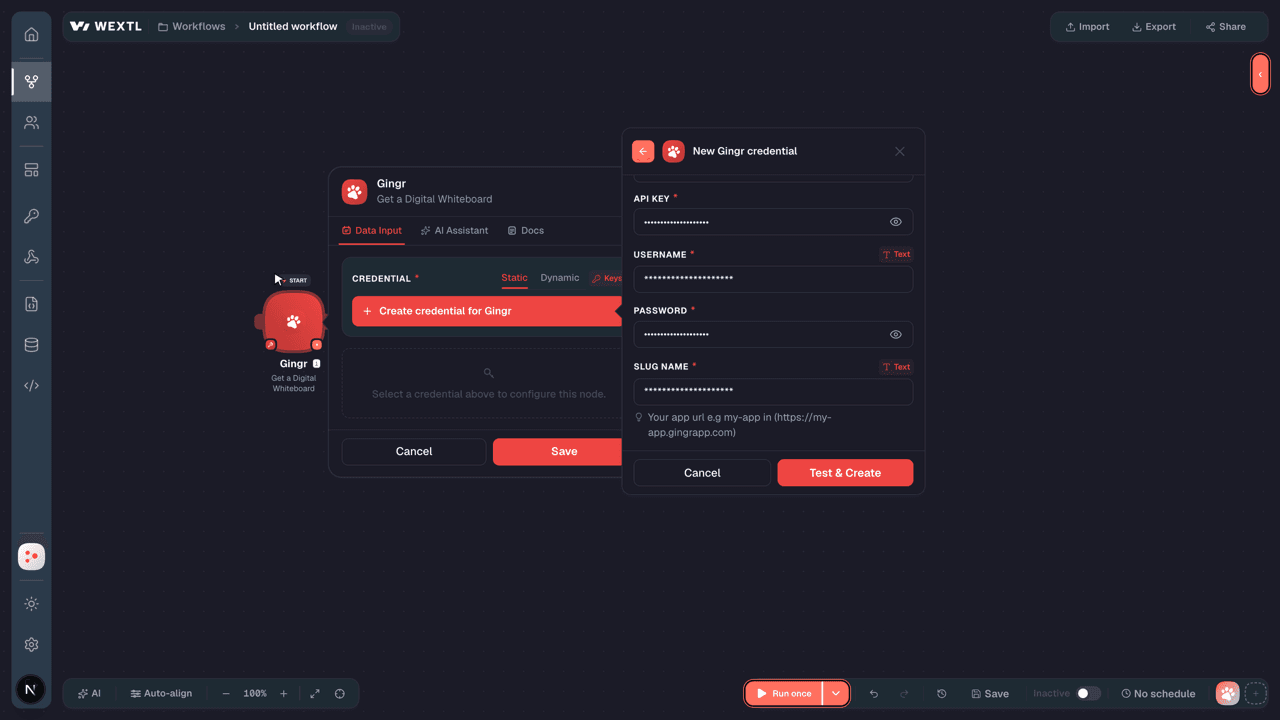
Get your Gingr credentials
- API KeypasswordRequired
- UsernametextRequired
- PasswordpasswordRequired
- Slug NametextRequired
Your app url e.g my-app in (https://my-app.gingrapp.com)[1]
Connect Gingr in WEXTL
- Log in to your WEXTL account, add the Gingr node module to your workflow, and click Create new credential.
- Optional: In the Credential name field, enter a name for the credential.
- Enter the authentication credentials you copied from your Gingr account, or follow the on-screen instructions to create the credential.
- If prompted, authenticate your account and confirm access.
- If you want to make changes to your credential in the future, follow the steps in Manage credentials →
Gingr triggers and actions on WEXTL
The list below is a reference of every Gingr node module the integration supports. You will be able to pick any of them on the workflow canvas while building automations.
Expand any Gingr node module below to see exactly what it takes in, what it returns, and what connection it needs.
Get a Digital Whiteboard
Action
| Field | Type |
|---|---|
Location IDRequired | text |
Type IDsRequired | array |
| Reservation Type ID | text |
| Minutes Future | number |
| Full Day | boolean |
| Field | Type |
|---|---|
| Checking in | array |
| Checking out | array |
Get a Form Definition
Action
| Field | Type |
|---|---|
Form NameRequired | choice |
Get a Quick Check-in
Action
| Field | Type |
|---|---|
Animal IDRequired | text |
Owner IDRequired | text |
| Type ID | text |
Get a Reservation Estimate
Action
| Field | Type |
|---|---|
IDRequired | number |
Get a Subscription
Action
| Field | Type |
|---|---|
Subscription IDRequired | text |
Get a Transaction
Action
| Field | Type |
|---|---|
POS Transaction IDRequired | number |
Get an Owner
Action
| Field | Type |
|---|---|
IDRequired | number |
| Animal ID | number |
| Reservation ID | number |
| Phone | text |
Get Feeding Information
Action
| Field | Type |
|---|---|
Animal IDRequired | number |
Get Medication Information
Action
| Field | Type |
|---|---|
Animal IDRequired | number |
Get Reservation Widget Data
Action
| Field | Type |
|---|---|
TimestampRequired | date |
List Animal Immunizations
Search
| Field | Type |
|---|---|
Animal IDRequired | number |
List Animal Reservations
Search
| Field | Type |
|---|---|
Animal IDRequired | number |
| Restrict To | choice |
| Params | object |
| From Date | date |
| To Date | date |
| Reservation Type IDs | array |
| Animal IDs | array |
| Cancelled Only | boolean |
| Confirmed Only | boolean |
| Completed Only | boolean |
| Limit | number |
List Animals
Search
| Field | Type |
|---|---|
| Params | array |
List Breeds
Search
No fields documented.
List Cancelled Reservations
Search
| Field | Type |
|---|---|
Start DateRequired | date |
End DateRequired | date |
| Location ID | number |
List Custom Field Records
Search
| Field | Type |
|---|---|
Form IDRequired | choice |
Field NameRequired | text |
Search TermRequired | text |
| Field | Type |
|---|---|
| System ID | text |
| First name | text |
| Last name | text |
| Home phone | text |
| Cell phone | text |
| Emergency contact name | text |
| Emergency contact phone | text |
| Notes | text |
| Home location | text |
| Password | text |
| Stripe default card | text |
| Payment processor ID | text |
| Allow online login | text |
| Opt out email | text |
| Opt out sms | text |
| Opt out marketing email | text |
| Opt out marketing sms | text |
| Opt out photo sharing | text |
| Opt out reminder email | text |
| Opt out reminder sms | text |
2other output fields
List Immunization Types
Search
| Field | Type |
|---|---|
Species IDRequired | number |
List Invoices
Search
| Field | Type |
|---|---|
| Complete | boolean |
| Closed Only | boolean |
| From Date | date |
| To Date | date |
| Limit | number |
List Locations
Search
No fields documented.
List Modified Owners
Search
| Field | Type |
|---|---|
Start DateRequired | date |
End DateRequired | date |
| Location ID | number |
List Owner Reservations
Search
| Field | Type |
|---|---|
| Restrict To | choice |
| Params | object |
| From Date | date |
| To Date | date |
| Reservation Type IDs | array |
| Animal IDs | array |
| Cancelled Only | boolean |
| Confirmed Only | boolean |
| Completed Only | boolean |
| Limit | number |
List Owners
Search
| Field | Type |
|---|---|
| Params | array |
List Report Card Files
Search
| Field | Type |
|---|---|
| Number of Days | number |
| Location ID | number |
| Limit | number |
List Reservation Type Services
Search
| Field | Type |
|---|---|
Reservation Type IDRequired | number |
| Location ID | number |
List Reservation Types
Search
| Field | Type |
|---|---|
Reservation Type IDRequired | number |
| Active Only | boolean |
| Limit | number |
List Reservations
Search
| Field | Type |
|---|---|
Checked InRequired | boolean |
| Start Date | date |
| End Date | date |
| Location Id | text |
List Retail Items
Search
No fields documented.
List Species
Search
No fields documented.
List Subscriptions
Search
| Field | Type |
|---|---|
| Include Deleted | boolean |
| Bill Day of Month | number |
| Owner ID | text |
| Limit | number |
| Location ID | text |
| Package ID | text |
List Temperaments
Search
No fields documented.
List Timeclock Records
Search
| Field | Type |
|---|---|
Start DateRequired | date |
End DateRequired | date |
Location IDRequired | number |
| Include Deleted | boolean |
| Include Clocked In | boolean |
| User IDs | array |
| User ID | number |
List Transactions
Search
| Field | Type |
|---|---|
From DateRequired | date |
To DateRequired | date |
List Vets
Search
| Field | Type |
|---|---|
| Vet Flag | boolean |
Make an API Call
universal
| Field | Type |
|---|---|
URLRequired | text |
MethodRequired | choice |
| Headers | array |
| Header | object |
| Query String | array |
| Parameter | object |
| Body | text |
| Field | Type |
|---|---|
| Body | text |
| Headers | object |
| Status code | number |
Receive a Call
Action
| Field | Type |
|---|---|
FromRequired | text |
CalledRequired | text |
Call StatusRequired | choice |
Call SIDRequired | text |
| Call Duration | number |
Templates
Look for Gingr templates in the WEXTL template library.
Browse templates →Other scheduling integrations on WEXTL
 AgendaPro[2]Salon and clinic booking, payments, and client management.
 AviratoHotel property management and channel booking for rates, availability, and reservations.
 BooksterBookster is a booking and property management platform for holiday rentals, availability and pricing.
 AmenitizAll-in-one hotel management platform for bookings, channels, and guests.
 Check CherryEvent and appointment booking management platform for entertainment and experience businesses.
References
- WEXTL® Gingr Source Code connector implementation.
- Our users use cases and automations.
- Official API Documentation for Gingr.
- WEXTL® visual workflow builder data.
Last updated: Oct 7, 2026 06:34
How we write our apps documentation
How we compile these docs — sources, AI's role, and how we verify.