Billdu integration guide
VerifiedHow to connect Billdu to WEXTL and use its 3 triggers and 18 actions in your workflows. About Billdu: Invoice creation, billing, and payment management for small businesses.
- 3 triggers
- 7 searches
- 11 actions
- Polling
- Auth: API key
AI-assisted documentation8 min read
This documentation is compiled from our integration source code, internal specs for Billdu, its official API documentation and anonymized requests logs we collect from our support team[2].


Requirements
Get your Billdu credentials
Connect Billdu in WEXTL
- Log in to your WEXTL account, add the Billdu node module to your workflow, and click Create new credential.
- Optional: In the Credential name field, enter a name for the credential.
- Enter the authentication credentials you copied from your Billdu account, or follow the on-screen instructions to create the credential.
- If prompted, authenticate your account and confirm access.
- If you want to make changes to your credential in the future, follow the steps in Manage credentials →
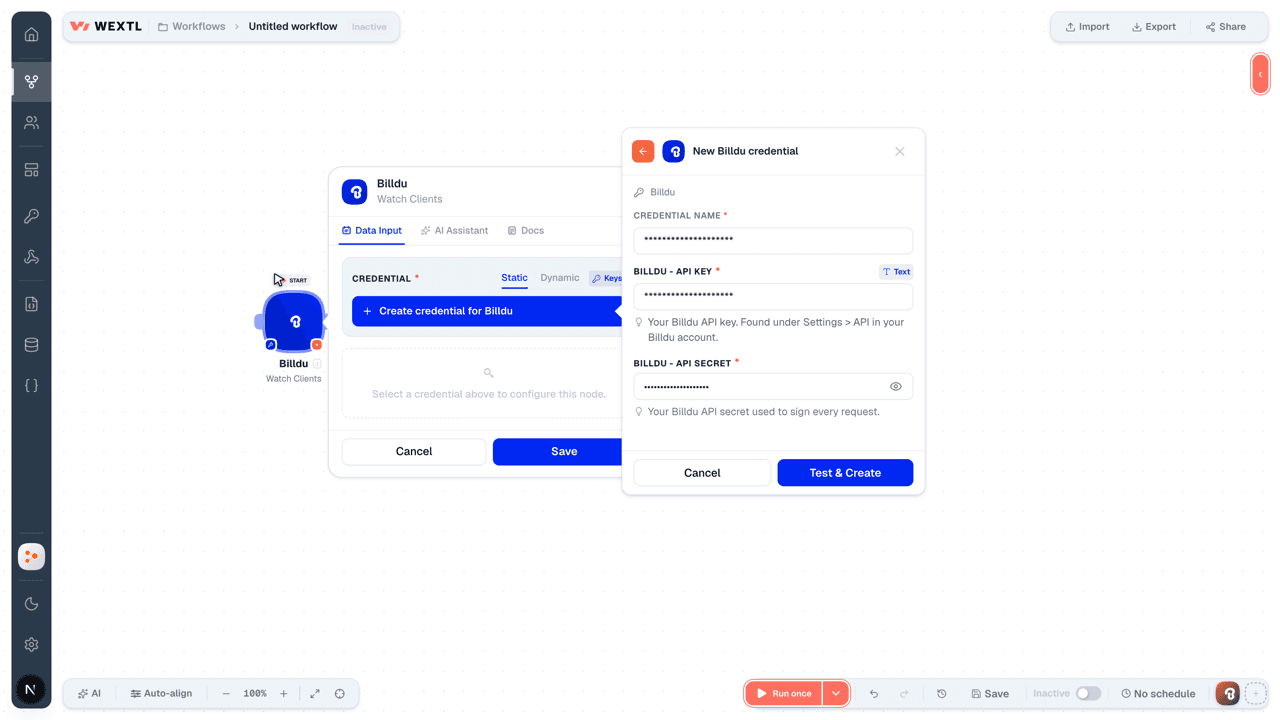
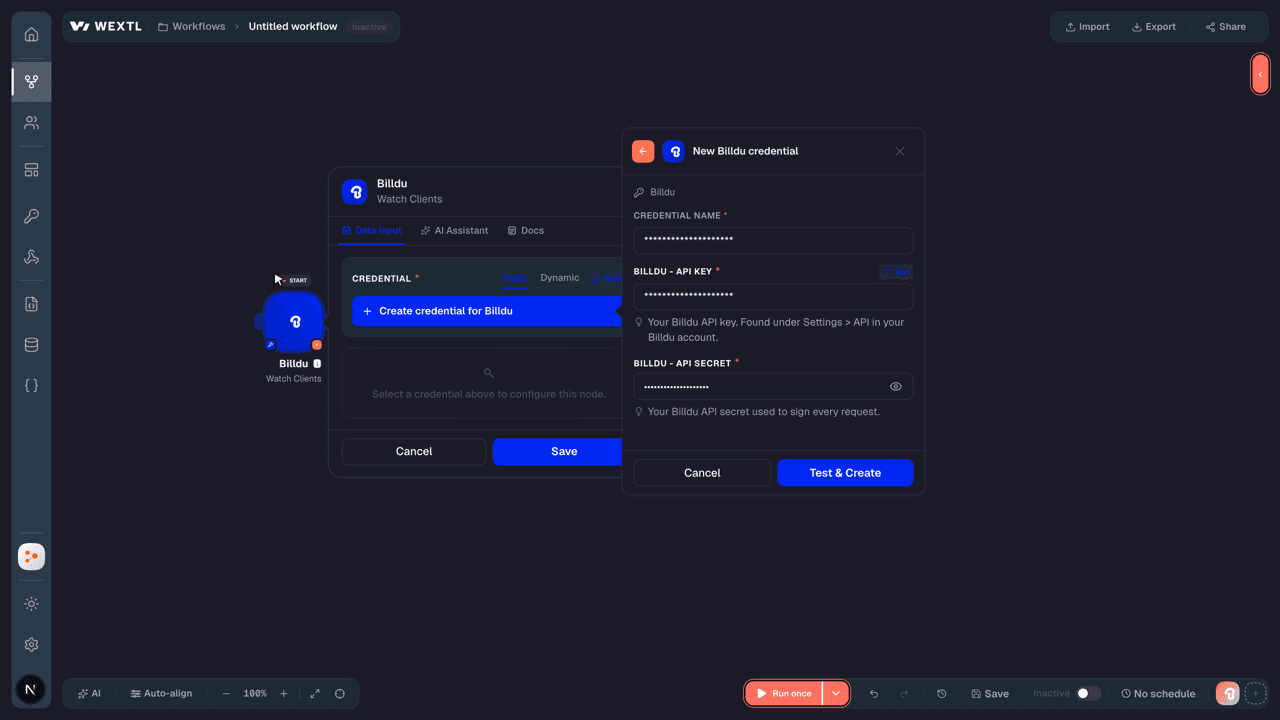
Billdu triggers and actions on WEXTL
The list below is a reference of every Billdu node module the integration supports. You will be able to pick any of them on the workflow canvas while building automations.
Browse every Billdu node module below — each one opens to show its input parameters, outputs, and connection requirements.
Watch Clients
Trigger
| Field | Type |
|---|---|
| ID | number |
| Country | text |
| Degree | text |
| Salutation | text |
| Company | text |
| Name | text |
| Surname | text |
| Fullname | text |
| Street | text |
| Zip | text |
| City | text |
| Created | date |
| Modified | date |
| Phone | text |
| Mobil | text |
| Fax | text |
| Web | url |
| Note | text |
| Com ID | text |
7other output fields
Watch Documents
Trigger
| Field | Type |
|---|---|
| ID | number |
| Custom ID | text |
| Currency | text |
| Vs | text |
| Cs | text |
| Ss | text |
| Status | text |
| Payment | text |
| Delivery type | text |
| Note | text |
| Order number | text |
| Delivery note | text |
| Discount | number |
| Sconto days | number |
| Created | date |
| Modified | date |
| Issue date | text |
| Delivery date | text |
| Execution date | text |
| Maturity date | number |
17other output fields
Watch Products
Trigger
| Field | Type |
|---|---|
| ID | number |
| Label | text |
| Description | text |
| Stock number | text |
| Price | number |
| Vat | number |
| Count | number |
| Unit | text |
| Created | date |
| Modified | date |
| links | object |
| Self | object |
Get a Client
Action
| Field | Type |
|---|---|
ClientRequired | choice |
| Field | Type |
|---|---|
| ID | number |
| Country | text |
| Degree | text |
| Salutation | text |
| Company | text |
| Name | text |
| Surname | text |
| Fullname | text |
| Street | text |
| Zip | text |
| City | text |
| Created | date |
| Modified | date |
| Phone | text |
| Mobil | text |
| Fax | text |
| Web | url |
| Note | text |
| Com ID | text |
7other output fields
Get a Document
Action
| Field | Type |
|---|---|
DocumentRequired | choice |
| Field | Type |
|---|---|
| ID | number |
| Custom ID | text |
| Currency | text |
| Vs | text |
| Cs | text |
| Ss | text |
| Status | text |
| Payment | text |
| Delivery type | text |
| Note | text |
| Order number | text |
| Delivery note | text |
| Discount | number |
| Sconto days | number |
| Created | date |
| Modified | date |
| Issue date | text |
| Delivery date | text |
| Execution date | text |
| Maturity date | number |
17other output fields
Get a Product
Action
| Field | Type |
|---|---|
ProductRequired | choice |
| Field | Type |
|---|---|
| ID | number |
| Label | text |
| Description | text |
| Stock number | text |
| Price | number |
| Vat | number |
| Count | number |
| Unit | text |
| Created | date |
| Modified | date |
| links | object |
| Self | object |
List Clients
Search
| Field | Type |
|---|---|
| Limit | number |
| Field | Type |
|---|---|
| ID | number |
| Country | text |
| Degree | text |
| Salutation | text |
| Company | text |
| Name | text |
| Surname | text |
| Fullname | text |
| Street | text |
| Zip | text |
| City | text |
| Created | date |
| Modified | date |
| Phone | text |
| Mobil | text |
| Fax | text |
| Web | url |
| Note | text |
| Com ID | text |
7other output fields
List Documents
Search
| Field | Type |
|---|---|
| Document Type | choice |
| Limit | number |
| Field | Type |
|---|---|
| ID | number |
| Custom ID | text |
| Currency | text |
| Vs | text |
| Cs | text |
| Ss | text |
| Status | text |
| Payment | text |
| Delivery type | text |
| Note | text |
| Order number | text |
| Delivery note | text |
| Discount | number |
| Sconto days | number |
| Created | date |
| Modified | date |
| Issue date | text |
| Delivery date | text |
| Execution date | text |
| Maturity date | number |
17other output fields
List Products
Search
| Field | Type |
|---|---|
| Limit | number |
| Field | Type |
|---|---|
| ID | number |
| Label | text |
| Description | text |
| Stock number | text |
| Price | number |
| Vat | number |
| Count | number |
| Unit | text |
| Created | date |
| Modified | date |
| links | object |
| Self | object |
Add a Payment
Action
| Field | Type |
|---|---|
DocumentRequired | choice |
PriceRequired | number |
| Currency | text |
| Payment Date | date |
| Variable Symbol | text |
Create a Client
Action
| Field | Type |
|---|---|
CompanyRequired | text |
| Full Name | text |
| Street | text |
| Street 2 | text |
| ZIP | text |
| City | text |
| Province / State | text |
| Country | text |
| Shipping Company | text |
| Shipping Name | text |
| Shipping Surname | text |
| Shipping Full Name | text |
| Shipping Street | text |
| Shipping Street 2 | text |
| Shipping ZIP | text |
| Shipping City | text |
| Shipping Province | text |
| Shipping Country | text |
| Phone | text |
| Mobile | text |
7other input fields
| Field | Type |
|---|---|
| ID | number |
| Degree | text |
| Salutation | text |
| Company | text |
| Name | text |
| Surname | text |
| Fullname | text |
| Street | text |
| Street 2 | text |
| Zip | text |
| City | text |
| Province | text |
| Country | text |
| Shipping company | text |
| Shipping name | text |
| Shipping surname | text |
| Shipping fullname | text |
| Shipping street | text |
| Shipping street 2 | text |
| Shipping zip | text |
20other output fields
Create a Document
Action
| Field | Type |
|---|---|
Document TypeRequired | choice |
ClientRequired | choice |
ItemsRequired | array |
| Issue Date | date |
| Delivery Date | date |
| Maturity (Days) | text |
| Payment Method | choice |
| Delivery Type (Orders) | choice |
| Currency | text |
| Discount | number |
| Discount Type | choice |
| Field | Type |
|---|---|
| ID | number |
| Custom ID | text |
| Currency | text |
| Vs | text |
| Cs | text |
| Ss | text |
| Status | text |
| Payment | text |
| Delivery type | text |
| Note | text |
| Order number | text |
| Delivery note | text |
| Discount | number |
| Discount type | text |
| Sconto days | number |
| Created | date |
| Modified | date |
| Issue date | text |
| Delivery date | text |
| Execution date | text |
18other output fields
Create a Product
Action
| Field | Type |
|---|---|
LabelRequired | text |
| Description | text |
| Stock Number | text |
PriceRequired | number |
| Tax (%) | number |
| Count | number |
| Unit | text |
| Field | Type |
|---|---|
| ID | number |
| Label | text |
| Stock number | text |
| Price | number |
| Vat | number |
| Count | number |
| Unit | text |
| Created | date |
| Modified | date |
| links | object |
| Self | object |
Delete a Client
Action
| Field | Type |
|---|---|
ClientRequired | choice |
Delete a Document
Action
| Field | Type |
|---|---|
DocumentRequired | choice |
Delete a Product
Action
| Field | Type |
|---|---|
ProductRequired | choice |
Download a Document
Action
| Field | Type |
|---|---|
DocumentRequired | choice |
| Field | Type |
|---|---|
| Data | text |
Make an API Call
universal
| Field | Type |
|---|---|
URLRequired | text |
MethodRequired | choice |
| Headers | array |
| Header | object |
| Query String | array |
| Parameter | object |
| Body | text |
| Field | Type |
|---|---|
| Body | text |
| Headers | object |
| Status code | number |
Send a Document
Action
| Field | Type |
|---|---|
DocumentRequired | choice |
SubjectRequired | text |
MessageRequired | text |
RecipientsRequired | array |
| Recipient Email |
Update a Document
Action
| Field | Type |
|---|---|
DocumentRequired | choice |
| Paid On | date |
| Payment Method | choice |
| Note | text |
| Header | text |
| Currency | text |
| Discount | number |
| Discount Type | choice |
| Locale | text |
| Document Color | text |
Templates
Look for Billdu templates in the WEXTL template library.
Browse templates →Other finance integrations on WEXTL
 Distru[2]Cannabis seed-to-sale ERP for inventory, distribution, and compliance operations.
 ElorusOnline invoicing and billing software for freelancers and small businesses.
 DooerAutomated bookkeeping and accounting for Swedish small businesses.
 Credit Repair CloudSoftware for credit repair businesses.
 BillogramDigital invoicing and billing platform that sends invoices and collects payments from customers.
References
- WEXTL® Billdu Source Code connector implementation.
- Our users use cases and automations.
- Official API Documentation for Billdu.
- WEXTL® visual workflow builder data.
Last updated: Jul 18, 2026 19:12
How we write our apps documentation
How we compile these docs — sources, AI's role, and how we verify.