


Requirements
Before you set up the credential, make sure you have an active Exely PMS account and an API access token from your account settings ready.[3]
Get your Exely PMS credentials
- API KeypasswordRequired
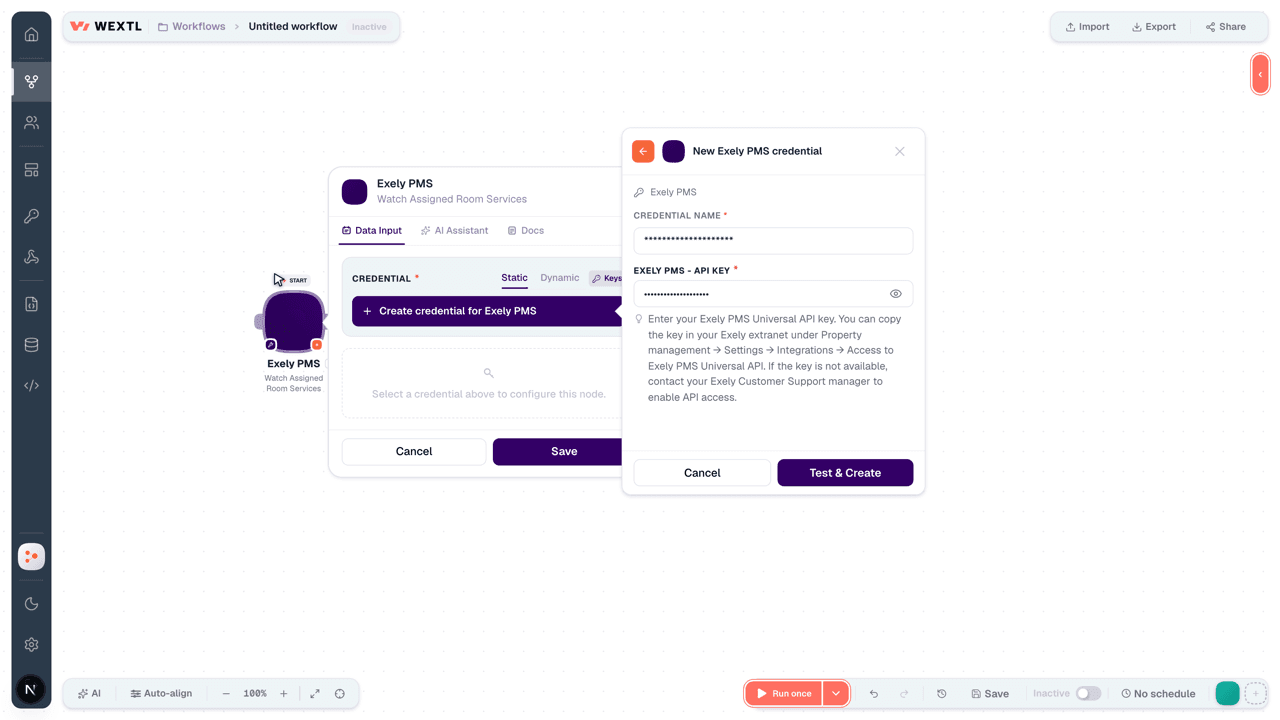
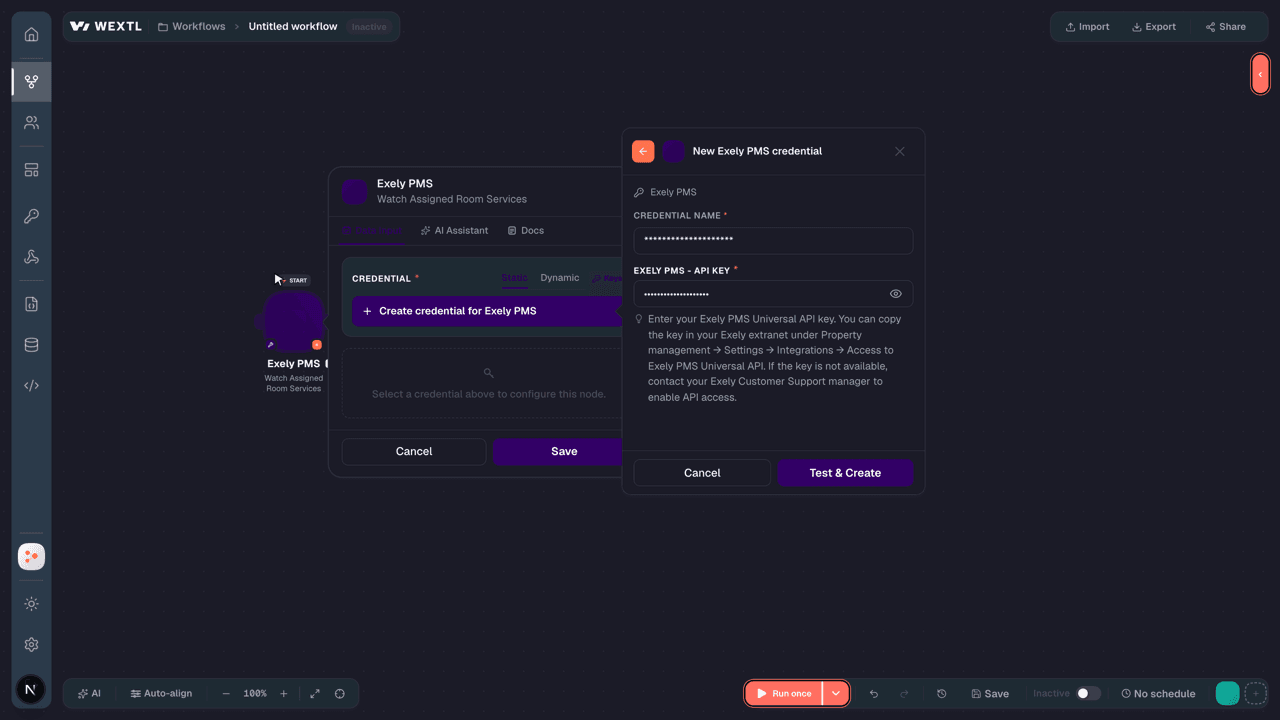
Enter your Universal API key. You can copy the key in your Exely extranet under Property management → Settings → Integrations → Access to Exely PMS Universal API. If the key is not available, contact your Exely Customer Support manager to enable API access.
[1]
Connect Exely PMS in WEXTL
- Log in to your WEXTL account, add the Exely PMS node module to your workflow, and click Create new credential.
- Optional: In the Credential name field, enter a name for the credential.
- Enter the authentication credentials you copied from your Exely PMS account, or follow the on-screen instructions to create the credential.
- If prompted, authenticate your account and confirm access.
- If you want to make changes to your credential in the future, follow the steps in Manage credentials →
Notes
Credentials are org-scoped; share them with teammates from the Credentials picker on any of its nodes.For detailed information on connecting an application, see Connect an application →
Exely PMS node modules
The list below is a reference of every Exely PMS node module the integration supports. You will be able to pick any of them on the workflow canvas while building automations.
Each Exely PMS node module below opens to reveal its input parameters, outputs, and connection requirements.
Watch Assigned Room ServicesTrigger
| Field | Type |
|---|---|
| ID | text |
| Room ID | text |
| Room service ID | text |
| Employee ID | text |
| Status | text |
| Comment | text |
| Date | date |
Watch BookingsTrigger
| Field | Type |
|---|---|
| Booking numbers | array |
Watch Room RepairsTrigger
| Field | Type |
|---|---|
| Room Repair ID | text |
| Room ID | text |
| Start date time | date |
| End date time | date |
| Name | text |
| Description | text |
Get a BookingAction
| Field | Type |
|---|---|
Booking NumberRequired | text |
| Language | text |
| Field | Type |
|---|---|
| Booking ID | text |
| Number | text |
| Customer language | text |
| Visit purpose | object |
| Key | text |
| Value | text |
| Customer comment | text |
| Last modified | text |
| Group name | text |
| Currency ID | text |
| Customer | object |
| ID | text |
| Last name | text |
| First name | text |
| Middle name | text |
| Birth date | text |
| Citizenship code | text |
| Status | object |
| Emails | array |
| Phones | array |
| Gender | text |
| Customer company | object |
| ID | text |
| Name | text |
| Type | text |
| Room stays | array |
| Source | object |
| Key | text |
| Value | text |
| Source channel name | text |
Get a GuestAction
Get Available Payment SystemsAction
Get Available Rooms for a BookingSearch
Get Guest Loyalty CardsAction
Get Guest Room StaysSearch
| Field | Type |
|---|---|
Guest IDRequired | choice |
| Limit | number |
| Field | Type |
|---|---|
| Guest ID | text |
| Booking ID | text |
| Room ID | text |
| Room type ID | text |
| Guests ids | array |
| Check in date time | text |
| Check out date time | text |
| Actual check in date time | text |
| Actual check out date time | text |
| Status | text |
| Booking status | text |
| Guest count info | object |
| Adults | number |
| Children | number |
| Deposit | object |
| Amount | number |
| Currency | text |
| Total price | object |
| Amount | number |
| To pay amount | number |
| To refund amount | number |
| Amenities | array |
List Assigned Room ServicesSearch
List Booking InvoicesSearch
List BookingsSearch
List CompaniesSearch
List EmployeesSearch
List GuestsSearch
List Room RepairsSearch
List Room ServicesSearch
List RoomsSearch
Add a Payment to a Room StayAction
| Field | Type |
|---|---|
Booking NumberRequired | text |
Room Stay IDRequired | text |
Payment DateRequired | date |
Payment System IDRequired | text |
AmountRequired | number |
CurrencyRequired | text |
| Comment | text |
Add Refund to Room StayAction
| Field | Type |
|---|---|
Booking NumberRequired | text |
Room Stay IDRequired | text |
Refund DateRequired | date |
Payment System IDRequired | text |
Refund AmountRequired | object |
AmountRequired | number |
CurrencyRequired | text |
| Comment | text |
Assign a Room to StayAction
| Field | Type |
|---|---|
Room Stay IDRequired | text |
Room IDRequired | choice |
Assign Rooms to Booking StaysAction
| Field | Type |
|---|---|
Booking NumberRequired | text |
Room AssignmentsRequired | array |
Room Stay IDRequired | text |
Room IDRequired | text |
Cancel a Service TransactionAction
| Field | Type |
|---|---|
Service Provider IDRequired | text |
Transaction IDRequired | text |
| Comment | text |
Create a Service Provider TransactionAction
| Field | Type |
|---|---|
Service Provider IDRequired | text |
Room Stay IDRequired | text |
Guest IDRequired | choice |
| Loyalty Bonus | number |
| Loyalty Card Number | text |
| Loyalty System ID | text |
Service DateRequired | date |
| Payment Date | date |
Payment MethodRequired | text |
| Receipt | object |
| Payment Method Attribute | text |
| Order ID | text |
ServicesRequired | array |
Service NameRequired | text |
PaymentRequired | object |
Service KindRequired | text |
| VAT Kind | text |
| VAT Amount | number |
| Field | Type |
|---|---|
| Transaction ID | text |
Make an API Calluniversal
Record a Payment for a Service TransactionAction
| Field | Type |
|---|---|
Service Provider IDRequired | text |
Transaction IDRequired | text |
PaymentRequired | object |
AmountRequired | number |
CurrencyRequired | text |
Set a Guest's Birth AddressAction
| Field | Type |
|---|---|
Guest IDRequired | choice |
Country IDRequired | text |
Set Actual Check-In TimeAction
| Field | Type |
|---|---|
Booking NumberRequired | text |
Room Stay IDRequired | text |
Actual Check-In TimeRequired | date |
Set Actual Check-Out TimeAction
| Field | Type |
|---|---|
Booking NumberRequired | text |
Room Stay IDRequired | text |
Actual Check-Out TimeRequired | date |
Set Guest Personal DocumentAction
| Field | Type |
|---|---|
Guest IDRequired | choice |
| Document Series | text |
Document NumberRequired | text |
| Issue Date | date |
| Expiration Date | date |
| Department Code | text |
| Issuing Authority | text |
Document TypeRequired | text |
Upload Guest Personal Document FilesAction
| Field | Type |
|---|---|
Guest IDRequired | choice |
Document FilesRequired | array |
File ContentRequired | file |
File NameRequired | text |
Templates
Look for Exely PMS templates in the WEXTL template library.
Browse templates →Explore alternative apps
- Amenitiz[2]All-in-one hotel management platform for bookings, channels, and guests.
- AviratoHotel property management and channel booking for rates, availability, and reservations.
- AppointeddOnline booking and appointment scheduling for retail and service businesses.
- AgendaProSalon and clinic booking, payments, and client management.
- AddEventCalendar event sharing and add-to-calendar links for websites and campaigns.


References
- WEXTL® Exely PMS Source Code connector implementation.
- Our users use cases and automations.
- Official API Documentation for Exely PMS.
- WEXTL® visual workflow builder data.
Last updated: Jul 24, 2026 18:11