GuestManager integration guide
VerifiedHow to connect GuestManager to WEXTL and use its 4 triggers and 42 actions in your workflows. About GuestManager: Guest and visitor management for venues and events.
- 4 triggers
- 12 searches
- 30 actions
- Polling
- Auth: API key
AI-assisted documentation14 min read
This documentation is compiled from our integration source code, internal specs for GuestManager, its official API documentation and anonymized requests logs we collect from our support team[2].


Requirements
Get your GuestManager credentials
- API KeypasswordRequired
Connect GuestManager in WEXTL
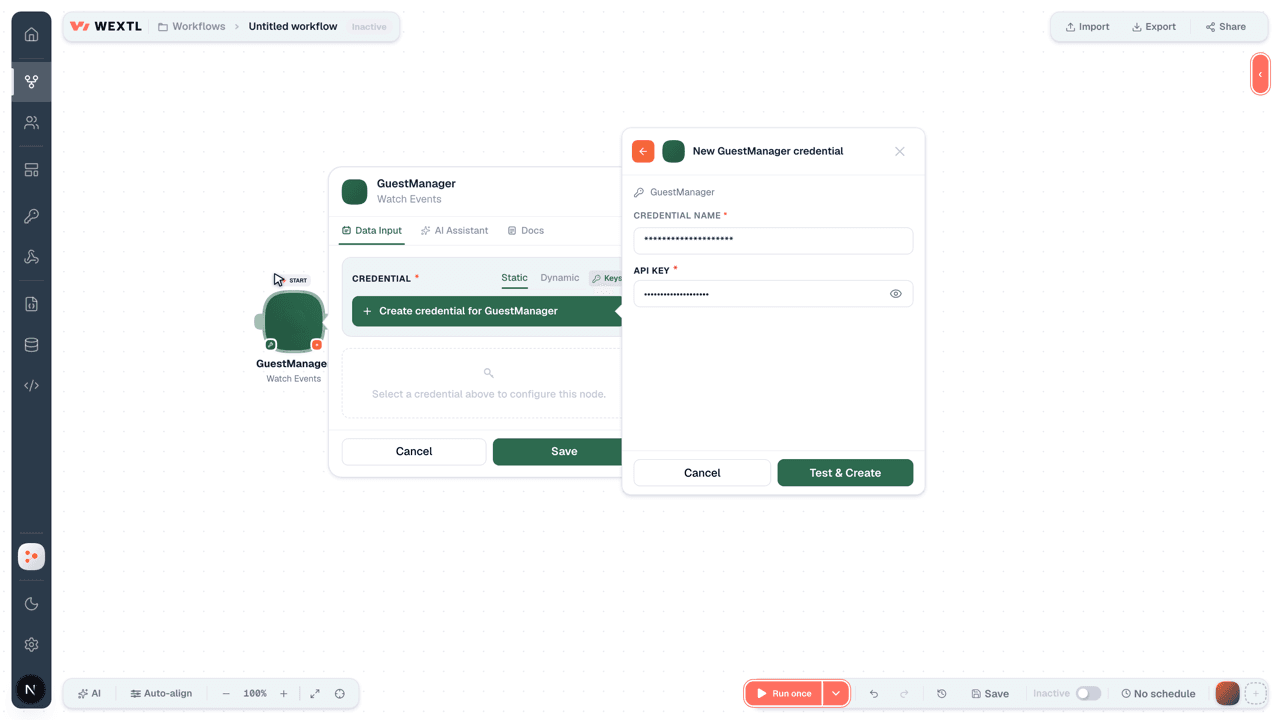
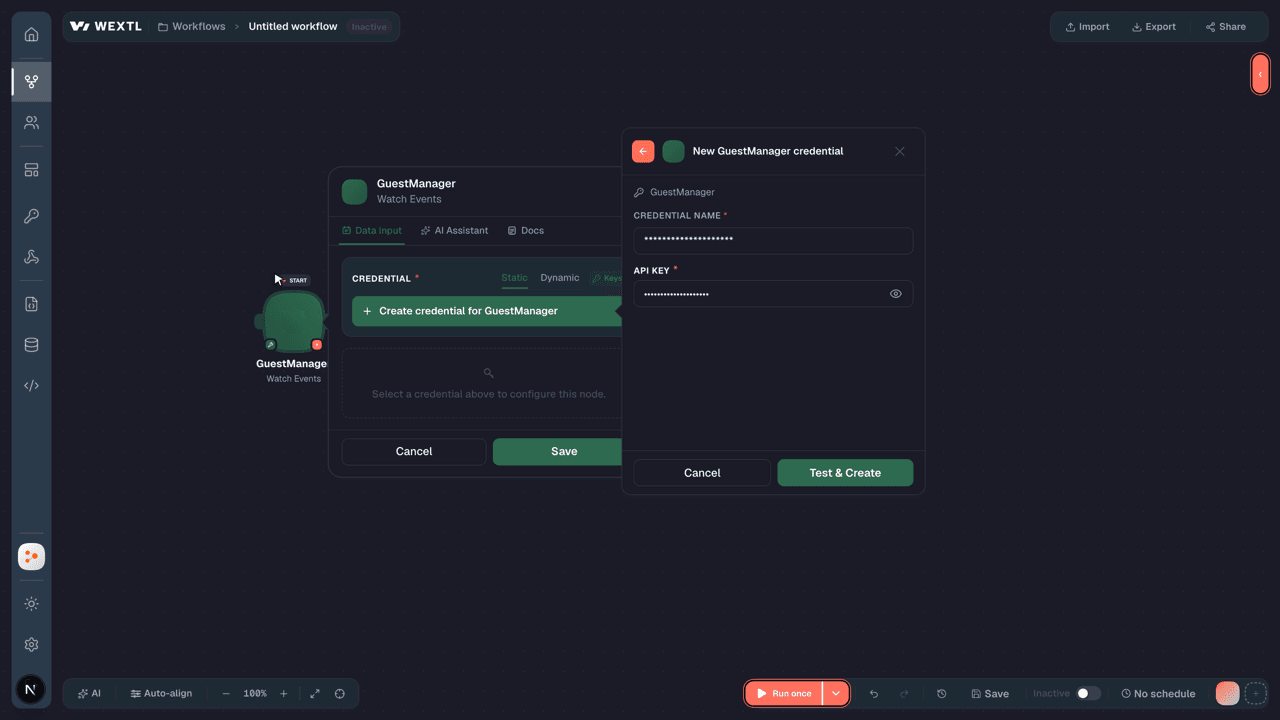
- Log in to your WEXTL account, add the GuestManager node module to your workflow, and click Create new credential.
- Optional: In the Credential name field, enter a name for the credential.
- Enter the authentication credentials you copied from your GuestManager account, or follow the on-screen instructions to create the credential.
- If prompted, authenticate your account and confirm access.
- If you want to make changes to your credential in the future, follow the steps in Manage credentials →
GuestManager triggers and actions on WEXTL
The list below is a reference of every GuestManager node module the integration supports. You will be able to pick any of them on the workflow canvas while building automations.
Expand any GuestManager node module below to see exactly what it takes in, what it returns, and what connection it needs.
Watch Events
TriggerRuns for every newly added event.
| Field | Type |
|---|---|
| ID | number |
| Name | text |
| Slug | text |
| Type | text |
| Status | text |
| Venue ID | number |
| Parent event ID | text |
| Calendar ID | text |
| Published at | date |
| Capacity | number |
| Deletable | boolean |
| Start | object |
| Tz | text |
| Local | date |
| Utc | date |
| End | object |
| Tz | text |
| Local | text |
| Utc | text |
| Registration types | array |
Watch Ticket Types
TriggerEmits each newly created ticket type.
| Field | Type |
|---|---|
| ID | text |
| Created At | date |
| Updated At | date |
| Archived At | date |
| Name | text |
| Display Name | text |
| PDF Template ID | text |
| Wallet Template ID | text |
| Attach PDF | boolean |
| Transferable | boolean |
| Include Name | boolean |
| Include Email | boolean |
| Require Name | boolean |
| Require Email | boolean |
| Include Photo | boolean |
| Require Photo | boolean |
| Enforce Barcode Pool | boolean |
| Attachment Name | text |
| Kind | text |
| Use Limit | boolean |
10other output fields
Watch Tickets
TriggerStarts a run when a ticket is newly added.
| Field | Type |
|---|---|
| ID | text |
| Kind | text |
| Created At | date |
| Updated At | date |
| Number | text |
| Status | text |
| Name | text |
| text | |
| Barcode ID | text |
| Barcode | text |
| Note | text |
| Event ID | text |
| Ticket Type ID | text |
| Event Ticket Type ID | text |
| List ID | text |
| Contact ID | text |
| Dispatched At | date |
| Downloaded At | date |
| Check-in At | date |
| Expires At | date |
2other output fields
Watch Venues
TriggerTriggers on newly added venues.
| Field | Type |
|---|---|
| ID | text |
| Name | text |
| Description | text |
| Slug | text |
| Created At | date |
| Updated At | date |
| Time Zone | text |
| Time zone info | object |
| Name | text |
| Identifier | text |
| Offset | number |
| Formatted Offset | text |
Get a Ticket
ActionA ticket with its attendee name and status.
| Field | Type |
|---|---|
Ticket IDRequired | choice |
| Include | text |
| Field | Type |
|---|---|
| ID | number |
| Kind | text |
| Created At | date |
| Updated At | date |
| Number | text |
| Status | text |
| Name | text |
| text | |
| Barcode ID | text |
| Barcode | text |
| Note | text |
| Event ID | text |
| Ticket Type ID | text |
| Event Ticket Type ID | text |
| List ID | text |
| Contact ID | text |
| Dispatched At | date |
| Downloaded At | date |
| Check-in At | date |
| Expires At | date |
2other output fields
Get a Ticket Field
ActionDefinition of one custom field on tickets.
| Field | Type |
|---|---|
| Ticket Field ID | choice |
| Field | Type |
|---|---|
| ID | text |
| Kind | text |
| Name | text |
| Position | number |
| Required | boolean |
| Printable | boolean |
Get a Ticket Type
ActionA ticket type with its templates and archive date.
| Field | Type |
|---|---|
Ticket Type IDRequired | choice |
| Field | Type |
|---|---|
| ID | text |
| Created At | date |
| Updated At | date |
| Archived At | date |
| Name | text |
| Display Name | text |
| PDF Template ID | text |
| Wallet Template ID | text |
| Attach PDF | boolean |
| Transferable | boolean |
| Include Name | boolean |
| Include Email | boolean |
| Require Name | boolean |
| Require Email | boolean |
| Include Photo | boolean |
| Require Photo | boolean |
| Enforce Barcode Pool | boolean |
| Attachment Name | text |
| Kind | text |
| Use Limit | boolean |
10other output fields
Get a Venue
ActionOne venue with its address and time zone.
| Field | Type |
|---|---|
Venue IDRequired | choice |
| Include | text |
| Field | Type |
|---|---|
| ID | text |
| Name | text |
| Description | text |
| Slug | text |
| Created At | date |
| Updated At | date |
| Time Zone | text |
| Time zone info | object |
| Name | text |
| Identifier | text |
| Offset | number |
| Formatted Offset | text |
Get an Event
ActionOne event with its status and venue.
| Field | Type |
|---|---|
Event IDRequired | choice |
| Include Relationships | choice |
| Field | Type |
|---|---|
| ID | number |
| Name | text |
| Slug | text |
| Type | text |
| Status | text |
| Venue ID | number |
| Parent Event ID | text |
| Calendar ID | text |
| Published At | date |
| Capacity | number |
| Deletable | boolean |
| Start | object |
| Timezone | text |
| Local | date |
| UTC | date |
| End | object |
| Timezone | text |
| Local | date |
| UTC | date |
| Registration Types | array |
Get an Operation
SearchStatus and progress of one event operation.
| Field | Type |
|---|---|
Event IDRequired | choice |
Operation IDRequired | number |
| Field | Type |
|---|---|
| ID | number |
| Action | text |
| Event ID | number |
| Status | text |
| Progress | object |
| Percent | number |
| Completed | number |
| Total | number |
| Error | object |
| Code | text |
| Message | text |
| Phase | text |
| Created At | date |
| Updated At | date |
| Phases | array |
List Event Lists
SearchLists belonging to one event, sortable by name.
| Field | Type |
|---|---|
Event IDRequired | choice |
| Sort Name | choice |
| Permanent List ID | number |
| Include Relationships | choice |
| Image Transformations | text |
List Events
SearchEvents with Name, Slug, Type and Status.
| Field | Type |
|---|---|
| sort[name] | choice |
| sort[starts_at] | choice |
| sort[ends_at] | choice |
| sort[venue_id] | choice |
| sort[parent_event_id] | choice |
| sort[published_at] | choice |
| sort[position] | choice |
| Fields | text |
| Include Relationships | choice |
| Search | text |
| Name Filter | text |
| Venue ID Filter | number |
| Parent Event ID Filter | number |
| Archived Events Filter | boolean |
| Permanence Filter | text |
| Start Date From | date |
| Start Date To | date |
| End Date From | date |
| End Date To | date |
| Status Filter | choice |
| Field | Type |
|---|---|
| ID | number |
| Name | text |
| Slug | text |
| Type | text |
| Status | text |
| Venue ID | number |
| Parent event ID | text |
| Calendar ID | text |
| Published at | date |
| Capacity | number |
| Deletable | boolean |
| Start | object |
| Tz | text |
| Local | date |
| Utc | date |
| End | object |
| Tz | text |
| Local | text |
| Utc | text |
| Registration types | array |
List Ticket Fields
SearchTicket fields, with Kind and Position for each.
| Field | Type |
|---|---|
| sort[id] | choice |
| sort[created_at] | choice |
| sort[updated_at] | choice |
| sort[name] | choice |
| Include | text |
| Limit | number |
| Field | Type |
|---|---|
| ID | text |
| Kind | text |
| Name | text |
| Position | number |
| Required | boolean |
| Printable | boolean |
List Ticket Types
SearchTicket types with templates and archive dates.
| Field | Type |
|---|---|
| sort[id] | choice |
| sort[created_at] | choice |
| sort[updated_at] | choice |
| sort[name] | choice |
| Include | text |
| Ticket Type IDs | text |
| Event IDs | text |
| Include Archived | boolean |
| Limit | number |
| Field | Type |
|---|---|
| ID | text |
| Created At | date |
| Updated At | date |
| Archived At | date |
| Name | text |
| Display Name | text |
| PDF Template ID | text |
| Wallet Template ID | text |
| Attach PDF | boolean |
| Transferable | boolean |
| Include Name | boolean |
| Include Email | boolean |
| Require Name | boolean |
| Require Email | boolean |
| Include Photo | boolean |
| Require Photo | boolean |
| Enforce Barcode Pool | boolean |
| Attachment Name | text |
| Kind | text |
| Use Limit | boolean |
10other output fields
List Tickets
SearchTickets with Number, Status, Name and Email.
| Field | Type |
|---|---|
| sort[id] | choice |
| sort[created_at] | choice |
| sort[updated_at] | choice |
| sort[checkin_at] | choice |
| sort[downloaded_at] | choice |
| sort[sent_at] | choice |
| Fields | text |
| Include | text |
| Ids Filter | text |
| Name Filter | text |
| Status Filter | choice |
| Event Ids | text |
| List Ids | text |
| Ticket Type Ids | text |
| Ticket Kind | text |
| Is Archived | boolean |
| Has Image | boolean |
| Performance Filter | choice |
| Limit | number |
| Field | Type |
|---|---|
| ID | text |
| Kind | text |
| Created At | date |
| Updated At | date |
| Number | text |
| Status | text |
| Name | text |
| text | |
| Barcode ID | text |
| Barcode | text |
| Note | text |
| Event ID | text |
| Ticket Type ID | text |
| Event Ticket Type ID | text |
| List ID | text |
| Contact ID | text |
| Dispatched At | date |
| Downloaded At | date |
| Check-in At | date |
| Expires At | date |
2other output fields
List Venues
SearchVenues with Name, Slug and Time Zone.
| Field | Type |
|---|---|
| sort[id] | choice |
| sort[created_at] | choice |
| sort[updated_at] | choice |
| sort[name] | choice |
| Include | text |
| Venue IDs | text |
| Include Archived | boolean |
| Limit | number |
| Field | Type |
|---|---|
| ID | text |
| Name | text |
| Description | text |
| Slug | text |
| Created At | date |
| Updated At | date |
| Time Zone | text |
| Time zone info | object |
| Name | text |
| Identifier | text |
| Offset | number |
| Formatted Offset | text |
Add an Existing Ticket Type
ActionLinks a ticket type to an event.
| Field | Type |
|---|---|
Event IDRequired | choice |
Ticket Type IDRequired | choice |
Check In a Ticket
ActionMarks one ticket as checked in.
| Field | Type |
|---|---|
| Ticket ID | choice |
| Use Barcode | boolean |
| Device ID | text |
| Station ID | text |
| Employee ID | text |
| Field | Type |
|---|---|
| Data | object |
| ID | text |
| Kind | text |
| Created At | date |
| Updated At | date |
| Number | text |
| Status | text |
| Name | text |
| text | |
| Barcode ID | text |
| Barcode | text |
| Meta | object |
| Scan | object |
| Shopify order ID | text |
| Message | text |
Check In Tickets in Bulk
ActionMass check-in for many tickets at once.
| Field | Type |
|---|---|
| Ticket IDs | array |
| Device ID | text |
| Field | Type |
|---|---|
| Data | array |
| ID | text |
| Kind | text |
| Created At | date |
| Updated At | date |
| Number | text |
| Status | text |
| Name | text |
| text | |
| Barcode ID | text |
| Barcode | text |
| Meta | array |
| Scan | object |
| Shopify order ID | text |
| Message | text |
Check Out a Ticket
ActionMarks one ticket as checked out of the event.
| Field | Type |
|---|---|
Ticket IDRequired | choice |
Create a Direct Upload
ActionStarts a file upload and returns its Signed ID.
| Field | Type |
|---|---|
| Blob | object |
FilenameRequired | text |
Byte SizeRequired | number |
ChecksumRequired | text |
Content TypeRequired | text |
| Field | Type |
|---|---|
| ID | number |
| Key | text |
| Filename | text |
| Content Type | text |
| Byte Size | number |
| Checksum | text |
| Created At | date |
| Metadata | object |
| Signed ID | text |
| Direct Upload | object |
| URL | text |
| Headers | object |
Create a Ticket
ActionNew ticket with attendee details and custom values.
| Field | Type |
|---|---|
| Ticket | object |
Event IDRequired | choice |
| Ticket Type ID | choice |
| Event Ticket Type ID | number |
| Name | text |
| Contact ID | number |
| Permanent List ID | number |
| Barcode ID | number |
| Barcode | text |
| Dispatch | boolean |
Create a Ticket Field
ActionA custom data field for tickets.
| Field | Type |
|---|---|
| Ticket Field | object |
NameRequired | text |
KindRequired | choice |
| Required | boolean |
| Printable | boolean |
| Position | number |
| Options | array |
Create a Ticket Type
ActionNew ticket type with templates and attendee requirements.
| Field | Type |
|---|---|
| Ticket Type | object |
NameRequired | text |
| Display Name | text |
| Register Label | text |
| Edit Label | text |
| PDF Template ID | number |
| Wallet Template ID | number |
| Attach PDF | boolean |
| Include Name | boolean |
| Require Name | boolean |
| Include Email | boolean |
Create a Venue
ActionAdds a venue with an address and time zone.
| Field | Type |
|---|---|
| Venue | object |
NameRequired | text |
Time ZoneRequired | text |
| Description | text |
| Address | object |
Create an Event
ActionA new event with schedule, venue and registration types.
| Field | Type |
|---|---|
| event | object |
| Event Type | choice |
NameRequired | text |
Venue IDRequired | choice |
Starts AtRequired | date |
Ends AtRequired | date |
| Published At | date |
| Capacity | number |
| Setting ID | number |
| Settings | object |
| Registration Types | array |
Create an Event List
ActionList with a name and image for one event.
| Field | Type |
|---|---|
Event IDRequired | choice |
| List | object |
NameRequired | text |
| Description | text |
| Image | text |
Create an S3 Upload
ActionSends file bytes to storage with signed headers.
| Field | Type |
|---|---|
Direct Upload URLRequired | url |
FileRequired | text |
Content TypeRequired | text |
Content MD5Required | text |
Content DispositionRequired | text |
Create and Add a Ticket Type
ActionBuilds one new ticket type for the event.
| Field | Type |
|---|---|
Event IDRequired | choice |
| Ticket Type | object |
NameRequired | text |
| Display Name | text |
| PDF Template ID | number |
| Wallet Template ID | number |
| Attach PDF | boolean |
| Transferable | boolean |
| Include Name | boolean |
| Require Name | boolean |
| Include Email | boolean |
| Require Email | boolean |
Delete a Ticket
ActionRemoves a ticket entry from the ticket records.
| Field | Type |
|---|---|
Ticket IDRequired | choice |
Delete a Ticket Field
ActionDeletes one data field defined for tickets.
| Field | Type |
|---|---|
Ticket Field IDRequired | choice |
Delete a Ticket Type
ActionDeletes one ticket type from Guest Manager.
| Field | Type |
|---|---|
Ticket Type IDRequired | choice |
Make an API Call
universalCustom GuestManager REST API request.
| Field | Type |
|---|---|
URLRequired | text |
MethodRequired | choice |
| Headers | array |
| Header | object |
| Query String | array |
| Parameter | object |
| Body | text |
| Field | Type |
|---|---|
| Body | text |
| Headers | object |
| Status code | number |
Refund an Event
ActionRefunds an event with optional ticket voiding and customer notice.
| Field | Type |
|---|---|
Event IDRequired | choice |
| Refund | object |
Refund MethodRequired | choice |
| Date IDs | array |
| Void Tickets | boolean |
| Refund Checked In Tickets | boolean |
| Notify Customer | boolean |
| Send Email | boolean |
| Email Template | object |
| Expiration Date | date |
| Internal Note | text |
Resend a Ticket Email
ActionAnother delivery of the ticket email.
| Field | Type |
|---|---|
Ticket IDRequired | choice |
Send a Bulk Email
ActionOne template email sent to many tickets.
| Field | Type |
|---|---|
| Ticket IDs | array |
Email Template IDRequired | number |
| Subject | text |
| Body | text |
| Email Override |
Set a Ticket Photo
ActionAttaches an attendee photo to one ticket.
| Field | Type |
|---|---|
Ticket IDRequired | choice |
| Image (Base64) | text |
| Ticket | object |
| Photo | text |
Undo a Check-In
ActionPuts a checked-in ticket back to unchecked.
| Field | Type |
|---|---|
| Ticket ID | choice |
Update a Ticket
ActionCorrects attendee details on a ticket.
| Field | Type |
|---|---|
Ticket IDRequired | choice |
| Ticket | object |
| Event ID | choice |
| Ticket Type ID | choice |
| Event Ticket Type ID | number |
| Name | text |
| Contact ID | number |
| List ID | number |
| Permanent List ID | number |
| Barcode ID | number |
| Barcode | text |
Update a Ticket Field
ActionReshapes a custom data field for tickets.
| Field | Type |
|---|---|
| Ticket Field ID | choice |
| Ticket Field | object |
NameRequired | text |
KindRequired | choice |
| Required | boolean |
| Printable | boolean |
| Position | number |
| Options | array |
Update a Ticket Type
ActionAdjusts labels, templates and requirements of a ticket type.
| Field | Type |
|---|---|
| Ticket Type ID | choice |
| Ticket Type | object |
| Name | text |
| Display Name | text |
| Register Label | text |
| Edit Label | text |
| PDF Template ID | number |
| Wallet Template ID | number |
| Attach PDF | boolean |
| Include Name | boolean |
| Require Name | boolean |
| Include Email | boolean |
Update a Venue
ActionChanges address and time zone of a venue.
| Field | Type |
|---|---|
| Venue ID | choice |
| Venue | object |
NameRequired | text |
Time ZoneRequired | text |
| Description | text |
| Address | object |
Update an Event
ActionChanges schedule, capacity and settings of an event.
| Field | Type |
|---|---|
Event IDRequired | choice |
| event | object |
| Event Type | choice |
| Name | text |
| Venue ID | number |
| Starts At | date |
| Ends At | date |
| Published At | date |
| Capacity | number |
| Setting ID | number |
| Settings | object |
| Registration Types | array |
Update an Event List
ActionRenames or re-describes an event list.
| Field | Type |
|---|---|
Event IDRequired | choice |
| List | object |
NameRequired | text |
| Description | text |
| Image | text |
Update Event Settings
ActionTemplate and email configuration for one event.
| Field | Type |
|---|---|
Event IDRequired | choice |
| Setting | object |
| PDF Template ID | number |
| Wallet Template ID | number |
| Ticket Email Template ID | number |
| Tally Template ID | number |
Void a Ticket
ActionChanges a ticket over to a void status.
| Field | Type |
|---|---|
Ticket IDRequired | choice |
Templates
Look for GuestManager templates in the WEXTL template library.
Browse templates →Other scheduling integrations on WEXTL
 AgendaPro[2]Salon and clinic booking, payments, and client management.
 AviratoHotel property management and channel booking for rates, availability, and reservations.
 AmeliaWordPress booking and appointment scheduling for services and events.
 BookingLayerOnline booking platform for adventure and activity operators to manage reservations and guests.
 AmenitizAll-in-one hotel management platform for bookings, channels, and guests.
References
- WEXTL® GuestManager Source Code connector implementation.
- Our users use cases and automations.
- Official API Documentation for GuestManager.
- WEXTL® visual workflow builder data.
Last updated: Aug 2, 2026 19:21
How we write our apps documentation
How we compile these docs: sources, the role of AI, and how we verify.