


Requirements
Microsoft Power BI requires an active account and OAuth client credentials, granted by signing in with your account to connect — both are set up on its own site.[3]
Get your Microsoft Power BI credentials
Microsoft Power BI - Secondary
You’ll be redirected to sign in and approve access — your password is never shared with WEXTL.
- Microsoft - TenantselectRequired
Go to
[1]https://entra.microsoft.comand copy your tennat ID or select any of the following` - Microsoft - Client IDtextRequired
Go to the Microsoft Entra admin center → Entra ID → App registrations and select New registration. → enter a description and expiration → Add, then immediately copy your Client ID
[1] - Microsoft - Client SecretpasswordRequired
Copy you client Secret from the previously created app
[1]
Microsoft Power BI - Primary
You’ll be redirected to sign in and approve access — your password is never shared with WEXTL.
- Microsoft - TenanttextRequired
Your Microsoft Entra tenant ID (GUID) or tenant domain (for example contoso.onmicrosoft.com). Find it at https://entra.microsoft.com under Overview. The app-only flow does not accept common, organizations or consumers.
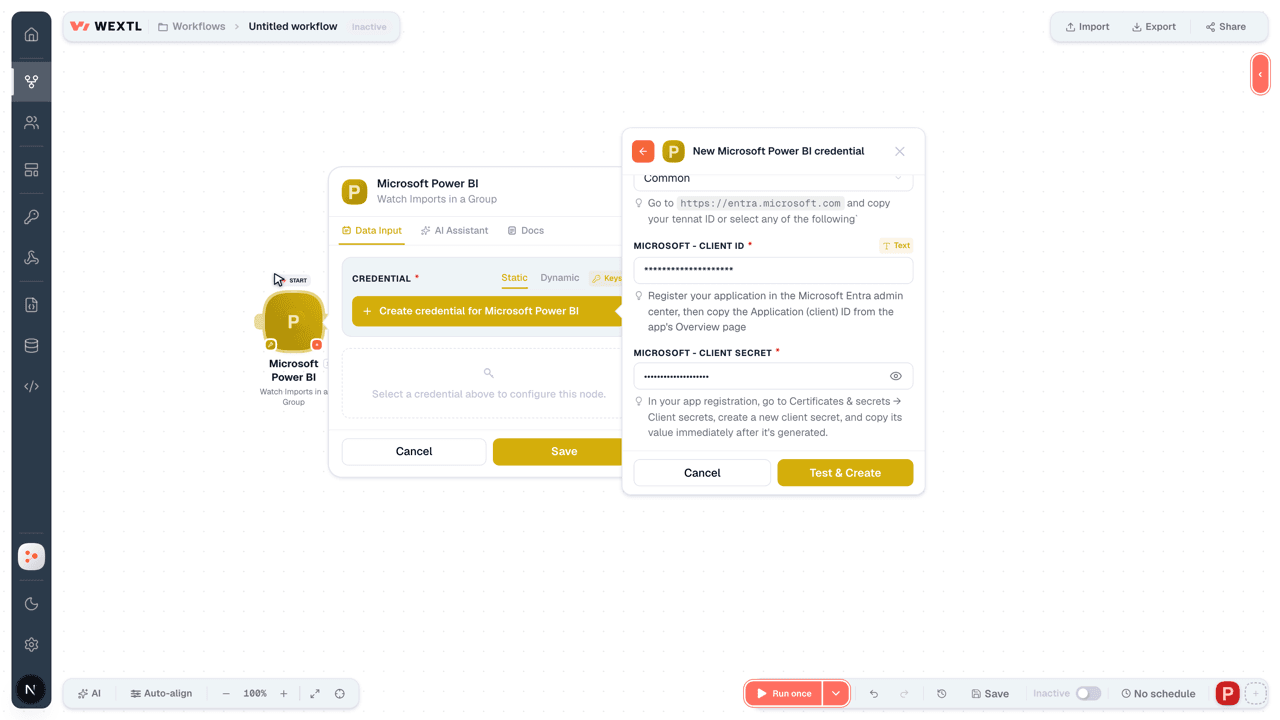
[1] - Microsoft - Client IDtextRequired
Register your application in the Microsoft Entra admin center, then copy the Application (client) ID from the app's Overview page
[1] - Microsoft - Client SecretpasswordRequired
In your app registration, go to Certificates & secrets → Client secrets, create a new client secret, and copy its value immediately after it's generated.
[1]
Connect Microsoft Power BI in WEXTL
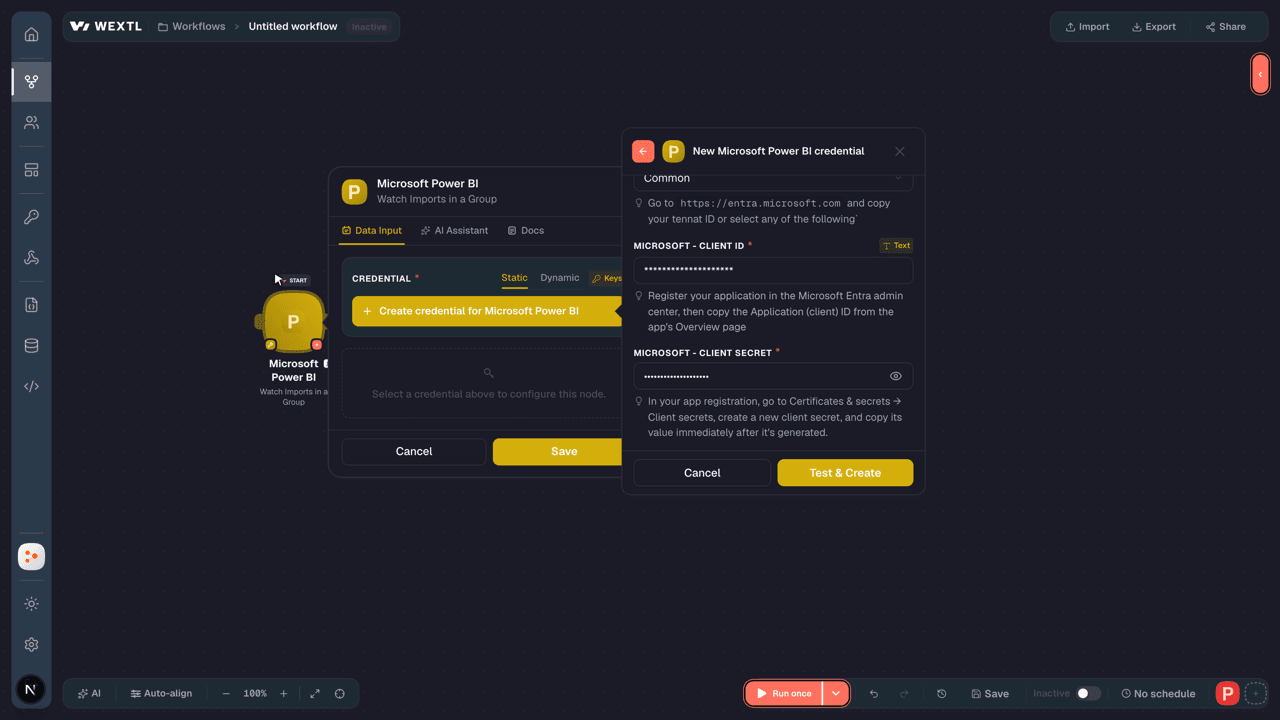
- Log in to your WEXTL account, add the Microsoft Power BI node module to your workflow, and click Create new credential.
- Optional: In the Credential name field, enter a name for the credential.
- Enter the authentication credentials you copied from your Microsoft Power BI account, or follow the on-screen instructions to create the credential.
- If prompted, authenticate your account and confirm access.
- If you want to make changes to your credential in the future, follow the steps in Manage credentials →
Notes
Credentials are org-scoped; share them with teammates from the Credentials picker on any of its nodes.For detailed information on connecting an application, see Connect an application →
Microsoft Power BI node modules
The list below is a reference of every Microsoft Power BI node module the integration supports. You will be able to pick any of them on the workflow canvas while building automations.
Browse every Microsoft Power BI node module below — each one opens to show its input parameters, outputs, and connection requirements.
Watch ImportsTrigger
| Field | Type |
|---|---|
| ID | text |
| Import state | text |
| Created date time | date |
| Updated date time | date |
| Name | text |
| Connection type | text |
| Source | text |
| Datasets | array |
| Reports | array |
Watch Imports in a GroupTrigger
| Field | Type |
|---|---|
| ID | text |
| Import state | text |
| Created date time | date |
| Updated date time | date |
| Name | text |
| Connection type | text |
| Source | text |
| Datasets | array |
| Reports | array |
Deploy All PipelinesSearch
| Field | Type |
|---|---|
Pipeline IDRequired | choice |
Source Stage OrderRequired | choice |
| New Workspace | object |
| Capacity ID | choice |
| Workspace Name | text |
| Deployment Options | object |
| Allow Create Artifact | boolean |
| Allow Overwrite Artifact | boolean |
| Allow Overwrite Target Artifact Label | boolean |
| Allow Purge Data | boolean |
| Allow Skip Tiles With Missing Prerequisites | boolean |
| Allow Take Over | boolean |
| Update App Settings | object |
| Update App in Target Workspace | boolean |
| Is Backward Deployment | boolean |
| Note | text |
| Limit | number |
Get a Dataset Query Scale Out Sync StatusAction
Get a Dataset Query Scale Out Sync Status in GroupAction
Get a Dataset Refresh Execution DetailsAction
Get a Dataset Refresh Execution Details in GroupAction
Get Direct Query Refresh ScheduleAction
Get Direct Query Refresh Schedule in GroupAction
Get Pipeline Stage ArtifactsAction
List AppsSearch
List CapacitiesSearch
List Capacity RefreshablesSearch
List DashboardsSearch
List Dataflow SourcesSearch
List Dataflow Storage AccountsSearch
List Dataflow TransactionsSearch
List DataflowsSearch
List Dataset GatewaysSearch
List Dataset Gateways in a GroupSearch
List Dataset ParametersSearch
List Dataset Parameters in a GroupSearch
List Dataset Refresh HistorySearch
List Dataset Refresh HistorySearch
List Dataset TablesSearch
List Dataset Tables in a GroupSearch
List Dataset UsersSearch
List Dataset Users in a GroupSearch
List DatasetsSearch
List Datasets in a GroupSearch
List Gateway DatasourcesSearch
List Gateway Datasources in GroupSearch
List Group UsersSearch
List GroupsSearch
List ImportsSearch
List Imports in GroupSearch
List PipelinesSearch
List ProfilesSearch
List RefreshablesSearch
List ReportsSearch
List TilesSearch
List WorkloadsSearch
List Workspace DashboardsSearch
List Workspace Dashboards in GroupsSearch
List Workspace TilesSearch
List Workspace Tiles in GroupSearch
Retrieve a DashboardAction
Retrieve a DatasetAction
Retrieve a Dataset in a GroupAction
Retrieve a GroupAction
Retrieve a PipelineAction
Retrieve a ProfileAction
Retrieve a ReportAction
Retrieve a TileAction
Retrieve a WorkloadAction
Retrieve a Worksapce TileAction
Retrieve a Workspace DashboardAction
Retrieve a Workspace Dashboard in GroupAction
Retrieve a Workspace Tile in GroupAction
Retrieve an AppAction
Retrieve an ImportAction
Retrieve an Import in a GroupAction
Retrieve Refreshable for CapacityAction
Selective DeploysSearch
| Field | Type |
|---|---|
Pipeline IDRequired | choice |
Source Stage OrderRequired | choice |
Source Stage OrderRequired | number |
| Dataflows | array |
| Datamarts | array |
| Datasets | array |
| Reports | array |
| Dashboards | array |
| Options | object |
Allow Overwrite ArtifactRequired | boolean |
Allow Create ArtifactRequired | boolean |
| Note | text |
Add a Dataset Row in GroupAction
Add a Dataset RowsAction
Add Group UserAction
Assign a Pipeline WorkspaceAction
| Field | Type |
|---|---|
Pipeline IDRequired | choice |
Workspace IDRequired | choice |
Stage OrderRequired | choice |
Assign Workspace CapacityAction
| Field | Type |
|---|---|
Capacity IDRequired | choice |
Assign Workspace to Data Flow StorageAction
| Field | Type |
|---|---|
Group IDRequired | choice |
Dataflow Storage IDRequired | choice |
Bind a Dataset to a Gateway in a GroupAction
| Field | Type |
|---|---|
Dataset IDRequired | choice |
Workspace IDRequired | choice |
Gateway Object IDRequired | choice |
| Datasource Object IDs | choice |
Bind a Dataset to GatewayAction
| Field | Type |
|---|---|
Dataset IDRequired | choice |
Gateway Object IDRequired | choice |
| Datasource Object IDs | choice |
Cancel a Dataflow TransactionAction
Cancel a Dataset RefreshAction
| Field | Type |
|---|---|
Dataset IDRequired | choice |
Cancel a Dataset Refresh in a GroupAction
| Field | Type |
|---|---|
Workspace IDRequired | choice |
Clone a TileAction
Clone a Tile in GroupAction
Create a DashboardAction
Create a Dashboard in GroupAction
Create a GroupAction
Create a PipelineAction
Create a ProfileAction
Delete a DataflowAction
| Field | Type |
|---|---|
Workspace IDRequired | choice |
Delete a DatasetAction
| Field | Type |
|---|---|
Dataset IDRequired | choice |
Delete a Dataset in a GroupAction
| Field | Type |
|---|---|
Workspace IDRequired | choice |
Delete a Dataset RowsAction
| Field | Type |
|---|---|
Dataset IDRequired | choice |
Delete a Dataset Rows in a GroupAction
| Field | Type |
|---|---|
Dataset IDRequired | choice |
Delete a GroupAction
| Field | Type |
|---|---|
Workspace IDRequired | choice |
Delete a PipelineAction
| Field | Type |
|---|---|
Pipeline IDRequired | choice |
Delete a ProfileAction
| Field | Type |
|---|---|
IDRequired | choice |
Delete a Workspace DashboardAction
| Field | Type |
|---|---|
Dashboard IDRequired | choice |
Delete a Workspace Dashboard in GroupAction
| Field | Type |
|---|---|
Workspace IDRequired | choice |
Dashboard IDRequired | choice |
Delete Group UserAction
| Field | Type |
|---|---|
Workspace IDRequired | choice |
UserRequired | |
| Profile ID | text |
Execute Dax QueriesAction
| Field | Type |
|---|---|
Dataset IDRequired | choice |
QueryRequired | text |
| Application Context | array |
| Culture | text |
| Custom Data | text |
| Effective Username | text |
| Memory Limit | number |
| Query Timeout | number |
| Result Set Row Count Limit | number |
| Roles | array |
| Role | text |
Execute Dax Queries in a GroupAction
| Field | Type |
|---|---|
Workspace IDRequired | choice |
QueryRequired | text |
| Application Context | array |
| Culture | text |
| Custom Data | text |
| Effective Username | text |
| Memory Limit | number |
| Query Timeout | number |
| Result Set Row Count Limit | number |
| Roles | array |
| Role | text |
Execute QueriesAction
Execute Queries in a GroupAction
Export a DataflowAction
Make an API Calluniversal
Post ImportAction
| Field | Type |
|---|---|
Dataset Display NameRequired | text |
Connection TypeRequired | choice |
File PathRequired | text |
| File URL | url |
| Name Conflict | choice |
| Override Model Label | boolean |
| Override Report Label | boolean |
| Skip Report | boolean |
| Subfolder Object ID | text |
| Field | Type |
|---|---|
| ID | text |
| Import state | text |
| Created date time | date |
| Updated date time | date |
| Name | text |
| Connection type | text |
| Source | text |
| Datasets | array |
| Reports | array |
Post Import in GroupAction
| Field | Type |
|---|---|
Workspace IDRequired | choice |
Dataset Display NameRequired | text |
Connection TypeRequired | choice |
File PathRequired | text |
| File URL | url |
| Name Conflict | choice |
| Override Model Label | boolean |
| Override Report Label | boolean |
| Skip Report | boolean |
| Subfolder Object ID | text |
| Field | Type |
|---|---|
| ID | text |
| Import state | text |
| Created date time | date |
| Updated date time | date |
| Name | text |
| Connection type | text |
| Source | text |
| Datasets | array |
| Reports | array |
Refresh a DataflowAction
Save Dataflow Gen One as Dataflow Gen TwoAction
Unassign a Pipeline WorkspaceAction
| Field | Type |
|---|---|
Pipeline IDRequired | choice |
Stage OrderRequired | choice |
Update a DataflowAction
| Field | Type |
|---|---|
Workspace IDRequired | choice |
Compute Engine BehaviorRequired | choice |
Allow Native QueriesRequired | boolean |
| Description | text |
NameRequired | text |
| Field | Type |
|---|---|
| ID | text |
| Name | text |
| Kind | text |
| Start time | date |
| End time | date |
| Refresh count | number |
| Refresh failures | number |
| Average duration | number |
| Median duration | number |
| Refreshes per day | number |
Update a DatasetAction
| Field | Type |
|---|---|
Dataset IDRequired | choice |
Target Storage ModeRequired | text |
| Dataset Query Scale Out Settings | object |
Auto Sync Read-Only ReplicasRequired | boolean |
Max Read-Only ReplicasRequired | number |
Update a Dataset DatasourcesAction
| Field | Type |
|---|---|
Dataset IDRequired | choice |
| Update Details | array |
Update a Dataset Datasources in GroupAction
| Field | Type |
|---|---|
Workspace IDRequired | choice |
| Update Details | array |
Update a Dataset in a GroupAction
| Field | Type |
|---|---|
Workspace IDRequired | choice |
Target Storage ModeRequired | text |
| Dataset Query Scale Out Settings | object |
Auto Sync Read-Only ReplicasRequired | boolean |
Max Read-Only ReplicasRequired | number |
Update a Dataset ParametersAction
| Field | Type |
|---|---|
Dataset IDRequired | choice |
| Update Details | array |
Update a Dataset Parameters in GroupAction
| Field | Type |
|---|---|
Workspace IDRequired | choice |
| Update Details | array |
Update a GroupAction
Update a PipelineAction
Update a ProfileAction
Update a TableAction
Update a Table in a GroupAction
Update Group UserAction
Update Refresh ScheduleAction
| Field | Type |
|---|---|
Workspace IDRequired | choice |
| Days | array |
| Day | choice |
| Times | array |
| Time | time |
| Enabled | boolean |
| Local Time Zone ID | time |
| Notify Option | choice |
| Field | Type |
|---|---|
| ID | text |
| Name | text |
| Kind | text |
| Start time | date |
| End time | date |
| Refresh count | number |
| Refresh failures | number |
| Average duration | number |
| Median duration | number |
| Refreshes per day | number |
Templates
Look for Microsoft Power BI templates in the WEXTL template library.
Browse templates →Explore alternative apps
- Microsoft Reports[2]Microsoft Graph reports for directory and usage analytics.
- MonitaskEmployee productivity monitoring and time-tracking platform for remote and office teams.
- Ignition ReportingReporting on Ignition engagements, invoices, and payments.
- MixpanelQuery analytics, manage profiles, and administer Mixpanel pipelines and feature flags.
- GrafanaQuery, manage, and automate Grafana dashboards, alerts, folders, data sources, and provisioning.


References
- WEXTL® Microsoft Power BI Source Code connector implementation.
- Our users use cases and automations.
- Official API Documentation for Microsoft Power BI.
- WEXTL® visual workflow builder data.
Last updated: Jul 24, 2026 18:12