


Requirements
Connecting Microsoft Reports takes an active account plus OAuth client credentials, granted by signing in with your account — no other setup is required.[3]
Get your Microsoft Reports credentials
Microsoft Reports - Secondary
You’ll be redirected to sign in and approve access — your password is never shared with WEXTL.
- Microsoft - TenantselectRequired
Go to
[1]https://entra.microsoft.comand copy your tennat ID or select any of the following` - Microsoft - Client IDtextRequired
Go to the Microsoft Entra admin center → Entra ID → App registrations and select New registration. → enter a description and expiration → Add, then immediately copy your Client ID
[1] - Microsoft - Client SecretpasswordRequired
Copy you client Secret from the previously created app
[1]
Microsoft Reports - Primary
You’ll be redirected to sign in and approve access — your password is never shared with WEXTL.
- Microsoft - TenanttextRequired
Directory (tenant) ID or verified domain, e.g. contoso.onmicrosoft.com. common/organizations/consumers are not valid for app-only.
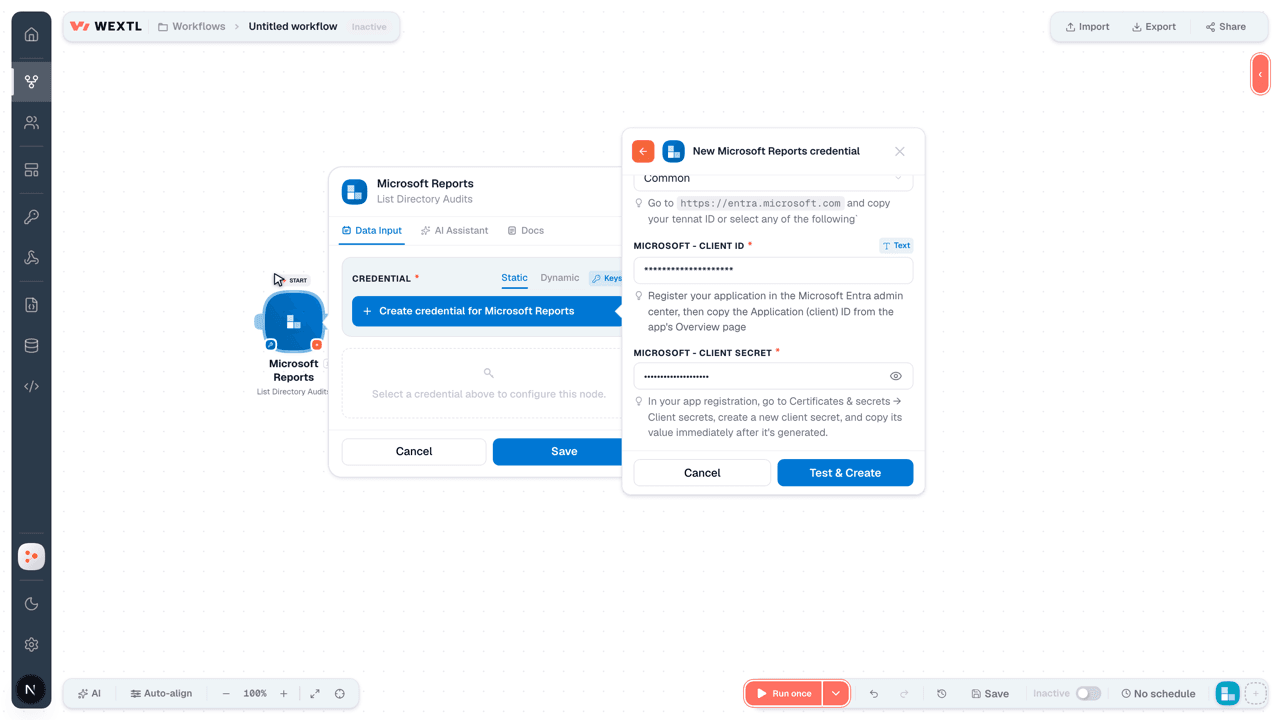
[1] - Microsoft - Client IDtextRequired
Register your application in the Microsoft Entra admin center, then copy the Application (client) ID from the app's Overview page
[1] - Microsoft - Client SecretpasswordRequired
In your app registration, go to Certificates & secrets → Client secrets, create a new client secret, and copy its value immediately after it's generated.
[1]
Connect Microsoft Reports in WEXTL
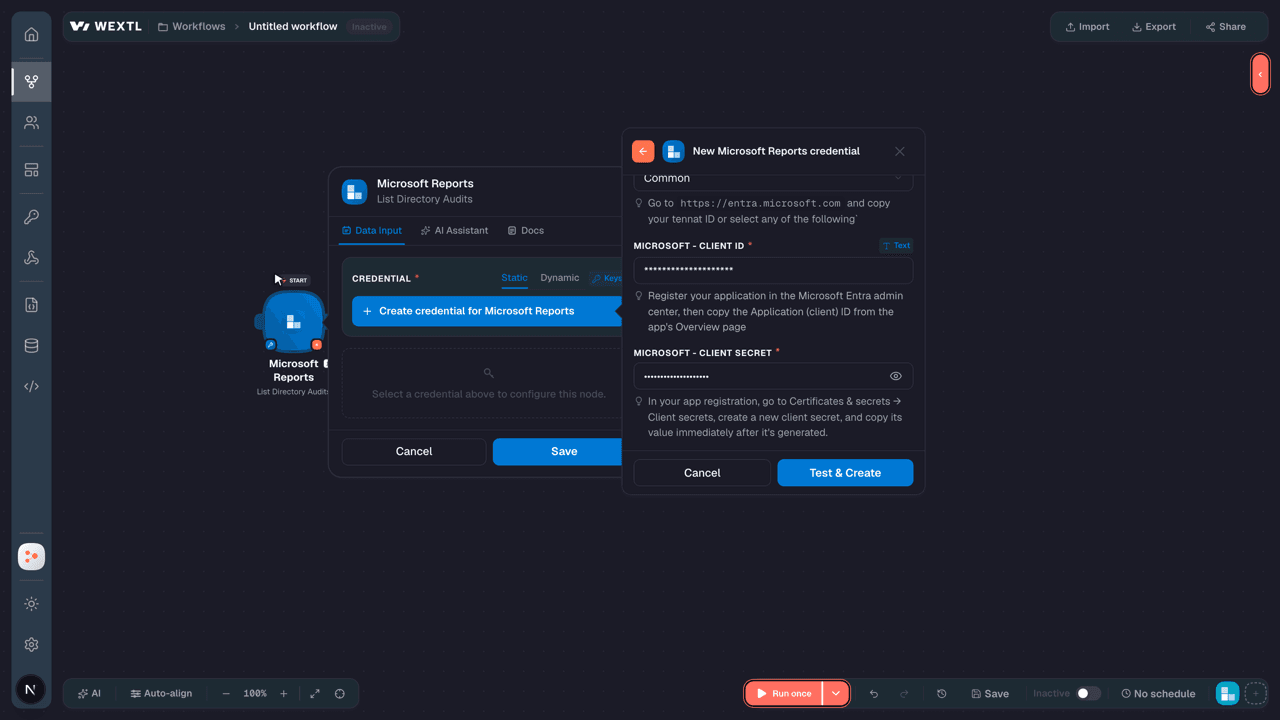
- Log in to your WEXTL account, add the Microsoft Reports node module to your workflow, and click Create new credential.
- Optional: In the Credential name field, enter a name for the credential.
- Enter the authentication credentials you copied from your Microsoft Reports account, or follow the on-screen instructions to create the credential.
- If prompted, authenticate your account and confirm access.
- If you want to make changes to your credential in the future, follow the steps in Manage credentials →
Notes
Credentials are org-scoped; share them with teammates from the Credentials picker on any of its nodes.For detailed information on connecting an application, see Connect an application →
Microsoft Reports node modules
The list below is a reference of every Microsoft Reports node module the integration supports. You will be able to pick any of them on the workflow canvas while building automations.
Expand any Microsoft Reports node module below to see exactly what it takes in, what it returns, and what connection it needs.
List Directory AuditsSearch
List Relying Parties InformationSearch
| Field | Type |
|---|---|
PeriodRequired | choice |
| Limit | number |
| Field | Type |
|---|---|
| @odata type | text |
| ID | text |
| Relying party ID | text |
| Service ID | text |
| Relying party name | text |
| Successful sign in count | number |
| Failed sign in count | number |
| Total sign in count | number |
| Sign in success rate | number |
| Unique user count | number |
| Migration status | text |
| Reply urls | array |
| Migration validation details | array |
List User RegsitrationSearch
| Field | Type |
|---|---|
| Is MFA Capable | choice |
| Is MFA Registered | choice |
| Is SSPR Enabled | choice |
| Is SSPR Registered | choice |
| Methods Registered | text |
| User Display Name | text |
| User Principal Name | text |
| Limit | number |
| Field | Type |
|---|---|
| ID | text |
| User principal name | text |
| User display name | text |
| Is admin | boolean |
| Is sspr registered | boolean |
| Is sspr enabled | boolean |
| Is sspr capable | boolean |
| Is mfa registered | boolean |
| Is mfa capable | boolean |
| Is passwordless capable | boolean |
| Last updated date time | date |
| Methods registered | array |
| Is system preferred authentication method enabled | boolean |
| System preferred authentication methods | array |
| User preferred method for secondary authentication | text |
| User type | text |
Retrieve a User Registration DetailsAction
| Field | Type |
|---|---|
User IDRequired | choice |
| Field | Type |
|---|---|
| ID | text |
| User principal name | text |
| User display name | text |
| Is admin | boolean |
| Is sspr registered | boolean |
| Is sspr enabled | boolean |
| Is sspr capable | boolean |
| Is mfa registered | boolean |
| Is mfa capable | boolean |
| Is passwordless capable | boolean |
| Last updated date time | date |
| Methods registered | array |
| Is system preferred authentication method enabled | boolean |
| System preferred authentication methods | array |
| User preferred method for secondary authentication | text |
| User type | text |
Retrieve User FeaturesAction
Retrieve User Registration MethodsAction
Retrieve User Registration Methods (Clone)Action
Templates
Look for Microsoft Reports templates in the WEXTL template library.
Browse templates →Explore alternative apps
- Microsoft Power BI[2]Push datasets and refresh Power BI reports and workspaces from your workflows.
- Ignition ReportingReporting on Ignition engagements, invoices, and payments.
- MonitaskEmployee productivity monitoring and time-tracking platform for remote and office teams.
- The Official BoardExecutive and organizational chart database for company leadership and reporting lines.
- ActivTrakEmployee productivity analytics and workforce monitoring platform.


References
- WEXTL® Microsoft Reports Source Code connector implementation.
- Our users use cases and automations.
- Official API Documentation for Microsoft Reports.
- WEXTL® visual workflow builder data.
Last updated: Jul 22, 2026 23:18