Mindbody integration guide
VerifiedHow to connect Mindbody to WEXTL and use its 3 triggers and 28 actions in your workflows. About Mindbody: Fitness and wellness business platform for class bookings, clients, and studio operations.
- 3 triggers
- 11 searches
- 17 actions
- Polling
- Auth: API key
AI-assisted documentation14 min read
This documentation is compiled from our integration source code, internal specs for Mindbody, its official API documentation and anonymized requests logs we collect from our support team[2].


Requirements
Get your Mindbody credentials
- Site IDtextRequired
Your Site ID (also known as your studio or client ID) is located in the footer after you've logged in to your site. See for more.[1]
- API KeypasswordRequired
You can create your API Key at their Developer Portal Settings.[1]
- UsernametextRequired
The username of the staff member.[1]
- PasswordtextRequired
The password of the staff member.[1]
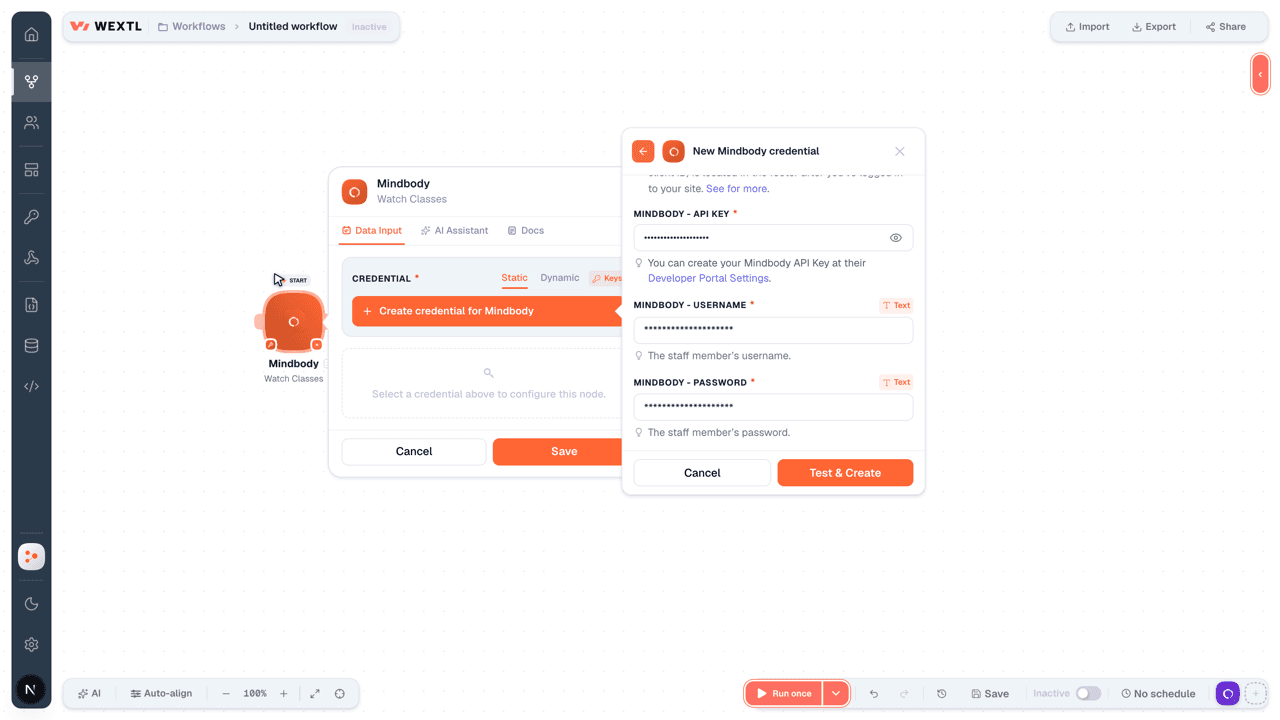
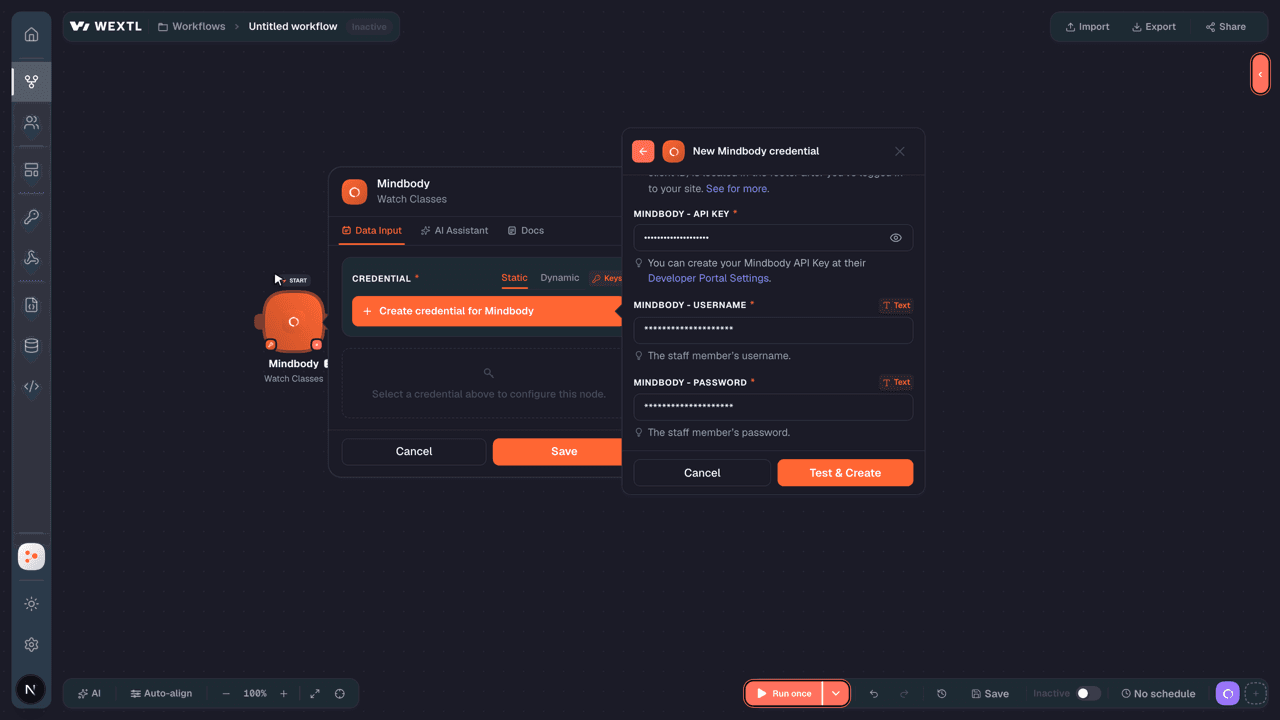
Connect Mindbody in WEXTL
- Log in to your WEXTL account, add the Mindbody node module to your workflow, and click Create new credential.
- Optional: In the Credential name field, enter a name for the credential.
- Enter the authentication credentials you copied from your Mindbody account, or follow the on-screen instructions to create the credential.
- If prompted, authenticate your account and confirm access.
- If you want to make changes to your credential in the future, follow the steps in Manage credentials →
Mindbody triggers and actions on WEXTL
The list below is a reference of every Mindbody node module the integration supports. You will be able to pick any of them on the workflow canvas while building automations.
Browse every Mindbody node module below. Each one opens to show its input parameters, outputs, and connection requirements.
Watch Class Resources
TriggerPolls for new resources on the class schedule.
| Field | Type |
|---|---|
| Class Schedule ID | number |
| Visits | text |
| Clients | array |
| Location | object |
| Additional Image URLs | text |
| Address | text |
| Address 2 | text |
| Amenities | array |
| Business Description | text |
| City | text |
| Description | text |
| Has Classes | boolean |
| ID | number |
| Latitude | number |
| Resource | object |
| ID | number |
| Name | text |
| Max Capacity | number |
| Web Capacity | number |
| Total Booked | number |
| Total Signed In | number |
| Total Booked Waitlist | number |
| Web Booked | number |
| Semester ID | text |
| Is Canceled | boolean |
| Substitute | boolean |
| Active | boolean |
| Is Waitlist Available | boolean |
| Is Enrolled | text |
| Hide Cancel | boolean |
| ID | number |
| Is Available | boolean |
10other output fields
Watch New Clients
TriggerPolls for newly added client profiles.
| Field | Type |
|---|---|
| Suspension Info | object |
| Booking Suspended | boolean |
| Suspension Start Date | date |
| Suspension End Date | date |
| Appointment Gender Preference | text |
| Birth Date | date |
| Country | text |
| Creation Date | date |
| Custom Client Fields | array |
| Client Credit Card | text |
| Client Indexes | array |
| Client Relationships | array |
| First Appointment Date | date |
| First Class Date | date |
| First Name | text |
| ID | text |
| Is Company | boolean |
| Is Prospect | boolean |
| Last Name | text |
| Liability | object |
| Agreement Date | date |
| Is Released | boolean |
| Released By | text |
| Liability Release | boolean |
| Membership Icon | number |
| Mobile Provider | text |
38other output fields
Watch Updated Clients
TriggerPolls for clients that are new or changed.
| Field | Type |
|---|---|
| Suspension Info | object |
| Booking Suspended | boolean |
| Suspension Start Date | date |
| Suspension End Date | date |
| Appointment Gender Preference | text |
| Birth Date | date |
| Country | text |
| Creation Date | date |
| Custom Client Fields | array |
| Client Credit Card | text |
| Client Indexes | array |
| Client Relationships | array |
| First Appointment Date | date |
| First Class Date | date |
| First Name | text |
| ID | text |
| Is Company | boolean |
| Is Prospect | boolean |
| Last Name | text |
| Liability | object |
| Agreement Date | date |
| Is Released | boolean |
| Released By | text |
| Liability Release | boolean |
| Membership Icon | number |
| Mobile Provider | text |
38other output fields
List Available Dates
ActionDates with availability for one session type.
| Field | Type |
|---|---|
Session Type IDRequired | choice |
| Start Date | date |
| End Date | date |
| Location ID | choice |
| Staff ID | choice |
| Field | Type |
|---|---|
| Available Dates | array |
Search Active Client Memberships
SearchActive membership records, each with its Client ID.
| Field | Type |
|---|---|
| Client IDs | array |
| Client ID | choice |
| Cross Regional Lookup | boolean |
| Client Associated Sites Offset | number |
| Location ID | choice |
| Limit | number |
| Field | Type |
|---|---|
| Client ID | text |
| Memberships | array |
| Error message | text |
Search Appointments
SearchAppointments in a date range, filtered by staff, client or location.
| Field | Type |
|---|---|
| Staff IDs | array |
| Staff ID | choice |
| Client ID | choice |
| Appointment IDs | array |
| Appointment ID | number |
| Location IDs | array |
| Location ID | choice |
| Start Date | date |
| End Date | date |
| Limit | number |
| Field | Type |
|---|---|
| Gender Preference | text |
| Duration | number |
| Provider ID | text |
| ID | number |
| Status | text |
Search Classes
SearchClass listings with location, capacity and bookings.
| Field | Type |
|---|---|
| Class IDs | array |
| Class ID | choice |
| Class Schedule IDs | array |
| Class Schedule ID | choice |
| Location IDs | array |
| Location ID | choice |
| Program IDs | array |
| Program ID | choice |
| Semester IDs | array |
| Semester ID | choice |
| Session Type IDs | array |
| Session Type ID | choice |
| Staff IDs | array |
| Staff ID | choice |
| Client ID | text |
| End Date Time | date |
| Hide Canceled Classes | boolean |
| Last Modified Date | date |
| Scheduling Window | boolean |
| Start Date Time | date |
| Limit | number |
| Field | Type |
|---|---|
| Class Schedule ID | number |
| Visits | text |
| Clients | array |
| Location | object |
| Additional Image URLs | text |
| Address | text |
| Address 2 | text |
| Amenities | array |
| Business Description | text |
| City | text |
| Description | text |
| Has Classes | boolean |
| ID | number |
| Latitude | number |
| Resource | object |
| ID | number |
| Name | text |
| Max Capacity | number |
| Web Capacity | number |
| Total Booked | number |
| Total Signed In | number |
| Total Booked Waitlist | number |
| Web Booked | number |
| Semester ID | text |
| Is Canceled | boolean |
| Substitute | boolean |
| Active | boolean |
| Is Waitlist Available | boolean |
| Is Enrolled | text |
| Hide Cancel | boolean |
| ID | number |
| Is Available | boolean |
10other output fields
Search Client Contact Logs
SearchContact logs for staff and subtypes within a creation date range.
| Field | Type |
|---|---|
Staff IDsRequired | array |
| Staff ID | choice |
Subtype IDsRequired | array |
| Subtype ID | choice |
| Type IDs | array |
| Type ID | choice |
| Start Date | date |
| End Date | date |
| Show System Generated | boolean |
| Limit | number |
| Field | Type |
|---|---|
| ID | number |
| Text | text |
| Created date time | date |
| Followup by date | date |
| Contact method | text |
Search Client Contracts
SearchContracts of a client with agreement date and autopay status.
| Field | Type |
|---|---|
| Unique Client ID | choice |
| Cross Regional Lookup | boolean |
| Client Associated Sites Offset | number |
| Limit | number |
| Field | Type |
|---|---|
| Payer client ID | number |
| Agreement date | date |
| Autopay status | text |
| Auto renewing | boolean |
| First auto pay | number |
Search Client Schedules
SearchClass visits and appointments on the schedule of a client.
| Field | Type |
|---|---|
| Client ID | choice |
| Unique Client ID | choice |
| Cross Regional Lookup | boolean |
| Start Date | date |
| End Date | date |
| Include Waitlist Entries | boolean |
| Client Associated Sites Offset | number |
| Limit | number |
| Field | Type |
|---|---|
| Waitlist info | object |
| Waitlist ID | number |
| Waitlist order number | number |
| Appointment ID | number |
| Appointment gender preference | text |
| Appointment status | text |
| Class ID | number |
Search Client Visits
SearchVisit history of a client in ascending or descending order.
| Field | Type |
|---|---|
| Unique Client ID | choice |
| Client ID | choice |
| Cross Regional Lookup | boolean |
| Start Date | date |
| End Date | date |
| Order | choice |
| Unpaids Only | boolean |
| Limit | number |
| Field | Type |
|---|---|
| Appointment ID | number |
| Appointment gender preference | text |
| Appointment status | text |
| Class ID | number |
| Client ID | text |
Search Clients
SearchClient profiles matching a text search or specific IDs.
| Field | Type |
|---|---|
| Client IDs | array |
| Client ID | choice |
| Search Text | text |
| Include Inactive | boolean |
| Is Prospect | boolean |
| Last Modified Date | date |
| Unique IDs | array |
| Unique ID | text |
| Limit | number |
| Field | Type |
|---|---|
| Suspension Info | object |
| Booking Suspended | boolean |
| Suspension Start Date | date |
| Suspension End Date | date |
| Appointment Gender Preference | text |
| Birth Date | date |
| Country | text |
| Creation Date | date |
| Custom Client Fields | array |
| Client Credit Card | text |
| Client Indexes | array |
| Client Relationships | array |
| First Appointment Date | date |
| First Class Date | date |
| First Name | text |
| ID | text |
| Is Company | boolean |
| Is Prospect | boolean |
| Last Name | text |
| Liability | object |
| Agreement Date | date |
| Is Released | boolean |
| Released By | text |
| Liability Release | boolean |
| Membership Icon | number |
| Mobile Provider | text |
38other output fields
Search Courses
SearchCourses with name, description, notes and dates.
| Field | Type |
|---|---|
| Course IDs | array |
| Course ID | number |
| Location IDs | array |
| Location ID | choice |
| Program IDs | array |
| Program ID | choice |
| Semester IDs | array |
| Semester ID | choice |
| Staff IDs | array |
| Staff ID | choice |
| Start Date | date |
| End Date | date |
| Limit | number |
| Field | Type |
|---|---|
| ID | number |
| Name | text |
| Description | text |
| Notes | text |
| Start Date | date |
Search Enrollments
SearchActive enrollments with classes, clients and course details.
| Field | Type |
|---|---|
| Start Date | date |
| End Date | date |
Program IDsRequired | array |
| Program ID | number |
Session Type IDsRequired | array |
| Session Type ID | number |
Staff IDsRequired | array |
| Staff ID | number |
| Location IDs | array |
| Location ID | number |
Class Schedule IDsRequired | array |
| Class Schedule ID | number |
| Limit | number |
| Field | Type |
|---|---|
| Classes | array |
| Clients | array |
| Course | object |
| ID | number |
| Name | text |
| Description | text |
| Notes | text |
| Start date | date |
| Semester ID | number |
| Is available | boolean |
Add a Client to a Class
ActionReserves a spot in a class, optionally on its waiting list.
| Field | Type |
|---|---|
Client IDRequired | choice |
Class IDRequired | choice |
| Unique ID | number |
| Test | boolean |
| Require Payment | boolean |
| Waitlist | boolean |
| Send Email | boolean |
| Client Service ID | number |
| Cross Regional Booking | boolean |
| Cross Regional Booking Client Service Site ID | number |
| Field | Type |
|---|---|
| Visit | object |
| Appointment ID | number |
| Appointment Gender Preference | text |
| Appointment Status | text |
| Class ID | number |
| Client ID | text |
Add a Client to an Enrollment
ActionAdds clients to enrollments from a chosen date or from a waiting list.
| Field | Type |
|---|---|
Client IDRequired | choice |
Class Schedule IDRequired | choice |
| Enroll Date Forward | date |
| Enroll Open | array |
| Enroll Date | date |
| Test | boolean |
| Send Email | boolean |
| Waitlist | boolean |
| Field | Type |
|---|---|
| Classes | array |
| Clients | array |
| Course | object |
| ID | number |
| Name | text |
| Description | text |
| Notes | text |
| Start date | date |
| Semester ID | number |
| Is available | boolean |
Add a Formula Note
ActionSaves a new formula note for a client.
| Field | Type |
|---|---|
Client IDRequired | choice |
NoteRequired | text |
| Appointment ID | number |
| Field | Type |
|---|---|
| ID | number |
| Client ID | text |
| Appointment ID | number |
| Entry date | date |
| Note | text |
Add an Arrival
ActionLogs the arrival of a client at a location.
| Field | Type |
|---|---|
Client IDRequired | choice |
Location IDRequired | choice |
| Arrival Type ID | number |
| Lead Channel ID | number |
| Test | boolean |
| Field | Type |
|---|---|
| Arrival added | boolean |
| Client service | object |
| Active date | date |
| Count | number |
| Current | boolean |
| Expiration date | date |
| ID | number |
Create a Client
ActionCreates a client profile with name and gender.
| Field | Type |
|---|---|
First NameRequired | text |
Last NameRequired | text |
GenderRequired | text |
| Custom Client Fields | array |
| Field | Type |
|---|---|
| Client | object |
| Client ID | text |
| Appointment Gender Preference | text |
| Birth Date | date |
| Country | text |
| Creation Date | date |
| Custom Client Fields | array |
Create an Appointment
ActionSchedules a client appointment for a session type.
| Field | Type |
|---|---|
Client IDRequired | choice |
Location IDRequired | choice |
Session Type IDRequired | choice |
Staff IDRequired | choice |
Start Date TimeRequired | date |
| Apply Payment | boolean |
| Duration | number |
| Execute | text |
| End Date Time | date |
| Gender Preference | text |
| Notes | text |
| Provider ID | text |
| Resource IDs | choice |
| Send Email | boolean |
| Staff Requested | boolean |
| Test | boolean |
| Is Waitlist | boolean |
| Is Request | boolean |
| Partner External ID | text |
| Add Appointment Request ID | number |
| Field | Type |
|---|---|
| Appointment | object |
| Gender Preference | text |
| Duration | number |
| Provider ID | text |
| ID | number |
| Status | text |
Delete a Formula Note
ActionRemoves one formula note from a client.
| Field | Type |
|---|---|
Client IDRequired | choice |
Formula Note IDRequired | number |
Make an API Call
universalCustom Mindbody REST API request.
| Field | Type |
|---|---|
URLRequired | text |
MethodRequired | choice |
| Headers | array |
| Header | object |
| Query String | array |
| Parameter | object |
| Body | text |
| Field | Type |
|---|---|
| Body | text |
| Headers | object |
| Status code | number |
Merge a Client
ActionCombines two client records into one.
| Field | Type |
|---|---|
Source Client IDRequired | number |
Target Client IDRequired | number |
Remove a Client from a Class
ActionCancels class attendance, with optional late cancellation.
| Field | Type |
|---|---|
Client IDRequired | choice |
Class IDRequired | choice |
| Unique Client ID | number |
| Test | boolean |
| Send Email | boolean |
| Late Cancel | boolean |
| Field | Type |
|---|---|
| Class | object |
| Class Schedule ID | number |
| Visits | array |
| Clients | array |
| Location | object |
| Resource | object |
Send a Password Reset Email
ActionSends a password reset message to one user.
| Field | Type |
|---|---|
User EmailRequired | |
User First NameRequired | text |
User Last NameRequired | text |
Suspend a Client Contract
ActionPauses a contract for a set period or with no end date.
| Field | Type |
|---|---|
Client IDRequired | choice |
| Suspension Type | text |
| Suspension Start | date |
| Duration | number |
| Duration Unit | number |
| Open Ended | boolean |
| Suspension Notes | text |
| Suspension Fee | number |
| Field | Type |
|---|---|
| Contract | object |
| Payer client ID | number |
| Agreement date | date |
| Autopay status | text |
| Auto renewing | boolean |
| First auto pay | number |
Terminate a Client Contract
ActionCancels a contract of a client as of a given date.
| Field | Type |
|---|---|
Client IDRequired | choice |
Termination DateRequired | date |
| Termination Code | text |
| Termination Comments | text |
| Field | Type |
|---|---|
| Contract | object |
| Payer client ID | number |
| Agreement date | date |
| Autopay status | text |
| Auto renewing | boolean |
| First auto pay | number |
Update a Client
ActionEdits a client profile, optionally across region sites.
| Field | Type |
|---|---|
| Client ID | text |
| First Name | text |
| Last Name | text |
| Custom Client Fields | array |
| Suspension Info | object |
Booking SuspendedRequired | boolean |
| Suspension Start Date | text |
| Suspension End Date | text |
| New ID | text |
| Test Mode | boolean |
| Cross Regional Update | boolean |
| Field | Type |
|---|---|
| Client | object |
| Appointment Gender Preference | text |
| Birth Date | date |
| Country | text |
| Creation Date | date |
| Custom Client Fields | array |
Update a Client Visit
ActionEdits a visit: sign-in, makeup eligibility or cancellation.
| Field | Type |
|---|---|
Update Client Visit RequestRequired | object |
Visit IDRequired | number |
| Makeup | boolean |
| Signed In | boolean |
| Client Service ID | choice |
| Execute | choice |
| Test | boolean |
| Send Email | boolean |
| Field | Type |
|---|---|
| Visit | object |
| Appointment ID | number |
| Appointment gender preference | text |
| Appointment status | text |
| Class ID | number |
| Client ID | text |
Update an Appointment
ActionEdits the time, staff, location or status of an appointment.
| Field | Type |
|---|---|
Appointment IDRequired | number |
| Execute an Action | choice |
| Location ID | choice |
| Session Type ID | choice |
| Staff ID | choice |
| Start Date Time | date |
| Apply Payment | boolean |
| Duration | number |
| Execute | text |
| End Date Time | date |
| Gender Preference | text |
| Notes | text |
| Provider ID | text |
| Resource IDs | choice |
| Send Email | boolean |
| Staff Requested | boolean |
| Test | boolean |
| Is Waitlist | boolean |
| Is Request | boolean |
| Partner External ID | text |
1other input field
| Field | Type |
|---|---|
| Appointment | object |
| Gender Preference | text |
| Duration | number |
| Provider ID | text |
| ID | number |
| Status | text |
Templates
Look for Mindbody templates in the WEXTL template library.
Browse templates →Other scheduling integrations on WEXTL
 Appointedd[2]Online booking and appointment scheduling for retail and service businesses.
 BetterezPassenger ticketing and operations platform for bus and coach carriers, with routes, fares and bookings.
 AddEventCalendar event sharing and add-to-calendar links for websites and campaigns.
 AmenitizAll-in-one hotel management platform for bookings, channels, and guests.
 AgendaProSalon and clinic booking, payments, and client management.
References
- WEXTL® Mindbody Source Code connector implementation.
- Our users use cases and automations.
- Official API Documentation for Mindbody.
- WEXTL® visual workflow builder data.
Last updated: Sep 30, 2026 17:26
How we write our apps documentation
How we compile these docs: sources, the role of AI, and how we verify.