


Requirements
Before you set up the credential, make sure you have an active Hyfin account and an API access token from your account settings ready.[3]
Get your Hyfin credentials
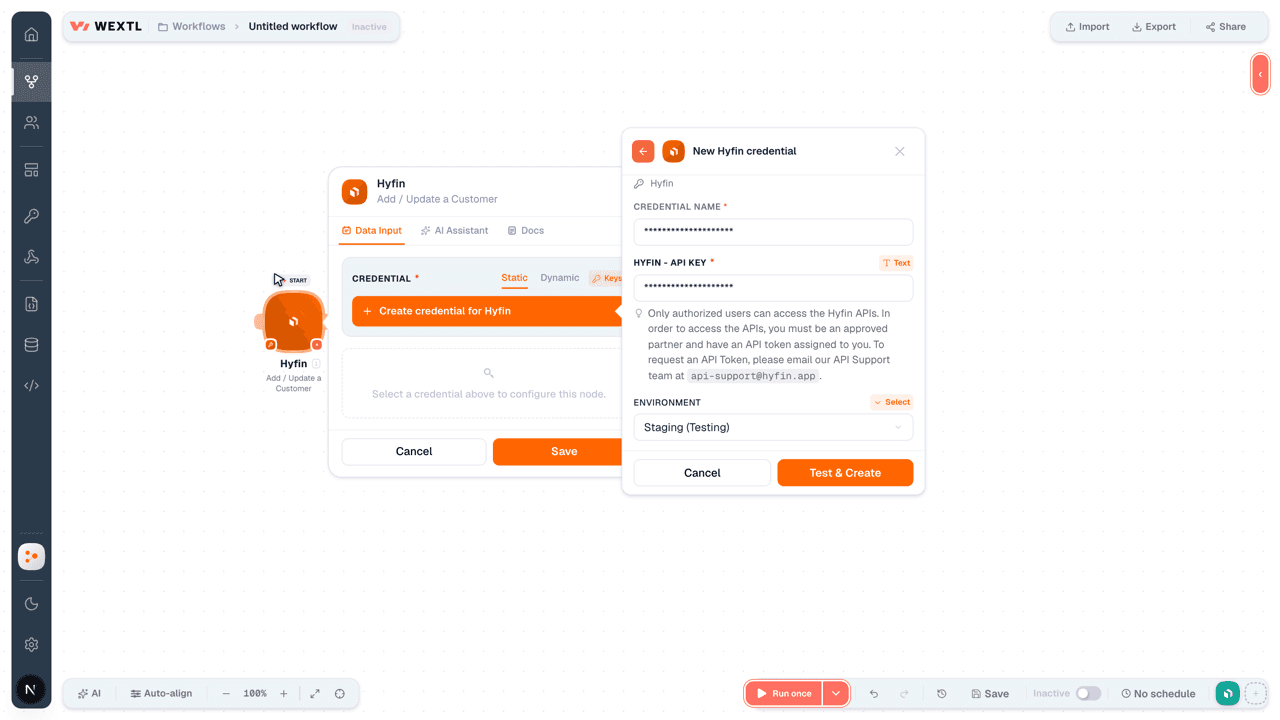
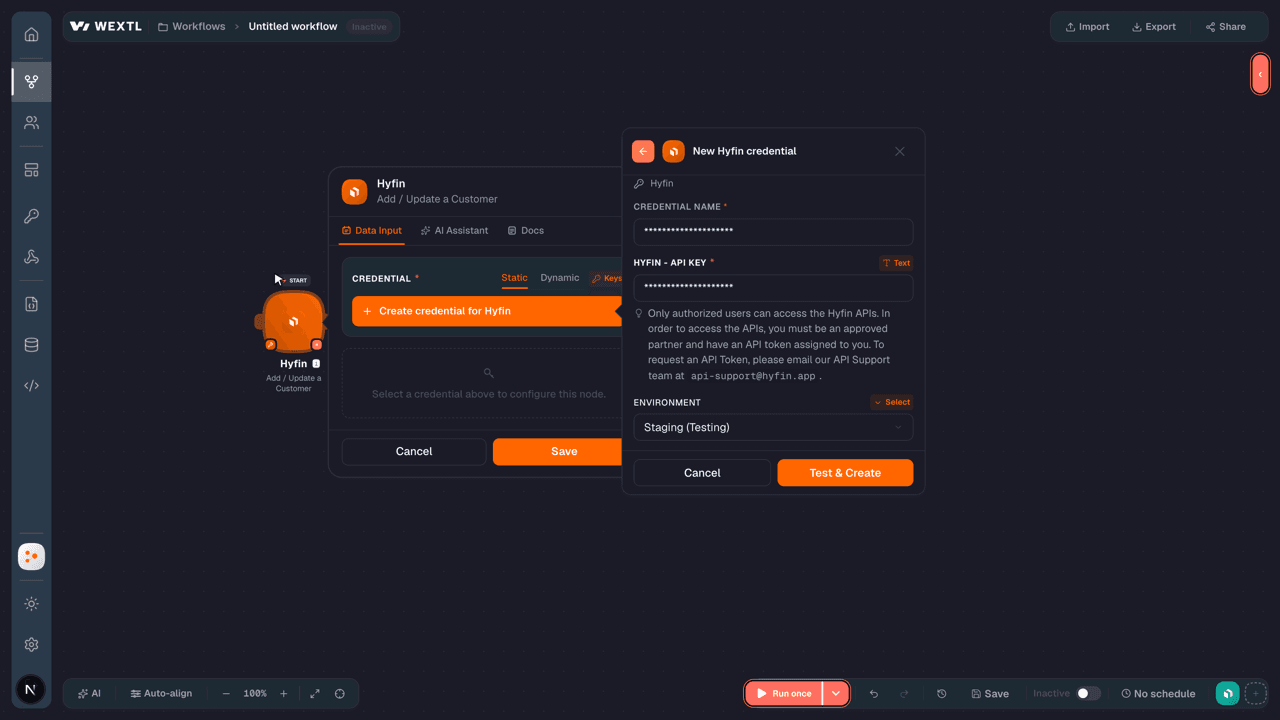
- API KeytextRequired
Only authorized users can access the APIs. In order to access the APIs, you must be an approved partner and have an API token assigned to you. To request an API Token, please email our API Support team at
[1][email protected]. - Environmentselect
Connect Hyfin in WEXTL
- Log in to your WEXTL account, add the Hyfin node module to your workflow, and click Create new credential.
- Optional: In the Credential name field, enter a name for the credential.
- Enter the authentication credentials you copied from your Hyfin account, or follow the on-screen instructions to create the credential.
- If prompted, authenticate your account and confirm access.
- If you want to make changes to your credential in the future, follow the steps in Manage credentials →
Notes
Credentials are org-scoped; share them with teammates from the Credentials picker on any of its nodes.For detailed information on connecting an application, see Connect an application →
Hyfin node modules
The list below is a reference of every Hyfin node module the integration supports. You will be able to pick any of them on the workflow canvas while building automations.
Each Hyfin node module below opens to reveal its input parameters, outputs, and connection requirements.
Get a CustomerAction
| Field | Type |
|---|---|
By Site ID or Merchant IDRequired | choice |
Customer IDRequired | text |
| Field | Type |
|---|---|
| External ID | text |
| First Name | text |
| Last Name | text |
| Account Name | text |
| Mobile Phone | text |
| text | |
| Notification Options | object |
| Notify Phone | boolean |
| Notify Email | boolean |
| Auto Pay | object |
| Requested | boolean |
| Enabled | boolean |
| Payment Token Display | text |
Get a PaymentAction
Get a SubscriptionAction
| Field | Type |
|---|---|
By Site ID or Merchant IDRequired | choice |
Subscription IDRequired | text |
| Field | Type |
|---|---|
| External ID | text |
| Description | text |
| Amount | number |
| Frequency | text |
| Start Date | text |
| Number Of Payments | text |
| End Date | text |
| Invoices | array |
| Status | text |
| Customer | object |
| External ID | text |
| First Name | text |
| Last Name | text |
| Account Name | text |
| Mobile Phone | text |
| text | |
| Notification Options | object |
| Active | boolean |
Get an InvoiceAction
| Field | Type |
|---|---|
By Site ID or Merchant IDRequired | choice |
Invoice IDRequired | text |
| Field | Type |
|---|---|
| External ID | text |
| Invoice Number | text |
| Description | text |
| Customer Memo | text |
| Internal Memo | text |
| Due Date | text |
| Totals | object |
| Tax | number |
| Total | number |
| Customer | object |
| External ID | text |
| First Name | text |
| Last Name | text |
| Mobile Phone | text |
| text | |
| Lines | array |
| Payments | array |
| Notifications | array |
| Webhook URL | url |
Add / Update a CustomerAction
| Field | Type |
|---|---|
By Site ID or Merchant IDRequired | choice |
External IDRequired | text |
First NameRequired | text |
Last NameRequired | text |
| Account Name | text |
| Mobile Phone | text |
| Notes | text |
| Active | boolean |
| Notification Options | object |
| Notify Phone | boolean |
| Notify Email | boolean |
| Field | Type |
|---|---|
| Success | boolean |
| Action | text |
| Customer ID | text |
Add / Update a ProductAction
Add / Update a SubscriptionAction
| Field | Type |
|---|---|
By Site ID or Merchant IDRequired | choice |
External IDRequired | text |
DescriptionRequired | text |
AmountRequired | number |
FrequencyRequired | choice |
Frequency UnitsRequired | number |
CustomerRequired | object |
Customer External IDRequired | text |
| First Name | text |
| Last Name | text |
| Account Name | text |
| Mobile Phone | text |
| Notes | text |
| Customer Active | boolean |
| Notification Options | object |
| Start Date | date |
| Number of Payments | number |
| Active | boolean |
| Status | choice |
| Field | Type |
|---|---|
| Success | boolean |
| Action | text |
| Subscription ID | text |
Add / Update an InvoiceAction
| Field | Type |
|---|---|
By Site ID or Merchant IDRequired | choice |
External IDRequired | text |
Invoice NumberRequired | text |
| Description | text |
| Totals | object |
| Tax | number |
TotalRequired | number |
| Customer | object |
Customer External IDRequired | text |
| First Name | text |
| Last Name | text |
| Account Name | text |
| Mobile Phone | text |
| Notes | text |
| Customer Active | boolean |
| Notification Options | object |
| Line Items | array |
| Unit Price | number |
| Quantity | number |
| Total Price | number |
| Description | text |
| Product | object |
| Invoice Date | date |
| Due Date | date |
| Expire At | date |
| PO Number | text |
| Customer Memo | text |
| Internal Memo | text |
| Invoice Active | boolean |
| Payments | array |
Payment External IDRequired | text |
| Gateway Transaction ID | text |
| Display Name | text |
| Amount | number |
| Paid On | date |
| Tip | number |
| Payment Type | text |
| Payment Sub Type | text |
| Check Number | text |
| Status | text |
| Webhook URL | url |
| Attachments | array |
| A valid URL. | url |
| Options | object |
| Tipping Enabled | boolean |
| Cash Discount Disabled | boolean |
| Resend | boolean |
| Field | Type |
|---|---|
| Success | boolean |
| Action | text |
| Invoice ID | text |
| Link | url |
Make an API Calluniversal
Refund a PaymentAction
Send an InvoiceAction
Templates
Look for Hyfin templates in the WEXTL template library.
Browse templates →Explore alternative apps
- Bybit[2]Cryptocurrency exchange API for orders, tickers, and market data.
- CoinbaseCryptocurrency exchange and payments platform for trading, transfers, and digital asset orders.
- CheckoutGlobal payment platform for accepting cards, wallets, and alternative payment methods.
- BlueSnapGlobal payment gateway for accepting cards, local payment methods, and managing subscriptions.
- CoinGeckoLook up crypto coin prices, market data, and exchange rankings with CoinGecko.


References
- WEXTL® Hyfin Source Code connector implementation.
- Our users use cases and automations.
- Official API Documentation for Hyfin.
- WEXTL® visual workflow builder data.
Last updated: Jul 24, 2026 18:11