Lark Suite integration guide
VerifiedHow to connect Lark Suite to WEXTL and use its 2 triggers and 18 actions in your workflows. About Lark Suite: Team collaboration suite for messaging, calendar, tasks, and base tables.
- 2 triggers
- 7 searches
- 11 actions
- Instant (webhooks)
- Auth: OAuth
AI-assisted documentation13 min read
This documentation is compiled from our integration source code, internal specs for Lark Suite, its official API documentation and anonymized requests logs we collect from our support team[2].


Requirements
Get your Lark Suite credentials
You’ll be redirected to sign in and approve access. Your password is never shared with WEXTL.
- Client IDtextRequired
You need to create new app in the LarkSuite Developer Console. If you already have an app created, start from
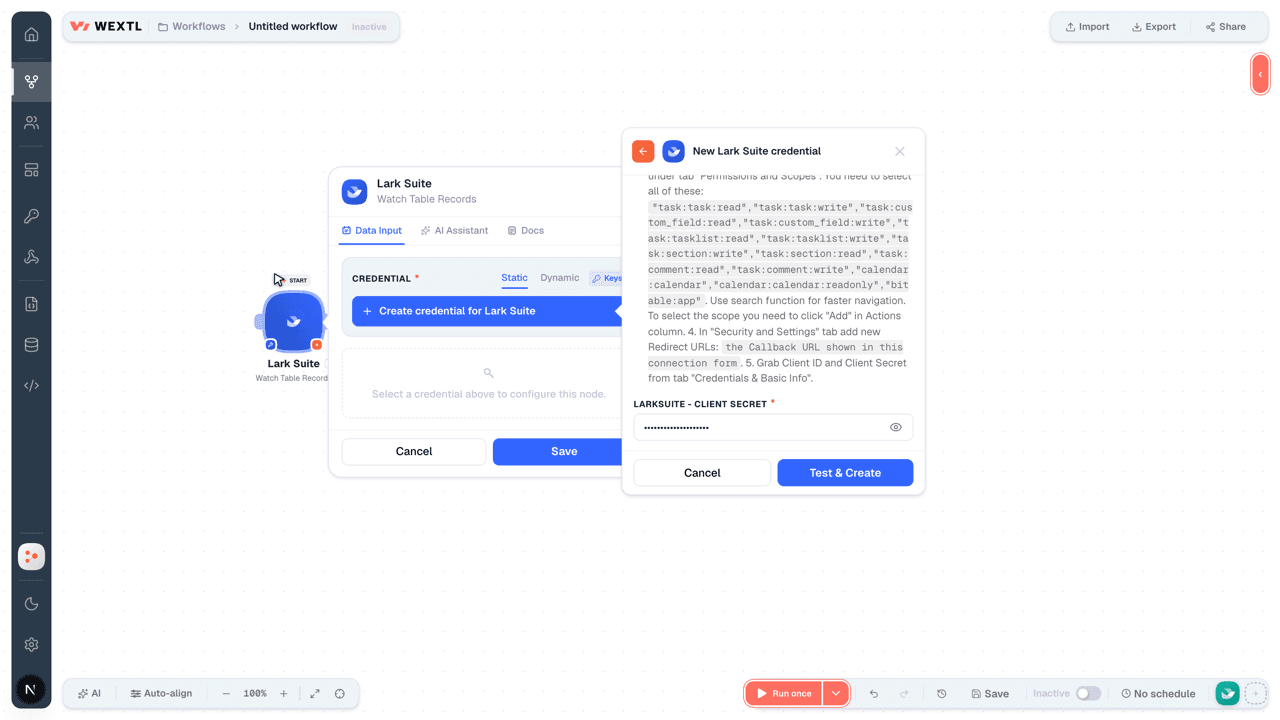
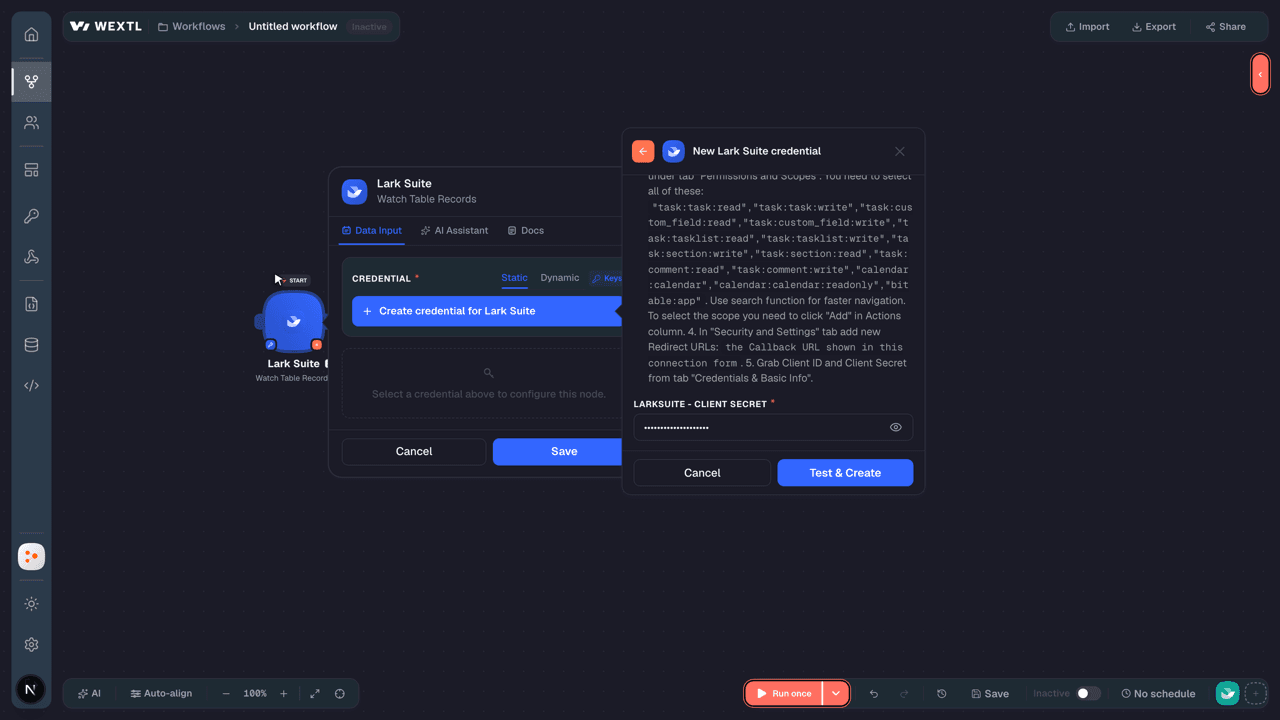
step 2below. 1. Create a CustomServerApp. 2. On custom app page you need to create a a version by clickingCreate a Version. 3. Select the scopes under tab "Permissions and Scopes". You need to select all of these:"task:task:read","task:task:write","task:custom_field:read","task:custom_field:write","task:tasklist:read","task:tasklist:write","task:section:write","task:section:read","task:comment:read","task:comment:write","calendar:calendar","calendar:calendar:readonly","bitable:app". Use search function for faster navigation. To select the scope you need to click "Add" in Actions column. 4. In "Security and Settings" tab add new Redirect URLs:the Callback URL shown in this connection form. 5. Grab Client ID and Client Secret from tab "Credentials & Basic Info".[1] - Client SecretpasswordRequired
Integration requests 13 permissions:
task:task:readtask:task:writetask:custom_field:readtask:custom_field:writetask:tasklist:readtask:tasklist:writetask:section:writetask:section:readtask:comment:readtask:comment:writecalendar:calendarcalendar:calendar:readonlybitable:app
Connect Lark Suite in WEXTL
- Log in to your WEXTL account, add the Lark Suite node module to your workflow, and click Create new credential.Instant triggers use webhooks. Click Create a webhook first when adding one, then create the credential.
- Optional: In the Credential name field, enter a name for the credential.
- Enter the authentication credentials you copied from your Lark Suite account, or follow the on-screen instructions to create the credential.
- If prompted, authenticate your account and confirm access.
- If you want to make changes to your credential in the future, follow the steps in Manage credentials →
Lark Suite triggers and actions on WEXTL
The list below is a reference of every Lark Suite node module the integration supports. You will be able to pick any of them on the workflow canvas while building automations.
Each Lark Suite node module below opens to reveal its input parameters, outputs, and connection requirements.
Watch Events
TriggerRuns when Lark delivers an event callback.
| Field | Type |
|---|---|
| User ID | number |
| Email address | |
| Name | text |
| Date created | date |
Watch Table Records
TriggerScheduled watch over row changes.
| Field | Type |
|---|---|
| Created by | object |
| Avatar URL | url |
| text | |
| En Name | text |
| ID | text |
| Name | text |
| Created Time | number |
| Fields | object |
| Last Modified by | object |
| Avatar URL | url |
| text | |
| En Name | text |
| ID | text |
| Name | text |
| Last Modified Time | number |
| Record ID | text |
Get a Base Table Record
ActionRow values plus optional shared link and automatic fields.
| Field | Type |
|---|---|
App Base TokenRequired | text |
| Text Field as Array | boolean |
| Display Formula Reference | boolean |
| With Shared URL | boolean |
| Automatic Fields | boolean |
| Field | Type |
|---|---|
| Created by | object |
| Avatar URL | url |
| text | |
| En Name | text |
| ID | text |
| Name | text |
| Created Time | number |
| Fields | object |
| Last Modified by | object |
| Avatar URL | url |
| text | |
| En Name | text |
| ID | text |
| Name | text |
| Last Modified Time | number |
| Record ID | text |
Get a Task
ActionFull details of one Lark task.
| Field | Type |
|---|---|
Task GUIDRequired | text |
| Field | Type |
|---|---|
| Completed at | date |
| Created at | date |
| Creator | object |
| ID | text |
| Type | text |
| Custom Complete | object |
| Android | object |
| Ios | object |
| Pc | object |
| Dependencies | array |
| Description | text |
| Due | object |
| Is All Day | boolean |
| Timestamp | text |
| Extra | text |
| Task GUID | text |
| Is Milestone | boolean |
| Members | array |
| Mode | number |
| Origin | object |
| Href | object |
| Platform I 18n Name | object |
| Parent Task GUID | text |
| Reminders | array |
| Repeat Rule | text |
| Source | number |
| Start | object |
| Is All Day | boolean |
| Timestamp | text |
| Status | text |
| Subtask Count | number |
6other output fields
List Subtasks
SearchSubtasks under a parent task.
| Field | Type |
|---|---|
Parent Task IDRequired | text |
| Limit | number |
| Field | Type |
|---|---|
| Completed at | date |
| Created at | date |
| Creator | object |
| ID | text |
| Type | text |
| Custom Complete | object |
| Android | object |
| Ios | object |
| Pc | object |
| Dependencies | array |
| Description | text |
| Due | object |
| Is All Day | boolean |
| Timestamp | text |
| Extra | text |
| Task GUID | text |
| Is Milestone | boolean |
| Members | array |
| Mode | number |
| Origin | object |
| Href | object |
| Platform I 18n Name | object |
| Parent Task GUID | text |
| Reminders | array |
| Repeat Rule | text |
| Source | number |
| Start | object |
| Is All Day | boolean |
| Timestamp | text |
| Status | text |
| Subtask Count | number |
6other output fields
List Task Comments
SearchDiscussion entries with their creators and times.
| Field | Type |
|---|---|
Task IDRequired | text |
| Limit | number |
| Field | Type |
|---|---|
| ID | text |
| Content | text |
| Creator | object |
| ID | text |
| Type | text |
| Role | text |
| Reply To Comment ID | text |
| Created at | date |
| Updated at | date |
| Resource Type | text |
| Resource ID | text |
Search Calendar Events
SearchCalendar events matching a keyword.
| Field | Type |
|---|---|
Calendar IDRequired | choice |
Search KeywordsRequired | text |
| Search Filter | object |
| Start Time | object |
| End Time | object |
| User IDs | array |
| Room IDs | array |
| Group IDs | array |
| Limit | number |
| Field | Type |
|---|---|
| Event ID | text |
| Organizer Calendar ID | text |
| Summary | text |
| Description | text |
| Need Notification | boolean |
| Start Time | object |
| Date | text |
| Timestamp | text |
| Timezone | text |
| End Time | object |
| Date | text |
| Timestamp | text |
| Timezone | text |
| Vchat | object |
| VC Type | text |
| Icon Type | text |
| Description | text |
| Meeting Url | url |
| Visibility | text |
| Attendee Ability | text |
| Free Busy Status | text |
| Location | object |
| Name | text |
| Address | text |
| Latitude | number |
| Longitude | number |
| Color | number |
| Reminders | array |
| Recurrence | text |
| Status | text |
| Is Exception | boolean |
| Recurring Event ID | text |
| Schemas | array |
Search Table Records
SearchFiltered rows of a Base table.
| Field | Type |
|---|---|
App Base TokenRequired | text |
| Limit | number |
| Field | Type |
|---|---|
| Created by | object |
| Avatar URL | url |
| text | |
| En Name | text |
| ID | text |
| Name | text |
| Created Time | number |
| Fields | object |
| Last Modified by | object |
| Avatar URL | url |
| text | |
| En Name | text |
| ID | text |
| Name | text |
| Last Modified Time | number |
| Record ID | text |
Search Tasks
SearchTasks you own, filtered by completion.
| Field | Type |
|---|---|
| Completed | boolean |
| Type | choice |
| Limit | number |
| Field | Type |
|---|---|
| Completed at | date |
| Created at | date |
| Creator | object |
| ID | text |
| Type | text |
| Custom Complete | object |
| Android | object |
| Ios | object |
| Pc | object |
| Dependencies | array |
| Description | text |
| Due | object |
| Is All Day | boolean |
| Timestamp | text |
| Extra | text |
| Task GUID | text |
| Is Milestone | boolean |
| Members | array |
| Mode | number |
| Origin | object |
| Href | object |
| Platform I 18n Name | object |
| Parent Task GUID | text |
| Reminders | array |
| Repeat Rule | text |
| Source | number |
| Start | object |
| Is All Day | boolean |
| Timestamp | text |
| Status | text |
| Subtask Count | number |
6other output fields
Create a Base Table Record
ActionWrites one row of cell values to a Base.
| Field | Type |
|---|---|
App Base TokenRequired | text |
| Field | Type |
|---|---|
| Fields | object |
| ID | text |
| Record ID | text |
Create a Calendar Event
ActionCreates a calendar entry with optional video conference details.
| Field | Type |
|---|---|
Calendar IDRequired | choice |
| Need Notification | boolean |
Start TimeRequired | object |
| Date | date |
| Timestamp | date |
| Time Zone | time |
End TimeRequired | object |
| Date | date |
| Timestamp | date |
| Time Zone | time |
| Event Title | text |
| Event Description | text |
| Video Conference Information | object |
| Video Conference Type | choice |
| Icon Type | choice |
| Description | text |
| Meeting URL | url |
| Event Visibility | choice |
| Attendee Ability | choice |
| Free/Busy Status | choice |
| Event Location | object |
| Name of Location | text |
| Address of Location | text |
| Latitude | number |
| Longitude | number |
| Event Color | number |
| Event Reminders | array |
| Recurrence Rule | text |
| Custom Event Information | array |
| Field | Type |
|---|---|
| Event ID | text |
| Organizer Calendar ID | text |
| Summary | text |
| Description | text |
| Need Notification | boolean |
| Start Time | object |
| Date | text |
| Timestamp | text |
| Timezone | text |
| End Time | object |
| Date | text |
| Timestamp | text |
| Timezone | text |
| Vchat | object |
| VC Type | text |
| Icon Type | text |
| Description | text |
| Meeting Url | url |
| Visibility | text |
| Attendee Ability | text |
| Free Busy Status | text |
| Location | object |
| Name | text |
| Address | text |
| Latitude | number |
| Longitude | number |
| Color | number |
| Reminders | array |
| Recurrence | text |
| Status | text |
| Is Exception | boolean |
| Recurring Event ID | text |
| Schemas | array |
Create a Subtask
ActionBreaks a larger task into a smaller one.
| Field | Type |
|---|---|
Parent Task IDRequired | text |
SummaryRequired | text |
| Description | text |
DueRequired | object |
TimestampRequired | date |
| Is All Day | boolean |
StartRequired | object |
TimestampRequired | date |
| Is All Day | boolean |
| Origin | object |
| Platform i18n Name | object |
| Href | url |
| Extra | text |
| Completed at | date |
| Members | array |
| Custom Complete | object |
| PC Client Side Custom Configuration | object |
| iOS Custom Completion Configuration | object |
| Android Custom Completion Configuration | object |
| Tasklists | array |
| Client Token | text |
| Reminders | array |
| Task Completion Mode | choice |
| Is Milestone | boolean |
| Custom Fields | array |
| Field | Type |
|---|---|
| Completed at | date |
| Created at | date |
| Creator | object |
| ID | text |
| Type | text |
| Custom Complete | object |
| Android | object |
| Ios | object |
| Pc | object |
| Dependencies | array |
| Description | text |
| Due | object |
| Is All Day | boolean |
| Timestamp | text |
| Extra | text |
| Task GUID | text |
| Is Milestone | boolean |
| Members | array |
| Mode | number |
| Origin | object |
| Href | object |
| Platform I 18n Name | object |
| Parent Task GUID | text |
| Reminders | array |
| Repeat Rule | text |
| Source | number |
| Start | object |
| Is All Day | boolean |
| Timestamp | text |
| Status | text |
| Subtask Count | number |
6other output fields
Create a Task
ActionCreates a task with a deadline and optional members.
| Field | Type |
|---|---|
SummaryRequired | text |
| Description | text |
DueRequired | object |
TimestampRequired | date |
| Is All Day | boolean |
StartRequired | object |
TimestampRequired | date |
| Is All Day | boolean |
| Origin | object |
| Platform i18n Name | object |
| Href | url |
| Extra | text |
| Completed at | date |
| Members | array |
| Custom Complete | object |
| PC Client Side Custom Configuration | object |
| iOS Custom Completion Configuration | object |
| Android Custom Completion Configuration | object |
| Tasklists | array |
| Client Token | text |
| Reminders | array |
| Task Completion Mode | choice |
| Is Milestone | boolean |
| Custom Fields | array |
| Field | Type |
|---|---|
| Completed at | date |
| Created at | date |
| Creator | object |
| ID | text |
| Type | text |
| Custom Complete | object |
| Android | object |
| Ios | object |
| Pc | object |
| Dependencies | array |
| Description | text |
| Due | object |
| Is All Day | boolean |
| Timestamp | text |
| Extra | text |
| Task GUID | text |
| Is Milestone | boolean |
| Members | array |
| Mode | number |
| Origin | object |
| Href | object |
| Platform I 18n Name | object |
| Parent Task GUID | text |
| Reminders | array |
| Repeat Rule | text |
| Source | number |
| Start | object |
| Is All Day | boolean |
| Timestamp | text |
| Status | text |
| Subtask Count | number |
6other output fields
Create a Task Comment
ActionAdds a remark to a task discussion.
| Field | Type |
|---|---|
Task IDRequired | text |
ContentRequired | text |
| Reply to Comment ID | text |
| Field | Type |
|---|---|
| ID | text |
| Content | text |
| Creator | object |
| ID | text |
| Type | text |
| Role | text |
| Reply To Comment ID | text |
| Created at | date |
| Updated at | date |
| Resource Type | text |
| Resource ID | text |
Delete a Base Table Record
ActionDeletes a table row from your Lark Base.
| Field | Type |
|---|---|
App Base TokenRequired | text |
Delete a Task
ActionDeletes a single task from Lark by its GUID.
| Field | Type |
|---|---|
Task GUIDRequired | text |
Make an API Call
universalYour own Lark Suite REST API request.
| Field | Type |
|---|---|
URLRequired | text |
MethodRequired | choice |
| Headers | array |
| Header | object |
| Query String | array |
| Parameter | object |
| Body | text |
| Field | Type |
|---|---|
| Body | text |
| Headers | object |
| Status code | number |
Update a Base Table Record
ActionChanges cell values on one Base row.
| Field | Type |
|---|---|
App Base TokenRequired | text |
| Field | Type |
|---|---|
| Fields | object |
| ID | text |
| Record ID | text |
Update a Task
ActionEdits the selected properties of a task.
| Field | Type |
|---|---|
Task IDRequired | text |
Update FieldsRequired | choice |
| Summary | text |
| Description | text |
| Due | object |
| Timestamp | date |
| Is All Day | boolean |
| Start | object |
| Timestamp | date |
| Is All Day | boolean |
| Origin | object |
| Platform i18n Name | object |
| Href | url |
| Extra | text |
| Completed at | date |
| Members | array |
| Custom Complete | object |
| PC Client Side Custom Configuration | object |
| iOS Custom Completion Configuration | object |
| Android Custom Completion Configuration | object |
| Tasklists | array |
| Client Token | text |
| Reminders | array |
| Task Completion Mode | choice |
| Is Milestone | boolean |
| Custom Fields | array |
| Field | Type |
|---|---|
| Completed at | date |
| Created at | date |
| Creator | object |
| ID | text |
| Type | text |
| Custom Complete | object |
| Android | object |
| Ios | object |
| Pc | object |
| Dependencies | array |
| Description | text |
| Due | object |
| Is All Day | boolean |
| Timestamp | text |
| Extra | text |
| Task GUID | text |
| Is Milestone | boolean |
| Members | array |
| Mode | number |
| Origin | object |
| Href | object |
| Platform I 18n Name | object |
| Parent Task GUID | text |
| Reminders | array |
| Repeat Rule | text |
| Source | number |
| Start | object |
| Is All Day | boolean |
| Timestamp | text |
| Status | text |
| Subtask Count | number |
6other output fields
Templates
Look for Lark Suite templates in the WEXTL template library.
Browse templates →Other communication integrations on WEXTL
 CXOne Mpower[2]Contact-center platform for voice, chat, and agent workforce engagement.
 DialpadBusiness phone system for calls, messages, contacts, and call recordings.
 AircallBusiness phone system for teams, with calls, messages, and AI notes.
 DiscordDiscord bots and OAuth apps. Send messages, manage servers and run application commands over the HTTP API.
 Cisco WebexCisco Webex Messaging and Meetings, with rooms, messages, teams, people, meetings, recordings, transcripts and registrants.
References
- WEXTL® Lark Suite Source Code connector implementation.
- Our users use cases and automations.
- Official API Documentation for Lark Suite.
- WEXTL® visual workflow builder data.
Last updated: Aug 17, 2026 09:06
How we write our apps documentation
How we compile these docs: sources, the role of AI, and how we verify.