


Requirements
Before you set up the credential, make sure you have an active BuddyPunch account and an API access token from your account settings ready.[3]
Get your BuddyPunch credentials
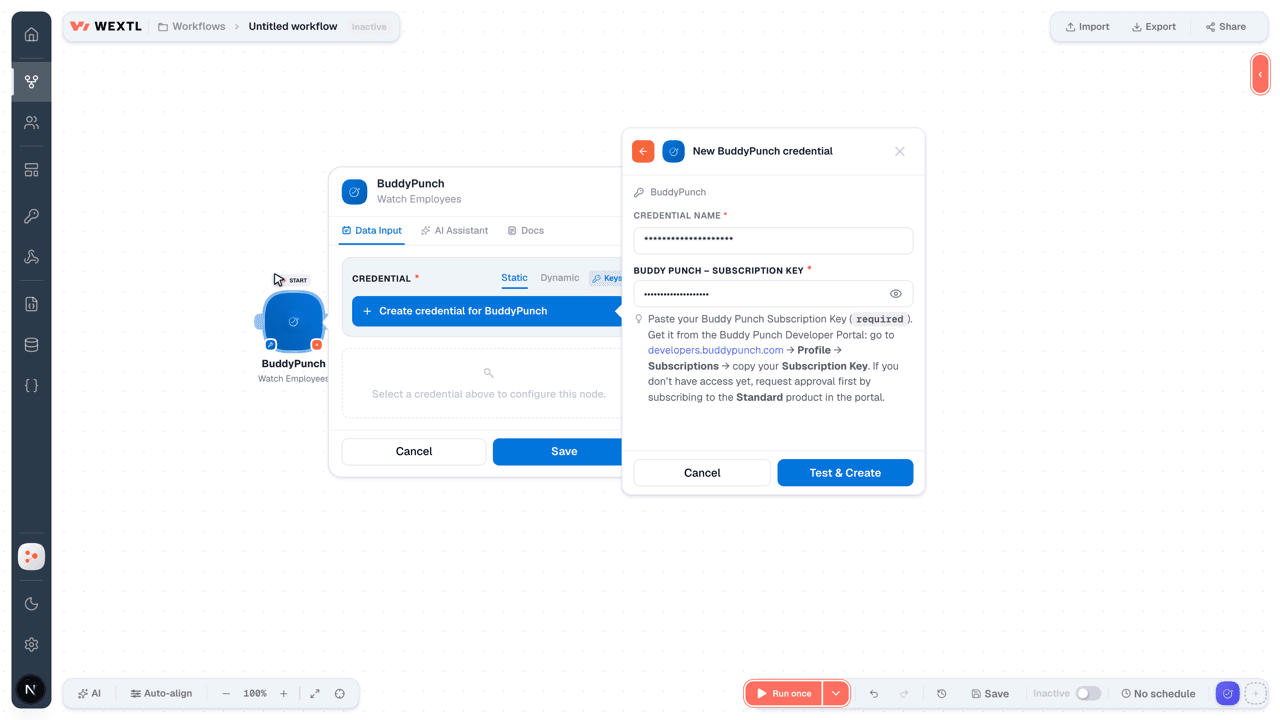
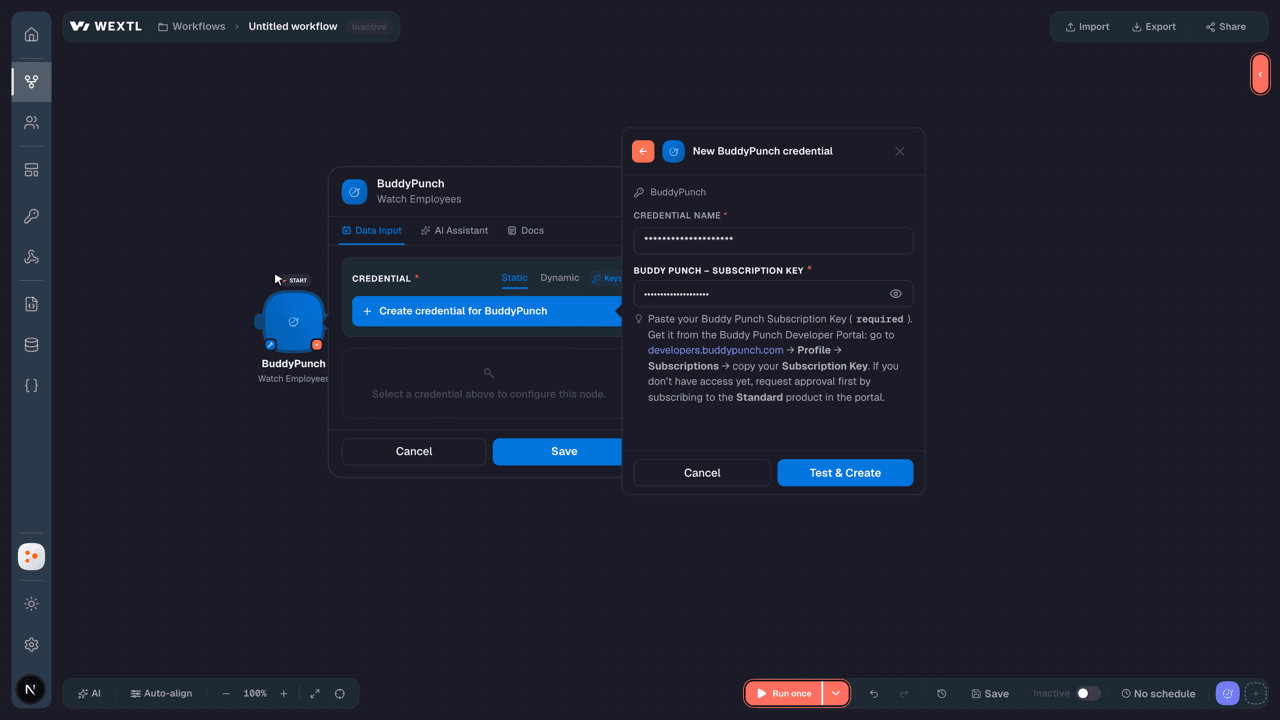
- Buddy Punch – Subscription KeypasswordRequired
Paste your Buddy Punch Subscription Key (
[1]required). Get it from the Buddy Punch Developer Portal: go to developers.buddypunch.com → Profile → Subscriptions → copy your Subscription Key. If you don’t have access yet, request approval first by subscribing to the Standard product in the portal.
Connect BuddyPunch in WEXTL
- Log in to your WEXTL account, add the BuddyPunch node module to your workflow, and click Create new credential.
- Optional: In the Credential name field, enter a name for the credential.
- Enter the authentication credentials you copied from your BuddyPunch account, or follow the on-screen instructions to create the credential.
- If prompted, authenticate your account and confirm access.
- If you want to make changes to your credential in the future, follow the steps in Manage credentials →
Notes
Credentials are org-scoped; share them with teammates from the Credentials picker on any of its nodes.For detailed information on connecting an application, see Connect an application →
BuddyPunch node modules
The list below is a reference of every BuddyPunch node module the integration supports. You will be able to pick any of them on the workflow canvas while building automations.
Each BuddyPunch node module below opens to reveal its input parameters, outputs, and connection requirements.
Watch EmployeesTrigger
| Field | Type |
|---|---|
| ID | number |
| Full name | text |
| Profile mini image URL | url |
| Username | text |
| First name | text |
| Last name | text |
| Employee ID | text |
| Is active | boolean |
| Gps permission ID | number |
| Webcam permission ID | number |
Watch PositionsTrigger
| Field | Type |
|---|---|
| ID | number |
| Name | text |
| Enabled | boolean |
Get a LocationAction
Get a PositionAction
Get a ScheduleAction
| Field | Type |
|---|---|
| Start | date |
| End | date |
| Location IDs | choice |
| Job Code IDs | choice |
| Position IDs | choice |
| Employee IDs | choice |
| Field | Type |
|---|---|
| ID | number |
| Staff ID | number |
| Staff name | text |
| Location ID | number |
| Location name | text |
| Job code ID | number |
| Job code name | text |
| Position ID | number |
| Position name | text |
| Start time utc | date |
| End time utc | date |
| Shift color ID | number |
| Shift color name | text |
| Shift color code | text |
| Notes | text |
| Published | boolean |
| Published date utc | date |
| Created at utc | date |
| Updated at utc | date |
| Start date time | date |
Get a Time CardSearch
Get an EmployeeAction
Get Pay RatesSearch
List Assigned EmployeesSearch
List EmployeesSearch
List LocationsSearch
List PositionsSearch
List Time by Pay PeriodSearch
| Field | Type |
|---|---|
Pay Period IDRequired | choice |
| Limit | number |
| Field | Type |
|---|---|
| ID | number |
| Employee | object |
| ID | number |
| Full name | text |
| Profile mini image URL | url |
| Username | text |
| First name | text |
| Last name | text |
| Employee ID | text |
| Is active | boolean |
| Gps permission ID | number |
| Location ID | text |
| Location name | text |
| Job code ID | text |
| Job code name | text |
| Punch in date time | date |
| Punch out date time | date |
| Punch in approval status ID | number |
| Punch in approval status name | text |
| Punch out approval status ID | number |
| Punch out approval status name | text |
| Punch in IP address | text |
| Punch out IP address | text |
| Punch in image URL | url |
| Punch out image URL | url |
| Hours | number |
| Regular hours | number |
| Over time hours | number |
| Double time hours | number |
List Time Cards by Pay PeriodSearch
| Field | Type |
|---|---|
Pay Period IDRequired | choice |
| Limit | number |
| Field | Type |
|---|---|
| ID | number |
| Pay period | object |
| ID | number |
| Start date | date |
| End date | date |
| Employee | object |
| ID | number |
| Full name | text |
| Profile mini image URL | url |
| Username | text |
| First name | text |
| Last name | text |
| Employee ID | text |
| Is active | boolean |
| Gps permission ID | number |
List Time Entries for a Time CardSearch
| Field | Type |
|---|---|
Pay Period IDRequired | choice |
| Limit | number |
| Field | Type |
|---|---|
| ID | number |
| Employee | object |
| ID | number |
| Full name | text |
| Profile mini image URL | url |
| Username | text |
| First name | text |
| Last name | text |
| Employee ID | text |
| Is active | boolean |
| Gps permission ID | number |
| Location ID | text |
| Location name | text |
| Job code ID | text |
| Job code name | text |
| Punch in date time | date |
| Punch out date time | date |
| Punch in approval status ID | number |
| Punch in approval status name | text |
| Punch out approval status ID | number |
| Punch out approval status name | text |
| Punch in IP address | text |
| Punch out IP address | text |
| Punch in image URL | url |
| Punch out image URL | url |
| Hours | number |
| Regular hours | number |
| Over time hours | number |
| Double time hours | number |
Assign Department CodesAction
Assign Employees to a LocationAction
Create a LocationAction
Create a PositionAction
Create a Punch InAction
Create an EmployeeAction
| Field | Type |
|---|---|
First NameRequired | text |
Last NameRequired | text |
EmailRequired | |
| ID | text |
| Username | text |
| Employee ID | choice |
| Is Active | boolean |
| Full Name | text |
| Profile Mini Image URL | url |
| GPS Permission ID | choice |
| Webcam Permission ID | choice |
| Field | Type |
|---|---|
| ID | number |
| Full name | text |
| Profile mini image URL | url |
| Username | text |
| First name | text |
| Last name | text |
| Employee ID | text |
| Is active | boolean |
| Gps permission ID | number |
| Webcam permission ID | number |
Make an API Calluniversal
Record a Punch-Out TimeAction
Remove Department CodesAction
Remove EmployeesAction
Update a LocationAction
Update a PositionAction
Update an EmployeeAction
| Field | Type |
|---|---|
Employee IDRequired | choice |
First NameRequired | text |
Last NameRequired | text |
EmailRequired | |
| Username | text |
| Employee External ID | choice |
| Is Active | boolean |
| GPS Permission | choice |
| Webcam Permission | choice |
| Field | Type |
|---|---|
| ID | number |
| Full name | text |
| Profile mini image URL | url |
| Username | text |
| First name | text |
| Last name | text |
| Employee ID | text |
| Is active | boolean |
| Gps permission ID | number |
| Webcam permission ID | number |
Templates
Look for BuddyPunch templates in the WEXTL template library.
Browse templates →Explore alternative apps
- Calamari[2]HR leave, attendance, and timesheet management for growing teams.
- Base.vnWorkplace suite for HR, requests, meetings, time off, and team operations.
- Breathe HRCloud HR software for employee records, leave, onboarding, and people management.
- BrioHRHR management platform for employee data, leave, payroll-ready records, and people operations.
- actiTIMETime tracking and project work-assignment software for teams and leave management.


References
- WEXTL® BuddyPunch Source Code connector implementation.
- Our users use cases and automations.
- Official API Documentation for BuddyPunch.
- WEXTL® visual workflow builder data.
Last updated: Jul 23, 2026 22:38