Extensiv integration guide
VerifiedHow to connect Extensiv to WEXTL and use its 1 trigger and 39 actions in your workflows. About Extensiv: Warehouse management platform for 3PL fulfillment, inventory, orders, and merchant operations.
- 1 trigger
- 19 searches
- 20 actions
- Instant (webhooks)
- Auth: API key
AI-assisted documentation15 min read
This documentation is compiled from our integration source code, internal specs for Extensiv, its official API documentation and anonymized requests logs we collect from our support team[2].


Requirements
Get your Extensiv credentials
Extensiv (Cart)
- API UsertextRequired
- API KeypasswordRequired
Extensiv (Merchant)
- API UsertextRequired
- API KeypasswordRequired
Extensiv (Warehouse)
- API UsertextRequired
- API KeypasswordRequired
Connect Extensiv in WEXTL
- Log in to your WEXTL account, add the Extensiv node module to your workflow, and click Create new credential.Instant triggers use webhooks. Click Create a webhook first when adding one, then create the credential.
- Optional: In the Credential name field, enter a name for the credential.
- Enter the authentication credentials you copied from your Extensiv account, or follow the on-screen instructions to create the credential.
- If prompted, authenticate your account and confirm access.
- If you want to make changes to your credential in the future, follow the steps in Manage credentials →
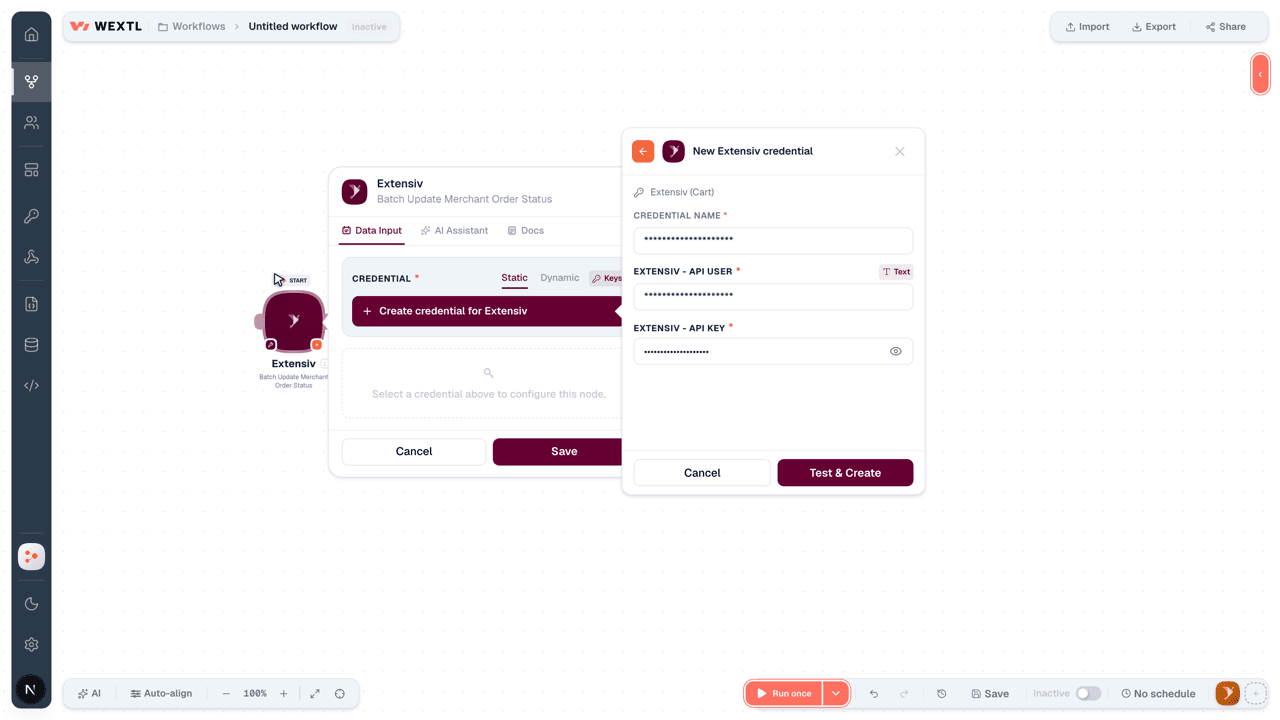
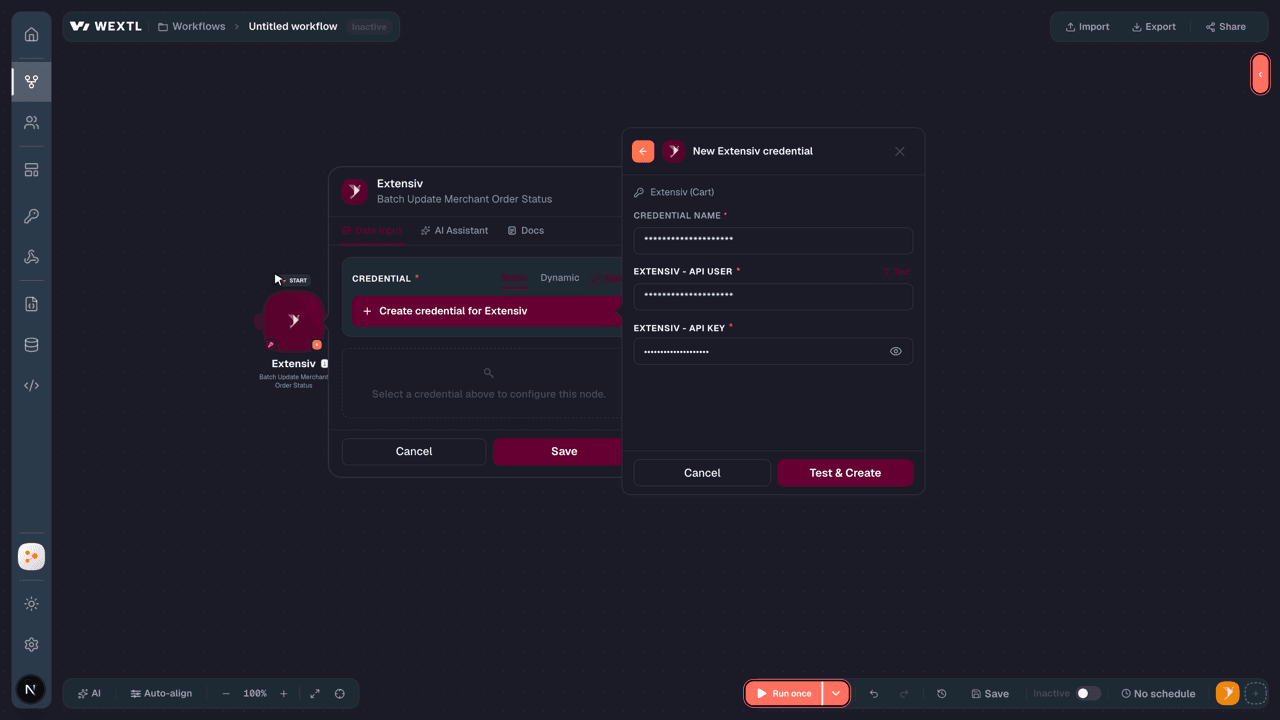
Extensiv triggers and actions on WEXTL
The list below is a reference of every Extensiv node module the integration supports. You will be able to pick any of them on the workflow canvas while building automations.
Open any Extensiv node module below to inspect its input parameters, outputs, and connection requirements.
Watch Events
TriggerWebhook trigger for Extensiv events.
| Field | Type |
|---|---|
| User ID | number |
| Email address | |
| Name | text |
| Date created | date |
Get a Cart by Order Source
ActionSetup of the cart tied to an order source.
| Field | Type |
|---|---|
Order SourceRequired | text |
| Include Setup Template | choice |
| Test Cart | choice |
| Field | Type |
|---|---|
| Order source | text |
| Server ID | text |
| Description | text |
| Discontinued | boolean |
| Icon | text |
| Schedules | object |
| Order | number |
| Confirm | number |
| Disabled | boolean |
| User key | text |
| Setup template | array |
| Extra params | object |
| Method | text |
| Page | text |
| Prevent duplicate names | text |
| 3pl defer notification | text |
| 3pl ponum | text |
| 3pl ponum custom | text |
| 3pl ship date field | text |
| 3pl delivery date field | text |
| 3pl send price info | text |
| 3pl send currency | text |
| Services | array |
Get a Merchant Order
ActionMerchant order header and lines.
| Field | Type |
|---|---|
Customer ReferenceRequired | text |
| Include Filtered Items | choice |
| Include Order Extras | choice |
| Include Line Extras | choice |
| Include Aliases | choice |
| Include Attachments | choice |
| Field | Type |
|---|---|
| Created date time | date |
| Updated date time | date |
| Record no | text |
| Version | text |
| Format | text |
| Cust ref | text |
| Cust po no | text |
| Po number | text |
| Carrier | text |
| Ship code | text |
| Ship code description | text |
| Working ship code | text |
| Cust company | text |
| Cust title | text |
| Cust first name | text |
| Cust last name | text |
| Cust address 1 | text |
| Cust address 2 | text |
| Cust address 3 | text |
| Cust city | text |
126other output fields
Get a Merchant Order Status
ActionCurrent state of a merchant order.
| Field | Type |
|---|---|
Customer ReferenceRequired | text |
| Field | Type |
|---|---|
| Cust ref | text |
| Cust po no | text |
| Delivered to wms date | date |
| Order status | text |
| Shipments | array |
Get a Product
ActionProduct details for one SKU.
| Field | Type |
|---|---|
SKURequired | text |
| Include Parent Details | choice |
| Field | Type |
|---|---|
| Sku | text |
| Name | text |
| Description | text |
| Retail price | number |
| Wholesale price | text |
| Weight lbs | text |
| Wms product main ID | text |
| Last updated datetime | date |
| Aliases | array |
Get Alerts
ActionAlerts raised for your account.
| Field | Type |
|---|---|
| Include Dismissed | choice |
| Field | Type |
|---|---|
| Sku | text |
| Qty available | number |
| Qty on hand | number |
| Wms datetime | date |
| Aliases | array |
| Warehouses | object |
| 2352 | object |
Get an Available Cart
ActionDefinition of one cart with its services.
| Field | Type |
|---|---|
Cart IDRequired | choice |
| Field | Type |
|---|---|
| ID | text |
| Oauth | boolean |
| Name | text |
| Icon | text |
| Fields | object |
| User key | text |
| Password | text |
| Services | object |
| Order | text |
| Confirm | text |
| Sub carts | array |
| Extra params | array |
Get an Order
ActionOne cart order and its line details.
| Field | Type |
|---|---|
Customer ReferenceRequired | text |
| Include Filtered Items | choice |
| Include Order Extras | choice |
| Include Line Extras | choice |
| Include Aliases | choice |
| Field | Type |
|---|---|
| Created date time | date |
| Updated date time | date |
| Record no | text |
| Version | text |
| Format | text |
| Cust ref | text |
| Cust po no | text |
| Po number | text |
| Carrier | text |
| Ship code | text |
| Ship code description | text |
| Working ship code | text |
| Cust company | text |
| Cust title | text |
| Cust first name | text |
| Cust last name | text |
| Cust address 1 | text |
| Cust address 2 | text |
| Cust address 3 | text |
| Cust city | text |
126other output fields
Get Available Carts
SearchCarts with their services and fields.
| Field | Type |
|---|---|
| ID | text |
| Name | text |
| Icon | text |
| Fields | object |
| User key | text |
| Password | text |
| Services | object |
| Order | text |
| Sub carts | array |
| Extra params | object |
| Field | text |
| Name | text |
| Extra | text |
| Type | text |
| Values | object |
| Default | text |
Get Cancel or Refund Logs
SearchItems cancelled or refunded on an order.
| Field | Type |
|---|---|
Customer ReferenceRequired | text |
| Field | Type |
|---|---|
| Item | text |
| Cancel refund qty | text |
| Total refund | text |
| Date | date |
Get Cancel or Refund Logs for a Merchant
SearchPer-merchant trail of cancelled and refunded items.
| Field | Type |
|---|---|
Merchant IDRequired | choice |
Customer ReferenceRequired | text |
| Field | Type |
|---|---|
| Item | text |
| Cancel refund qty | text |
| Total refund | text |
| Date | date |
Get Cart Orders at the WMS
SearchCart orders at the WMS filtered by dates and source.
| Field | Type |
|---|---|
| From Date | date |
| To Date | date |
| Order Source | text |
| Include Filtered Items | choice |
| Include Order Extras | choice |
| Include Line Extras | choice |
| Include Aliases | choice |
| Limit | number |
| Field | Type |
|---|---|
| Created date time | date |
| Record no | text |
| Version | text |
| Format | text |
| Cust ref | text |
| Cust ref original | text |
| Cust po no | text |
| Cust po no original | text |
| Ship code | text |
| Ship code description | text |
| Working ship code | text |
| Cust company | text |
| Cust title | text |
| Cust first name | text |
| Cust last name | text |
| Cust address 1 | text |
| Cust address 2 | text |
| Cust address 3 | text |
| Cust city | text |
| Cust state | text |
124other output fields
Get Inventories
SearchStock records per product SKU.
| Field | Type |
|---|---|
| From Date | date |
| To Date | date |
| Include Aliases | choice |
| Limit | number |
| Field | Type |
|---|---|
| Sku | text |
| Qty available | number |
| Qty on hand | number |
| Wms datetime | date |
| Aliases | array |
| Warehouses | object |
| 2352 | object |
Get Merchants
SearchMerchants with their primary keys and names.
| Field | Type |
|---|---|
| From Date | date |
| To Date | date |
| Include Aliases | choice |
| Limit | number |
| Field | Type |
|---|---|
| Merchant pk | text |
| Name | text |
Get Orders by Status
SearchOrders in one status, optionally within a date range.
| Field | Type |
|---|---|
StatusRequired | choice |
| From Date | date |
| To Date | date |
| Order Source | text |
| Include Filtered Items | choice |
| Include Order Extras | choice |
| Include Line Extras | choice |
| Include Aliases | choice |
| Include Attachments | choice |
| Limit | number |
| Field | Type |
|---|---|
| Created date time | date |
| Record no | text |
| Version | text |
| Format | text |
| Cust ref | text |
| Cust ref original | text |
| Cust po no | text |
| Cust po no original | text |
| Ship code | text |
| Ship code description | text |
| Working ship code | text |
| Cust company | text |
| Cust title | text |
| Cust first name | text |
| Cust last name | text |
| Cust address 1 | text |
| Cust address 2 | text |
| Cust address 3 | text |
| Cust city | text |
| Cust state | text |
124other output fields
Get Set Up Carts
SearchConfigured carts with their setup details.
| Field | Type |
|---|---|
| From Date | date |
| To Date | date |
| Order Source | text |
| Include Filtered Items | choice |
| Include Order Extras | choice |
| Include Line Extras | choice |
| Include Aliases | choice |
| Limit | number |
| Field | Type |
|---|---|
| Name | text |
| Order source | text |
| Description | text |
| Discontinued | boolean |
| Icon | text |
| Cart setup pk | number |
| Services | array |
Get the Cart Inventory
SearchInventory records held for the cart.
| Field | Type |
|---|---|
| From Date | date |
| To Date | date |
| Include Aliases | choice |
| Limit | number |
| Field | Type |
|---|---|
| Sku | text |
| Product ID | text |
| Product variant ID | text |
| Product type | text |
| Site inventory enabled | boolean |
| Last cart inventory | text |
| Date checked | date |
Get the Inventory of a Product
ActionStock levels of a single product.
| Field | Type |
|---|---|
SKURequired | text |
| Field | Type |
|---|---|
| Sku | text |
| Qty available | text |
| Qty on hand | text |
| Wms datetime | date |
| Warehouses | object |
Get the Status of an Order
ActionWhere a cart order currently stands.
| Field | Type |
|---|---|
Customer ReferenceRequired | text |
| Field | Type |
|---|---|
| Cust ref | text |
| Cust po no | text |
| Delivered to wms date | date |
| Order status | text |
| Shipments | array |
Get Warehouses
ActionWarehouse list for the account.
| Field | Type |
|---|---|
| Include Disabled | choice |
Cancel a Merchant Order
ActionStops a merchant order at the warehouse.
| Field | Type |
|---|---|
Customer ReferenceRequired | text |
Cancel an Order
ActionHalts a cart order held at the warehouse.
| Field | Type |
|---|---|
Customer ReferenceRequired | text |
Cancel or Refund a Merchant Order in the Cart
ActionFiles a cart cancellation or refund for a merchant.
| Field | Type |
|---|---|
DataRequired | array |
Unique Order NumberRequired | text |
Cancel OrderRequired | boolean |
Merchant IDRequired | choice |
ShipmentRequired | object |
| Items | array |
| Refund Note | text |
| Cancel Note | text |
| Field | Type |
|---|---|
| Orders | array |
Cancel or Refund an Order in the Cart
ActionCart order cancellation or partial refund.
| Field | Type |
|---|---|
DataRequired | array |
Unique Order NumberRequired | text |
Cancel OrderRequired | boolean |
ShipmentRequired | object |
| Items | array |
| Refund Note | text |
| Cancel Note | text |
| Field | Type |
|---|---|
| Orders | array |
Confirm an Order
ActionConfirms a cart order with tracking.
| Field | Type |
|---|---|
Customer ReferenceRequired | text |
Order StatusRequired | choice |
ShipmentsRequired | array |
| Field | Type |
|---|---|
| Success code | boolean |
| Cust ref | text |
| Order number | text |
| Error code | text |
| Message | text |
Create a Batch Order
ActionBulk order creation in one request.
| Field | Type |
|---|---|
DataRequired | array |
Customer ReferenceRequired | text |
ItemsRequired | array |
Shipping Address 1Required | text |
Shipping CityRequired | text |
Shipping StateRequired | text |
Shipping ZIPRequired | text |
Shipping CountryRequired | text |
Token SwitchRequired | choice |
| Customer PO Number | text |
| Shipping Company | text |
| Field | Type |
|---|---|
| Success | array |
| Failed | array |
Create a Cart
ActionConnects a cart to an order source.
| Field | Type |
|---|---|
Cart IDRequired | choice |
| User Key | text |
| Password | text |
| Server ID | text |
| Description | text |
| Disable | boolean |
| Schedules | object |
| Order Schedule | choice |
| Confirm Schedule | choice |
| Inventory Schedule | choice |
| Extra Fields | array |
| Field | Type |
|---|---|
| Order source | text |
| User key | text |
| Server ID | text |
| Description | text |
| Discontinued | boolean |
| Icon | text |
| Extra params | object |
| Default unmapped ship code | text |
| Reject unmapped ship codes | text |
| Reject cass error | text |
| Validate address | text |
| Earliest order date | text |
| Sync warehouse | text |
| Inventory sync alias | text |
| Blank sku action | text |
| Minimum inventory level | number |
| Translate item code | text |
| Schedules | object |
| Order | number |
| Confirm | number |
| Inventory | number |
| Test success | boolean |
| Test message | text |
Create a Merchant
ActionNew merchant account with an optional user.
| Field | Type |
|---|---|
Name of MerchantRequired | text |
| User | array |
| WMS Params | array |
| Field | Type |
|---|---|
| Order source | text |
| User key | text |
| Server ID | text |
| Description | text |
| Discontinued | boolean |
| Icon | text |
| Extra params | object |
| Default unmapped ship code | text |
| Reject unmapped ship codes | text |
| Reject cass error | text |
| Validate address | text |
| Earliest order date | text |
| Sync warehouse | text |
| Inventory sync alias | text |
| Blank sku action | text |
| Minimum inventory level | number |
| Translate item code | text |
| Schedules | object |
| Order | number |
| Confirm | number |
| Inventory | number |
| Test success | boolean |
| Test message | text |
Create a Warehouse
ActionAdds a warehouse to CartRover.
| Field | Type |
|---|---|
Inventory WarehouseRequired | text |
| WMS Warehouse Name | text |
| WMS Warehouse ID | text |
| Default | boolean |
| Disabled | boolean |
Create an Order
ActionSubmits a fresh order to CartRover.
| Field | Type |
|---|---|
Customer ReferenceRequired | text |
ItemsRequired | array |
Shipping Address 1Required | text |
Shipping CityRequired | text |
Shipping StateRequired | text |
Shipping ZIPRequired | text |
Shipping CountryRequired | text |
Token SwitchRequired | choice |
| Customer PO Number | text |
| Shipping Company | text |
| Shipping Title | text |
| Shipping First Name | text |
| Shipping Last Name | text |
| Shipping Address 2 | text |
| Shipping Address 3 | text |
| Shipping Phone | text |
| Shipping Email | |
| Shipping Address Type | choice |
| Ship is Billing | boolean |
| Order Date | date |
6other input fields
| Field | Type |
|---|---|
| Success code | boolean |
| Cust ref | text |
| Order number | text |
| Error code | text |
| Message | text |
Dismiss Alerts
ActionClears alerts from the alert list.
| Field | Type |
|---|---|
Notification Primary KeysRequired | array |
Make an API Call
universalFree-form Extensiv REST API request.
| Field | Type |
|---|---|
URLRequired | text |
MethodRequired | choice |
| Headers | array |
| Header | object |
| Query String | array |
| Parameter | object |
| Body | text |
| Field | Type |
|---|---|
| Body | text |
| Headers | object |
| Status code | number |
Update a Cart
ActionEdits a cart connection or removes it.
| Field | Type |
|---|---|
Order SourceRequired | text |
| User Key | text |
| Password | text |
| Server ID | text |
| Description | text |
| Schedules | array |
| Extra Fields | array |
| Disable | boolean |
| Delete | boolean |
| Field | Type |
|---|---|
| Products | array |
Update a Merchant
ActionEdits merchant settings and schedules.
| Field | Type |
|---|---|
Name of MerchantRequired | text |
| Merchant Parameters | array |
| WMS Parameters | array |
| WMS Name | text |
| Schedules | array |
| Discontinued | boolean |
Update a Merchant Order Status
ActionMarks a merchant order as at the WMS.
| Field | Type |
|---|---|
Customer ReferenceRequired | text |
Order StatusRequired | choice |
| Field | Type |
|---|---|
| Cust ref | text |
| Cust po no | text |
| Delivered to wms date | date |
| Order status | text |
| Shipments | array |
Update a Merchant Order Status with Shipments
ActionShipping update with tracking numbers.
| Field | Type |
|---|---|
Customer ReferenceRequired | text |
Order StatusRequired | choice |
| Shipments | array |
| Field | Type |
|---|---|
| Cust ref | text |
| Cust po no | text |
| Delivered to wms date | date |
| Order status | text |
| Shipments | array |
Update a Warehouse
ActionEdits the names and status of a warehouse.
| Field | Type |
|---|---|
Warehouse PKRequired | text |
Inventory WarehouseRequired | text |
| WMS Warehouse Name | text |
| WMS Warehouse ID | text |
| Default | boolean |
| Disabled | boolean |
Update Inventory
ActionSets stock counts for products.
| Field | Type |
|---|---|
DataRequired | array |
SKURequired | text |
Available QuantityRequired | number |
| On Hand Quantity | number |
| WMS Date Time | date |
| WMS Product ID | text |
| Description | text |
| Warehouse Primary Key | number |
| WMS Warehouse ID | text |
| WMS Warehouse Name | text |
| Field | Type |
|---|---|
| Products | array |
Update Merchant Order Statuses in a Batch
ActionBulk status changes for merchant orders.
| Field | Type |
|---|---|
DataRequired | array |
Customer ReferenceRequired | text |
Order StatusRequired | choice |
| Shipments | array |
Upload Product Data
ActionProduct details for a SKU.
| Field | Type |
|---|---|
SKURequired | text |
| Retail Price | number |
| Product Name | text |
| Product Description | text |
| Wholesale Price | text |
| Product Weight (In LBS) | number |
| WMS Product Main ID | text |
| Product Type in WMS System | text |
| Parent SKU | text |
| Aliases | array |
| Extra Fields | array |
| Key | text |
| Value | text |
| Field | Type |
|---|---|
| Sku | text |
| Name | text |
| Description | text |
| Retail price | number |
| Wholesale price | text |
| Weight lbs | text |
| Wms product main ID | text |
| Last updated datetime | text |
| Warehouse product type | text |
| Parent product pk | text |
| Aliases | array |
| Extra fields | object |
| Field 1 | text |
| Slogan | text |
| Upload datetime | text |
Templates
Look for Extensiv templates in the WEXTL template library.
Browse templates →Other finance integrations on WEXTL
 Adyen[2]Global payment platform for online, in-person, and unified commerce transactions.
 DonorboxDonation software for nonprofit fundraising and donor management.
 CommasCreator commerce for checkouts, subscriptions, customers, and payouts.
 ePay PaymentsPayment gateway for sessions, links, subscriptions, and settlements.
 ChargebeeSubscription billing for customers, plans, invoices, and payments.
References
- WEXTL® Extensiv Source Code connector implementation.
- Our users use cases and automations.
- Official API Documentation for Extensiv.
- WEXTL® visual workflow builder data.
Last updated: Aug 9, 2026 19:49
How we write our apps documentation
How we compile these docs: sources, the role of AI, and how we verify.