


Requirements
To use Glassix on WEXTL you need an active account and OAuth client credentials, granted by signing in with your account.[3]
Get your Glassix credentials
You’ll be redirected to sign in and approve access — your password is never shared with WEXTL.
- WorkspacetextRequired
Enter your workspace subdomain (
[1]required). Example:acme. Do not includehttps://or.glassix.com. Docs: API Authentication - API KeytextRequired
Paste your API Key (
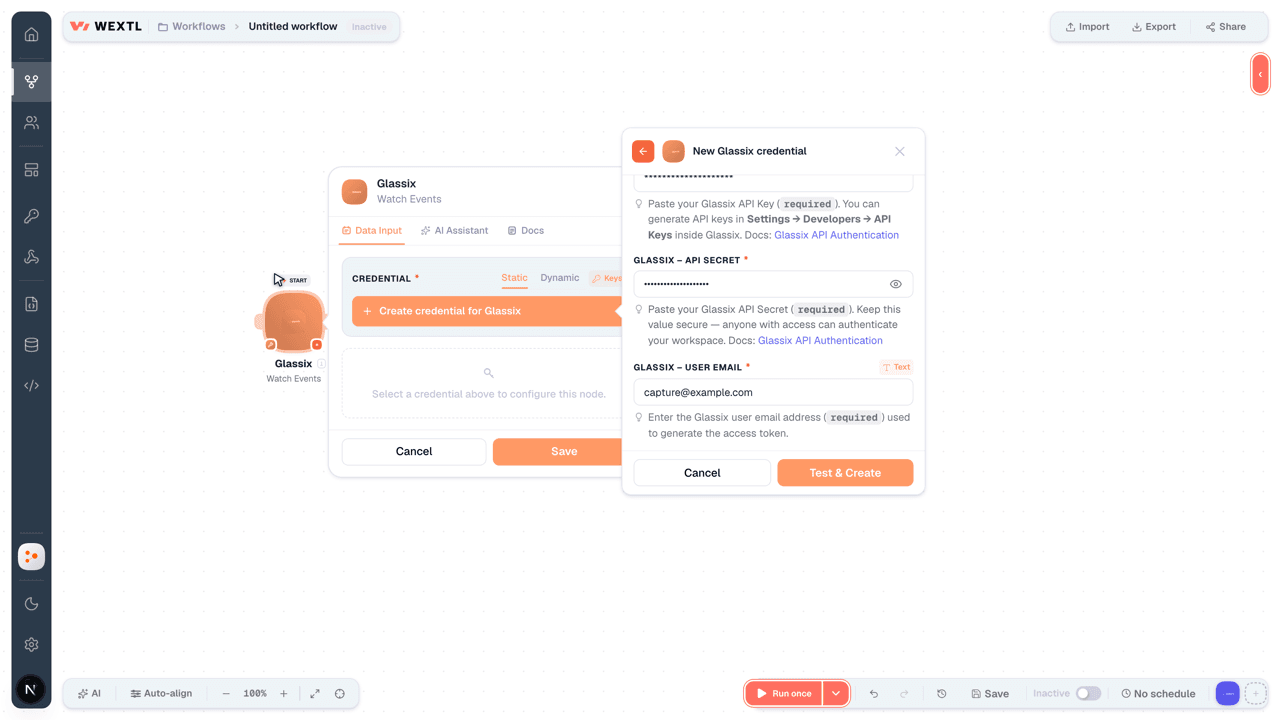
[1]required). You can generate API keys in Settings → Developers → API Keys inside Glassix. Docs: API Authentication - API SecretpasswordRequired
Paste your API Secret (
[1]required). Keep this value secure — anyone with access can authenticate your workspace. Docs: API Authentication - User EmailtextRequired
Enter the user email address (
[1]required) used to generate the access token.
Connect Glassix in WEXTL
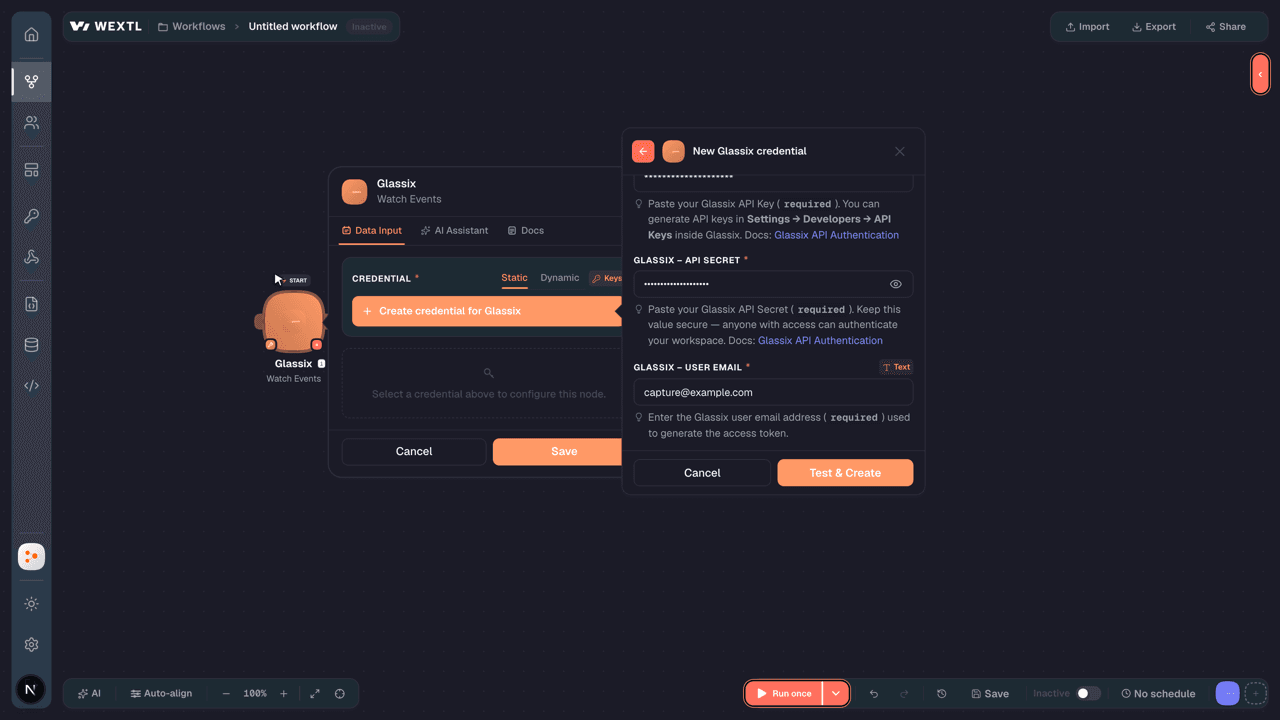
- Log in to your WEXTL account, add the Glassix node module to your workflow, and click Create new credential.
- Optional: In the Credential name field, enter a name for the credential.
- Enter the authentication credentials you copied from your Glassix account, or follow the on-screen instructions to create the credential.
- If prompted, authenticate your account and confirm access.
- If you want to make changes to your credential in the future, follow the steps in Manage credentials →
Notes
Credentials are org-scoped; share them with teammates from the Credentials picker on any of its nodes.For detailed information on connecting an application, see Connect an application →
Glassix node modules
The list below is a reference of every Glassix node module the integration supports. You will be able to pick any of them on the workflow canvas while building automations.
Open any Glassix node module below to inspect its input parameters, outputs, and connection requirements.
Watch EventsTrigger
| Field | Type |
|---|---|
| event | text |
| Ticket ID | number |
| Ticket state | text |
| Ticket | object |
| ID | number |
| Department ID | text |
| Field 1 | text |
| Field 2 | text |
| Field 3 | text |
| Field 4 | text |
| Field 5 | text |
| Field 6 | text |
| Field 7 | text |
| Field 8 | text |
Watch TicketsTrigger
| Field | Type |
|---|---|
| ID | number |
| Field 1 | text |
| Field 2 | text |
| Field 3 | text |
| Field 4 | text |
| Field 5 | text |
| Field 6 | text |
| Field 7 | text |
| Field 8 | text |
| Field 9 | text |
| Field 10 | text |
| Culture | text |
| Tags | array |
| Activity logs | array |
| Owner | object |
| ID | text |
| Gender | text |
| User name | |
| Culture | text |
| Is anonymous | boolean |
| Unique argument | text |
| Type | text |
| Full name | text |
| Short name | text |
| Job title | text |
| State | text |
| Open | date |
| Close | date |
| Last activity | date |
| Ticket type | text |
Get a ContactAction
Get a TicketAction
| Field | Type |
|---|---|
Ticket IDRequired | choice |
| Field | Type |
|---|---|
| ID | text |
| Department ID | text |
| Field 1 | text |
| Field 2 | text |
| Field 3 | text |
| Field 4 | text |
| Field 5 | text |
| Field 6 | text |
| Field 7 | text |
| Field 8 | text |
| Field 9 | text |
| Field 10 | text |
| Culture | text |
| Tags | array |
| Activity logs | array |
| Owner | object |
| ID | text |
| Gender | text |
| User name | text |
| Culture | text |
| Is anonymous | boolean |
| Unique argument | text |
| Type | text |
| Full name | text |
| Short name | text |
| Job title | text |
| State | text |
| Open | date |
| Close | date |
| Last activity | date |
Get a User by Unique ArgumentAction
Get a User StatusAction
| Field | Type |
|---|---|
| Status | text |
| status | number |
Get an Audio LinkAction
| Field | Type |
|---|---|
Ticket IDRequired | choice |
Audio URIRequired | url |
Get ContentAction
List CategoriesSearch
List ContentsSearch
| Field | Type |
|---|---|
Category IDRequired | choice |
| Order By | choice |
| Descending | boolean |
| Type Filter | choice |
| Limit | number |
| Field | Type |
|---|---|
| ID | text |
| Language code | text |
| Category ID | text |
| Is disabled | boolean |
| Is available to ai bot | boolean |
| Is available to agent suggestions | boolean |
| Full text | text |
| Engagement rate | number |
| Created on | date |
| Updated on | date |
List EventsAction
List TicketsSearch
| Field | Type |
|---|---|
| Since (UTC) | text |
| Until (UTC) | text |
| Ticket State(s) | text |
| Sort Order | choice |
| Limit | number |
| Field | Type |
|---|---|
| ID | number |
| Field 1 | text |
| Field 2 | text |
| Field 3 | text |
| Field 4 | text |
| Field 5 | text |
| Field 6 | text |
| Field 7 | text |
| Field 8 | text |
| Field 9 | text |
| Field 10 | text |
| Culture | text |
| Tags | array |
| Activity logs | array |
| Owner | object |
| ID | text |
| Gender | text |
| User name | |
| Culture | text |
| Is anonymous | boolean |
| Unique argument | text |
| Type | text |
| Full name | text |
| Short name | text |
| Job title | text |
| State | text |
| Open | date |
| Close | date |
| Last activity | date |
| Ticket type | text |
List User Status LogsSearch
List UsersSearch
Add a Contact IdentifierAction
Add Ticket NoteAction
| Field | Type |
|---|---|
Ticket IDRequired | choice |
| Text | text |
| HTML | text |
Add Ticket TagsAction
| Field | Type |
|---|---|
Ticket IDRequired | choice |
| content | text |
Assign an Available UserAction
| Field | Type |
|---|---|
Ticket IDRequired | choice |
Create a TicketAction
| Field | Type |
|---|---|
| Field 1 (Subject) | text |
| Field 2 | text |
| Field 3 | text |
| Field 4 | text |
| Field 5 | text |
| Field 6 | text |
| Field 7 | text |
| Field 8 | text |
| Field 9 | text |
| Field 10 | text |
CultureRequired | choice |
ParticipantsRequired | array |
| Tags | array |
| Unique Argument | text |
| State | choice |
| Open Date/Time (UTC) | date |
| Close Date/Time (UTC) | date |
| Get Available User | boolean |
| Add Introduction Message | boolean |
| Enable Webhook | boolean |
| Field | Type |
|---|---|
| ID | text |
| Department ID | text |
| Field 1 | text |
| Field 2 | text |
| Field 3 | text |
| Field 4 | text |
| Field 5 | text |
| Field 6 | text |
| Field 7 | text |
| Field 8 | text |
| Field 9 | text |
| Field 10 | text |
| Culture | text |
| Ticket type | text |
| Tags | array |
| Owner | object |
| ID | text |
| Gender | text |
| User name | text |
| Culture | text |
| Is anonymous | boolean |
| Unique argument | text |
| Type | text |
| State | text |
| Open | date |
| Close | date |
| Unique argument | text |
Create a UserAction
Create ContentAction
| Field | Type |
|---|---|
TypeRequired | choice |
TitleRequired | text |
Full TextRequired | text |
| Language Code | text |
| Category ID | choice |
| Available to AI Bot | boolean |
| Available to Agent Suggestions | boolean |
| Field | Type |
|---|---|
| ID | text |
| Language code | text |
| Category ID | text |
| Is disabled | boolean |
| Is available to ai bot | boolean |
| Is available to agent suggestions | boolean |
| Full text | text |
| Engagement rate | number |
| Created on | date |
| Updated on | date |
Delete a Contact IdentifierAction
Delete a UserAction
Delete an EventAction
| Field | Type |
|---|---|
Queue Receipt HandleRequired | text |
Queue Message IDRequired | text |
Delete ContentAction
| Field | Type |
|---|---|
Content IDRequired | choice |
End a Phone CallAction
| Field | Type |
|---|---|
Ticket IDRequired | choice |
| Date Time | date |
Generate a Survey LinkAction
Generate a Ticket PDFAction
Generate Ticket HTMLAction
Make an API Calluniversal
Remove a Ticket TagAction
| Field | Type |
|---|---|
Ticket IDRequired | choice |
TagRequired | text |
Scramble TicketAction
Send a TicketAction
| Field | Type |
|---|---|
Ticket IDRequired | choice |
| Text | text |
| HTML | text |
| Enable Free Text Input | boolean |
| Quick Replies | array |
| Templates | array |
| Files | array |
| Field | Type |
|---|---|
| Guid transaction ID | text |
| ID | number |
| Date time | date |
| From protocol type | text |
| Type | text |
| Text | text |
| HTML | text |
| Status | text |
| From participant | object |
| ID | number |
| Name | text |
| Display name | text |
| Protocol type | text |
| Sub protocol type | text |
| Is active | boolean |
| Is deleted | boolean |
| Identifier | text |
| Type | text |
| Contact ID | text |
| Attachments | array |
| Payload | text |
Set a Unique ArgumentAction
| Field | Type |
|---|---|
Next Unique ArgumentRequired | text |
Set a User StatusAction
| Field | Type |
|---|---|
Next StatusRequired | choice |
Set Ticket OwnerAction
| Field | Type |
|---|---|
Ticket IDRequired | choice |
Keep Current Owner in ConversationRequired | boolean |
| Next Owner Email | |
| Next Owner GUID | choice |
Start a Phone CallAction
| Field | Type |
|---|---|
Ticket IDRequired | choice |
| Date Time | date |
Update a Ticket Participant NameAction
| Field | Type |
|---|---|
Ticket IDRequired | choice |
Participant IDRequired | choice |
Participant NameRequired | text |
Update a Ticket StateAction
Update a Ticket SummaryAction
| Field | Type |
|---|---|
Ticket IDRequired | choice |
SummaryRequired | text |
Update a UserAction
| Field | Type |
|---|---|
| Short Name | text |
| Full Name | text |
| Job Title | text |
| Culture | choice |
Update Contact NameAction
Update ContentAction
| Field | Type |
|---|---|
Content IDRequired | choice |
TitleRequired | text |
Full TextRequired | text |
| Category ID | choice |
| Available to AI Bot | boolean |
| Available to Agent Suggestions | boolean |
Update Ticket DepartmentAction
Update Ticket FieldsAction
| Field | Type |
|---|---|
Ticket IDRequired | choice |
| Field 1 (Subject) | text |
| Field 2 | text |
| Field 3 | text |
| Field 4 | text |
| Field 5 | text |
| Field 6 | text |
| Field 7 | text |
| Field 8 | text |
| Field 9 | text |
| Field 10 | text |
| Unique Argument | text |
| Details | object |
| User Agent | text |
| IP Address | text |
| Location | text |
| Source | object |
| External Link | url |
| Identity Token Claims | object |
| Referral | object |
Templates
Look for Glassix templates in the WEXTL template library.
Browse templates →Explore alternative apps
- Bluesky[2]Open social network built on the AT Protocol.
- AircallBusiness phone system for teams, with calls, messages, and AI notes.
- ArpooneBusiness SMS messaging platform for sending and managing text campaigns.
- Bland AIAI phone-calling platform that places and handles automated voice conversations at scale.
- BatchDialerCloud predictive dialer for sales and collections teams with contacts and campaigns.


References
- WEXTL® Glassix Source Code connector implementation.
- Our users use cases and automations.
- Official API Documentation for Glassix.
- WEXTL® visual workflow builder data.
Last updated: Jul 24, 2026 18:11