


About this integration
Microsoft 365 contacts — create, update, and organize people. This integration exposes its full API as workflow modules.
The integration includes 1 trigger, 4 search modules and 6 actions. Connections use oauth or oauth authentication.
How to connect
The credential form asks for Microsoft - Tenant, Microsoft - Client ID, Microsoft - Client Secret, and Microsoft - Tenant.
OAuth asks you to approve Contacts.Read, Contacts.Read.Shared, and Contacts.ReadWrite before access is granted.
Sign in and approve access — your password is never shared with WEXTL®, and you can revoke access from the provider at any time.
You’ll be redirected to sign in and approve access — your password is never shared with WEXTL.
You’ll be redirected to sign in and approve access — your password is never shared with WEXTL.
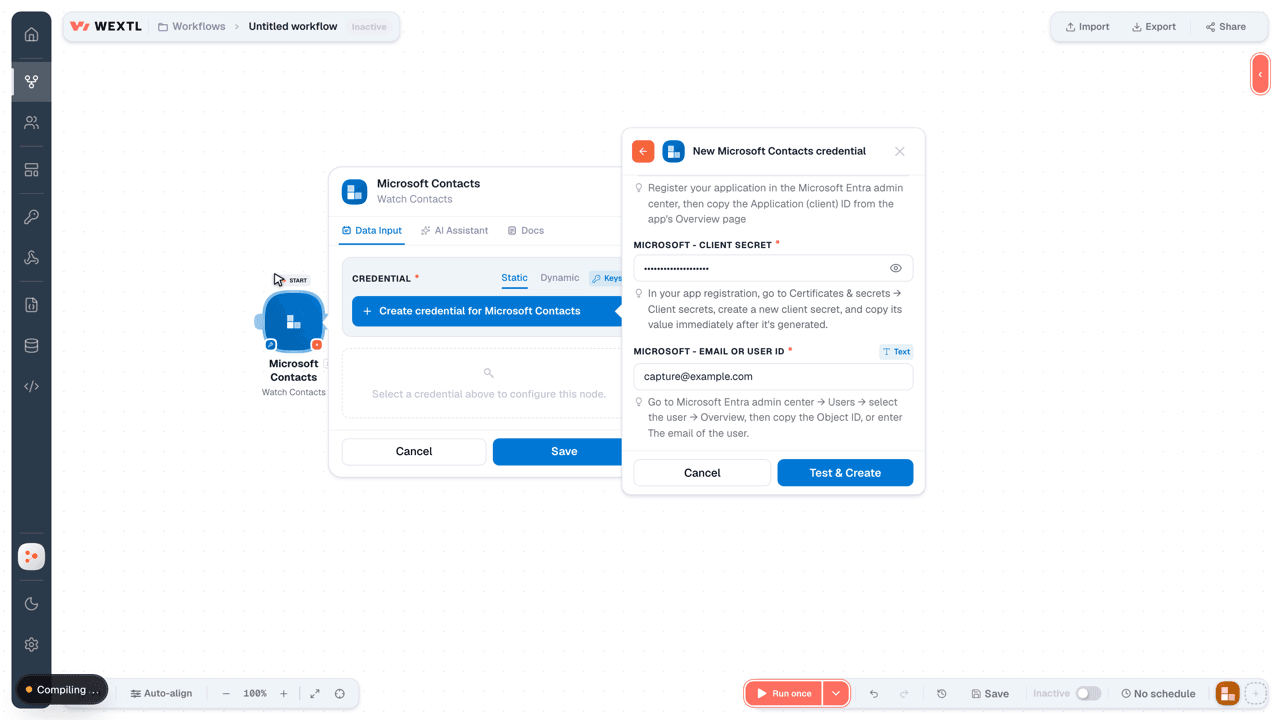
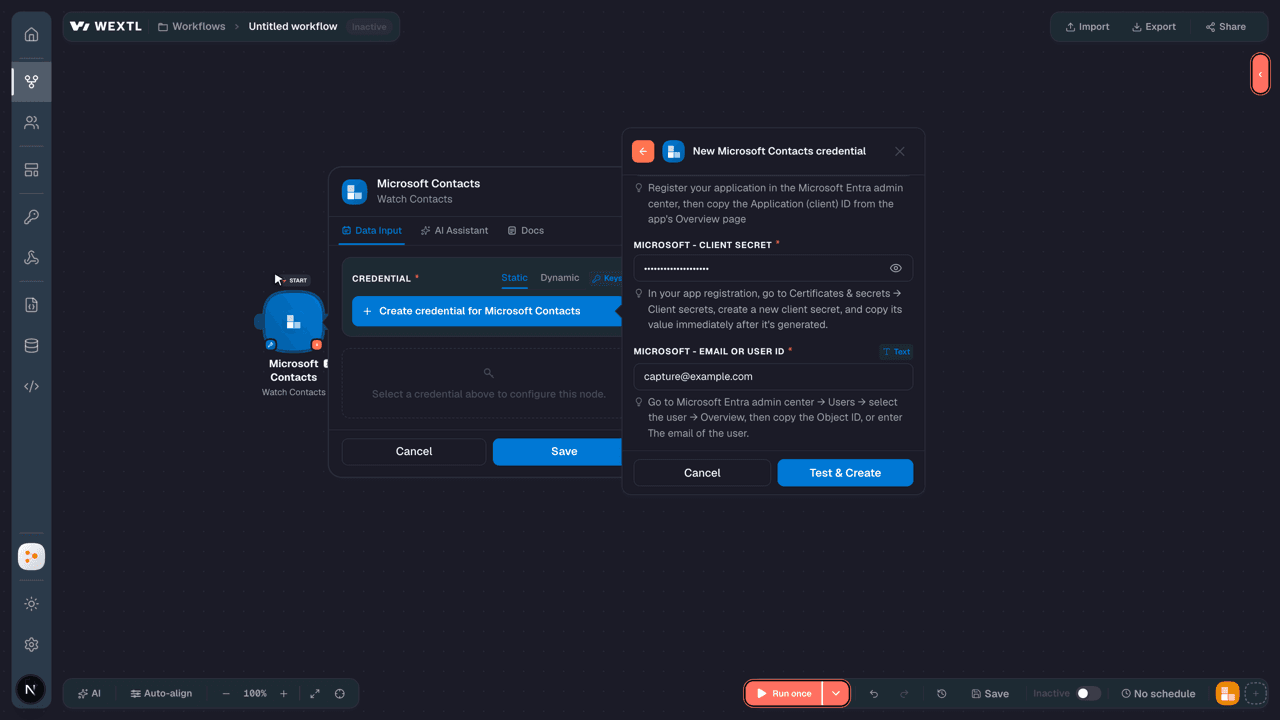
Connecting Microsoft Contacts to WEXTL®
| Field | Type | Help |
|---|---|---|
Microsoft - TenantRequired | select | Go to |
Microsoft - Client IDRequired | text | Go to the Microsoft Entra admin center → Entra ID → App registrations and select New registration. → enter a description and expiration → Add, then immediately copy your Client ID |
Microsoft - Client SecretRequired | password | Copy you client Secret from the previously created app |
- Contacts.Read
- Contacts.Read.Shared
- Contacts.ReadWrite
- Contacts.ReadWrite.Shared
- OrgContact.Read
- OrgContact.Read.All
- Directory.Read.All
- Directory.ReadWrite.All
| Field | Type | Help |
|---|---|---|
Microsoft - TenantRequired | select | Go to |
Microsoft - Client IDRequired | text | Register your application in the Microsoft Entra admin center, then copy the Application (client) ID from the app's Overview page |
Microsoft - Client SecretRequired | password | In your app registration, go to Certificates & secrets → Client secrets, create a new client secret, and copy its value immediately after it's generated. |
Microsoft - Email or User IDRequired | text | Go to Microsoft Entra admin center → Users → select the user → Overview, then copy the Object ID, or enter The email of the user. |
- Contacts.Read
- Contacts.Read.Shared
- Contacts.ReadWrite
- Contacts.ReadWrite.Shared
- OrgContact.Read
- OrgContact.Read.All
- Directory.Read.All
- Directory.ReadWrite.All
Use it in workflow automation
Start with Watch Contacts, then add Create a Contact.
The canvas below runs Watch Contacts into Create a Contact — watch the video, then drop a node onto the canvas.
Select the Watch Contacts trigger and the workflow fires automatically when the event occurs — no polling required.
Then add Update a Contact Folder as the next node. Branch, filter, or hand off to other integrations from there.
The integration includes 7 ready-made modules for communication work — each run logs its inputs and outputs for debugging.
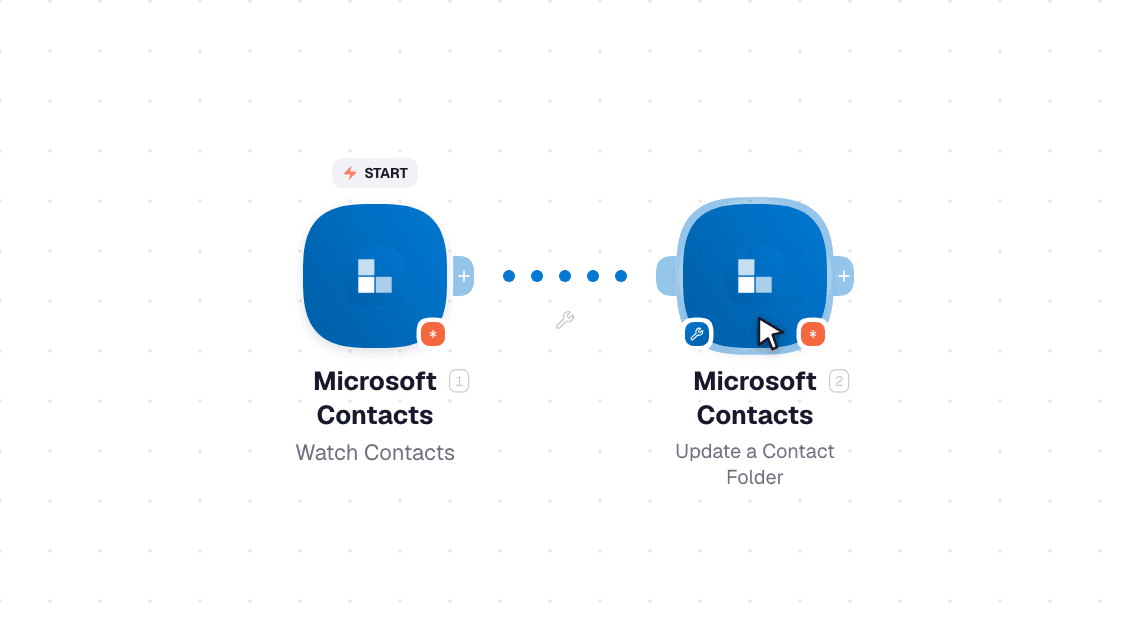
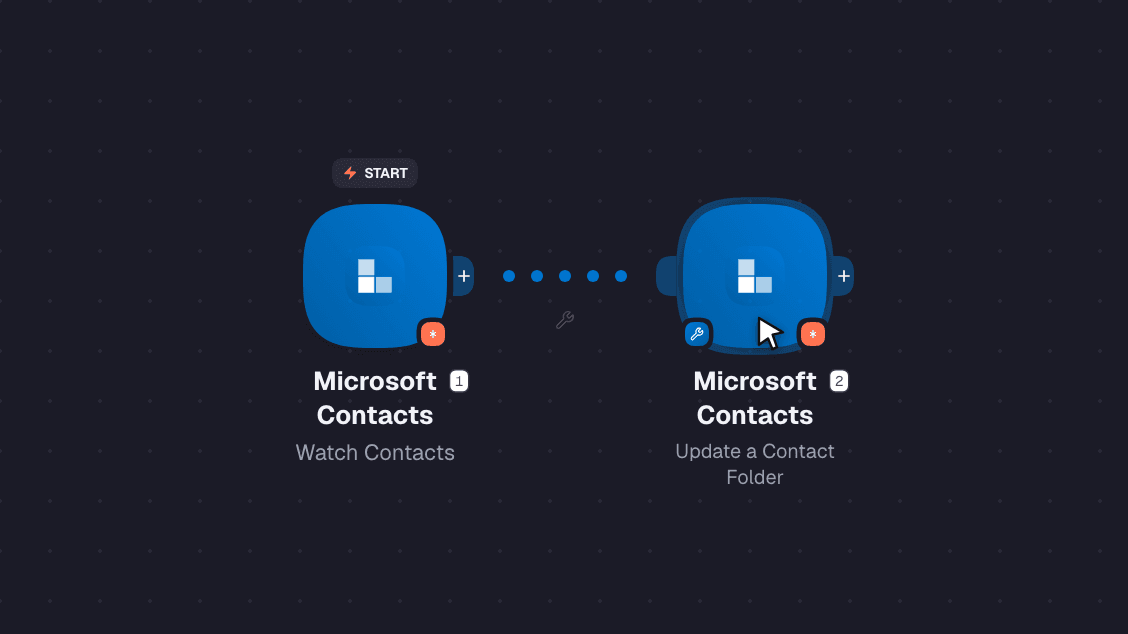
Microsoft Contacts workflow on the canvas: Watch Contacts then Update a Contact Folder
Triggers, searches and actions
Browse every Microsoft Contacts module field below: 1 trigger, 4 searchs, and 6 actions you can drop onto the canvas.
Triggers
This integration includes 1 trigger — start a workflow the moment something changes in the app.
- Watch Contacts
Searches
Use any of 4 search modules to retrieve records without leaving the workflow canvas.
- List Contacts
- List Persons
- Retrieve a Contact
- Retrieve a Contact Folder
Actions
This integration includes 6 action modules — create, update, or delete records as part of any workflow.
- Create a Contact
- Delete a Contact
- Delete a Contact Folder
- Make an API Call
- Update a Contact
Explore the fields available for each Microsoft Contacts trigger, search, and action.
Triggers
| Field | Type |
|---|---|
Assistant name | text |
Birthday | date |
Categories | array |
Change key | text |
Children | array |
Company name | text |
Created date time | date |
Department | text |
Display name | text |
Email addresses | array |
File as | text |
Flag | object |
@odata type | text |
Gender | text |
Generation | text |
Given name | text |
ID | text |
Im addresses | array |
Initials | text |
Job title | text |
Last modified date time | date |
Searches
| Field | Type |
|---|---|
Search | text |
Limit | number |
| Field | Type |
|---|---|
Assistant name | text |
Birthday | date |
Categories | array |
Change key | text |
Children | array |
Company name | text |
Created date time | date |
Department | text |
Display name | text |
Email addresses | array |
File as | text |
Flag | object |
@odata type | text |
Gender | text |
Generation | text |
Given name | text |
ID | text |
Im addresses | array |
Initials | text |
Job title | text |
Last modified date time | date |
| Field | Type |
|---|---|
Search | text |
Limit | number |
| Field | Type |
|---|---|
Birthday | date |
Company name | text |
Department | text |
Display name | text |
Email addresses | array |
Given name | text |
ID | text |
Is favorite | text |
Mailbox type | text |
Office location | text |
Person notes | text |
Person type | text |
Phones | array |
Postal addresses | array |
Profession | text |
Sources | array |
Surname | text |
Title | text |
User principal name | text |
Websites | array |
| Field | Type |
|---|---|
Contact IDRequired | choice |
| Field | Type |
|---|---|
Assistant name | text |
Birthday | date |
Categories | array |
Change key | text |
Children | array |
Company name | text |
Created date time | date |
Department | text |
Display name | text |
Email addresses | array |
File as | text |
Flag | object |
@odata type | text |
Gender | text |
Generation | text |
Given name | text |
ID | text |
Im addresses | array |
Initials | text |
Job title | text |
Last modified date time | date |
| Field | Type |
|---|---|
Folder IDRequired | choice |
| Field | Type |
|---|---|
Display name | text |
ID | text |
Parent folder ID | text |
Well known name | text |
Actions
| Field | Type |
|---|---|
Given NameRequired | text |
SurnameRequired | text |
Email AddressesRequired | array |
Phones | array |
| Field | Type |
|---|---|
Assistant name | text |
Birthday | date |
Categories | array |
Change key | text |
Children | array |
Company name | text |
Created date time | date |
Department | text |
Display name | text |
Email addresses | array |
File as | text |
Flag | object |
@odata type | text |
Gender | text |
Generation | text |
Given name | text |
ID | text |
Im addresses | array |
Initials | text |
Job title | text |
Last modified date time | date |
| Field | Type |
|---|---|
Contact IDRequired | choice |
| Field | Type |
|---|---|
Folder IDRequired | choice |
| Field | Type |
|---|---|
URLRequired | text |
MethodRequired | choice |
Headers | array |
Header | object |
Query String | array |
Parameter | object |
Body | text |
| Field | Type |
|---|---|
Body | text |
Headers | object |
Status code | number |
| Field | Type |
|---|---|
Contact IDRequired | choice |
Given Name | text |
Surname | text |
Email Addresses | array |
Phones | array |
| Field | Type |
|---|---|
Assistant name | text |
Birthday | date |
Categories | array |
Change key | text |
Children | array |
Company name | text |
Created date time | date |
Department | text |
Display name | text |
Email addresses | array |
File as | text |
Flag | object |
@odata type | text |
Gender | text |
Generation | text |
Given name | text |
ID | text |
Im addresses | array |
Initials | text |
Job title | text |
Last modified date time | date |
| Field | Type |
|---|---|
Folder IDRequired | choice |
Display Name | text |
Parent Folder ID | choice |
Well Known Name | text |
| Field | Type |
|---|---|
Display name | text |
ID | text |
Parent folder ID | text |
Well known name | text |