


Requirements
Before you set up the credential, make sure you have an active Combo HR account and an API access token from your account settings ready.[3]
Get your Combo HR credentials
- API TokenpasswordRequired
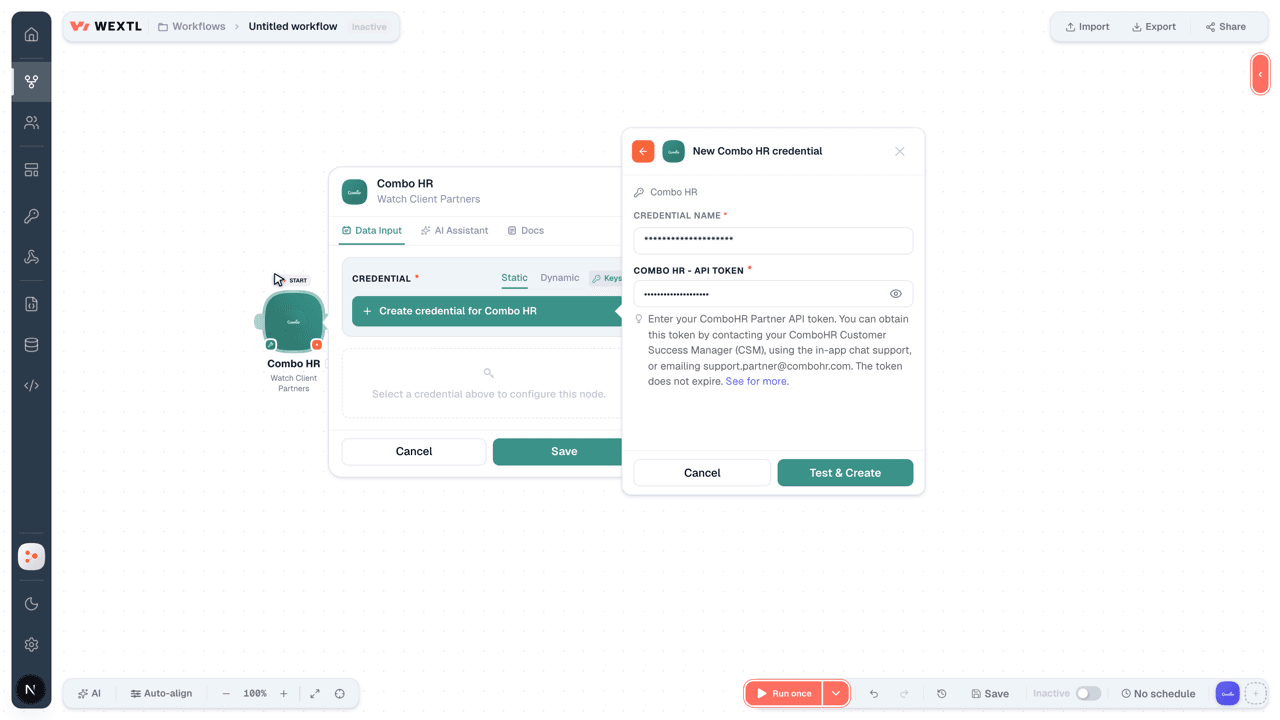
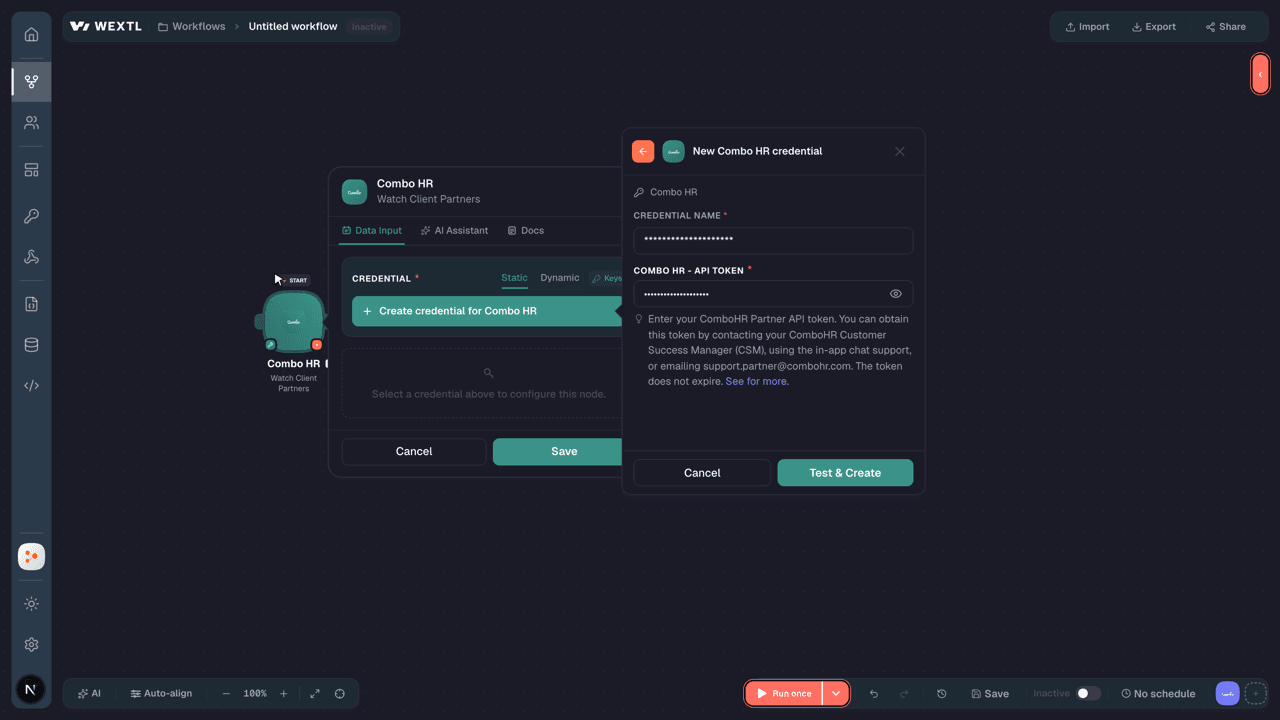
Enter your ComboHR Partner API token. You can obtain this token by contacting your ComboHR Customer Success Manager (CSM), using the in-app chat support, or emailing [email protected]. The token does not expire. See for more.
[1]
Connect Combo HR in WEXTL
- Log in to your WEXTL account, add the Combo HR node module to your workflow, and click Create new credential.
- Optional: In the Credential name field, enter a name for the credential.
- Enter the authentication credentials you copied from your Combo HR account, or follow the on-screen instructions to create the credential.
- If prompted, authenticate your account and confirm access.
- If you want to make changes to your credential in the future, follow the steps in Manage credentials →
Notes
Credentials are org-scoped; share them with teammates from the Credentials picker on any of its nodes.For detailed information on connecting an application, see Connect an application →
Combo HR node modules
The list below is a reference of every Combo HR node module the integration supports. You will be able to pick any of them on the workflow canvas while building automations.
Each Combo HR node module below opens to reveal its input parameters, outputs, and connection requirements.
Watch Client PartnersTrigger
| Field | Type |
|---|---|
| Client Partner ID | text |
| Client Partner Name | text |
| Created At | date |
| Updated At | date |
Watch ContractsTrigger
| Field | Type |
|---|---|
| Contract ID | text |
| First Name | text |
| Last Name | text |
| Social Security Number | text |
| Contract Time (per week) | number |
| Contract Type | text |
| Location ID | text |
| Role | text |
| Hourly Gross Rate | number |
| Start Date | date |
| End Date | date |
| Working Days per Week | number |
| Street Address | text |
| ZIP Code | text |
| City | text |
| Citizenship | text |
| Function | text |
| Mobile Phone | text |
| Fixed Line Phone | text |
Watch Employee ID MappingsTrigger
| Field | Type |
|---|---|
| Employee ID Mapping ID | text |
| Identification Code | text |
| Membership ID | number |
| Client Partner ID | text |
| Client Partner Name | text |
| Created At | date |
| Updated At | date |
Watch PlanningsTrigger
| Field | Type |
|---|---|
| Shift ID | text |
| Shift Date | date |
| Planned Start Time | date |
| Planned End Time | date |
| Planned Break Duration | number |
| Actual Start Time | date |
| Actual End Time | date |
| Actual Break Duration | number |
| First Name | text |
| Last Name | text |
| Contract ID | text |
| Employee Number | text |
| Location Name | text |
| Location ID | text |
| Label Name | text |
| Team Name | text |
| Team ID | text |
| Identification Codes | array |
Watch RestsTrigger
| Field | Type |
|---|---|
| Rest ID | text |
| Contract ID | text |
| Location ID | text |
| Rest Type | text |
| Start Time | date |
| End Time | date |
| Custom Values | array |
Watch RevenuesTrigger
| Field | Type |
|---|---|
| Location ID | text |
| Location Name | text |
| Revenue Date | date |
| Estimated Amount | number |
| Actual Amount | number |
| Automated Update | boolean |
Get a ShiftAction
| Field | Type |
|---|---|
Shift IDRequired | choice |
| Field | Type |
|---|---|
| Shift ID | text |
| Shift Date | date |
| Planned Start Time | date |
| Planned End Time | date |
| Planned Break Duration | number |
| Actual Start Time | date |
| Actual End Time | date |
| Actual Break Duration | number |
| First Name | text |
| Last Name | text |
| Contract ID | text |
| Employee Number | text |
| Location Name | text |
| Location ID | text |
| Label Name | text |
| Team Name | text |
| Team ID | text |
| Identification Codes | array |
| Events | array |
Get a UserAction
Get an Employee ID MappingAction
List Client PartnersSearch
List ContractsSearch
| Field | Type |
|---|---|
Location IDRequired | choice |
| Day | date |
| Limit | number |
| Field | Type |
|---|---|
| Contract ID | text |
| First Name | text |
| Last Name | text |
| Social Security Number | text |
| Contract Time (per week) | number |
| Contract Type | text |
| Location ID | text |
| Role | text |
| Hourly Gross Rate | number |
| Start Date | date |
| End Date | date |
| Working Days per Week | number |
| Street Address | text |
| ZIP Code | text |
| City | text |
| Citizenship | text |
| Function | text |
| Mobile Phone | text |
| Fixed Line Phone | text |
List Employee ID MappingsSearch
List LocationsSearch
List PlanningsSearch
| Field | Type |
|---|---|
Start DateRequired | date |
| End Date | date |
| Location | choice |
| Team ID | text |
| Label Name | text |
| Limit | number |
| Field | Type |
|---|---|
| Shift ID | text |
| Shift Date | date |
| Planned Start Time | date |
| Planned End Time | date |
| Planned Break Duration | number |
| Actual Start Time | date |
| Actual End Time | date |
| Actual Break Duration | number |
| First Name | text |
| Last Name | text |
| Contract ID | text |
| Employee Number | text |
| Location Name | text |
| Location ID | text |
| Label Name | text |
| Team Name | text |
| Team ID | text |
| Identification Codes | array |
List RestsSearch
List RevenueSearch
Create an Employee ID MappingAction
Create RevenueAction
Make an API Calluniversal
Update an Employee ID MappingAction
Templates
Look for Combo HR templates in the WEXTL template library.
Browse templates →Explore alternative apps
- BrioHR[2]HR management platform for employee data, leave, payroll-ready records, and people operations.
- CalamariHR leave, attendance, and timesheet management for growing teams.
- BuddyPunchEmployee time clock and attendance tracking for hourly teams.
- Base.vnWorkplace suite for HR, requests, meetings, time off, and team operations.
- Breathe HRCloud HR software for employee records, leave, onboarding, and people management.


References
- WEXTL® Combo HR Source Code connector implementation.
- Our users use cases and automations.
- Official API Documentation for Combo HR.
- WEXTL® visual workflow builder data.
Last updated: Jul 23, 2026 22:39