Paychex integration guide
VerifiedHow to connect Paychex to WEXTL and use its 1 trigger and 24 actions in your workflows. About Paychex: Full-service payroll, 401(k), and PEO solutions for US small and midsize businesses.
- 1 trigger
- 11 searches
- 13 actions
- Instant (webhooks)
- Auth: OAuth
AI-assisted documentation12 min read
This documentation is compiled from our integration source code, internal specs for Paychex, its official API documentation and anonymized requests logs we collect from our support team[2].


Requirements
Get your Paychex credentials
You’ll be redirected to sign in and approve access — your password is never shared with WEXTL.
Connect Paychex in WEXTL
- Log in to your WEXTL account, add the Paychex node module to your workflow, and click Create new credential.Instant triggers use webhooks — click Create a webhook first when adding one, then create the credential.
- Optional: In the Credential name field, enter a name for the credential.
- Enter the authentication credentials you copied from your Paychex account, or follow the on-screen instructions to create the credential.
- If prompted, authenticate your account and confirm access.
- If you want to make changes to your credential in the future, follow the steps in Manage credentials →
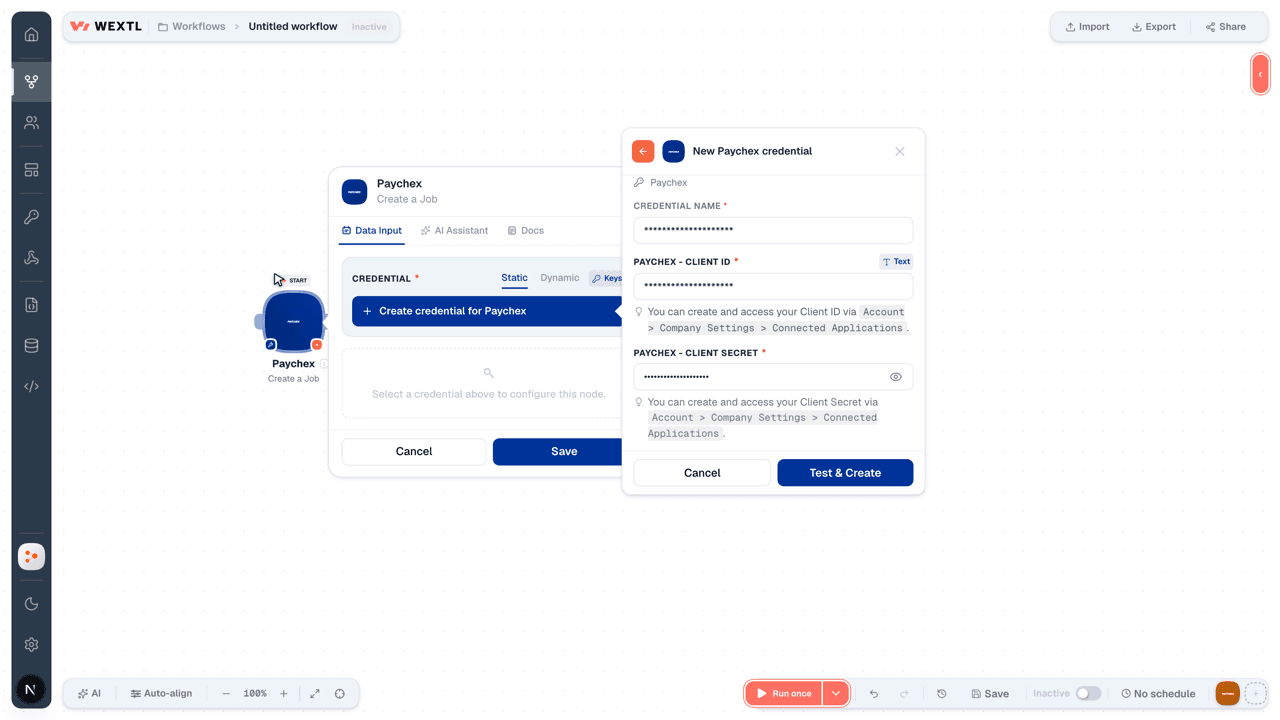
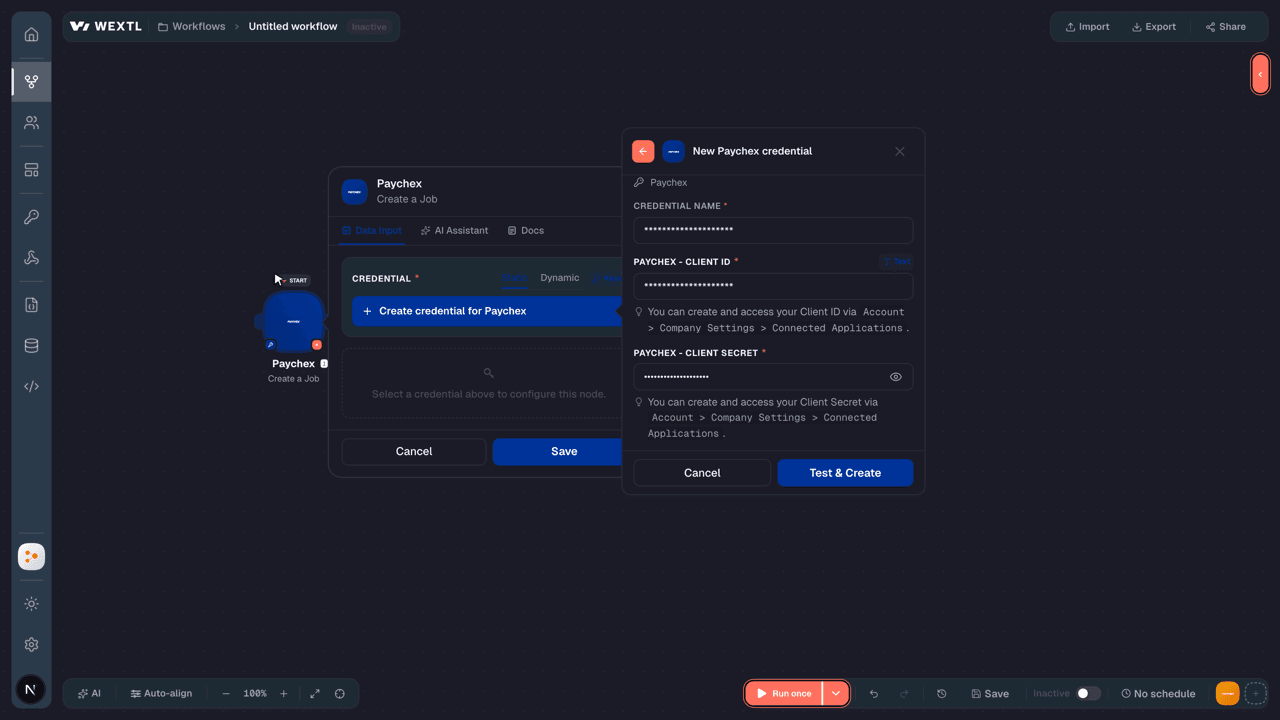
Paychex triggers and actions on WEXTL
The list below is a reference of every Paychex node module the integration supports. You will be able to pick any of them on the workflow canvas while building automations.
Each Paychex node module below opens to reveal its input parameters, outputs, and connection requirements.
Watch Events
Trigger
| Field | Type |
|---|---|
| User ID | number |
| Email address | |
| Name | text |
| Date created | date |
Get a Job
Action
| Field | Type |
|---|---|
Company IDRequired | choice |
| Field | Type |
|---|---|
| Job ID | text |
| Job Name | text |
| Start Date | date |
| Job Number | object |
| Segment 1 | text |
| Segment 2 | text |
| Segment 3 | text |
Get a Worker
Action
| Field | Type |
|---|---|
Company IDRequired | choice |
| Field | Type |
|---|---|
| Worker ID | text |
| Employee ID | text |
| Worker Type | text |
| Employment Type | text |
| Exemption Type | text |
| Work State | text |
| Birth Date | text |
| Sex | text |
| Ethnicity Code | text |
| Hire Date | text |
| Name | object |
| Family Name | text |
| Middle Name | text |
| Given Name | text |
| Preferred Name | text |
| Legal ID | object |
| Legal ID Type | text |
| Legal ID Value | text |
| Labor Assignment ID | text |
| Location ID | text |
| Job ID | text |
| Job | object |
| Job Title ID | text |
| Title | text |
| Organization | object |
| Organization ID | text |
| Name | text |
| Number | text |
| Links | array |
| Supervisor | object |
| Worker ID | text |
| Name | object |
| Current Status | object |
| Worker Status ID | text |
| Status Type | text |
| Status Reason | text |
| Effective Date | text |
| Links | array |
Get a Worker's Pay Rates
Search
| Field | Type |
|---|---|
Company IDRequired | choice |
| As Of | date |
| Limit | number |
| Field | Type |
|---|---|
| Rate ID | text |
| Start Date | date |
| Rate Number | text |
| Rate Type | text |
| Description | text |
| Amount | text |
| Standard Hours | text |
| Standard Overtime | text |
| Default | boolean |
| Links | array |
Get Company Jobs
Search
| Field | Type |
|---|---|
Company IDRequired | choice |
| As Of | date |
| Limit | number |
| Field | Type |
|---|---|
| Job ID | text |
| Job Name | text |
| Start Date | date |
| End Date | text |
| Job Number | object |
| Segment 1 | text |
| Segment 2 | text |
| Segment 3 | text |
Get Worker Communications
Search
| Field | Type |
|---|---|
Company IDRequired | choice |
| Limit | number |
| Field | Type |
|---|---|
| Communication ID | text |
| Type | text |
| Usage Type | text |
| Links | array |
Get Worker Direct Deposits
Search
| Field | Type |
|---|---|
Company IDRequired | choice |
| As Of | date |
| Effectivity Date | date |
| Limit | number |
| Field | Type |
|---|---|
| Direct Deposit ID | text |
| Start Date | date |
| Payment Type | text |
| Account Type | text |
| Value | number |
| Routing Number | text |
| Account Number | text |
| Priority | text |
| Links | array |
Get Worker Federal Taxes
Search
| Field | Type |
|---|---|
Company IDRequired | choice |
| Limit | number |
| Field | Type |
|---|---|
| Tax ID | text |
| Filing Status | text |
| Multiple Jobs | text |
| Dependents Amount | text |
| Other Income | text |
| Deductions Amount | text |
| Taxes Withheld | text |
| Extra Withholding Amount | text |
| Extra Withholding Percentage | text |
Get Worker State Taxes
Search
| Field | Type |
|---|---|
Company IDRequired | choice |
| Limit | number |
| Field | Type |
|---|---|
| Worker Tax ID | text |
| Country Subdivision Code | text |
| Is Resident State | boolean |
| State Allocation Percent | number |
| Regulation Type | text |
| Tax Status Type | text |
| Flat Dollar Override | number |
| Worker Tax Deductions | array |
Get Worker Statuses
Search
| Field | Type |
|---|---|
Company IDRequired | choice |
| Limit | number |
| Field | Type |
|---|---|
| Worker Status ID | text |
| Status Type | text |
| Status Reason | text |
| Effective Date | date |
| Order | number |
Get Worker Time Offs
Search
| Field | Type |
|---|---|
Company IDRequired | choice |
| Limit | number |
| Field | Type |
|---|---|
| Policy ID | text |
| Type | text |
| Name | text |
| Balance | text |
| Measure | text |
Get Workers
Search
| Field | Type |
|---|---|
Company IDRequired | choice |
| Given Name | text |
| Family Name | text |
| Legal Last Four | text |
| From | date |
| To | date |
| Limit | number |
| Field | Type |
|---|---|
| Worker ID | text |
| Employee ID | text |
| Worker Type | text |
| Employment Type | text |
| Exemption Type | text |
| Work State | text |
| Birth Date | text |
| Sex | text |
| Ethnicity Code | text |
| Hire Date | text |
| Name | object |
| Family Name | text |
| Middle Name | text |
| Given Name | text |
| Preferred Name | text |
| Legal ID | object |
| Legal ID Type | text |
| Legal ID Value | text |
| Labor Assignment ID | text |
| Location ID | text |
| Job ID | text |
| Job | object |
| Job Title ID | text |
| Title | text |
| Organization | object |
| Organization ID | text |
| Name | text |
| Number | text |
| Links | array |
| Supervisor | object |
| Worker ID | text |
| Name | object |
| Current Status | object |
| Worker Status ID | text |
| Status Type | text |
| Status Reason | text |
| Effective Date | text |
| Links | array |
Create a Job
Action
| Field | Type |
|---|---|
Company IDRequired | choice |
| Job Correlation ID | text |
Job NameRequired | text |
| Start Date | date |
| End Date | date |
| Job Number | object |
| Segment 1 | text |
| Segment 2 | text |
| Segment 3 | text |
| Field | Type |
|---|---|
| Job ID | text |
| Job Name | text |
| Start Date | date |
| Job Number | object |
| Segment 1 | text |
| Segment 2 | text |
| Segment 3 | text |
Create a Worker Communication
Action
| Field | Type |
|---|---|
Company IDRequired | choice |
| Communication ID | text |
TypeRequired | choice |
Usage TypeRequired | choice |
| Dial Country | text |
| Dial Area | text |
| Dial Number | text |
| Dial Extension | text |
| URI | text |
| Street Line One | text |
| Street Line Two | text |
| Post Office Box | text |
| City | text |
| Postal Code | text |
| Postal Code Extension | text |
| Country Subdivision Code | text |
| Country Code | text |
| Field | Type |
|---|---|
| Communication ID | text |
| Type | text |
| Usage Type | text |
| Links | array |
Create a Worker Direct Deposit
Action
| Field | Type |
|---|---|
Company IDRequired | choice |
Start DateRequired | date |
Payment TypeRequired | choice |
Account TypeRequired | choice |
ValueRequired | number |
Routing NumberRequired | text |
Account NumberRequired | text |
PriorityRequired | text |
| Field | Type |
|---|---|
| Direct Deposit ID | text |
| Start Date | date |
| Payment Type | text |
| Account Type | text |
| Value | number |
| Routing Number | text |
| Account Number | text |
| Priority | text |
| Links | array |
Create a Worker Federal Tax
Action
| Field | Type |
|---|---|
Company IDRequired | choice |
| Filing Status | choice |
| Multiple Jobs | choice |
| Dependents Amount | text |
| Other Income | number |
| Deductions Amount | number |
| Taxes Withheld | choice |
| Extra Withholding Amount | number |
| Override Withholding Amount | number |
| Extra Withholding Percentage | number |
| Override Withholding Percentage | number |
| Field | Type |
|---|---|
| Tax ID | text |
| Filing Status | text |
| Multiple Jobs | text |
| Dependents Amount | text |
| Other Income | text |
| Deductions Amount | text |
| Taxes Withheld | text |
| Extra Withholding Amount | text |
| Extra Withholding Percentage | text |
Create a Worker Pay Rate
Action
| Field | Type |
|---|---|
Company IDRequired | choice |
Start DateRequired | date |
Rate NumberRequired | text |
Rate TypeRequired | choice |
AmountRequired | number |
| Description | text |
| Standard Hours | text |
| Standard Overtime | text |
| Default Rate | boolean |
| Effective Date | date |
| Field | Type |
|---|---|
| Rate ID | text |
| Start Date | date |
| Rate Number | text |
| Rate Type | text |
| Description | text |
| Amount | text |
| Standard Hours | text |
| Standard Overtime | text |
| Default | boolean |
| Links | array |
Delete a Worker's Direct Deposit
Action
| Field | Type |
|---|---|
Company IDRequired | choice |
Perform an API Call
universal
| Field | Type |
|---|---|
URLRequired | text |
MethodRequired | choice |
| Headers | array |
| Header | object |
| Query String | array |
| Parameter | object |
| Body | text |
| Field | Type |
|---|---|
| Body | text |
| Headers | object |
| Status code | number |
Update a Job
Action
| Field | Type |
|---|---|
Company IDRequired | choice |
| Job Correlation ID | text |
| Job Name | text |
| Start Date | date |
| End Date | date |
| Effective Date | date |
| Job Number | object |
| Segment 1 | text |
| Segment 2 | text |
| Segment 3 | text |
| Field | Type |
|---|---|
| Job ID | text |
| Job Name | text |
| Start Date | date |
| Job Number | object |
| Segment 1 | text |
| Segment 2 | text |
| Segment 3 | text |
Update a Worker
Action
| Field | Type |
|---|---|
Company IDRequired | choice |
| Employee ID | text |
| Worker Type | choice |
| Employment Type | choice |
| Exemption Type | choice |
| Work State | text |
| Birth Date | date |
| Sex | choice |
| Ethnicity Code | text |
| Hire Date | date |
| Clock ID | text |
| Name | object |
| Family Name | text |
| Middle Name | text |
| Given Name | text |
| Preferred Name | text |
| Qualification Affix Code | text |
| Title Affix Code | text |
| Legal ID | object |
| Legal ID Type | choice |
| Legal ID Value | text |
| Worker Correlation ID | text |
| Field | Type |
|---|---|
| Worker ID | text |
| Employee ID | text |
| Worker Type | text |
| Employment Type | text |
| Exemption Type | text |
| Work State | text |
| Birth Date | text |
| Sex | text |
| Ethnicity Code | text |
| Hire Date | text |
| Name | object |
| Family Name | text |
| Middle Name | text |
| Given Name | text |
| Preferred Name | text |
| Legal ID | object |
| Legal ID Type | text |
| Legal ID Value | text |
| Labor Assignment ID | text |
| Location ID | text |
| Job ID | text |
| Job | object |
| Job Title ID | text |
| Title | text |
| Organization | object |
| Organization ID | text |
| Name | text |
| Number | text |
| Links | array |
| Supervisor | object |
| Worker ID | text |
| Name | object |
| Current Status | object |
| Worker Status ID | text |
| Status Type | text |
| Status Reason | text |
| Effective Date | text |
| Links | array |
Update a Worker Direct Deposit
Action
| Field | Type |
|---|---|
Company IDRequired | choice |
| Payment Type | choice |
| Value | number |
| Field | Type |
|---|---|
| Direct Deposit ID | text |
| Start Date | date |
| Payment Type | text |
| Account Type | text |
| Value | number |
| Routing Number | text |
| Account Number | text |
| Priority | text |
| Links | array |
Update a Worker Federal Tax
Action
| Field | Type |
|---|---|
Company IDRequired | choice |
| Filing Status | choice |
| Multiple Jobs | choice |
| Dependents Amount | text |
| Other Income | number |
| Deductions Amount | number |
| Taxes Withheld | choice |
| Extra Withholding Amount | number |
| Override Withholding Amount | number |
| Extra Withholding Percentage | number |
| Override Withholding Percentage | number |
| Field | Type |
|---|---|
| Tax ID | text |
| Filing Status | text |
| Multiple Jobs | text |
| Dependents Amount | text |
| Other Income | text |
| Deductions Amount | text |
| Taxes Withheld | text |
| Extra Withholding Amount | text |
| Extra Withholding Percentage | text |
Update a Worker Pay Rate
Action
| Field | Type |
|---|---|
Company IDRequired | choice |
| Start Date | date |
| Rate Number | text |
| Rate Type | choice |
| Amount | number |
| Description | text |
| Standard Hours | text |
| Standard Overtime | text |
| Default Rate | boolean |
| Effective Date | date |
| Field | Type |
|---|---|
| Rate ID | text |
| Start Date | date |
| Rate Number | text |
| Rate Type | text |
| Amount | text |
| Default | boolean |
| Links | array |
Update Worker Communication
Action
| Field | Type |
|---|---|
Company IDRequired | choice |
| Dial Country | text |
| Dial Area | text |
| Dial Number | text |
| Dial Extension | text |
| URI | text |
| Street Line One | text |
| Street Line Two | text |
| City | text |
| Postal Code | text |
| Postal Code Extension | text |
| Country Subdivision Code | text |
| Country Code | text |
| Field | Type |
|---|---|
| Communication ID | text |
| Type | text |
| Usage Type | text |
| Links | array |
Templates
Look for Paychex templates in the WEXTL template library.
Browse templates →Other HR integrations on WEXTL
 7Shifts[2]Restaurant employee scheduling, time tracking, and team management.
 BrightHRHR software for small businesses covering people, absence, and time tracking.
 CeipalTalent platform for recruiting, submissions, placements, and workforce.
 DailyPayEarned wage access and on-demand pay platform that connects employees to earned wages early.
 BeameryTalent lifecycle CRM for recruiting, talent pooling, campaigns, and workforce planning.
References
- WEXTL® Paychex Source Code connector implementation.
- Our users use cases and automations.
- Official API Documentation for Paychex.
- WEXTL® visual workflow builder data.
Last updated: Oct 1, 2026 03:22
How we write our apps documentation
How we compile these docs — sources, AI's role, and how we verify.