Google Tasks integration guide
VerifiedHow to connect Google Tasks to WEXTL and use its 15 actions in your workflows. About Google Tasks: Google Tasks lists and task items.
- 4 searches
- 11 actions
- Polling
- Auth: OAuth
AI-assisted documentation7 min read
This documentation is compiled from our integration source code, internal specs for Google Tasks, its official API documentation and anonymized requests logs we collect from our support team[2].


Requirements
Get your Google Tasks credentials
You’ll be redirected to sign in and approve access. Your password is never shared with WEXTL.
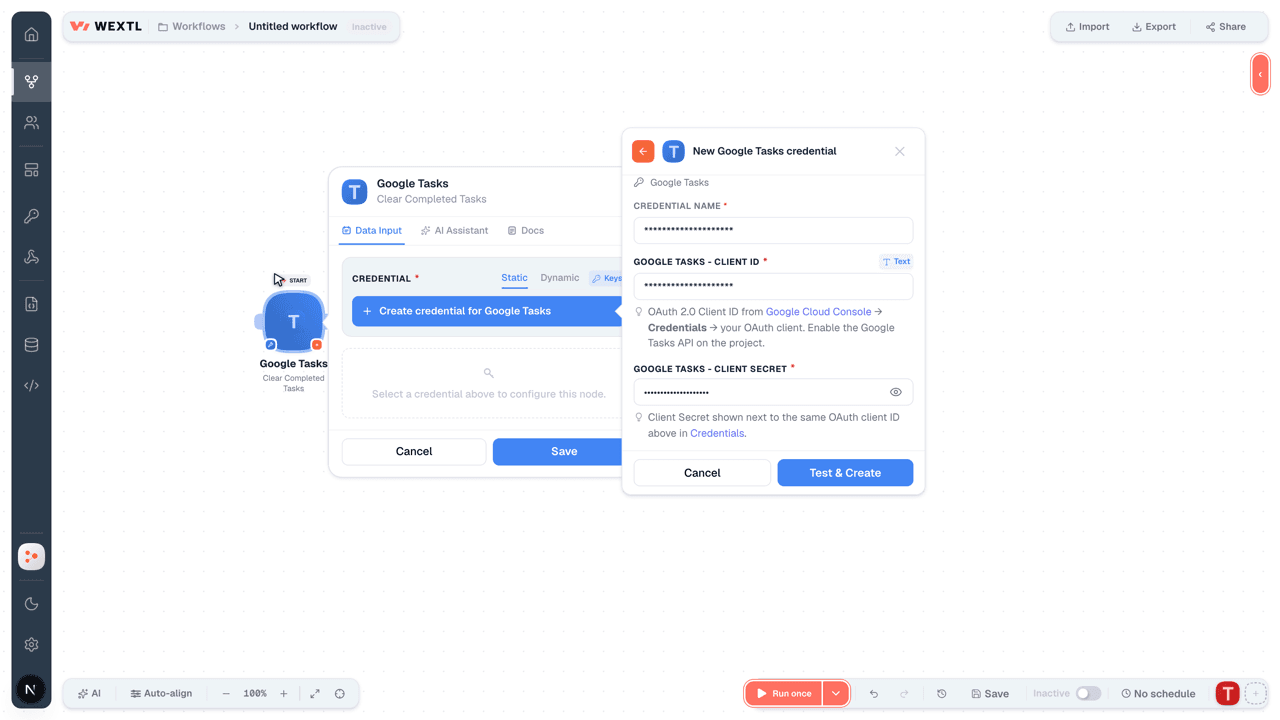
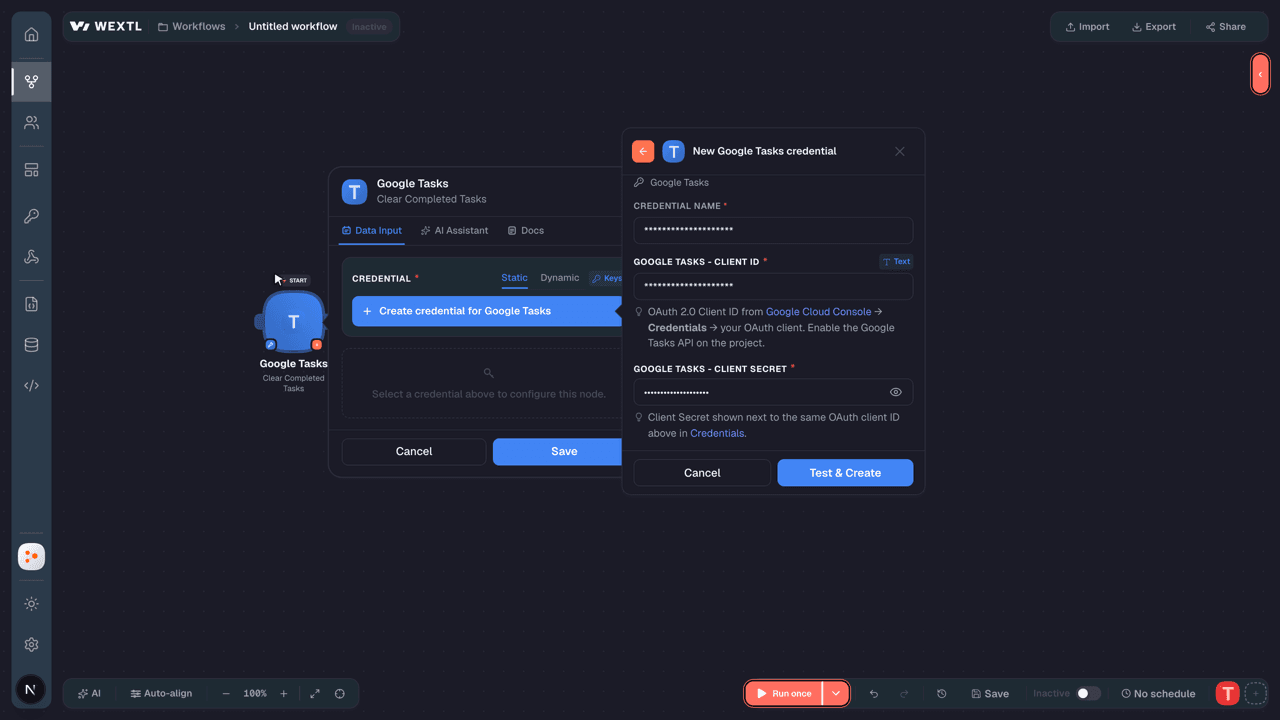
- Client IDtextRequired
OAuth 2.0 Client ID from Google Cloud Console → Credentials → your OAuth client. Enable the API on the project.[1]
- Client SecretpasswordRequired
Client Secret shown next to the same OAuth client ID above in Credentials.[1]
- Additional Scopesarray
Optional. Extra Google OAuth scopes to request on top of the default ones, one full scope URL per item (for example https://www.googleapis.com/auth/drive). Duplicates of the default scopes are ignored. Use this with your own Client ID, and enable the same scopes on its OAuth consent screen.[1]
Integration requests 3 permissions:
Create, edit, organize, and delete all your tasksView your email addressView your basic profile info
Connect Google Tasks in WEXTL
- Log in to your WEXTL account, add the Google Tasks node module to your workflow, and click Create new credential.
- Optional: In the Credential name field, enter a name for the credential.
- Enter the authentication credentials you copied from your Google Tasks account, or follow the on-screen instructions to create the credential.
- If prompted, authenticate your account and confirm access.
- If you want to make changes to your credential in the future, follow the steps in Manage credentials →
Google Tasks triggers and actions on WEXTL
The list below is a reference of every Google Tasks node module the integration supports. You will be able to pick any of them on the workflow canvas while building automations.
Browse every Google Tasks node module below. Each one opens to show its input parameters, outputs, and connection requirements.
Get a Task
ActionFetches one task with its title, parent and position.
| Field | Type |
|---|---|
Task ListRequired | choice |
| Field | Type |
|---|---|
| Kind | text |
| ID | text |
| ETag | text |
| Title | text |
| Updated | date |
| Self Link | url |
| Parent | text |
| Position | text |
| Notes | text |
| Status | text |
| Due | date |
| Completed | date |
| Deleted | boolean |
| Hidden | boolean |
| Links | array |
| Type | text |
| Description | text |
| Link | url |
| Web View Link | url |
| Assignment Info | object |
| Link To Task | url |
| Surface Type | text |
| Drive Resource Info | object |
| Space Info | object |
Get a Task List
ActionFetches the title and update time of one list.
| Field | Type |
|---|---|
Task ListRequired | choice |
| Field | Type |
|---|---|
| Kind | text |
| ID | text |
| ETag | text |
| Title | text |
| Updated | date |
| Self Link | url |
List Task Lists
SearchEvery task list belonging to the account.
| Field | Type |
|---|---|
| Limit | number |
| Field | Type |
|---|---|
| Kind | text |
| ID | text |
| ETag | text |
| Title | text |
| Updated | date |
| Self Link | url |
List Tasks
SearchTasks of a list, filtered by state and date ranges.
| Field | Type |
|---|---|
Task ListRequired | choice |
| Show Completed | boolean |
| Show Deleted | boolean |
| Show Hidden | boolean |
| Show Assigned | boolean |
| Completed Min | date |
| Completed Max | date |
| Due Min | date |
| Due Max | date |
| Updated Min | date |
| Limit | number |
| Field | Type |
|---|---|
| Kind | text |
| ID | text |
| ETag | text |
| Title | text |
| Updated | date |
| Self Link | url |
| Parent | text |
| Position | text |
| Notes | text |
| Status | text |
| Due | date |
| Completed | date |
| Deleted | boolean |
| Hidden | boolean |
| Links | array |
| Type | text |
| Description | text |
| Link | url |
| Web View Link | url |
| Assignment Info | object |
| Link To Task | url |
| Surface Type | text |
| Drive Resource Info | object |
| Space Info | object |
Clear Completed Tasks
ActionRemoves completed entries from a single list.
| Field | Type |
|---|---|
Task ListRequired | choice |
Create a Task
ActionNew task with notes, due date and a position in the list.
| Field | Type |
|---|---|
Task ListRequired | choice |
TitleRequired | text |
| Notes | text |
| Status | choice |
| Due Date | date |
| Completed Date | date |
| Deleted | boolean |
| Field | Type |
|---|---|
| Kind | text |
| ID | text |
| ETag | text |
| Title | text |
| Updated | date |
| Self Link | url |
| Parent | text |
| Position | text |
| Notes | text |
| Status | text |
| Due | date |
| Completed | date |
| Deleted | boolean |
| Hidden | boolean |
| Links | array |
| Type | text |
| Description | text |
| Link | url |
| Web View Link | url |
| Assignment Info | object |
| Link To Task | url |
| Surface Type | text |
| Drive Resource Info | object |
| Space Info | object |
Create a Task List
ActionMakes a new list to hold tasks.
| Field | Type |
|---|---|
TitleRequired | text |
| Field | Type |
|---|---|
| Kind | text |
| ID | text |
| ETag | text |
| Title | text |
| Updated | date |
| Self Link | url |
Delete a Task
ActionDeletes a single to-do from its list.
| Field | Type |
|---|---|
Task ListRequired | choice |
Delete a Task List
ActionRemoves an entire task list.
| Field | Type |
|---|---|
Task ListRequired | choice |
Make an API Call
universalCustom Google Tasks REST API request.
| Field | Type |
|---|---|
URLRequired | text |
MethodRequired | choice |
| Headers | array |
| Header | object |
| Query String | array |
| Parameter | object |
| Body | text |
| Field | Type |
|---|---|
| Body | text |
| Headers | object |
| Status code | number |
Move a Task
ActionReorders a task, nests it, or sends it to another list.
| Field | Type |
|---|---|
Task ListRequired | choice |
| Destination Task List | choice |
| Field | Type |
|---|---|
| Kind | text |
| ID | text |
| ETag | text |
| Title | text |
| Updated | date |
| Self Link | url |
| Parent | text |
| Position | text |
| Notes | text |
| Status | text |
| Due | date |
| Completed | date |
| Deleted | boolean |
| Hidden | boolean |
| Links | array |
| Type | text |
| Description | text |
| Link | url |
| Web View Link | url |
| Assignment Info | object |
| Link To Task | url |
| Surface Type | text |
| Drive Resource Info | object |
| Space Info | object |
Patch a Task
ActionEdits selected fields of a task.
| Field | Type |
|---|---|
Task ListRequired | choice |
| Title | text |
| Notes | text |
| Status | choice |
| Due Date | date |
| Completed Date | date |
| Deleted | boolean |
| Field | Type |
|---|---|
| Kind | text |
| ID | text |
| ETag | text |
| Title | text |
| Updated | date |
| Self Link | url |
| Parent | text |
| Position | text |
| Notes | text |
| Status | text |
| Due | date |
| Completed | date |
| Deleted | boolean |
| Hidden | boolean |
| Links | array |
| Type | text |
| Description | text |
| Link | url |
| Web View Link | url |
| Assignment Info | object |
| Link To Task | url |
| Surface Type | text |
| Drive Resource Info | object |
| Space Info | object |
Patch a Task List
ActionRenames a task list with a partial update.
| Field | Type |
|---|---|
Task ListRequired | choice |
TitleRequired | text |
| Field | Type |
|---|---|
| Kind | text |
| ID | text |
| ETag | text |
| Title | text |
| Updated | date |
| Self Link | url |
Update a Task
ActionSaves new values for the fields of a task.
| Field | Type |
|---|---|
Task ListRequired | choice |
TitleRequired | text |
| Notes | text |
| Status | choice |
| Due Date | date |
| Completed Date | date |
| Deleted | boolean |
| Field | Type |
|---|---|
| Kind | text |
| ID | text |
| ETag | text |
| Title | text |
| Updated | date |
| Self Link | url |
| Parent | text |
| Position | text |
| Notes | text |
| Status | text |
| Due | date |
| Completed | date |
| Deleted | boolean |
| Hidden | boolean |
| Links | array |
| Type | text |
| Description | text |
| Link | url |
| Web View Link | url |
| Assignment Info | object |
| Link To Task | url |
| Surface Type | text |
| Drive Resource Info | object |
| Space Info | object |
Templates
Look for Google Tasks templates in the WEXTL template library.
Browse templates →Other project management integrations on WEXTL
 Buildern[2]Construction project management for budgets, clients, and job progress.
 FieldwireConstruction project management for tasks, submittals, plans, and field coordination.
 Asset PandaFlexible asset tracking and workflow management for equipment, inventory, and audits.
 Fishbowl InventoryInventory and manufacturing ERP for tracking parts, purchase orders, and warehouse stock.
 BigChangeField service management platform for scheduling jobs, technicians, and customer work orders.
References
- WEXTL® Google Tasks Source Code connector implementation.
- Our users use cases and automations.
- Official API Documentation for Google Tasks.
- WEXTL® visual workflow builder data.
Last updated: Jul 23, 2026 11:00
How we write our apps documentation
How we compile these docs: sources, the role of AI, and how we verify.