


Requirements
Before you set up the credential, make sure you have an active CharmHealth account and OAuth client credentials, granted by signing in with your account ready.[3]
Get your CharmHealth credentials
You’ll be redirected to sign in and approve access — your password is never shared with WEXTL.
- Client IDtext
Log in to your account and go to the Developer / API settings page.
[1] - Client Secretpassword
Log in to your account and go to the Developer / API settings page.
[1]
Connect CharmHealth in WEXTL
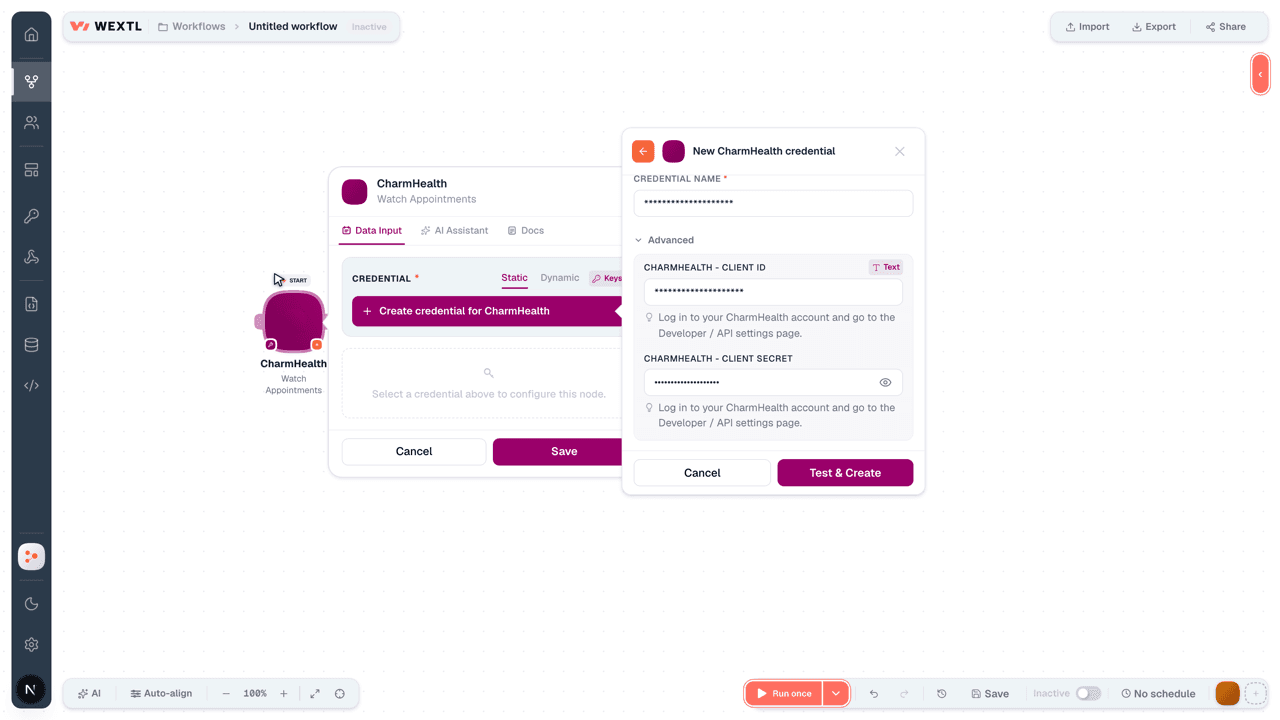
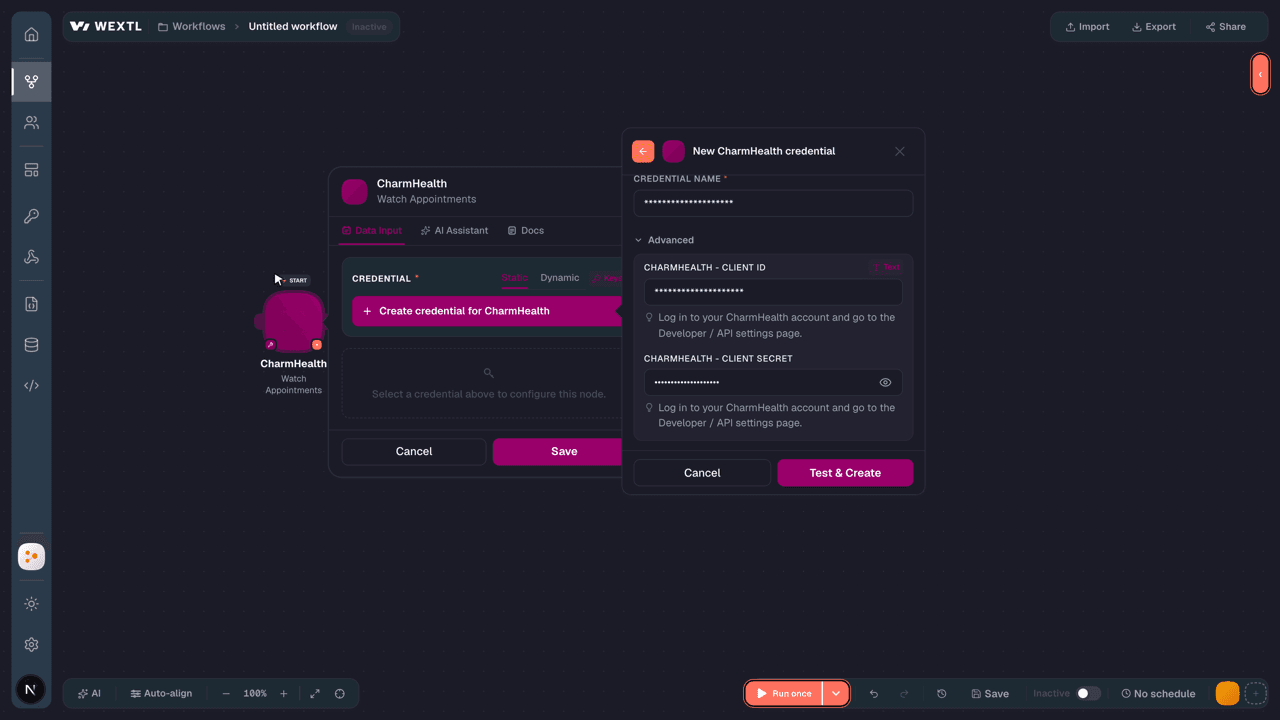
- Log in to your WEXTL account, add the CharmHealth node module to your workflow, and click Create new credential.
- Optional: In the Credential name field, enter a name for the credential.
- Enter the authentication credentials you copied from your CharmHealth account, or follow the on-screen instructions to create the credential.
- If prompted, authenticate your account and confirm access.
- If you want to make changes to your credential in the future, follow the steps in Manage credentials →
Notes
Credentials are org-scoped; share them with teammates from the Credentials picker on any of its nodes.For detailed information on connecting an application, see Connect an application →
CharmHealth node modules
The list below is a reference of every CharmHealth node module the integration supports. You will be able to pick any of them on the workflow canvas while building automations.
Each CharmHealth node module below opens to reveal its input parameters, outputs, and connection requirements.
Watch AppointmentsTrigger
| Field | Type |
|---|---|
| Resource type | text |
| ID | text |
| Meta | object |
| Last updated | text |
| Identifier | array |
| Status | text |
| Service type | array |
| Appointment type | object |
| Coding | array |
| Text | text |
| Description | text |
| Start | date |
| End | date |
| Comment | text |
| Patient instruction | text |
| Participant | array |
Watch Diagnostic ReportsTrigger
| Field | Type |
|---|---|
| Full URL | url |
| Resource | object |
| Resource type | text |
| ID | text |
| Meta | object |
| Status | text |
| Category | array |
| Code | object |
| Subject | object |
| Encounter | object |
| Effective date time | date |
| Issued | date |
Watch EncountersTrigger
| Field | Type |
|---|---|
| Full URL | url |
| Resource | object |
| Resource type | text |
| ID | text |
| Meta | object |
| Identifier | array |
| Status | text |
| Class | object |
| Type | array |
| Subject | object |
| Participant | array |
| Period | object |
Watch PatientsTrigger
| Field | Type |
|---|---|
| Resource type | text |
| ID | text |
| Meta | object |
| Last updated | text |
| Type | text |
| Total | number |
| Link | array |
| Entry | array |
Watch ProceduresTrigger
| Field | Type |
|---|---|
| Full URL | url |
| Resource | object |
| Resource type | text |
| ID | text |
| Status | text |
| Code | object |
| Subject | object |
| Performed period | object |
| Recorder | object |
| Report | array |
Watch Questionnaire ResponsesTrigger
| Field | Type |
|---|---|
| Resource type | text |
| ID | text |
| Status | text |
| Subject | object |
| Reference | text |
| Encounter | object |
| Reference | text |
| Authored | date |
| Author | object |
| Reference | text |
| Source | object |
| Reference | text |
| Item | array |
Get a Care PlanAction
Get a Care TeamAction
Get a Diagnostic ReportAction
Get a PatientAction
Get a PractitionerAction
Get a ProcedureAction
Get a Questionnaire ResponseAction
Get an AppointmentAction
Get an EncounterAction
| Field | Type |
|---|---|
IDRequired | choice |
| Field | Type |
|---|---|
| Resource type | text |
| ID | text |
| Meta | object |
| Last updated | text |
| Identifier | array |
| Status | text |
| Class | object |
| System | text |
| Code | text |
| Display | text |
| Type | array |
| Subject | object |
| Reference | text |
| Participant | array |
| Period | object |
| Start | text |
| Reason code | array |
| Hospitalization | object |
| Discharge disposition | object |
| Location | array |
List AppointmentsSearch
List Care PlansSearch
List Care TeamsSearch
List Diagnostic ReportsSearch
List EncountersSearch
| Field | Type |
|---|---|
| Encounter Reference | text |
| Patient Reference | text |
| Status | choice |
| Class | choice |
| Type | text |
| Date | text |
| RevInclude | text |
| Encounter Identifier | text |
| Limit | number |
| Field | Type |
|---|---|
| Full URL | url |
| Resource | object |
| Resource type | text |
| ID | text |
| Meta | object |
| Identifier | array |
| Status | text |
| Class | object |
| Type | array |
| Subject | object |
| Participant | array |
| Period | object |
List PatientsSearch
| Field | Type |
|---|---|
| Name | text |
| Birthdate | text |
| Gender | choice |
| Family Name | text |
| Given Name | text |
| Identifier | text |
| Patient Identifier | text |
| Revinclude | choice |
| Limit | number |
| Field | Type |
|---|---|
| Full URL | url |
| Resource | object |
| Resource type | text |
| ID | text |
| Meta | object |
| Extension | array |
| Identifier | array |
| Active | boolean |
| Name | array |
| Telecom | array |
| Gender | text |
| Birth date | date |
List PractitionersSearch
List ProceduresSearch
List Questionnaire ResponsesSearch
Templates
Look for CharmHealth templates in the WEXTL template library.
Browse templates →Explore alternative apps
- DaySmart Vet[2]Cloud veterinary practice management for scheduling, records, and client communication.
- Clio GrowManage contacts, matters, inbox leads, lead sources, and locations in Clio Grow client intake.
- Clio ManageManage matters, contacts, tasks, billing, documents, and calendars in Clio Manage legal practice management.
- AlfaDocsPractice management for dental clinics — patients, appointments, and records.
- ClinikoPractice management for healthcare providers — appointments, notes, and billing.


References
- WEXTL® CharmHealth Source Code connector implementation.
- Our users use cases and automations.
- Official API Documentation for CharmHealth.
- WEXTL® visual workflow builder data.
Last updated: Jul 23, 2026 22:39