


Requirements
Connecting AlfaDocs takes an active account plus an API access token from your account settings — no other setup is required.[3]
Get your AlfaDocs credentials
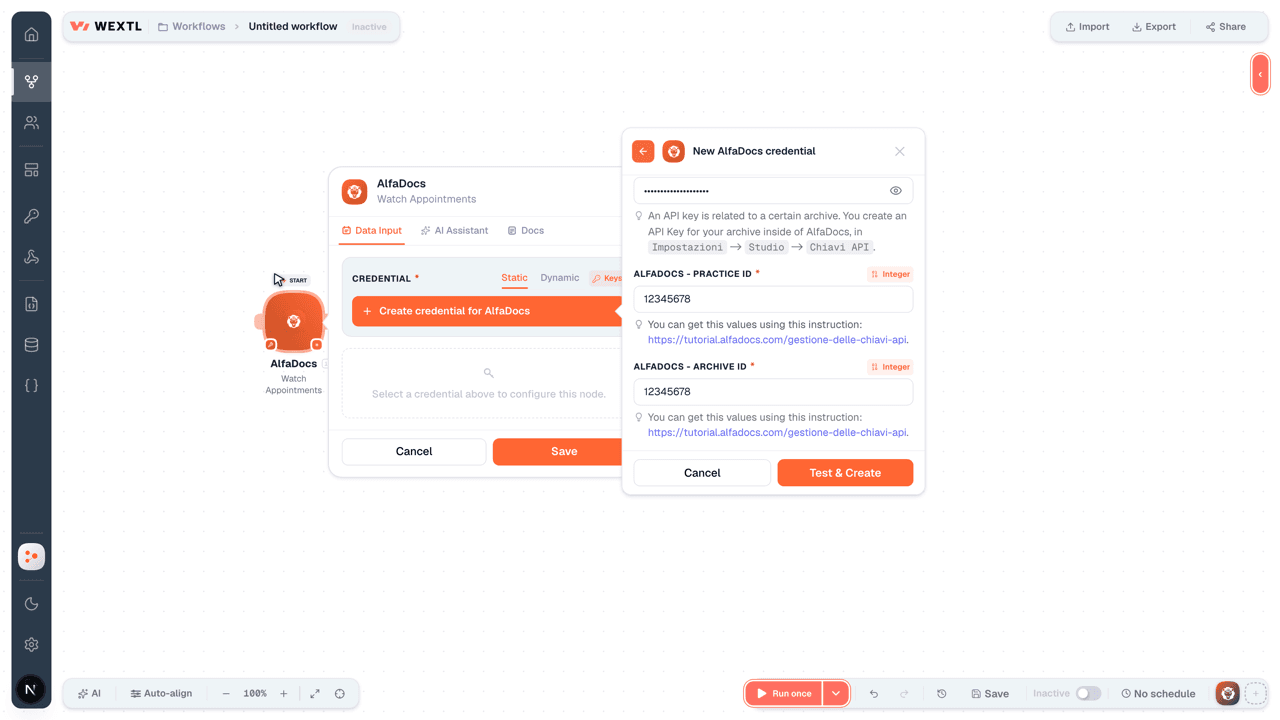
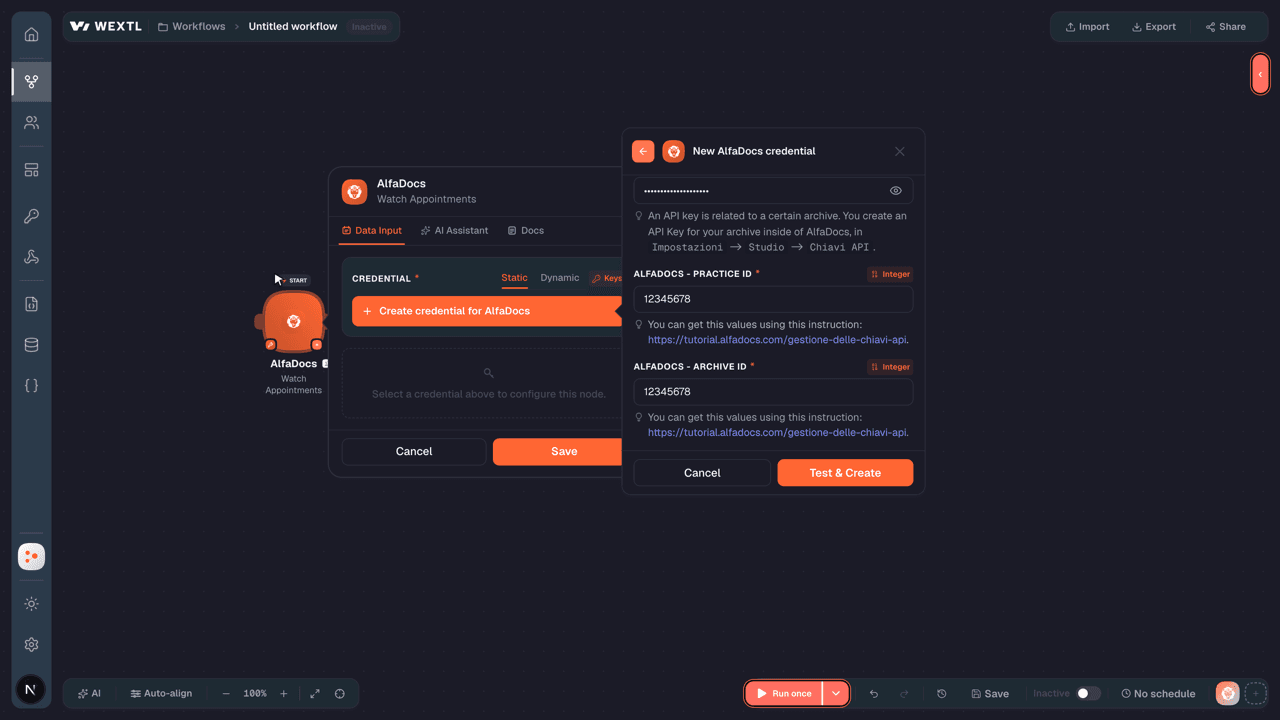
- API KeypasswordRequired
An API key is related to a certain archive. You create an API Key for your archive inside of AlfaDocs, in
[1]Impostazioni->Studio->Chiavi API. - Practice IDintegerRequired
You can get this values using this instruction: https://tutorial.alfadocs.com/gestione-delle-chiavi-api.
[1] - Archive IDintegerRequired
You can get this values using this instruction: https://tutorial.alfadocs.com/gestione-delle-chiavi-api.
[1]
Connect AlfaDocs in WEXTL
- Log in to your WEXTL account, add the AlfaDocs node module to your workflow, and click Create new credential.
- Optional: In the Credential name field, enter a name for the credential.
- Enter the authentication credentials you copied from your AlfaDocs account, or follow the on-screen instructions to create the credential.
- If prompted, authenticate your account and confirm access.
- If you want to make changes to your credential in the future, follow the steps in Manage credentials →
Notes
Credentials are org-scoped; share them with teammates from the Credentials picker on any of its nodes.For detailed information on connecting an application, see Connect an application →
AlfaDocs node modules
The list below is a reference of every AlfaDocs node module the integration supports. You will be able to pick any of them on the workflow canvas while building automations.
Expand any AlfaDocs node module below to see exactly what it takes in, what it returns, and what connection it needs.
Watch AppointmentsTrigger
| Field | Type |
|---|---|
| ID | number |
| Date | text |
| Patient ID | number |
| Email Reminder | boolean |
| SMS Reminder | boolean |
| Description | text |
| All Day | boolean |
| Type | text |
| State | text |
| Duration | number |
| Color ID | number |
| Chair ID | number |
| Operator ID | number |
| Created Through Booking | boolean |
| Created Through API | boolean |
| First Visit | text |
Watch PatientsTrigger
| Field | Type |
|---|---|
| ID | number |
| First Name | text |
| Last Name | text |
| Email Enabled | boolean |
| Email Valid | text |
| Phone Numbers | array |
| Gender | text |
| Street | text |
| City | text |
| Postcode | text |
| Province | text |
| Date Of Birth | text |
| Place Of Birth | text |
| Italian Fiscal Code | text |
| Job | text |
| Yearly Numbering Year | text |
| Yearly Numbering Number | text |
| Default Discount | number |
| Source ID | number |
Get a Care PlanAction
| Field | Type |
|---|---|
Practice IDRequired | number |
Archive IDRequired | number |
Care Plan IDRequired | number |
| Field | Type |
|---|---|
| ID | number |
| Patient ID | number |
| Branch | text |
| Name | text |
| State | text |
| Date accepted | text |
| Finding ID | number |
| Price list ID | number |
| Operator ID | number |
| Personal assistant ID | number |
| Care plan discard reason ID | number |
| Created at | text |
| Text | text |
| Background | boolean |
| Created through appointment | boolean |
| Is signed | boolean |
| Discount percentage | number |
| Care plan entries count | number |
| Price | number |
| Discounted price | number |
Get a PatientAction
| Field | Type |
|---|---|
Practice IDRequired | number |
Archive IDRequired | number |
Patient IDRequired | number |
| Field | Type |
|---|---|
| ID | number |
| First Name | text |
| Last Name | text |
| Email Enabled | boolean |
| Email Valid | text |
| Phone Numbers | array |
| Gender | text |
| Street | text |
| City | text |
| Postcode | text |
| Province | text |
| Date Of Birth | text |
| Place Of Birth | text |
| Italian Fiscal Code | text |
| Job | text |
| Yearly Numbering Year | text |
| Yearly Numbering Number | text |
| Default Discount | number |
| Source ID | number |
Get an AppointmentAction
| Field | Type |
|---|---|
Practice IDRequired | number |
Archive IDRequired | number |
Appointment IDRequired | number |
| Field | Type |
|---|---|
| ID | number |
| Date | text |
| Patient ID | number |
| Email Reminder | boolean |
| SMS Reminder | boolean |
| Description | text |
| All Day | boolean |
| Type | text |
| State | text |
| Duration | number |
| Color ID | number |
| Chair ID | number |
| Operator ID | number |
| Created Through Booking | boolean |
| Created Through API | boolean |
| First Visit | text |
Search Appointment Care PlansSearch
| Field | Type |
|---|---|
Practice IDRequired | number |
Archive IDRequired | number |
Appointment IDRequired | number |
| Limit | number |
| Field | Type |
|---|---|
| Entry ID | number |
| Price | number |
| Discounted price | number |
| Discount percentage | number |
| Absolute discount | number |
| Created at | text |
| Use inventory | text |
| Consumption price | text |
| Done | text |
| Date done | text |
| Laboratory purpose | text |
| Laboratory costs | text |
| Multiply laboratory costs | text |
| Compensation type | text |
| Compensation value | text |
| Deleted | text |
| Sequence number | number |
| Number of executions | number |
| Calculated variable costs | number |
| Calculated contribution margin | number |
Search AppointmentsSearch
| Field | Type |
|---|---|
Practice IDRequired | number |
Archive IDRequired | number |
| Start Date | date |
| End Date | date |
| Appointment State | choice |
| Patient ID | number |
| Limit | number |
| Field | Type |
|---|---|
| ID | number |
| Date | text |
| Patient ID | number |
| Email Reminder | boolean |
| SMS Reminder | boolean |
| Description | text |
| All Day | boolean |
| Type | text |
| State | text |
| Duration | number |
| Color ID | number |
| Chair ID | number |
| Operator ID | number |
| Created Through Booking | boolean |
| Created Through API | boolean |
| First Visit | text |
Search Custom Object FieldsSearch
Search Free Time SlotsSearch
| Field | Type |
|---|---|
Practice IDRequired | number |
Archive IDRequired | number |
Start DateRequired | date |
DurationRequired | number |
| End Date | date |
| Operator IDs | array |
| Limit | number |
| Field | Type |
|---|---|
| ID | number |
| First Name | text |
| Last Name | text |
| Email Enabled | boolean |
| Email Valid | text |
| Phone Numbers | array |
| Gender | text |
| Street | text |
| City | text |
| Postcode | text |
| Province | text |
| Date Of Birth | text |
| Place Of Birth | text |
| Italian Fiscal Code | text |
| Job | text |
| Yearly Numbering Year | text |
| Yearly Numbering Number | text |
| Default Discount | number |
| Source ID | number |
Search PatientsSearch
| Field | Type |
|---|---|
Practice IDRequired | number |
Archive IDRequired | number |
| Phone Number Prefix | text |
| Phone Number | text |
| Italian Fiscal Code | text |
| Limit | number |
| Field | Type |
|---|---|
| ID | number |
| First Name | text |
| Last Name | text |
| Email Enabled | boolean |
| Email Valid | text |
| Phone Numbers | array |
| Gender | text |
| Street | text |
| City | text |
| Postcode | text |
| Province | text |
| Date Of Birth | text |
| Place Of Birth | text |
| Italian Fiscal Code | text |
| Job | text |
| Yearly Numbering Year | text |
| Yearly Numbering Number | text |
| Default Discount | number |
| Source ID | number |
Create a PatientAction
| Field | Type |
|---|---|
Practice IDRequired | number |
Archive IDRequired | number |
First NameRequired | text |
Last NameRequired | text |
| Email Enabled | boolean |
| Gender | choice |
| Street Address | text |
| City | text |
| Zip Code | text |
| Province | text |
| Date of Birth | date |
| City of Birth | text |
| Italian Fiscal Code | text |
| Job | text |
| Yearly Numbering Year | text |
| Yearly Numbering Number | number |
| Default Discount | number |
| Source ID | number |
| Price List ID | number |
| Field | Type |
|---|---|
| ID | number |
| First Name | text |
| Last Name | text |
| Email Enabled | boolean |
| Email Valid | text |
| Phone Numbers | array |
| Gender | text |
| Street | text |
| City | text |
| Postcode | text |
| Province | text |
| Date Of Birth | text |
| Place Of Birth | text |
| Italian Fiscal Code | text |
| Job | text |
| Yearly Numbering Year | text |
| Yearly Numbering Number | text |
| Default Discount | number |
| Source ID | number |
Create an AppointmentAction
| Field | Type |
|---|---|
Practice IDRequired | number |
Appointment's dateRequired | date |
| Patient's ID | number |
| Email Reminder | boolean |
| SMS Reminder | boolean |
| Appointment Description | text |
| All Day Appointment | boolean |
| Type of Appointment | choice |
| Duration | number |
| Appointment State | text |
| Chair ID | number |
| Operator ID | number |
| Field | Type |
|---|---|
| ID | number |
| Date | text |
| Patient ID | number |
| Email Reminder | boolean |
| SMS Reminder | boolean |
| Description | text |
| All Day | boolean |
| Type | text |
| State | text |
| Duration | number |
| Color ID | number |
| Chair ID | number |
| Operator ID | number |
| Created Through Booking | boolean |
| Created Through API | boolean |
| First Visit | text |
Delete a PatientAction
| Field | Type |
|---|---|
Practice IDRequired | number |
Archive IDRequired | number |
Patient IDRequired | number |
Make an API Calluniversal
Update a PatientAction
| Field | Type |
|---|---|
Practice IDRequired | number |
Archive IDRequired | number |
Patient IDRequired | number |
| First Name | text |
| Last Name | text |
| Email Enabled | boolean |
| Gender | choice |
| Street Address | text |
| City | text |
| Zip Code | text |
| Province | text |
| Date of Birth | date |
| City of Birth | text |
| Italian Fiscal Code | text |
| Job | text |
| Yearly Numbering Year | text |
| Yearly Numbering Number | number |
| Default Discount | number |
| Source ID | number |
| Field | Type |
|---|---|
| ID | number |
| First Name | text |
| Last Name | text |
| Email Enabled | boolean |
| Email Valid | text |
| Phone Numbers | array |
| Gender | text |
| Street | text |
| City | text |
| Postcode | text |
| Province | text |
| Date Of Birth | text |
| Place Of Birth | text |
| Italian Fiscal Code | text |
| Job | text |
| Yearly Numbering Year | text |
| Yearly Numbering Number | text |
| Default Discount | number |
| Source ID | number |
Update an AppointmentAction
| Field | Type |
|---|---|
Appointment IDRequired | number |
Practice IDRequired | number |
| Appointment's date | date |
| Patient's ID | number |
| Email Reminder | boolean |
| SMS Reminder | boolean |
| Appointment Description | text |
| All Day Appointment | boolean |
| Type of Appointment | choice |
| Duration | number |
| Appointment State | text |
| Chair ID | number |
| Operator ID | number |
| Field | Type |
|---|---|
| ID | number |
| Date | text |
| Patient ID | number |
| Email Reminder | boolean |
| SMS Reminder | boolean |
| Description | text |
| All Day | boolean |
| Type | text |
| State | text |
| Duration | number |
| Color ID | number |
| Chair ID | number |
| Operator ID | number |
| Created Through Booking | boolean |
| Created Through API | boolean |
| First Visit | text |
Templates
Look for AlfaDocs templates in the WEXTL template library.
Browse templates →Explore alternative apps
- Cliniko[2]Practice management for healthcare providers — appointments, notes, and billing.
- CharlaAI chatbot and live-chat platform for contacts, articles, and conversations.
- Classe365Student information and school management system for admissions, academics, and administration.
- ChatlingAI customer-service agent for chatbot contacts and conversations.
- Denser AIAI chatbots trained on your documents, websites, and knowledge base content.


References
- WEXTL® AlfaDocs Source Code connector implementation.
- Our users use cases and automations.
- Official API Documentation for AlfaDocs.
- WEXTL® visual workflow builder data.
Last updated: Jul 23, 2026 22:38